With this surveillance app, you can access and monitor your devices remotely, view real-time video, and control PTZ functions. Includes device management, live preview, remote playback, and configuration tools.
AppRecs review analysis
AppRecs rating 2.4. Trustworthiness 78 out of 100. Review manipulation risk 23 out of 100. Based on a review sample analyzed.
★★☆☆☆
2.4
AppRecs Rating
Ratings breakdown
5 star
31%
4 star
3%
3 star
3%
2 star
5%
1 star
58%
What to know
✓
Low review manipulation risk
23% review manipulation risk
⚠
Mixed user feedback
Average 2.4★ rating suggests room for improvement
⚠
High negative review ratio
63% of sampled ratings are 1–2 stars
About Paramont CMS
Paramont CMS for iOS supports the full line-up of Paramont surveillance products including NVRs, DVRs, and Recorders along with Network Cameras and Speed Domes.
Key Features Include:
• Supports P2P QR Code Scanning, up to 100 P2P Devices
• Real-Time Video Preview of up to 16 Channels at once.
- Snapshot/Video Record
- Digital Zoom with Pinch to Zoom in/out
- PTZ support
- Audio and Two-Way Audio Support
• Remote Playback, up to 4 Channels at once
- Digital Zoom, Pinch to Zoom in/out
- Audio
- Snapshot
• Remote Configuration
- Local Setup
- Basic Information
- Schedule and Event Setup
- Sub Stream Setup
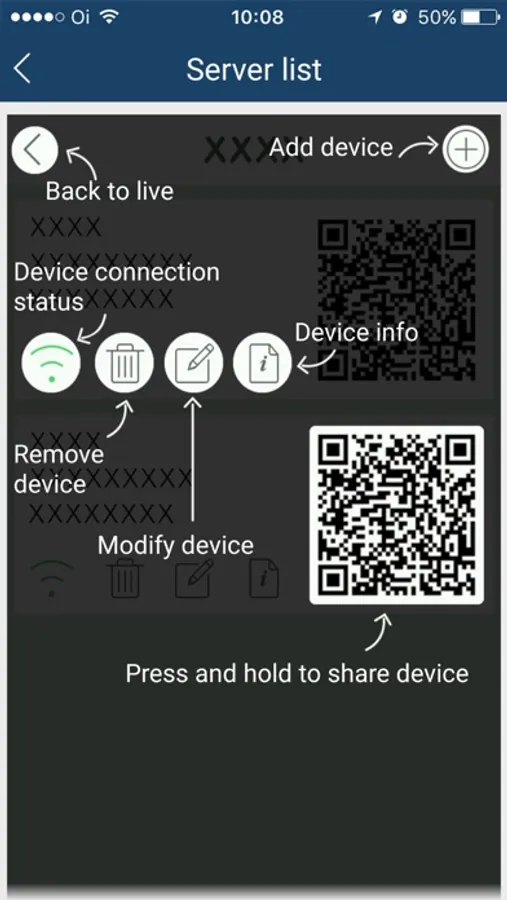
Paramont CMS Screenshots

Tap to Rate:
Reviews for Paramont CMS
sharon201900
The most terrible app for security
Just give it up this is such garbage like you can’t load anything why would you have such a terrible product like this should make you embarrassed
cameron62590
Motion Alert Notifications
Still get tons of motion, alert notifications on my doorbell camera, even though I have gone into the settings of the doorbell camera to turn those off as well as gone into my push settings and turned motion notification off. I’ve never had this issue with any other cameras except the doorbell ones. I have had several calls with tech support and can’t seem to find a resolution. It would also be nice to be able to remotely update firmware and edit the settings of the doorbell camera through the app, without having to get a laptop or a desktop computer.