
AppRecs review analysis
AppRecs rating 3.9. Trustworthiness 70 out of 100. Review manipulation risk 22 out of 100. Based on a review sample analyzed.
★★★☆☆
3.9
AppRecs Rating
Ratings breakdown
5 star
30%
4 star
30%
3 star
40%
2 star
0%
1 star
0%
What to know
✓
Low review manipulation risk
22% review manipulation risk
✓
Good user ratings
60% positive sampled reviews
About TodayShot
By the way, what number of days did you wear that clothes?
Let's register the pattern of coordination as we go on a trip!
What was the former nail design like?
Kittens grow fast so I want to record every day!
etc···
Not limited to coordination, it is an application to record various things as one picture of the day every day.
The operation is very easy!
"One picture", "favorite setting" and "comment" three!
I wanted to register multiple photos or want to record a lot of memo, I left it to the diary application, I made it simple.
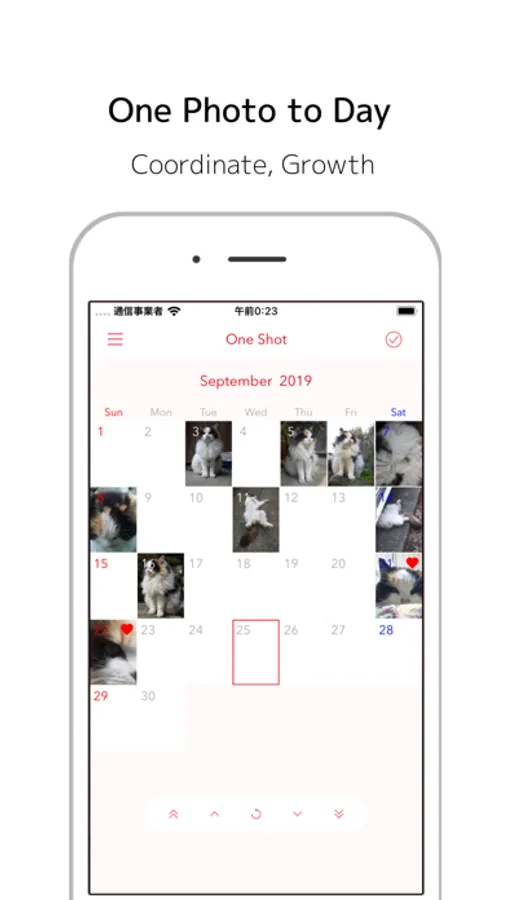
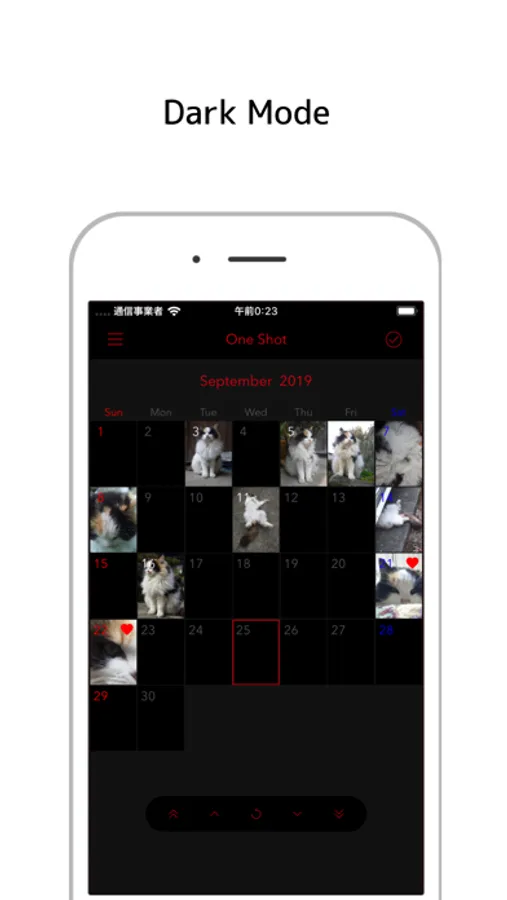
The calendar screen is easy to see in the month display.
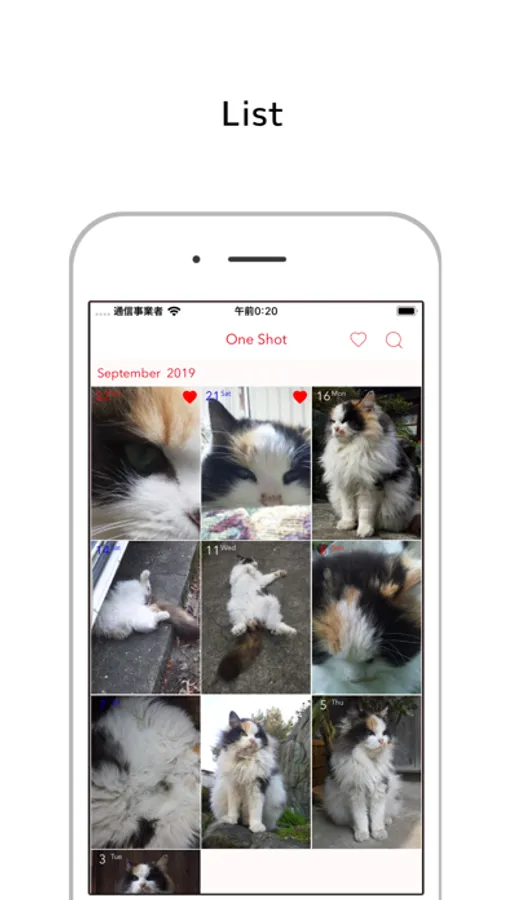
The list displays registered information in detail.
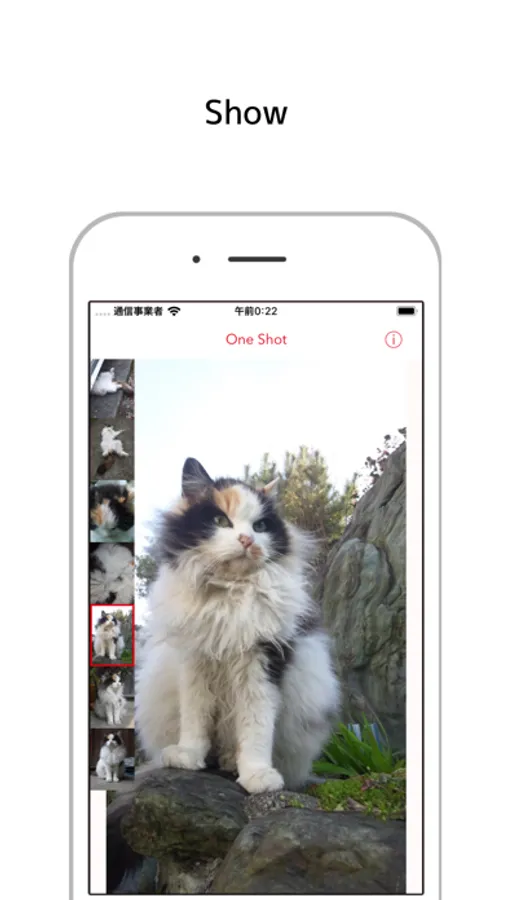
In the photo list, only photos are displayed.
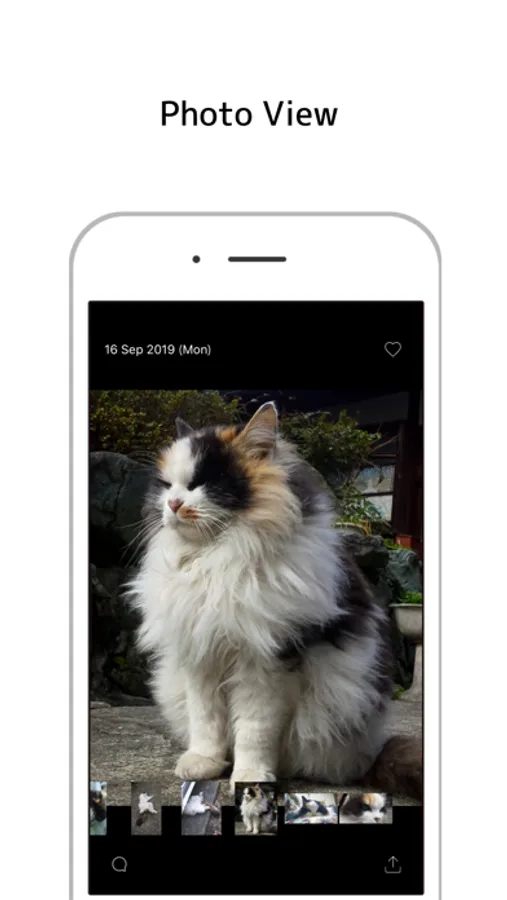
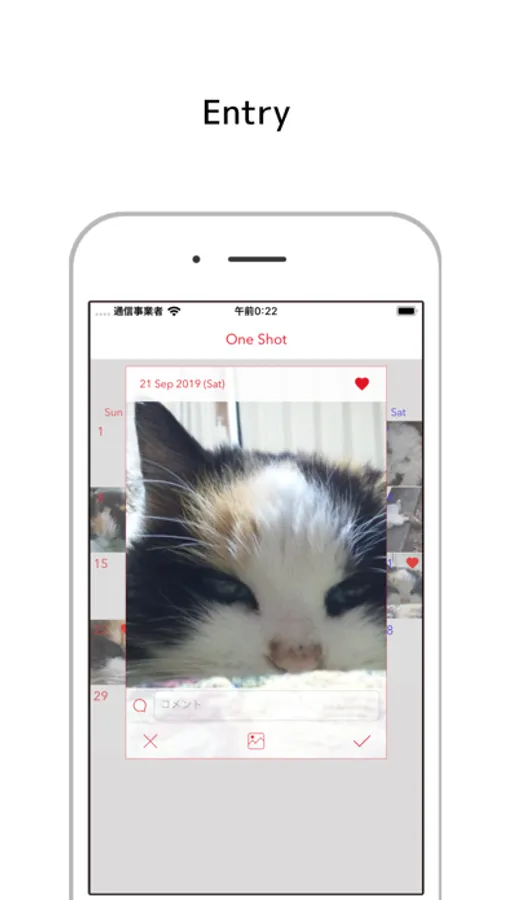
On the preview screen, add favorites and comments.
Usage is free! Please try using it.
【screen structure】
Main screen (Calendar, list, Photo list)
Preview screen
Setting screen
【Screen Details】
■ Main screen: Calendar
- Swipe up and down to move year and month
- Tap on the year and month, move to the current month. Display year / month specification screen by long press of year / month.
- Swipe left to photo list
- Tap of date, photo registration or preview display. Long press to edit or delete
- Switch registration method (quick, detailed)
■ Main screen: List
- Pull down to resize (3 rows, 5 columns, comment list)
- Tap on the photo, preview display
- Swipe right to the calendar screen
- Header tap to display target year / month on the calendar screen
■ Main screen: Photo list
- Tap of photo to show / hide thumbnail bar
- Thumbnail bar can be set right / left in setting screen
- In the information area tap, go to the calendar screen
■ Preview screen
- Favorite settings
- Comment input
- Tap to display photos only
- Swipe down to close
■ Setting screen
- Dark mode
- Font color setting
- English notation of year and month and day of the week
- Show days of the week from Monday
- Widget display (none, recently, favorites)
- Sync display of calendar and photo list
- Display item availability setting (favorites, comments)
- Change registration method (Quick, Detail)
- Left and right position and size of thumbnail bar of show screen
TodayShot Screenshots
Tap to Rate:
Reviews for TodayShot
Tom Nichols
How to stop ads?
This is simple and perfect except for the ads. Is there a paid version that gets rid of them?
klbee3
Simply perfect with things to improve
This app is perfect and simple for what I need! However, I noticed one important issue is that the date is wrong.. Today Aug 22nd is Monday, but on the app all the days have been moved one day behind so it says "Sunday". It would be great to fix this! And an idea for the future: a cropping feature that allows you to zoom-in or re-size the preview image. ☺️👍