In this eBook converter app, users can convert and edit multiple e-book formats with DRM removal capabilities. Includes format conversion, DRM removal, and custom layout features.
AppRecs review analysis
AppRecs rating 3.8. Trustworthiness 70 out of 100. Review manipulation risk 38 out of 100. Based on a review sample analyzed.
★★★☆☆
3.8
AppRecs Rating
Ratings breakdown
5 star
76%
4 star
7%
3 star
2%
2 star
2%
1 star
13%
What to know
✓
Credible reviews
70% trustworthiness score from analyzed reviews
⚠
Ad complaints
Many low ratings mention excessive ads
⚠
Pricing complaints
Many low ratings mention paywalls or pricing
About Interchange - eBook Converter
Functional Features
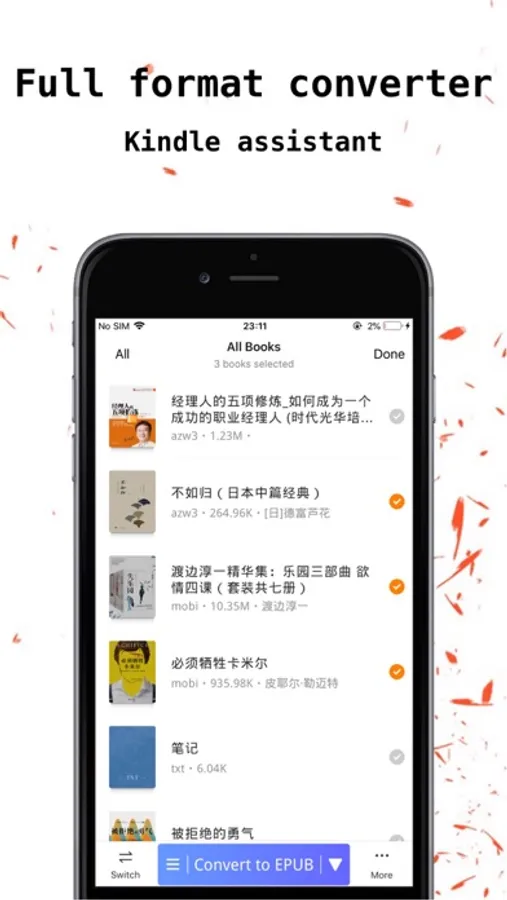
1. Supports multiple format conversions: txt, epub, mobi, azw, azw3, prc, pdf, markdown, docx, htmlz, fb2, etc. For txt files, automatically extract chapter directories.
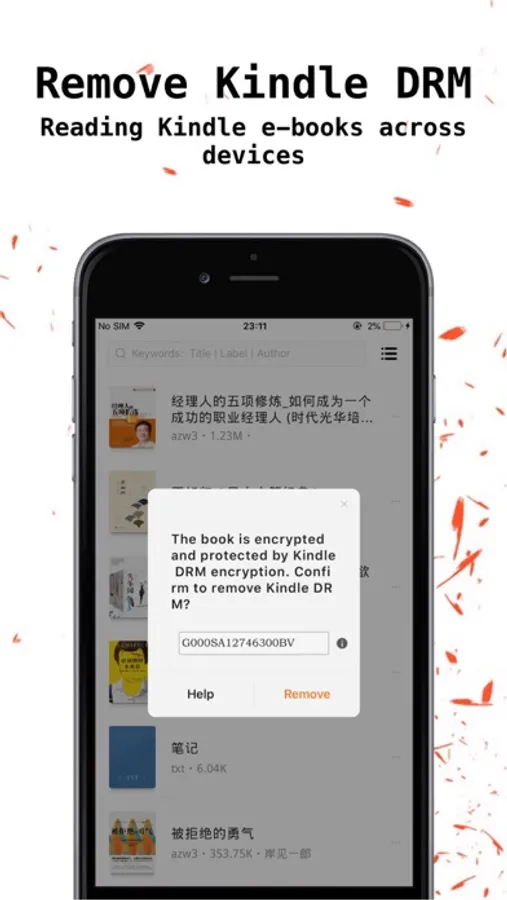
2. Support removing DRM protected book files (Kindle DRM).
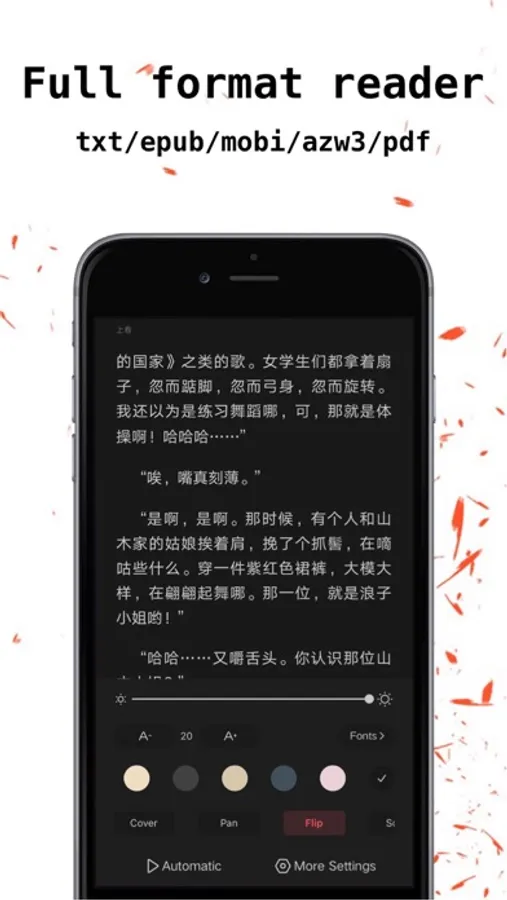
3. A comprehensive e-book reader that supports multiple formats: txt epub、mobi、azw、azw3、prc、pdf。 Powerful custom layout layout, including line spacing, paragraph spacing, first line indentation, top and bottom spacing, left and right spacing, custom background, custom font, global progress drag, and global search. Rich note taking and bookmarking functions.
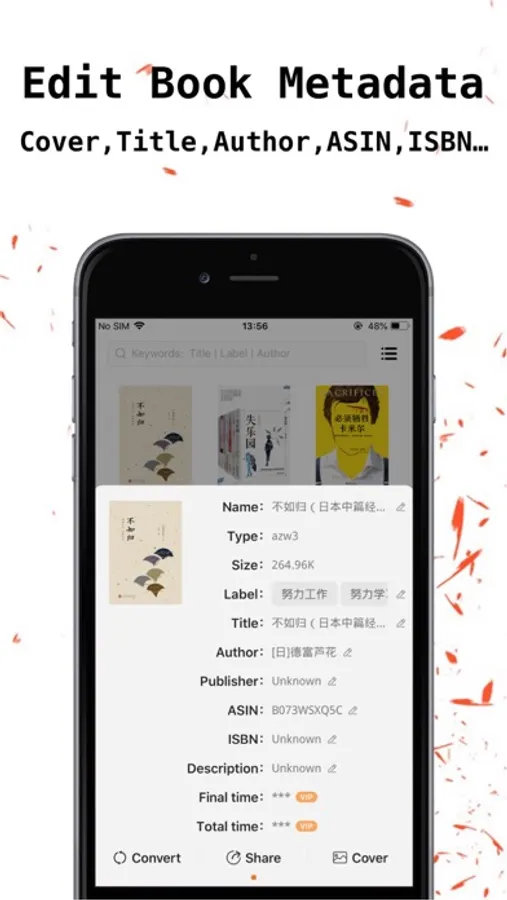
4. Support custom book covers, online search, and album selection, even txt can have beautiful covers. Simultaneously editable, cropped, and filtered.
5. Provide multiple page turning methods, including overlay, translation, simulation, scrolling, automatic scrolling reading, landscape reading, and dual column reading.
6. Supports comic reading, with maximum screen ratio and maximum clarity for reading comics. Support scrolling mode for reading comics.
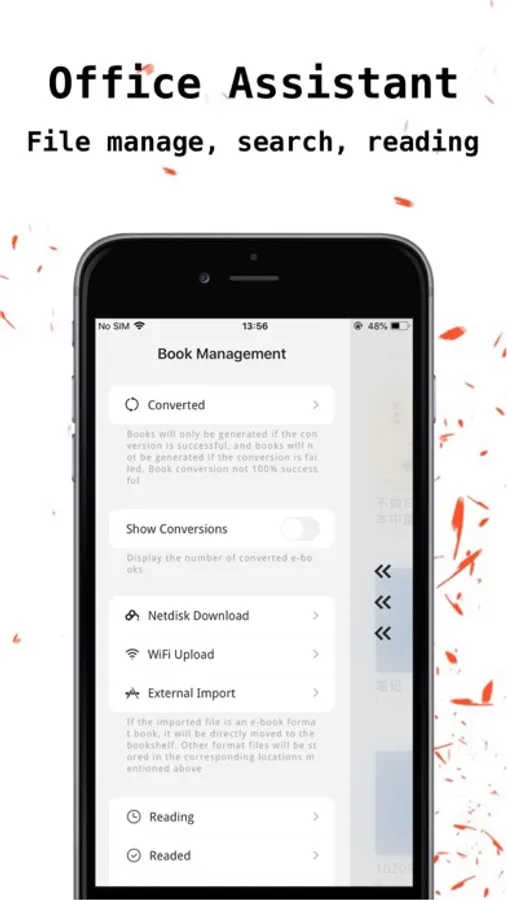
7. Powerful book management function, supporting grouping, renaming, sorting, dragging and merging groups, batch deletion, and moving operations.
8. Support modifying book element data such as title, author, ASIN, ISBN, time, publisher, etc.
9. Multiple file transfer methods, importing book files through WiFi, computer, Baidu cloud storage, local devices, and other application sharing methods for convenience and ease.
10. Quickly decompress compressed files such as zip, rar, 7z, etc.
11. Password protection function, can set gesture password, facial recognition unlock.
12. There are more features waiting for you to explore.
[Automatic Subscription Instructions]
--Subscription period: 1 month
--Price: ¥ 18
--Subscription auto renewal, unless auto renewal is closed at least 24 hours before the end of the current term.
--Payment will be charged to iTunes account upon confirmation of purchase
--The account will receive renewal fees within 24 hours before the end of the current period, and the renewal fees will be determined
--Subscription can be managed by users themselves, and automatic subscription can be disabled by entering their personal account on the App Store after purchase
--If any unused portion of the free trial period is provided, it will be forfeited upon the user's purchase of the publication's subscription (if applicable)
--Subscription period: 1 year
--Price: ¥ 30
--Subscription auto renewal, unless auto renewal is closed at least 24 hours before the end of the current term
--Payment will be charged to iTunes account upon confirmation of purchase
--The account will receive renewal fees within 24 hours before the end of the current period, and the renewal fees will be determined
--Subscription can be managed by users themselves, and automatic subscription can be disabled by entering their personal account on the App Store after purchase
--If any unused portion of the free trial period is provided, it will be forfeited upon the user's purchase of the publication's subscription (if applicable)
--Service Terms: http://blog.sina.com.cn/s/blog_a02518890102xuoh.html
--Privacy Policy: http://blog.sina.com.cn/s/blog_a02518890102xtq4.html
1. Supports multiple format conversions: txt, epub, mobi, azw, azw3, prc, pdf, markdown, docx, htmlz, fb2, etc. For txt files, automatically extract chapter directories.
2. Support removing DRM protected book files (Kindle DRM).
3. A comprehensive e-book reader that supports multiple formats: txt epub、mobi、azw、azw3、prc、pdf。 Powerful custom layout layout, including line spacing, paragraph spacing, first line indentation, top and bottom spacing, left and right spacing, custom background, custom font, global progress drag, and global search. Rich note taking and bookmarking functions.
4. Support custom book covers, online search, and album selection, even txt can have beautiful covers. Simultaneously editable, cropped, and filtered.
5. Provide multiple page turning methods, including overlay, translation, simulation, scrolling, automatic scrolling reading, landscape reading, and dual column reading.
6. Supports comic reading, with maximum screen ratio and maximum clarity for reading comics. Support scrolling mode for reading comics.
7. Powerful book management function, supporting grouping, renaming, sorting, dragging and merging groups, batch deletion, and moving operations.
8. Support modifying book element data such as title, author, ASIN, ISBN, time, publisher, etc.
9. Multiple file transfer methods, importing book files through WiFi, computer, Baidu cloud storage, local devices, and other application sharing methods for convenience and ease.
10. Quickly decompress compressed files such as zip, rar, 7z, etc.
11. Password protection function, can set gesture password, facial recognition unlock.
12. There are more features waiting for you to explore.
[Automatic Subscription Instructions]
--Subscription period: 1 month
--Price: ¥ 18
--Subscription auto renewal, unless auto renewal is closed at least 24 hours before the end of the current term.
--Payment will be charged to iTunes account upon confirmation of purchase
--The account will receive renewal fees within 24 hours before the end of the current period, and the renewal fees will be determined
--Subscription can be managed by users themselves, and automatic subscription can be disabled by entering their personal account on the App Store after purchase
--If any unused portion of the free trial period is provided, it will be forfeited upon the user's purchase of the publication's subscription (if applicable)
--Subscription period: 1 year
--Price: ¥ 30
--Subscription auto renewal, unless auto renewal is closed at least 24 hours before the end of the current term
--Payment will be charged to iTunes account upon confirmation of purchase
--The account will receive renewal fees within 24 hours before the end of the current period, and the renewal fees will be determined
--Subscription can be managed by users themselves, and automatic subscription can be disabled by entering their personal account on the App Store after purchase
--If any unused portion of the free trial period is provided, it will be forfeited upon the user's purchase of the publication's subscription (if applicable)
--Service Terms: http://blog.sina.com.cn/s/blog_a02518890102xuoh.html
--Privacy Policy: http://blog.sina.com.cn/s/blog_a02518890102xtq4.html
Interchange - eBook Converter Screenshots
Tap to Rate:
Reviews for Interchange - eBook Converter
f1ow2r
更换闪退!!
付了钱的软件居然还那么烂,一换封面就闪退,无论怎么打开,试过关机重启,删掉重新下载都是一样!!太气人了!软件是好软件。但是能不能做好一点呀呀
Leonbirca
The new update
What have you done with the latest update??? It won’t change the covers, the whole app is so complicated and confusing now. Please fix it.