With this app, you can select a Live Photo or video, scrub through it, and save high-quality frames to your photo library. Includes frame-by-frame navigation, high-resolution output, and easy saving options.
AppRecs review analysis
AppRecs rating 4.9. Trustworthiness 79 out of 100. Review manipulation risk 25 out of 100. Based on a review sample analyzed.
★★★★☆
4.9
AppRecs Rating
Ratings breakdown
5 star
89%
4 star
0%
3 star
5%
2 star
0%
1 star
5%
What to know
✓
Low review manipulation risk
25% review manipulation risk
✓
Credible reviews
79% trustworthiness score from analyzed reviews
✓
High user satisfaction
89% of sampled ratings are 5 stars
About Photo Extractor
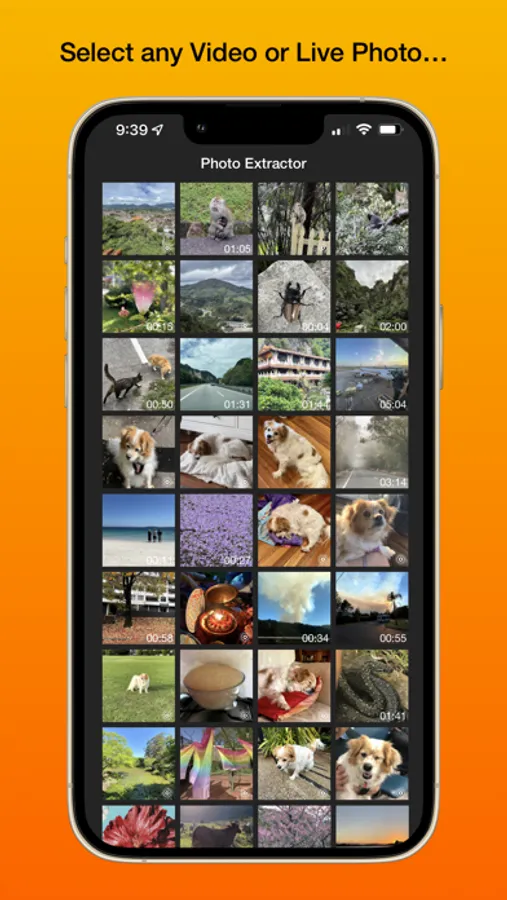
Ever wanted to save that perfect moment from a Live Photo? How about the time saving a high-resolution screenshot of that accidental moment you caught on video?
Don't screenshot your phone, use Photo Extractor instead!
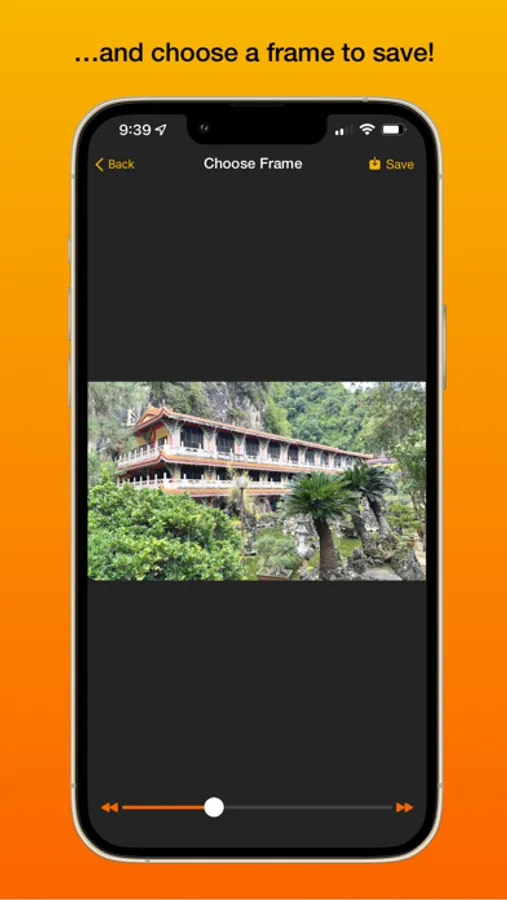
Photo Extractor is a simple app that allows you to do just that! Select a Live Photo or Video, scrub through it using the slider or accurately step frame-by-frame with the buttons, then simply hit Save and a high-quality copy of the frame will be added to your Photo Library!
Photo Extractor Screenshots
Tap to Rate:
Reviews for Photo Extractor
Joyastomato
Wow
I can’t believe I paid a dollar for a single feature, it can’t even tell you how many frames are in the video itself. Or give you an accurate saver, this app is garbage, don’t waste you’re money!
NXGEN461
Could be better but it’s still good
I wish there was a way to extract all the frames of the Live Photo to edit them individually and then stitch them back together, but being able to extract frames even if it’s 1 by 1 it’s really useful for someone like me who loves to edit their photos