AppRecs review analysis
AppRecs rating 2.8. Trustworthiness 79 out of 100. Review manipulation risk 24 out of 100. Based on a review sample analyzed.
★★☆☆☆
2.8
AppRecs Rating
Ratings breakdown
5 star
33%
4 star
7%
3 star
13%
2 star
0%
1 star
47%
What to know
✓
Low review manipulation risk
24% review manipulation risk
✓
Credible reviews
79% trustworthiness score from analyzed reviews
⚠
Mixed user feedback
Average 2.8★ rating suggests room for improvement
About TRIGGER ACS
The Trigger Accessory Control System substantially saves installation time of your electronic accessories! Eliminate the need to run wires under the dash or through the firewall of your vehicle when running wires.
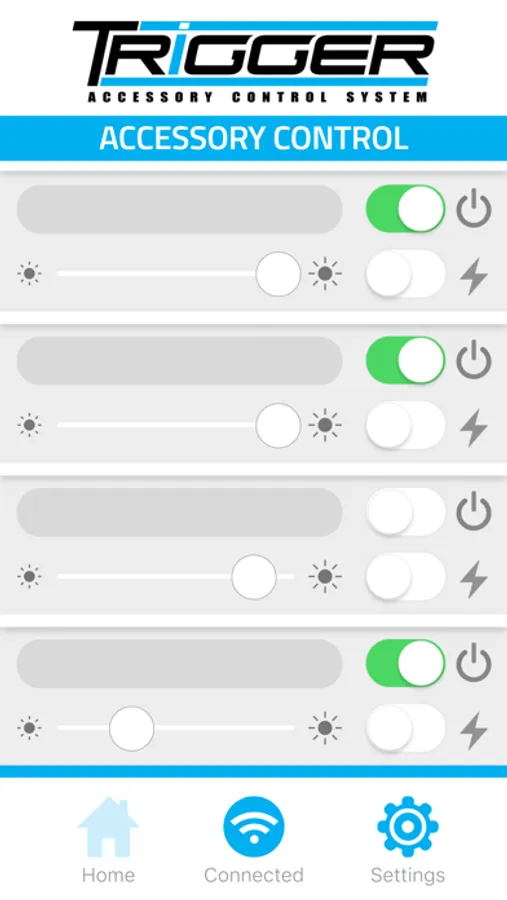
Our Bluetooth App will control on/off and dimming functions as well as flashing when used with LED or conventional lighting. It is simple to set up and allows for user customization. Use the app to “Trigger” lights from outside the vehicle whenever you might need to activate an accessory on demand.
In addition to the app, Trigger includes an RF remote control for activating installed accessories from outside the vehicle and dimming/flashing functions for installed lighting. In addition, two 30 amp and two 10 amp fused circuits with LED indicators notify you of blown fuses.
App Setup Instructions:
1. Ensure Bluetooth is active on your mobile device, and the Trigger Controller is powered on.
2. Once downloaded and installed, tap the Trigger icon to launch the app. Bluetooth pairing occurs automatically, there is no need to manually pair the App.
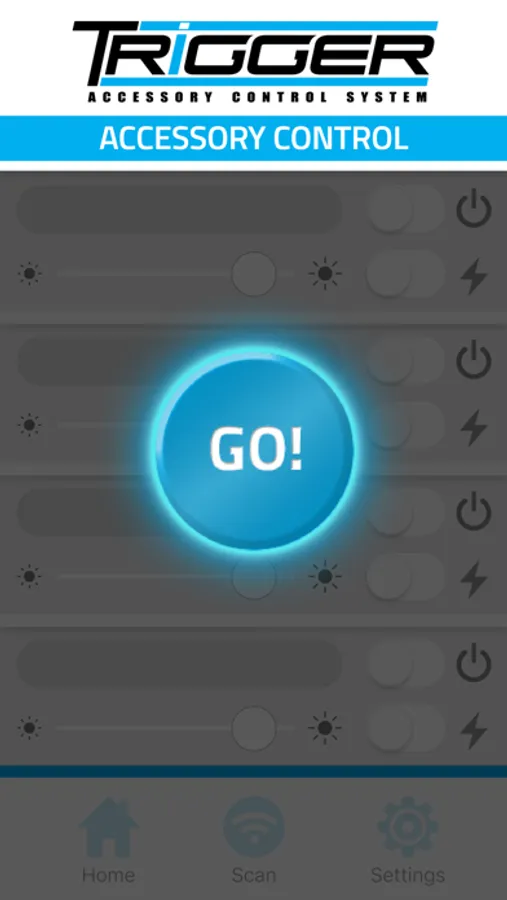
3. Once the App is running, tap the 'GO' button in the middle of the screen to connect to your Trigger Controller.
4. After a few seconds, the App will connect. Power, strobe, and dimming functionality will now be active.
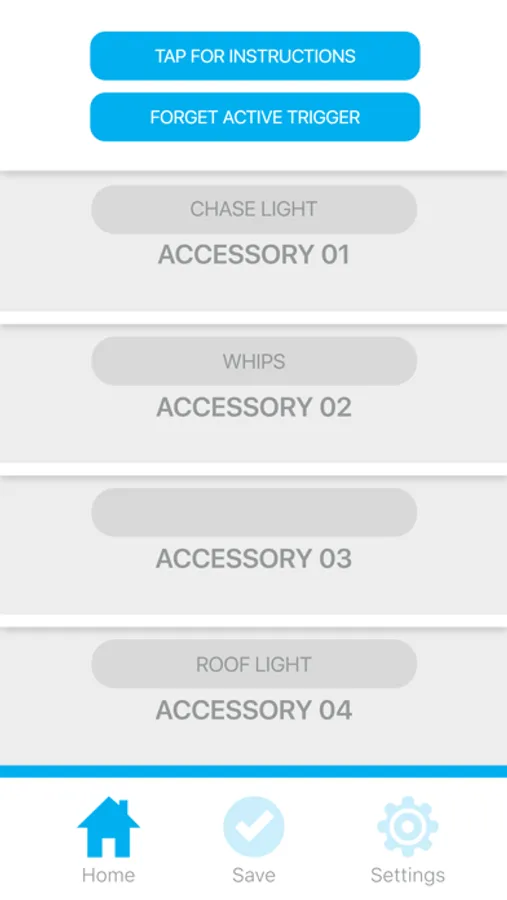
5. Tap the 'Settings' icon to customize the names of your Trigger connected accessories. Tap 'Save' to save the customized names.
6. Tap 'Home' to return to the main App screen.
For product support and training videos, visit http://triggercontroller.com/support.html
Our Bluetooth App will control on/off and dimming functions as well as flashing when used with LED or conventional lighting. It is simple to set up and allows for user customization. Use the app to “Trigger” lights from outside the vehicle whenever you might need to activate an accessory on demand.
In addition to the app, Trigger includes an RF remote control for activating installed accessories from outside the vehicle and dimming/flashing functions for installed lighting. In addition, two 30 amp and two 10 amp fused circuits with LED indicators notify you of blown fuses.
App Setup Instructions:
1. Ensure Bluetooth is active on your mobile device, and the Trigger Controller is powered on.
2. Once downloaded and installed, tap the Trigger icon to launch the app. Bluetooth pairing occurs automatically, there is no need to manually pair the App.
3. Once the App is running, tap the 'GO' button in the middle of the screen to connect to your Trigger Controller.
4. After a few seconds, the App will connect. Power, strobe, and dimming functionality will now be active.
5. Tap the 'Settings' icon to customize the names of your Trigger connected accessories. Tap 'Save' to save the customized names.
6. Tap 'Home' to return to the main App screen.
For product support and training videos, visit http://triggercontroller.com/support.html
TRIGGER ACS Screenshots
Tap to Rate:
Reviews for TRIGGER ACS
Rearick99
Needs work
I have the Trigger 4 system in my vehicle. It has yet to ever connect to the app. Disappointing
Gaztambidek
Bluetooth
App is not very responsive. You have to initiate a function multiple times before it actually works. The remote that comes with the unit works well, don’t understand why the app can’t work as well.