In this app, users can customize and manage song charts with features like key changes, annotations, and layout adjustments. Includes chart editing, collaboration tools, and access to a comprehensive song catalog.
AppRecs review analysis
AppRecs rating 4.3. Trustworthiness 74 out of 100. Review manipulation risk 26 out of 100. Based on a review sample analyzed.
★★★★☆
4.3
AppRecs Rating
Ratings breakdown
5 star
88%
4 star
7%
3 star
2%
2 star
1%
1 star
2%
What to know
✓
Low review manipulation risk
26% review manipulation risk
✓
Credible reviews
74% trustworthiness score from analyzed reviews
⚠
Pricing complaints
Many low ratings mention paywalls or pricing
About MultiTracks.com ChartBuilder
ChartBuilder® Features:
• Access to every chart in our catalog with an active ChartBuilder Content Subscription
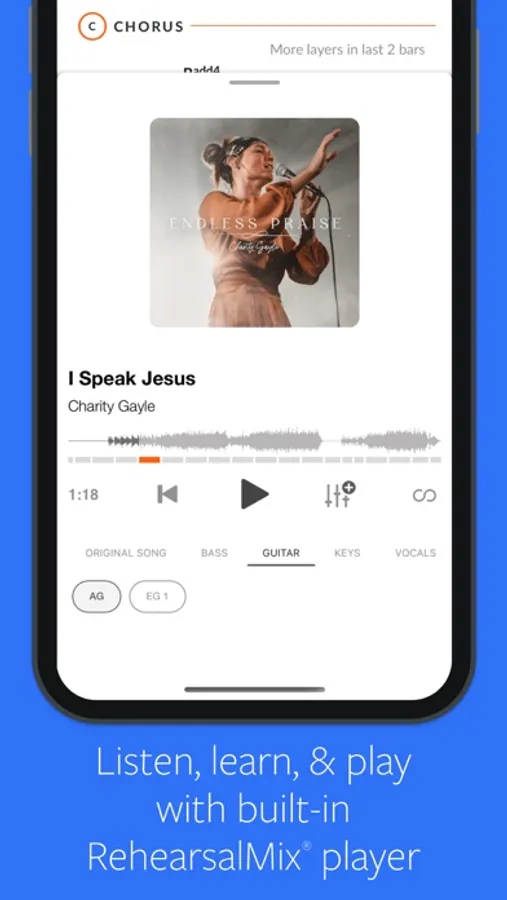
• Teams with RehearsalMix can listen to the original song with a specific instrument turned up or down!
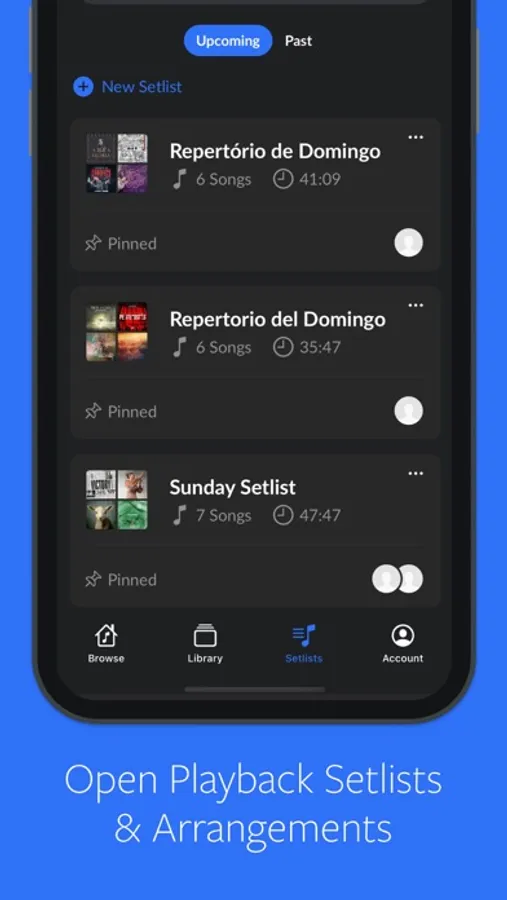
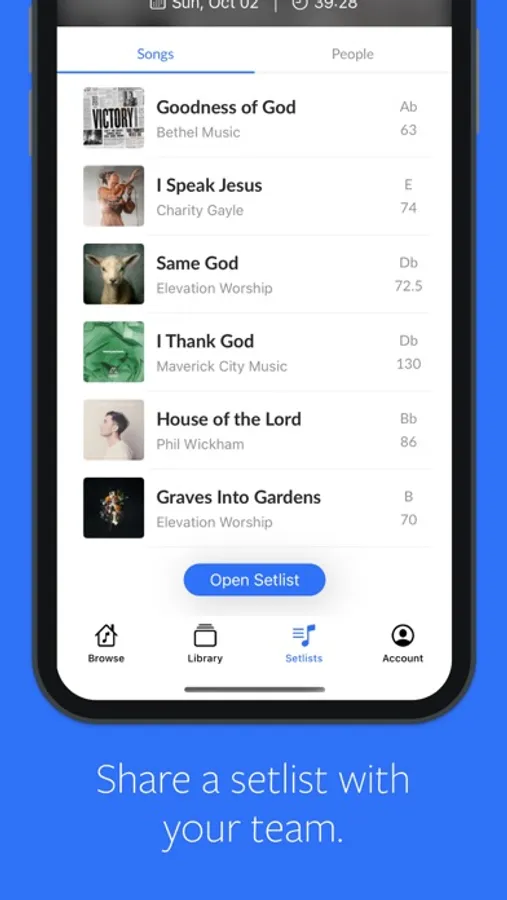
• Create & Collaborate on setlists with your team in Playback, ChartBuilder and on our Website.
• Charts available in all 12 keys
• ChartBuilder and RehearsalMix Sync: Your chart auto-scrolls as RehearsalMix audio plays
• Loop individual song sections in the RehearsalMix
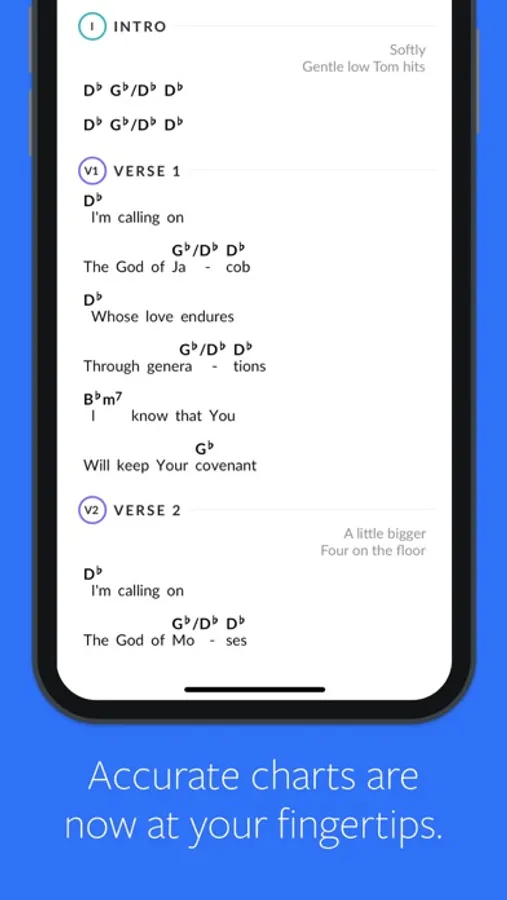
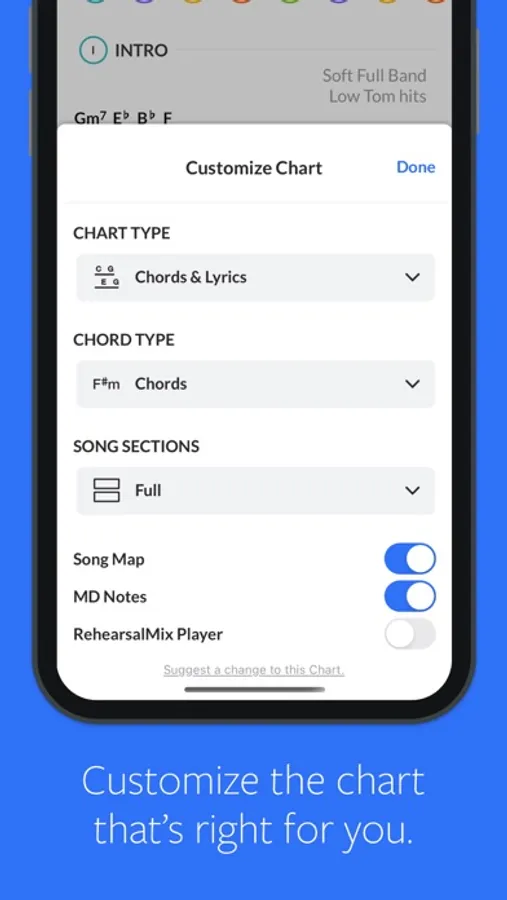
• Chart Type options (Chords & Lyrics, Lyrics, or Song Map)
• Chord Display options (Chords, Numbers, Numerals, or Do-Re-Mi)
• Change song section style (Condensed or Full)
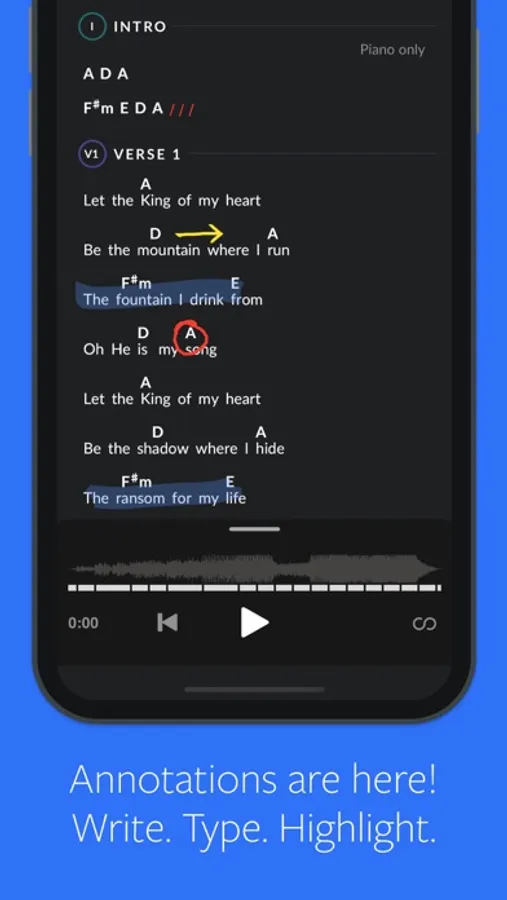
• Annotations
• Optional Song Map that matches the original recording and MultiTrack
• Optional MD Notes
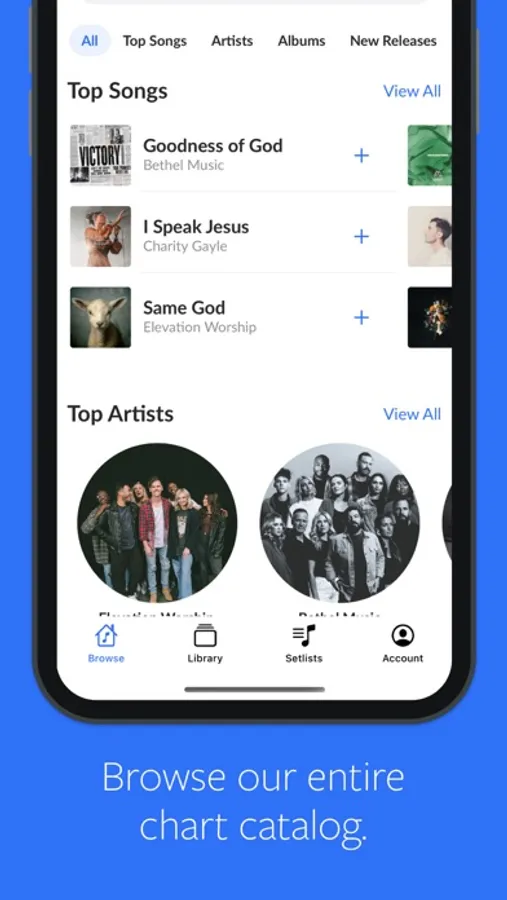
• Browse songs by Title, Album, Genre, Theme, or Top Songs
• Bluetooth Control (Compatible with AirTurn, Coda Music, Donner, and other external keyboard devices)
• View user-generated Cloud Charts
Solo Practice Bundle (5.99 per Month):
• Free 90-day trial (Subscription renews at end of 90-day trial)
• Payment will be charged to iTunes Account at confirmation of purchase.
• Subscription automatically renews unless auto-renew is turned off at least 24-hours before the end of the current period
• The account will be charged for renewal within 24-hours prior to the end of the current period for $5.99
• Subscriptions may be managed by the user and auto-renewal maybe be turned off by going to the users' Account Settings after purchased
• Any unused portion of a free trial period will be forfeited when the user purchases a subscription where applicable
Terms of Use (https://www.multitracks.com/terms/)
ChartBuilder Team Content (12.99 per Month):
• Free 30-day trial (Subscription renews at end of 30-day trial)
• Payment will be charged to iTunes Account at confirmation of purchase.
• Subscription automatically renews unless auto-renew is turned off at least 24-hours before the end of the current period
• The account will be charged for renewal within 24-hours prior to the end of the current period for $12.99
• Subscriptions may be managed by the user and auto-renewal maybe be turned off by going to the users' Account Settings after purchased
• Any unused portion of a free trial period will be forfeited when the user purchases a subscription where applicable
• Terms of Use (https://www.multitracks.com/terms/)
ChartBuilder App (1.99 per Month)
• Free 30-day trial (Subscription renews at end of 30-day trial)
• Payment will be charged to iTunes Account at confirmation of purchase.
• Subscription automatically renews unless auto-renew is turned off at least 24-hours before the end of the current period
• The account will be charged for renewal within 24-hours prior to the end of the current period for $1.99
• Subscriptions may be managed by the user and auto-renewal maybe be turned off by going to the users' Account Settings after purchased
• Any unused portion of a free trial period will be forfeited when the user purchases a subscription where applicable
• Terms of Use (https://www.multitracks.com/terms/)
Price may vary by location. Subscriptions will be charged to your credit card through your iTunes account. Your subscription will automatically renew unless canceled at least 24 hours before the end of the current period. You will not be able to cancel the subscription once activated. Any unused portion of a free trial will be forfeited if you upgrade from a free subscription to a paid version. Manage your subscriptions in Account Settings after purchase.
For more details on our Privacy Policy and Terms of Use
please visit: http://www.multitracks.com/privacy/ and http://www.multitracks.com/terms/
MultiTracks.com ChartBuilder Screenshots
Tap to Rate:
Reviews for MultiTracks.com ChartBuilder
Annoyed Church Drummer
Absolutely awful annotations feature
Annotations feature is the most buggy and clunky thing I’ve ever used in an app. The app is great for isolating parts during practice in the week for Sundays and on Sunday it’s great to have if you are an instrumentalist (other than the drummer, I’ll get there) who needs a chord chart. The synchronization feature for Sundays is great. When making annotations on song charts, the app makes it so you can’t put them anywhere but on the lyrics and with the limited space to annotate and awful navigation which will skip and think you want to add a note in annotation mode if you try scrolling, it really becomes an awful experience. This means if you are a drummer like me who wants to input transition notes into a song map or lyric rundown, you’re gonna have a bad time. Then when you get to Sunday service, many time annotations don’t load at all, meaning any important notes you had to remember are privy to being forgotten and manually switching to showing the annotations mid service is not a viable alternative many times. The app during personal practice has many and countless unintuitive interactions as well (it took me 2 hours of using it with just an original mix instead of what I wanted which was the part isolation that I had to pull up the card while playing the song to get the options you see for playback in the screenshots on the App Store listing for example… I’m a very tech versed guy as an app developer myself so I know how to use apps). App is good when it works, but most times doesn’t. This 100% needs way more work before I’d be comfortable using this in a Sunday service, luckily I’m a drummer and can make my part up if annotations I wrote don’t show up but other instrumentalists at my church have to use this and it was a clunky transition process to configure and took way to much digging to figure out how to actually use the app due to its unintuitive and awful UI/UX.
Trevor7968
Amazing for Learning and Practicing music parts!
The tandem of the RehearsalMix audio and auto-scrolling charts is amazing. Love that I can practice a setlist so quickly and efficiently.