
Pickleball Score Keeper
codeDependent Software Incorporated
4.6 ★
130 ratings
$5.99
In this scorekeeping app, users record match points, errors, and statistics during pickleball games. Includes match storage, player notes, and health data integration.
AppRecs review analysis
AppRecs rating 4.6. Trustworthiness 69 out of 100. Review manipulation risk 25 out of 100. Based on a review sample analyzed.
★★★★☆
4.6
AppRecs Rating
Ratings breakdown
5 star
77%
4 star
16%
3 star
3%
2 star
1%
1 star
3%
What to know
✓
Low review manipulation risk
25% review manipulation risk
✓
High user satisfaction
77% of sampled ratings are 5 stars
✓
Authentic reviews
Natural distribution, no red flags
About Pickleball Score Keeper
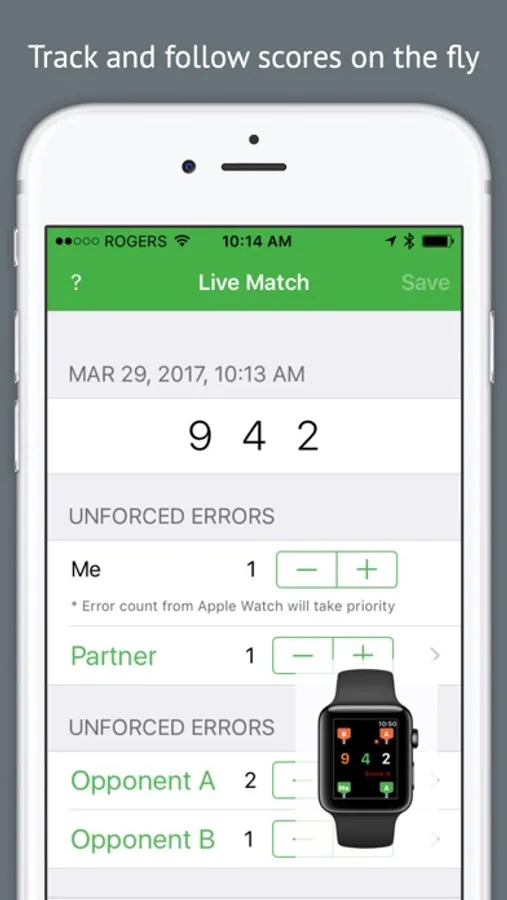
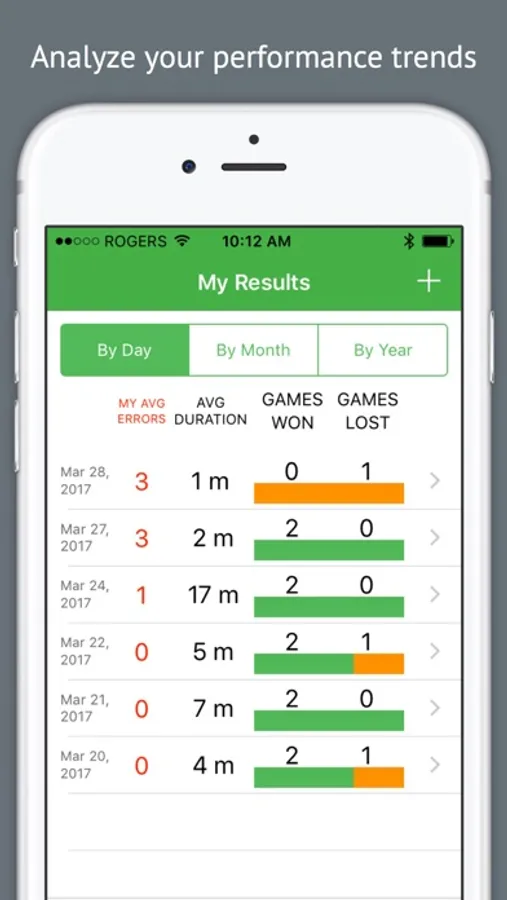
- Keep track of all your matches (with or without an Apple Watch)
- Singles and doubles match modes
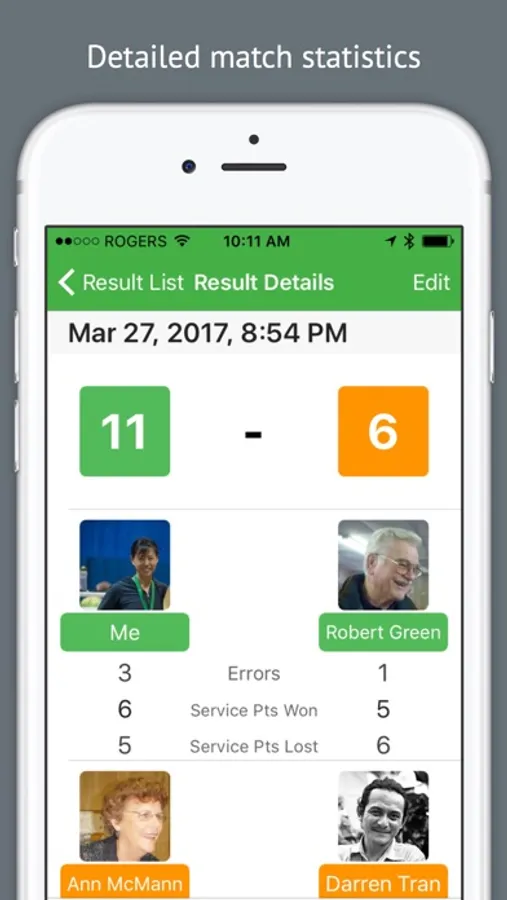
- Identify teammates and opponents
- Track your unforced errors
- Service statistics
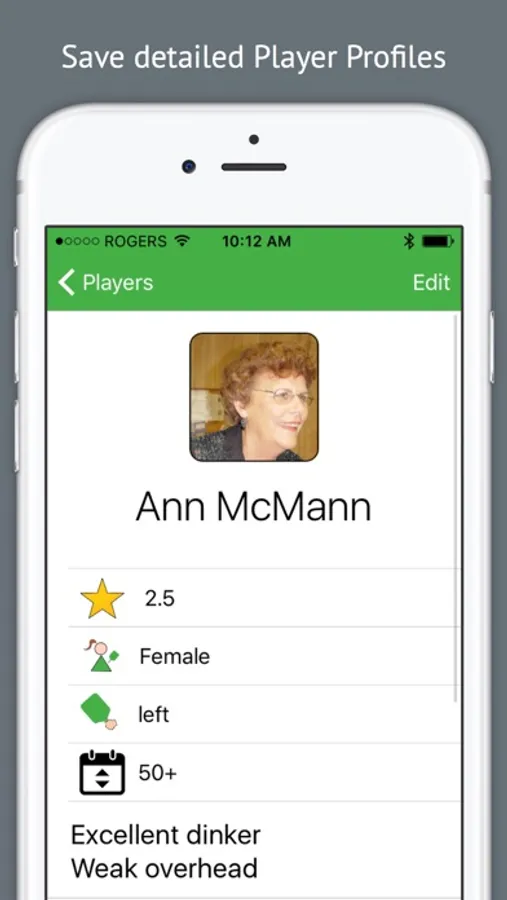
- Player database to keep notes on opponent strengths and weaknesses
- Follow live matches point by point
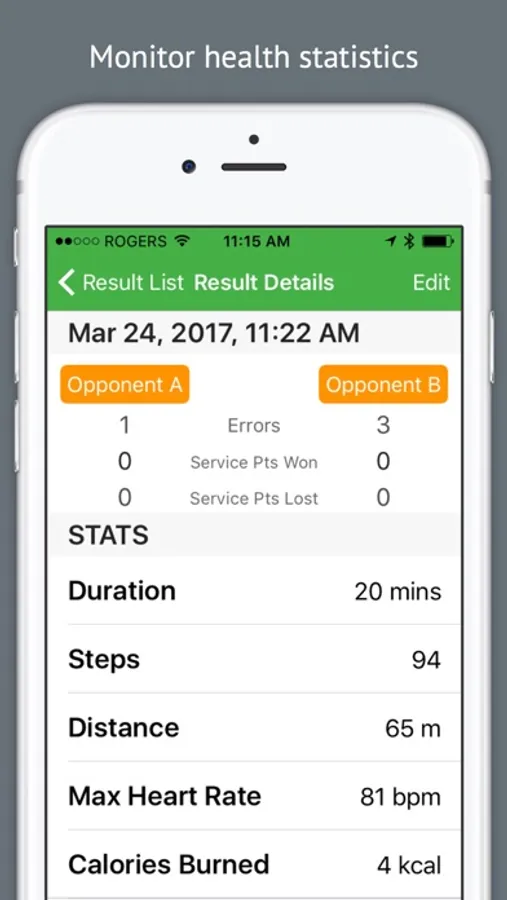
- Integrates with Health app (steps taken, running distance, maximum heart rate, calories burned) to help you gain insight into your Pickleball workouts as well as to monitor how hard your opponents make you work
---
How to use the Watch app:
It is so simple. Just start the app from your Apple Watch.
- Select game setup (i.e.: Doubles, Game to 11, Win by 2)
- Swipe towards you when you win a rally.
- Swipe away from you when you lose a rally.
- Swipe right to record an unforced error.
- Swipe left to undo.
- Press down on the watch face to end session or restart a game.
TIP! Swipe from the middle of the watch, not the edge.
Scores are spoken aloud and gentle vibrations allow you to continue play without looking at your watch.
Player positions and current server are shown on the watch face in case you lose track.
IMPORTANT:
The watch is by default set to wake on wrist raise. If Pickleball Score Keeper does not open on Wrist Raise gesture during a match, please do the following from the watch home screen:
1. Tap Settings > tap General > tap Wake Screen
2. Make sure that "Wake Screen on Wrist Raise" is turned on.
3. Scroll down to "Resume to: Previous Activity" and checkmark.
Please don’t be shy to use the Feedback button on the Pickleball Score Keeper iPhone app to contact us with ideas and suggestion. We welcome your feedback.
Pickleball Score Keeper Screenshots
Tap to Rate:
Reviews for Pickleball Score Keeper
RilyRily
Suggestions
Would love to see a field for location added to the app. I play different places throughout my week and that would be very helpful. Also is there a way to save the data? I had to change cell phones last year and lost all my data. I was very sad. Loved seeing my game history.
AnitaRo
Great!
The app is just what I was looking for. Great to keep score, know who should serve next and from where! Amazing app!