In this PDF scanner app, you can quickly capture, enhance, and organize documents with automatic border detection and distortion correction. Includes features for e-signing, cloud storage, and expense tracking.
AppRecs review analysis
AppRecs rating 3.9. Trustworthiness 81 out of 100. Review manipulation risk 21 out of 100. Based on a review sample analyzed.
★★★☆☆
3.9
AppRecs Rating
Ratings breakdown
5 star
69%
4 star
11%
3 star
7%
2 star
3%
1 star
10%
What to know
✓
Low review manipulation risk
21% review manipulation risk
✓
Credible reviews
81% trustworthiness score from analyzed reviews
⚠
Ad complaints
Many low ratings mention excessive ads
About Scan My Document - PDF Scanner
Instantly scan, create, share, and sign professional PDF documents with the tool that's always in your pocket - your smartphone.
THE BEST PDF DOCUMENT SCANNER!
5/5 "Scan My Document has made my business trips so much smoother. Scanning documents is so easy. I even threw out the scanner I had at my home office. This app is a game changer!"
5/5 "I was impressed at how fast and clean this app scans. I scanned over 50 documents in just a minute or two."
5/5 "I downloaded this because I was traveling and had to send a contract. I didn't think I would use it again, but I ended up using it all the time. This app really comes in handy and will become your go-to app when you need to scan and send a document!"
MAKE YOUR LIFE EASIER
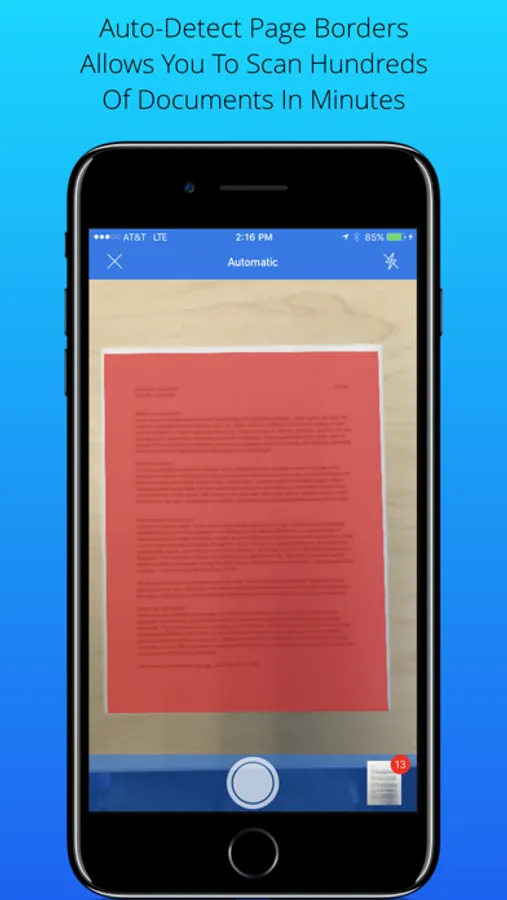
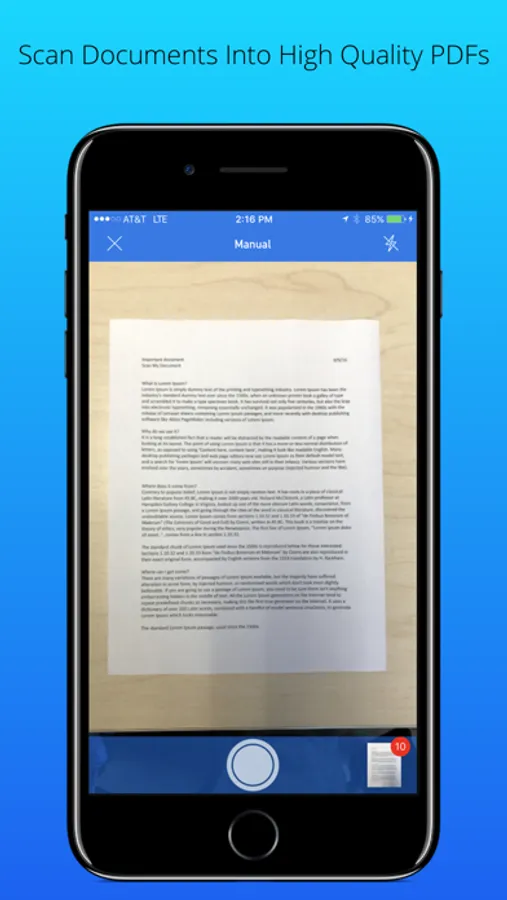
• Lightning Fast & Easy To Use! Scan your documents, receipts, contracts, checks, pictures, etc - in an instant. Scan My Document detects borders and scans automatically, correcting distortions and geometry. Scan multiple documents in seconds.
• E-Sign Documents. Easily add your e-signature and send important documents from anywhere! No printer necessary. Avoid the hassle of printing your documents just to sign and scan again. Save hours of time on contracts, invoices, and anything else that requires a signature. Now you can work where you want - sign documents from airports, coffeeshops, during your commute, or from your home office.
• Track Expenses. Make scanning and storing your receipts an afterthought. Snap a pic and you're done. Great for tax season, frequent business travel, and bookkeeping.
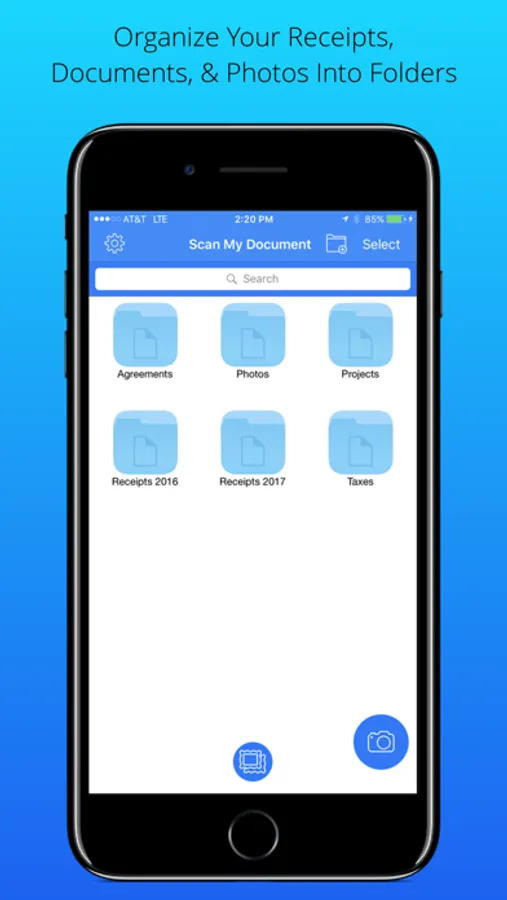
• Backup & Storage. Convert paper documents, notes, or even books and magazines to digital PDF. Store important files on your hard drive, your phone, or the cloud. Never spend time digging through file cabinets again!
• Scanner In Your Pocket. Scan My Document will always be right in your pocket, so it's there when you need it. Whether that's in a meeting, your home office, or even the airport, Scan My Document gets it done. Create detailed scans of documents any shape or size, wherever you are.
SO MANY FEATURES:
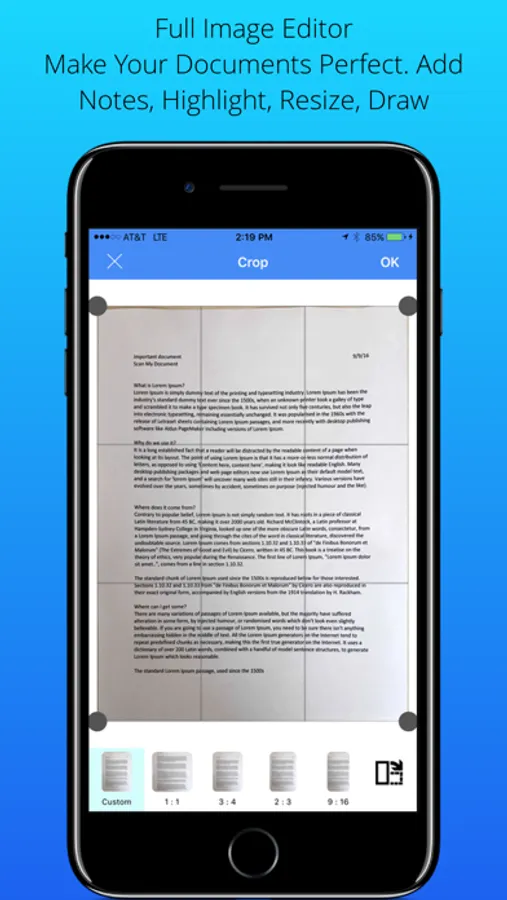
• Full Image Editor. Edit your document with rotation, crop, resizing, and adding text. Present your documents exactly the way you want them.
• Auto-Detect Page Borders. Scan My Document instantly recognizes document borders, allowing you to capture your document or picture only without a cluttered background. The app automatically adjusts your document so that it appears completely flat and rectangular.
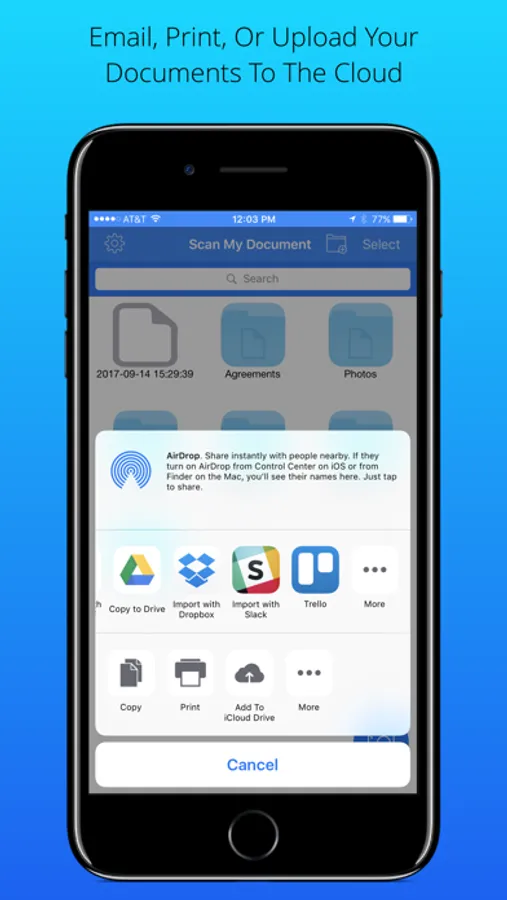
• Connect To Online Storage. Easily share your documents to Dropbox, iCloud, email, and other platforms.
• Choose Images From Gallery. Grab any picture from your gallery and scan it with edge detection. Edit as needed.
• Draw On Images. A picture tells a thousand words. Highlight or mark up your documents as needed.
• Adjust Contrast. Balance the levels of your scan to get it looking exactly the way you want.
• No Internet Connection Required. The app will still scan documents without internet.
IDEAL SCANNER APP TO:
• Track receipts
• Scan pictures
• Store documents and pics
• Photocopy documents
• Share documents and pics
• Scan documents while traveling
• Sign documents with an electronic signature
• Do taxes
Questions? Comments? We'd love to hear from you!
http://www.scanmydocument/support
SUBSCRIPTION PRICING & TERMS
Scan My Document is free to download. The monthly subscription will automatically renew unless auto-renew is turned off at least 24 hours before the end of the current period. Account will be charged for renewal within 24-hours prior to the end of the current period. Payment is charged to iTunes Account at confirmation of purchase. Subscriptions may be managed by the user and auto-renewal may be turned off by going to the user's iTunes Account Settings after purchase. Monthly subscription users are billed per month, yearly subscription users are billed the whole annual amount on the date of purchase. Cancel any time. Terms & conditions: http://bit.ly/2TmfA8H
THE BEST PDF DOCUMENT SCANNER!
5/5 "Scan My Document has made my business trips so much smoother. Scanning documents is so easy. I even threw out the scanner I had at my home office. This app is a game changer!"
5/5 "I was impressed at how fast and clean this app scans. I scanned over 50 documents in just a minute or two."
5/5 "I downloaded this because I was traveling and had to send a contract. I didn't think I would use it again, but I ended up using it all the time. This app really comes in handy and will become your go-to app when you need to scan and send a document!"
MAKE YOUR LIFE EASIER
• Lightning Fast & Easy To Use! Scan your documents, receipts, contracts, checks, pictures, etc - in an instant. Scan My Document detects borders and scans automatically, correcting distortions and geometry. Scan multiple documents in seconds.
• E-Sign Documents. Easily add your e-signature and send important documents from anywhere! No printer necessary. Avoid the hassle of printing your documents just to sign and scan again. Save hours of time on contracts, invoices, and anything else that requires a signature. Now you can work where you want - sign documents from airports, coffeeshops, during your commute, or from your home office.
• Track Expenses. Make scanning and storing your receipts an afterthought. Snap a pic and you're done. Great for tax season, frequent business travel, and bookkeeping.
• Backup & Storage. Convert paper documents, notes, or even books and magazines to digital PDF. Store important files on your hard drive, your phone, or the cloud. Never spend time digging through file cabinets again!
• Scanner In Your Pocket. Scan My Document will always be right in your pocket, so it's there when you need it. Whether that's in a meeting, your home office, or even the airport, Scan My Document gets it done. Create detailed scans of documents any shape or size, wherever you are.
SO MANY FEATURES:
• Full Image Editor. Edit your document with rotation, crop, resizing, and adding text. Present your documents exactly the way you want them.
• Auto-Detect Page Borders. Scan My Document instantly recognizes document borders, allowing you to capture your document or picture only without a cluttered background. The app automatically adjusts your document so that it appears completely flat and rectangular.
• Connect To Online Storage. Easily share your documents to Dropbox, iCloud, email, and other platforms.
• Choose Images From Gallery. Grab any picture from your gallery and scan it with edge detection. Edit as needed.
• Draw On Images. A picture tells a thousand words. Highlight or mark up your documents as needed.
• Adjust Contrast. Balance the levels of your scan to get it looking exactly the way you want.
• No Internet Connection Required. The app will still scan documents without internet.
IDEAL SCANNER APP TO:
• Track receipts
• Scan pictures
• Store documents and pics
• Photocopy documents
• Share documents and pics
• Scan documents while traveling
• Sign documents with an electronic signature
• Do taxes
Questions? Comments? We'd love to hear from you!
http://www.scanmydocument/support
SUBSCRIPTION PRICING & TERMS
Scan My Document is free to download. The monthly subscription will automatically renew unless auto-renew is turned off at least 24 hours before the end of the current period. Account will be charged for renewal within 24-hours prior to the end of the current period. Payment is charged to iTunes Account at confirmation of purchase. Subscriptions may be managed by the user and auto-renewal may be turned off by going to the user's iTunes Account Settings after purchase. Monthly subscription users are billed per month, yearly subscription users are billed the whole annual amount on the date of purchase. Cancel any time. Terms & conditions: http://bit.ly/2TmfA8H
Scan My Document - PDF Scanner Screenshots
Tap to Rate:
Reviews for Scan My Document - PDF Scanner
Texas Teacher 2020
Teacher
It has helped me send assignments to my students, since school has been closed due to the Pandemic.
Tesseract257
Great page scanning app
Great page scanning app. I love how it automatically detects the edges of the pages and is ease of use.