
With this AR utility, you can measure spaces, create 3D models, and ensure items are level. Includes object recognition, model sharing, and SketchUp export features.
AppRecs review analysis
AppRecs rating 4.0. Trustworthiness 79 out of 100. Review manipulation risk 21 out of 100. Based on a review sample analyzed.
★★★★☆
4.0
AppRecs Rating
Ratings breakdown
5 star
62%
4 star
13%
3 star
5%
2 star
7%
1 star
13%
What to know
✓
Low review manipulation risk
21% review manipulation risk
✓
Credible reviews
79% trustworthiness score from analyzed reviews
✓
High user satisfaction
75% of sampled ratings are 4+ stars (4.1★ average)
About TapMeasure – AR utility
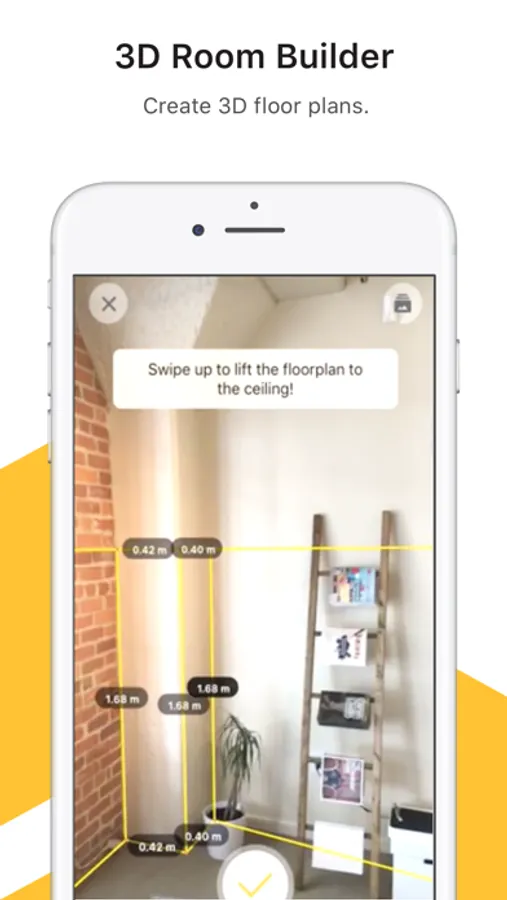
▶ 3D Room Builder
Create scale-accurate 3D models of rooms that you can measure and review immediately, or revisit later.
▶ Quick Measure
Capture point-to-point measurements with just two taps.
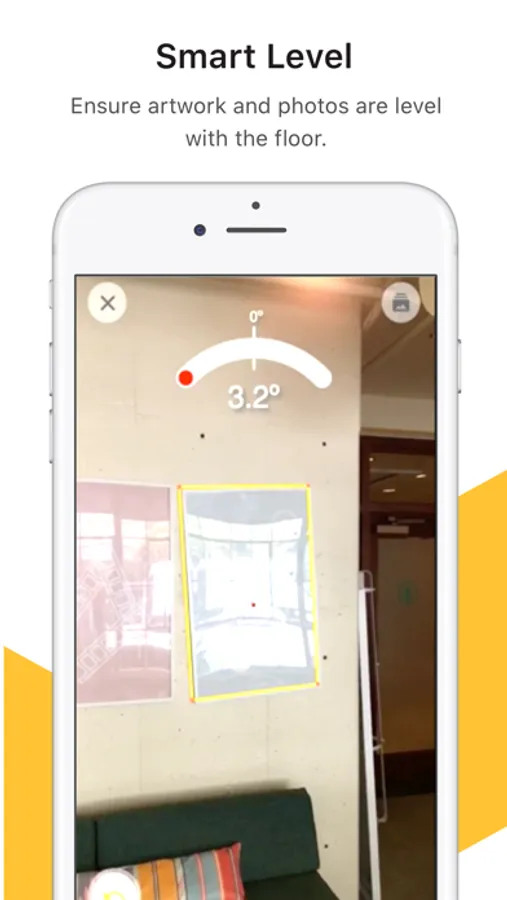
▶ Smart Level
Ensure picture frames and artwork are perfectly level, automatically.
TapMeasure is the fastest, smartest way to measure a physical space. Period.
Additional Features:
• Geometric Recognition: Automatically detect rectangular objects like doors, windows, artwork, and more, and add them to your model.
• Quick Outlining: Create simple outlines of items on the walls or floor.
• Easy Sharing: Send your 3D model to anyone with a simple URL.
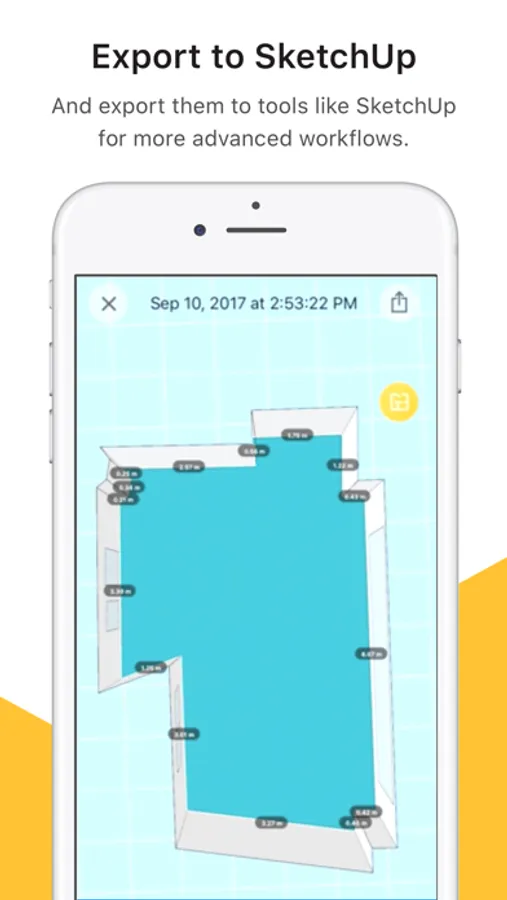
• SketchUp Export: Export your 3D model as an .SKP file, allowing you to view and edit in both free and pro versions of SketchUp.
We built TapMeasure as an easy to use, everyday spatial utility — but it also works great for pros, including interior designers, architects, contractors, real estate agents, appraisers, insurance agents, and anyone that needs quick, approximate 3D models and measurements.
TapMeasure combines the new ARKit framework in iOS 11 with advanced computer vision, to recognize and track objects. Since TapMeasure uses ARKit, you'll need an ARKit-compatible device (iPhone 6s or newer).
TapMeasure is built by the team at Occipital (occipital.com). We're the same team behind 360 Panorama, Structure Sensor, Canvas, Bridge, and other spatial computing products. We can't wait to see what you create with TapMeasure!
TapMeasure – AR utility Screenshots

Tap to Rate:
Reviews for TapMeasure – AR utility
Tati Vitsic
App not working
I measured an appointment I went to visit and now when I open the app and the rooms saved there’s a black screen with some green pixels on top left side. I can’t open the measurements I took anymore! Also the app has crashed my phone 3 times. Luckily I had taken screenshots of the areas otherwise I’d be very upset.
the got hook
Hoping for better leveler
It won’t level my or read my door it only chance to read the carving squares in my door but I hope you guys could change that and I’m looking for an app myself right now hoping you guys make it before I find another app