AppRecs review analysis
AppRecs rating 3.0. Trustworthiness 90 out of 100. Review manipulation risk 26 out of 100. Based on a review sample analyzed.
★★★☆☆
3.0
AppRecs Rating
Ratings breakdown
5 star
50%
4 star
0%
3 star
0%
2 star
0%
1 star
50%
What to know
✓
Low review manipulation risk
26% review manipulation risk
✓
Credible reviews
90% trustworthiness score from analyzed reviews
About Mano-meter
Application of software
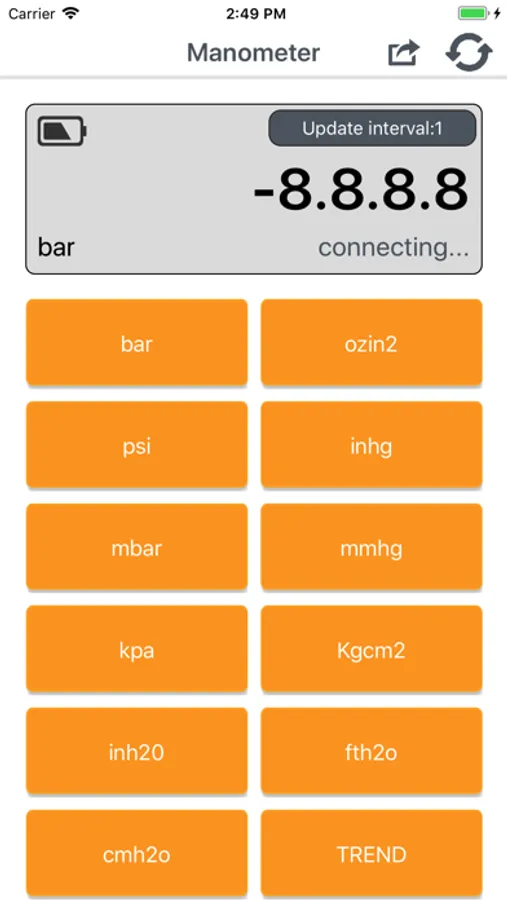
1)Connect Bluetooth: power on gauge→turn on Bluetooth function
of mobile phone→turn on manometer APP→press “DIF” key on
gauge for a long time until upward gauge shows “REL”.
When manometer software is installed and turned on for the
first time, it enters into “BLE Device List” interface by default
rather than main interface.
Press backspace key of mobile phone to return to main interface.
When manometer software is turned on later, it will directly enter
into main interface.
When many gauges with Bluetooth function are working, press icon under main interface and manometer enters into ��BLE
Device List” interface to check or select gauge you want to connect.
Note: after the device is automatically shut off, should open Bluetooth data transmission according to the above methods.
1)Connect Bluetooth: power on gauge→turn on Bluetooth function
of mobile phone→turn on manometer APP→press “DIF” key on
gauge for a long time until upward gauge shows “REL”.
When manometer software is installed and turned on for the
first time, it enters into “BLE Device List” interface by default
rather than main interface.
Press backspace key of mobile phone to return to main interface.
When manometer software is turned on later, it will directly enter
into main interface.
When many gauges with Bluetooth function are working, press icon under main interface and manometer enters into ��BLE
Device List” interface to check or select gauge you want to connect.
Note: after the device is automatically shut off, should open Bluetooth data transmission according to the above methods.
Mano-meter Screenshots
Tap to Rate:
Reviews for Mano-meter
shawn!12121
Perfect
I use this in hvac and works great, wish it could have different graphing threw the trend data and record for longer other then that works.
Krr123233
Limited
This app doesn’t allow charting multiple devices at the same time. It also doesn’t support zeroing out the gauge, basically the use of this is worthless in an industry that requires multiple readings to be analyzed together.