DJM-REC: DJ live/recording app
AlphaTheta Corporation
3.1 ★
234 ratings
Free
In this DJ recording app, you can connect your device to a DJ mixer and record high-quality mixes. Includes live streaming to social networks, automatic tracklist detection, and cloud upload options.
AppRecs review analysis
AppRecs rating 3.0. Trustworthiness 79 out of 100. Review manipulation risk 23 out of 100. Based on a review sample analyzed.
★★★☆☆
3.0
AppRecs Rating
Ratings breakdown
5 star
41%
4 star
9%
3 star
8%
2 star
6%
1 star
35%
What to know
✓
Low review manipulation risk
23% review manipulation risk
✓
Credible reviews
79% trustworthiness score from analyzed reviews
⚠
High negative review ratio
42% of sampled ratings are 1–2 stars
About DJM-REC: DJ live/recording app
Share your DJ sets in high quality with people around the world. DJM-REC makes live streaming and recording easy – simply download the app and connect your device to a DJ mixer via one cable to get started.
All features are free for 30 days.
◇High-quality live streaming and DJ mix recording made simple
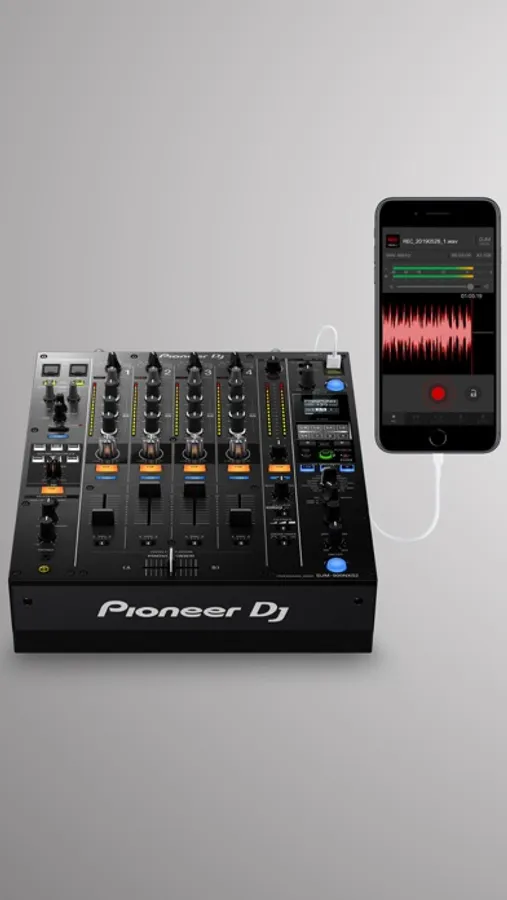
・Connect your iPhone/iPad and DJ mixer with a single USB cable.
・High-quality sound comes from the direct connection.
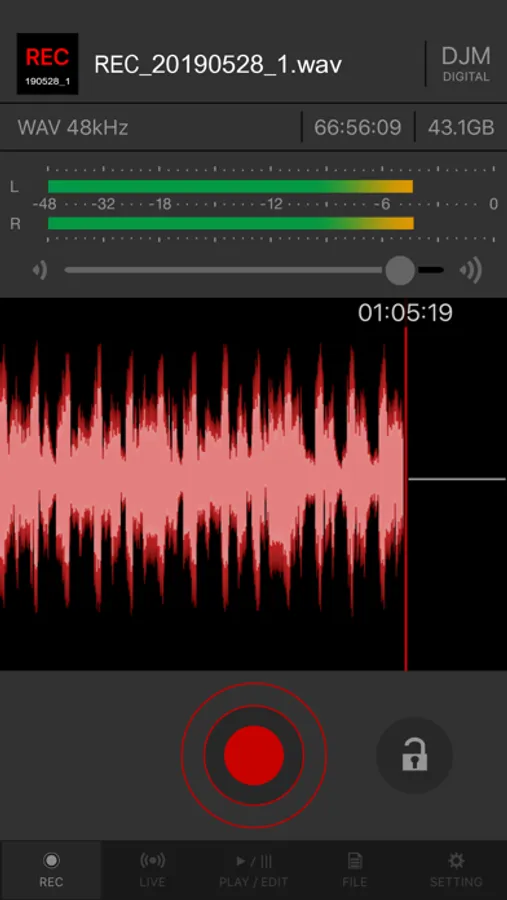
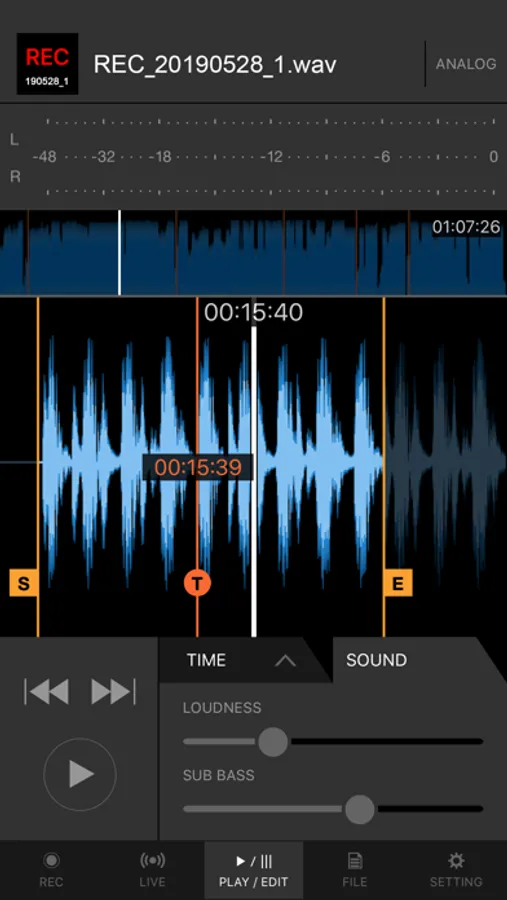
・Easily create great-sounding mixes with the limiter function, which prevents distortion, and a loudness processing function that improves sound pressure after you’ve finished recording.
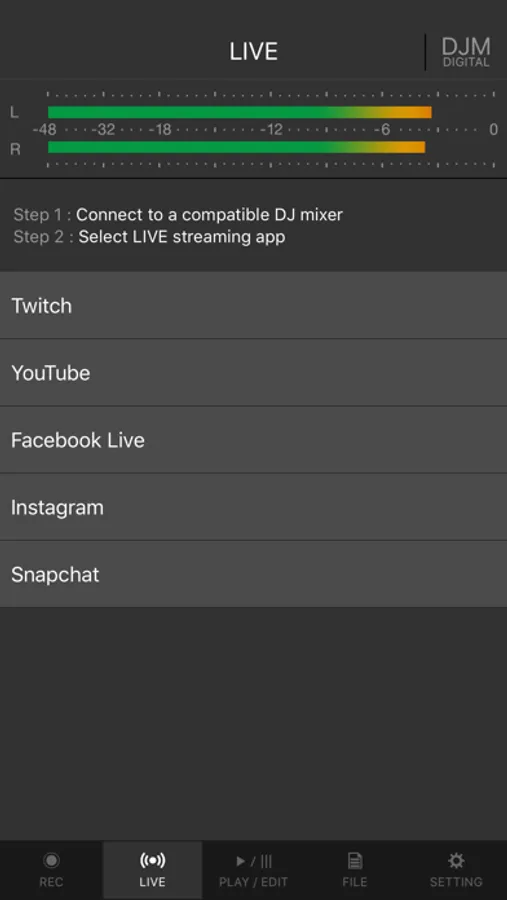
◇Live streaming on various social networks
・Directly live stream to services such as Mixcloud Live and Restream from DJM-REC.
・Seamless integration with popular apps such as Twitch, YouTube, Facebook Live, Instagram and Snapchat.
・If you’re using supported DJ equipment, you can display track information (Artist/Title) on-screen in real time while you stream.
◇Share your mix right after recording it
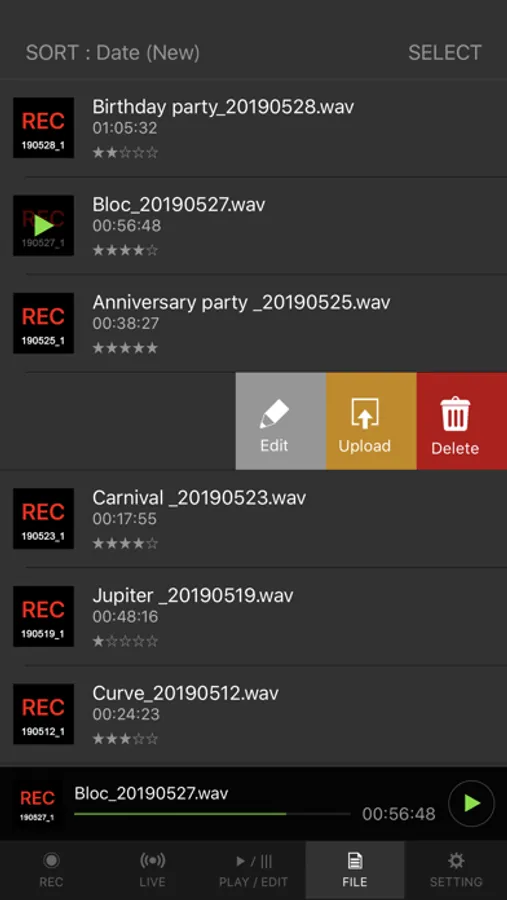
・Just press the [Upload] button after you finish recording and your mix will be immediately uploaded to your chosen cloud service, such as Mixcloud, SoundCloud, or Dropbox.
・Make a tracklist effortlessly. DJM-REC automatically detects when you switch songs according to the fader position and records the timing of the track changeover in the description section. All you need to do then is enter the track names.
・If you’re using compatible DJ equipment that supports track info. DJM-REC can generate complete tracklists automatically timestamps and track names included, no manual input is required.
◇Try all features free now
・Use all the app’s features free for 30 days.
・You can buy the app anytime if you like it.
◇Other handy uses
・Use the recording function to convert analog records to digital files.
・Live stream and record with the built-in (or externally connected) microphone of an iPhone or iPad.
・Connect to an audio interface and live stream or record from a DJ controller.
◇Compatible with Pioneer DJ mixers
The following DJ mixers are supported by DJM-REC.
・DJM-V10
・DJM-V10-LF
・DJM-TOUR1
・DJM-A9
・DJM-900NXS2
・DJM-750MK2
・DJM-450
*Make sure the mixer’s firmware has been updated to the latest version before use.
https://www.pioneerdj.com/support/software/
◇Supported DJ equipment combinations for track info (Artist/Title):
DJ Players:
・CDJ-3000X
・CDJ-3000
DJ Mixers:
・DJM-V10
・DJM-V10-LF
・DJM-A9
◇ Supported Audio Formats for Recording
・WAV 44.1kHz
・WAV 48kHz
・AAC 64kbps
・AAC 128kbps
・AAC 192kbps
・AAC 256kbps
・AAC 320kbps
For WAV files, the maximum recording time is approximately 6 hours. Please use AAC for recordings longer than 6 hours.
Pioneer DJ website [https://www.pioneerdj.com/].
DJM-REC web page [https://www.pioneerdj.com/product/software/djm-rec/dj-app/overview/].
All features are free for 30 days.
◇High-quality live streaming and DJ mix recording made simple
・Connect your iPhone/iPad and DJ mixer with a single USB cable.
・High-quality sound comes from the direct connection.
・Easily create great-sounding mixes with the limiter function, which prevents distortion, and a loudness processing function that improves sound pressure after you’ve finished recording.
◇Live streaming on various social networks
・Directly live stream to services such as Mixcloud Live and Restream from DJM-REC.
・Seamless integration with popular apps such as Twitch, YouTube, Facebook Live, Instagram and Snapchat.
・If you’re using supported DJ equipment, you can display track information (Artist/Title) on-screen in real time while you stream.
◇Share your mix right after recording it
・Just press the [Upload] button after you finish recording and your mix will be immediately uploaded to your chosen cloud service, such as Mixcloud, SoundCloud, or Dropbox.
・Make a tracklist effortlessly. DJM-REC automatically detects when you switch songs according to the fader position and records the timing of the track changeover in the description section. All you need to do then is enter the track names.
・If you’re using compatible DJ equipment that supports track info. DJM-REC can generate complete tracklists automatically timestamps and track names included, no manual input is required.
◇Try all features free now
・Use all the app’s features free for 30 days.
・You can buy the app anytime if you like it.
◇Other handy uses
・Use the recording function to convert analog records to digital files.
・Live stream and record with the built-in (or externally connected) microphone of an iPhone or iPad.
・Connect to an audio interface and live stream or record from a DJ controller.
◇Compatible with Pioneer DJ mixers
The following DJ mixers are supported by DJM-REC.
・DJM-V10
・DJM-V10-LF
・DJM-TOUR1
・DJM-A9
・DJM-900NXS2
・DJM-750MK2
・DJM-450
*Make sure the mixer’s firmware has been updated to the latest version before use.
https://www.pioneerdj.com/support/software/
◇Supported DJ equipment combinations for track info (Artist/Title):
DJ Players:
・CDJ-3000X
・CDJ-3000
DJ Mixers:
・DJM-V10
・DJM-V10-LF
・DJM-A9
◇ Supported Audio Formats for Recording
・WAV 44.1kHz
・WAV 48kHz
・AAC 64kbps
・AAC 128kbps
・AAC 192kbps
・AAC 256kbps
・AAC 320kbps
For WAV files, the maximum recording time is approximately 6 hours. Please use AAC for recordings longer than 6 hours.
Pioneer DJ website [https://www.pioneerdj.com/].
DJM-REC web page [https://www.pioneerdj.com/product/software/djm-rec/dj-app/overview/].
DJM-REC: DJ live/recording app Screenshots
Tap to Rate:
Reviews for DJM-REC: DJ live/recording app
DJ Richie Gee
Love it!
Why not on android? That’s sad!
b_cole
Worth the purchase
Installed on iPhone, easily plug into Pioneer DJ M-A9 to record high-end CDJ mixes to 48k / 16bit / Stereo WAVs