With this video editing app, you can import videos, swap microphones, add reverb, and adjust audio tracks. Includes microphone modeling, volume control, reverb effects, and project management features.
AppRecs review analysis
AppRecs rating 4.1. Trustworthiness 81 out of 100. Review manipulation risk 27 out of 100. Based on a review sample analyzed.
★★★★☆
4.1
AppRecs Rating
Ratings breakdown
5 star
78%
4 star
8%
3 star
3%
2 star
2%
1 star
9%
What to know
✓
Low review manipulation risk
27% review manipulation risk
✓
Credible reviews
81% trustworthiness score from analyzed reviews
⚠
Pricing complaints
Many low ratings mention paywalls or pricing
About MicSwap Video: Audio FX Editor
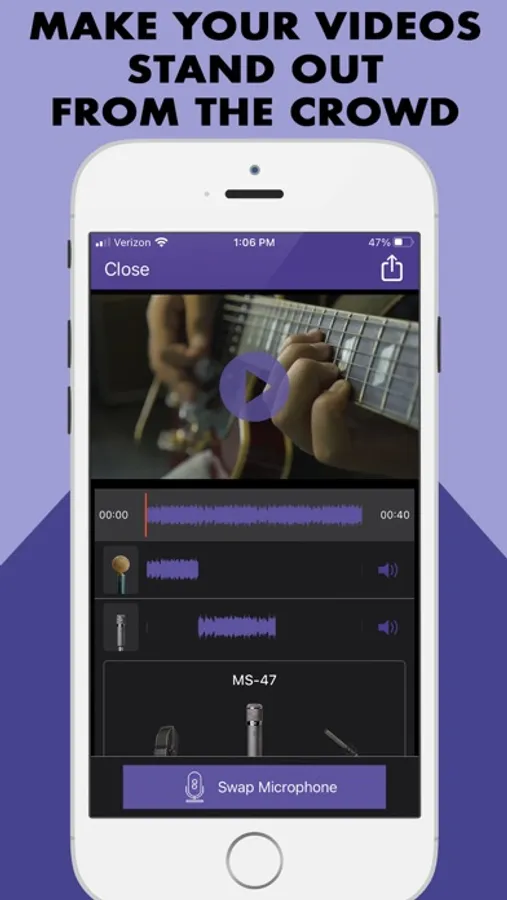
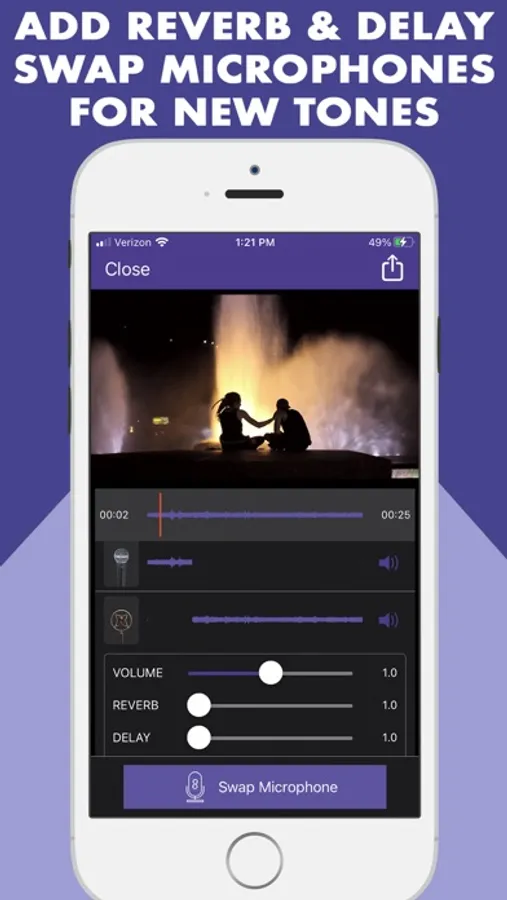
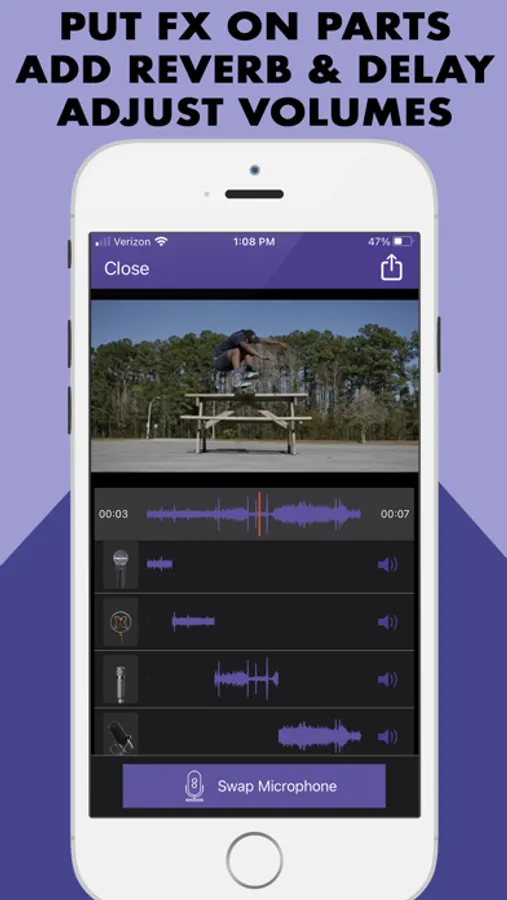
Import a video, add reverb, swap microphones for different sounds, change the volumes. You can even cut the audio into different tracks and assign different sounds, volumes and reverbs to each track. A super unique app!
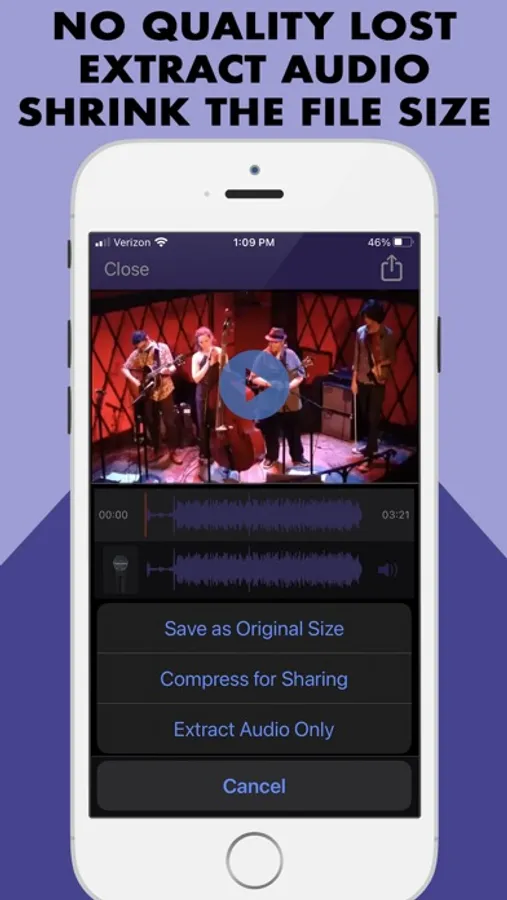
Export Options:
• Save as Original Size
• Compress Size for Sharing
• Extract Audio Only
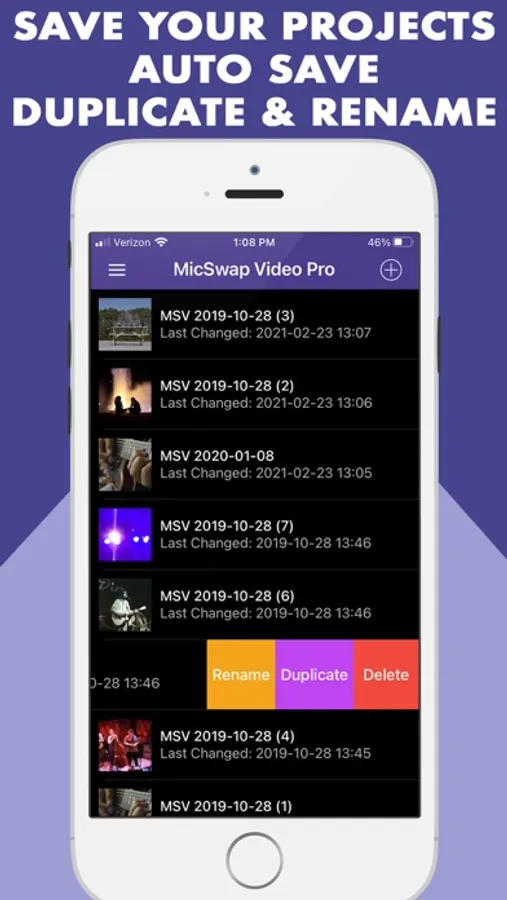
Now our popular MicSwap app can be used on your videos! Swap microphones for different sounds. Cut the audio, change its sound, add gain and reverb. MicSwap Video will automatically save your projects. You can then rename, duplicate or delete them.
22 MICROPHONES MODELED
• Shure SM7b (Podcasting)
• Rode NTG3 (Boom Mic)
• Sony Lavalier (Filmmaking)
• Shure SM58
• RCA 77
• B6 Lavalier
• Megaphone
• Amperite SR80
• Neumann U47
• Neumann U87
• Neumann KM140
• Neumann CMV563
• 11D Lavalier
• MS-SmartLav
• MS-8024. Boom Mic
• MS-416. Boom Mic
• AKG 414
• AKG C12VR
• Royer Ribbon R121
• Old Timey Radio Mic
• Ribbon Fathead 1
• Ribbon Fathead 2
Also by Future Moments:
Video Audio Splitter MS Remix
Remix the Audio of Your Video
MicSwap Remix
AI Audio Stem Separator
MAIVE
Ai Video Generator
VideoVerb
Add reverb to your videos
Hear Boost
Get super hearing & recording powers
MicSwap
Mic Modeler & Recorder
MicSwap MultiTrack
Multitrack mic modeler & recorder
MicSwap Video
Edit video audio with mic models & fx
MicSwap Camera
The best sounding video camera
AudioFix
Denoise & clean the sound of your video
VideoMaster
Instant audio post-production for videos
AudioVerb
Add reverb & delay to your audio
AudioMaster
Audio mastering for podcasts & music
Volume Booster
Easily boost the sound of your audio or video
MicSwap Video is free to download.
We offer 3 subscription plans:
Quarterly Unlimited Use ($4.99)
6 Month Unlimited Use ($7.99)
Yearly Unlimited Use ($13.99)
If you choose to subscribe, your subscriptions will automatically renew at the end of the selected time and will charge your credit card through your iTunes account. You can turn off auto-renew at any time from your iTunes account settings.
Transcription cost:
Up to 1 hr $.99
Up to 2 hr $1.99
Up to 3 hr $2.99
Payment will be charged to iTunes Account at confirmation of purchase. Subscription automatically renews unless auto-renew is turned off at least 24-hours before the end of the current period. Account will be charged for renewal within 24-hours prior to the end of the current period, and identify the cost of the renewal.
Subscriptions may be managed by the user and auto-renewal may be turned off by going to the user's Account Settings after purchase.
Any unused portion of a free trial period, if offered, will be forfeited when the user purchases a subscription to that publication, where applicable
MicSwap Video
Future Moments LLC privacy policy:
http://future-moments.com/termsandprivacy
Future Moments LLC terms of use:
http://future-moments.com/termsandprivacy
Export Options:
• Save as Original Size
• Compress Size for Sharing
• Extract Audio Only
Now our popular MicSwap app can be used on your videos! Swap microphones for different sounds. Cut the audio, change its sound, add gain and reverb. MicSwap Video will automatically save your projects. You can then rename, duplicate or delete them.
22 MICROPHONES MODELED
• Shure SM7b (Podcasting)
• Rode NTG3 (Boom Mic)
• Sony Lavalier (Filmmaking)
• Shure SM58
• RCA 77
• B6 Lavalier
• Megaphone
• Amperite SR80
• Neumann U47
• Neumann U87
• Neumann KM140
• Neumann CMV563
• 11D Lavalier
• MS-SmartLav
• MS-8024. Boom Mic
• MS-416. Boom Mic
• AKG 414
• AKG C12VR
• Royer Ribbon R121
• Old Timey Radio Mic
• Ribbon Fathead 1
• Ribbon Fathead 2
Also by Future Moments:
Video Audio Splitter MS Remix
Remix the Audio of Your Video
MicSwap Remix
AI Audio Stem Separator
MAIVE
Ai Video Generator
VideoVerb
Add reverb to your videos
Hear Boost
Get super hearing & recording powers
MicSwap
Mic Modeler & Recorder
MicSwap MultiTrack
Multitrack mic modeler & recorder
MicSwap Video
Edit video audio with mic models & fx
MicSwap Camera
The best sounding video camera
AudioFix
Denoise & clean the sound of your video
VideoMaster
Instant audio post-production for videos
AudioVerb
Add reverb & delay to your audio
AudioMaster
Audio mastering for podcasts & music
Volume Booster
Easily boost the sound of your audio or video
MicSwap Video is free to download.
We offer 3 subscription plans:
Quarterly Unlimited Use ($4.99)
6 Month Unlimited Use ($7.99)
Yearly Unlimited Use ($13.99)
If you choose to subscribe, your subscriptions will automatically renew at the end of the selected time and will charge your credit card through your iTunes account. You can turn off auto-renew at any time from your iTunes account settings.
Transcription cost:
Up to 1 hr $.99
Up to 2 hr $1.99
Up to 3 hr $2.99
Payment will be charged to iTunes Account at confirmation of purchase. Subscription automatically renews unless auto-renew is turned off at least 24-hours before the end of the current period. Account will be charged for renewal within 24-hours prior to the end of the current period, and identify the cost of the renewal.
Subscriptions may be managed by the user and auto-renewal may be turned off by going to the user's Account Settings after purchase.
Any unused portion of a free trial period, if offered, will be forfeited when the user purchases a subscription to that publication, where applicable
MicSwap Video
Future Moments LLC privacy policy:
http://future-moments.com/termsandprivacy
Future Moments LLC terms of use:
http://future-moments.com/termsandprivacy
MicSwap Video: Audio FX Editor Screenshots
Tap to Rate:
Reviews for MicSwap Video: Audio FX Editor
Gmoneyicecold
Bad app
When you save the video, there is no sound
Hehduhxb
STILL NO SOUND
Still have no sound after it’s saved….