AppRecs review analysis
AppRecs rating 4.5. Trustworthiness 67 out of 100. Review manipulation risk 24 out of 100. Based on a review sample analyzed.
★★★★☆
4.5
AppRecs Rating
Ratings breakdown
5 star
50%
4 star
20%
3 star
10%
2 star
10%
1 star
10%
What to know
✓
Low review manipulation risk
24% review manipulation risk
✓
Good user ratings
70% positive sampled reviews
About Flight Breaks
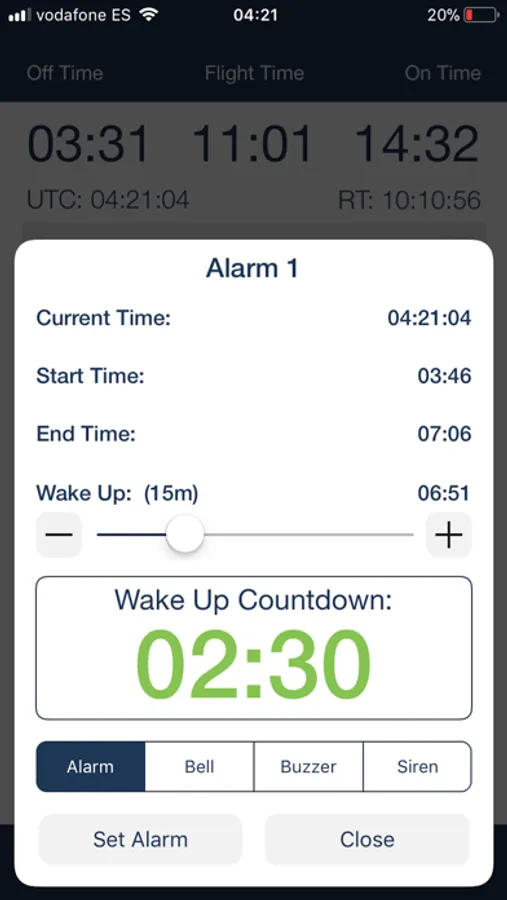
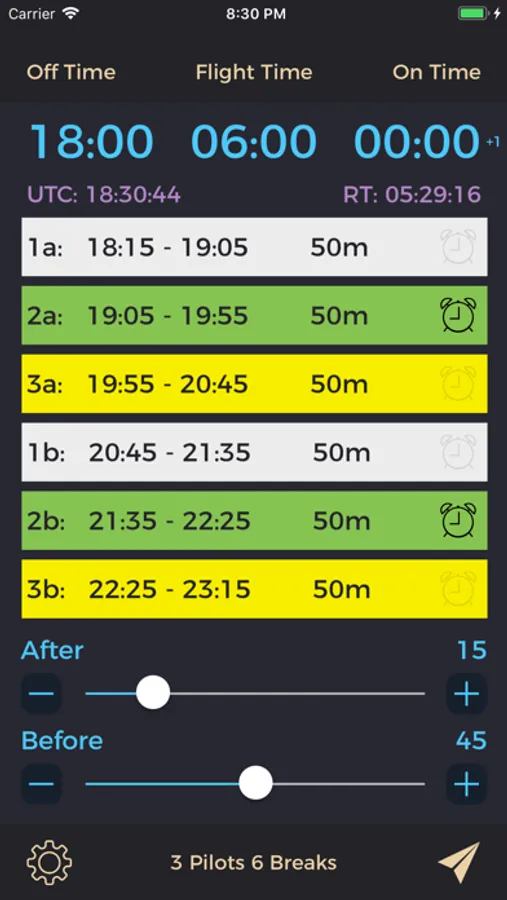
Flight Breaks is an intuitive and simple way for airline crews or pilots to seamlessly calculate rest periods on augmented international or long-haul flights. The app is designed for airline crews worldwide who need to divide up specific amounts of flight time for determining rest and work periods.
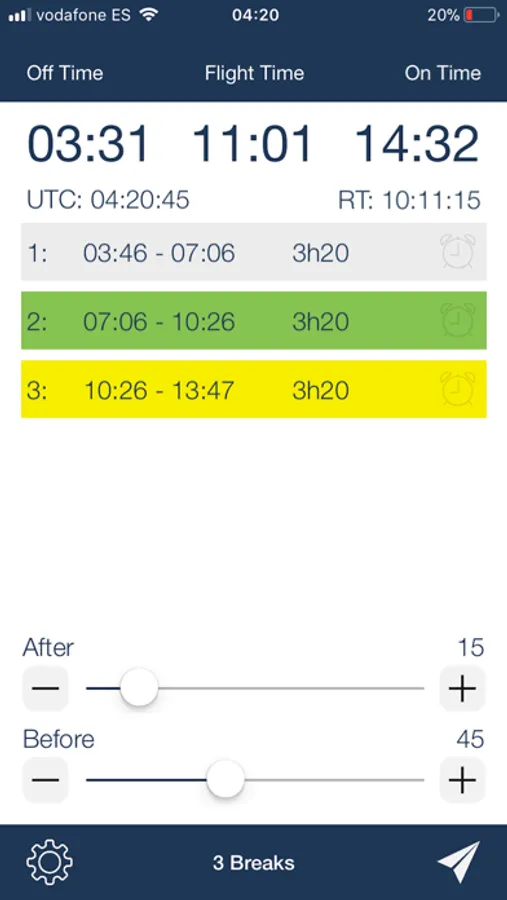
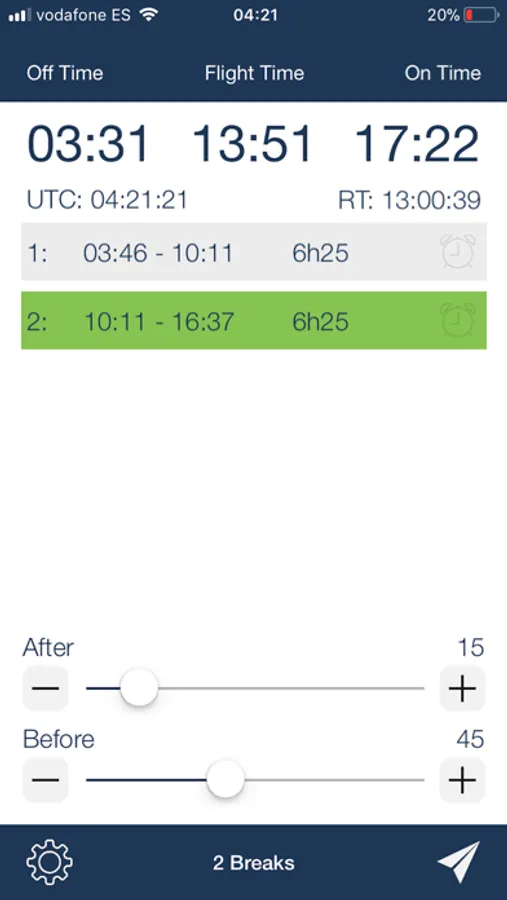
Simply set the “Off Time” (take off time), then set the “Flight Time” (duration of flight) as shown on your flight plan, and the “On Time” (land time) is calculated. Additionally, if the “On Time” changes significantly (longer or shorter) due to short cuts or favorable/unfavorable winds, you can change the “On Time” to match the flight computer. This will then in turn alter the flight time and breaks accordingly.
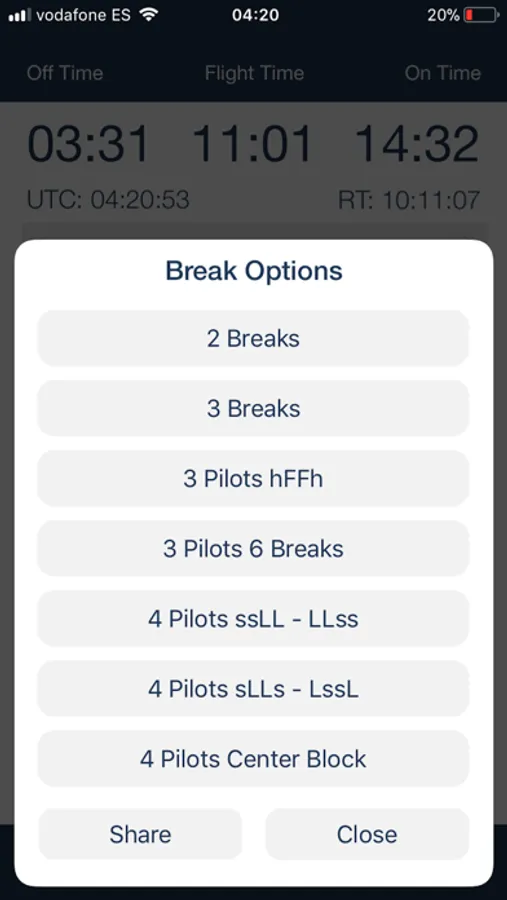
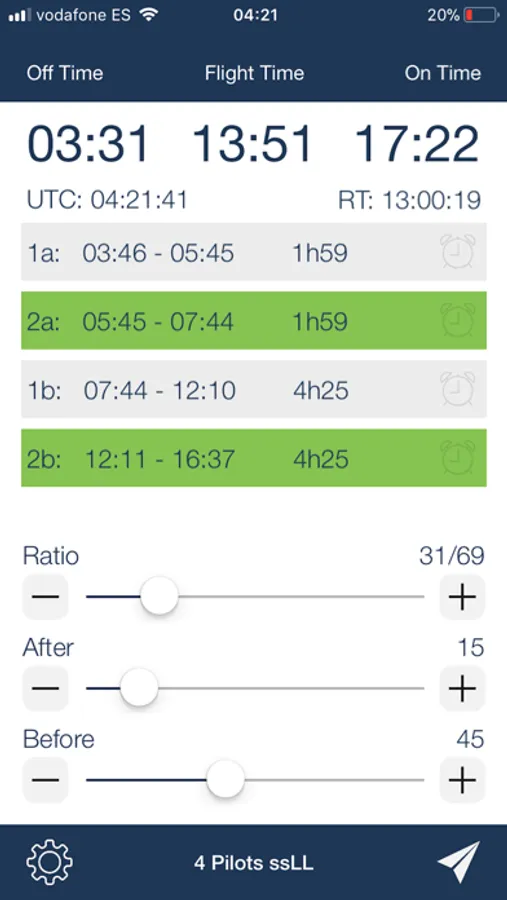
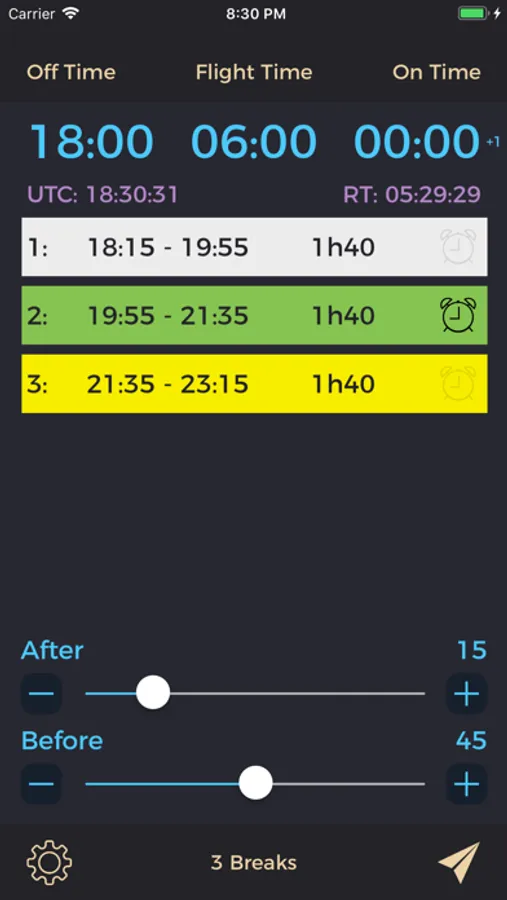
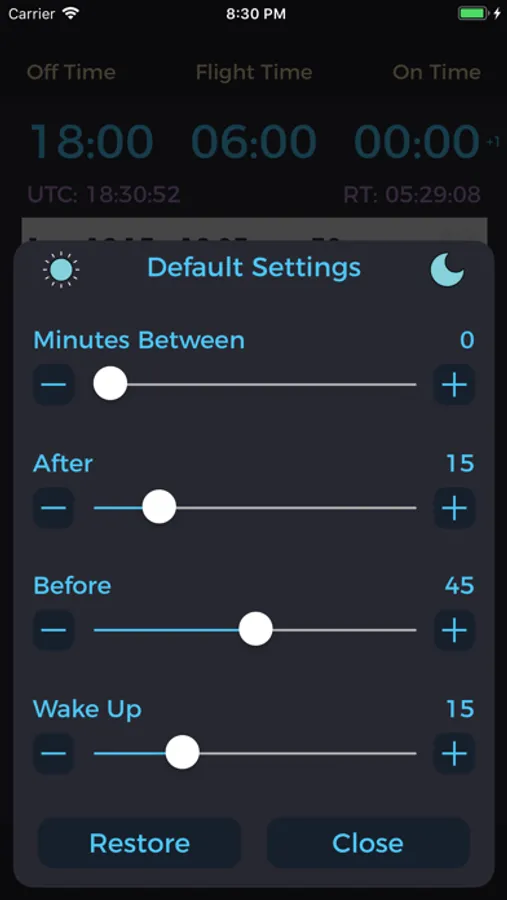
Various break options are available depending on how your airline or crew wants to divide up the breaks. The parameters for when the first break starts and when the last break ends are easy to change. There’s even an option for the amount of time in between breaks too!
Features include:
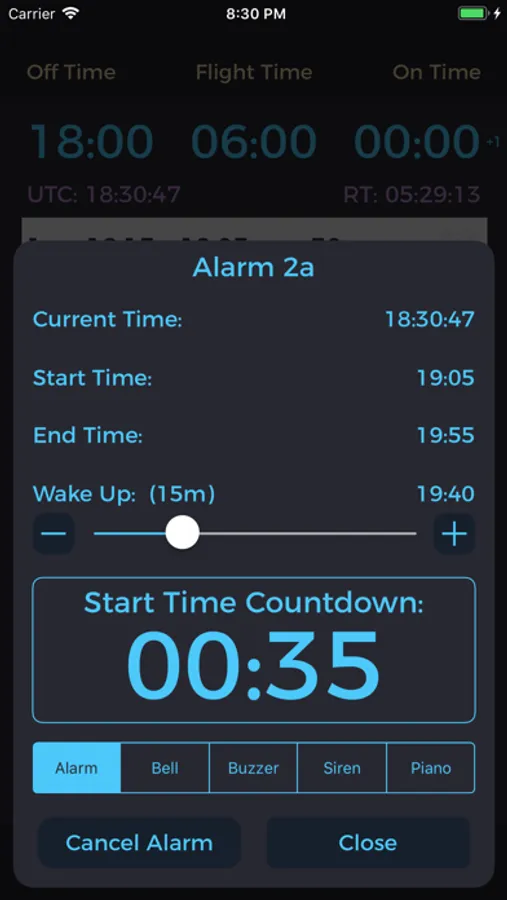
• Alarms for your specific break with countdown timers until your wake up time.
• Share the break schedule with others who have the app by AirDrop or E-mail.
You’ll always know how much time remains until your break is over to ensure you’ll be back to the flight deck on time!
Flight Breaks. The effortless way for crews to figure out rest breaks.
Simply set the “Off Time” (take off time), then set the “Flight Time” (duration of flight) as shown on your flight plan, and the “On Time” (land time) is calculated. Additionally, if the “On Time” changes significantly (longer or shorter) due to short cuts or favorable/unfavorable winds, you can change the “On Time” to match the flight computer. This will then in turn alter the flight time and breaks accordingly.
Various break options are available depending on how your airline or crew wants to divide up the breaks. The parameters for when the first break starts and when the last break ends are easy to change. There’s even an option for the amount of time in between breaks too!
Features include:
• Alarms for your specific break with countdown timers until your wake up time.
• Share the break schedule with others who have the app by AirDrop or E-mail.
You’ll always know how much time remains until your break is over to ensure you’ll be back to the flight deck on time!
Flight Breaks. The effortless way for crews to figure out rest breaks.
Flight Breaks Screenshots
Tap to Rate:
Reviews for Flight Breaks
Honmo1
Keeps resetting itself
After the breaks are calculated, the app would constantly reset itself to the default values.
Corporate Pilot
Not working
Ever since iOS 26 came out the app keeps resetting itself after you plugged in on the information to get the times. If you go back to check them after five or 10 minutes, they’re wiped out and it resets to some random numbers.