In this patient management app, you can set up your LATITUDE™ NXT Communicator and check status lights. Includes setup guidance and device status updates.
AppRecs review analysis
AppRecs rating 2.4. Trustworthiness 73 out of 100. Review manipulation risk 23 out of 100. Based on a review sample analyzed.
★★☆☆☆
2.4
AppRecs Rating
Ratings breakdown
5 star
26%
4 star
8%
3 star
5%
2 star
13%
1 star
48%
What to know
✓
Low review manipulation risk
23% review manipulation risk
⚠
Mixed user feedback
Average 2.5★ rating suggests room for improvement
⚠
High negative review ratio
61% of sampled ratings are 1–2 stars
About MyLATITUDE
Download the latest version of the MyLATITUDE™ Patient App for free! This app is intended primarily for Boston Scientific patients who utilize the LATITUDE™ NXT Communicator.
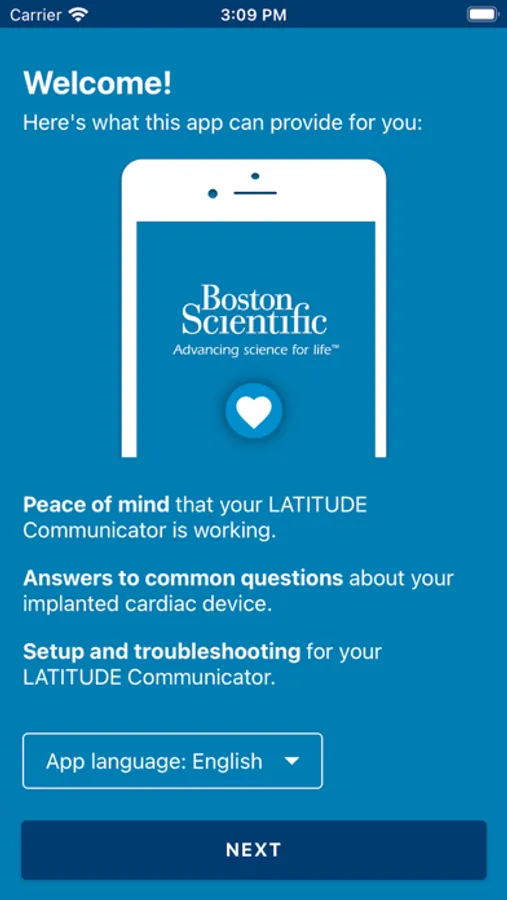
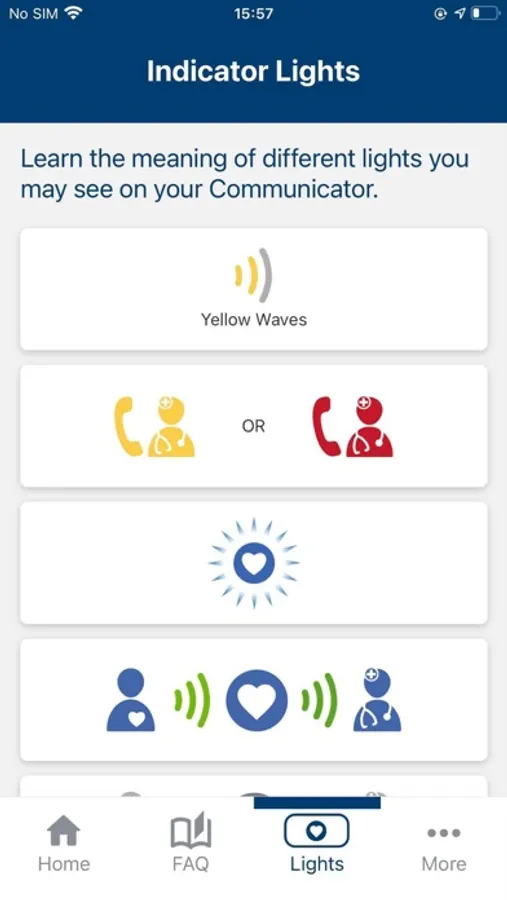
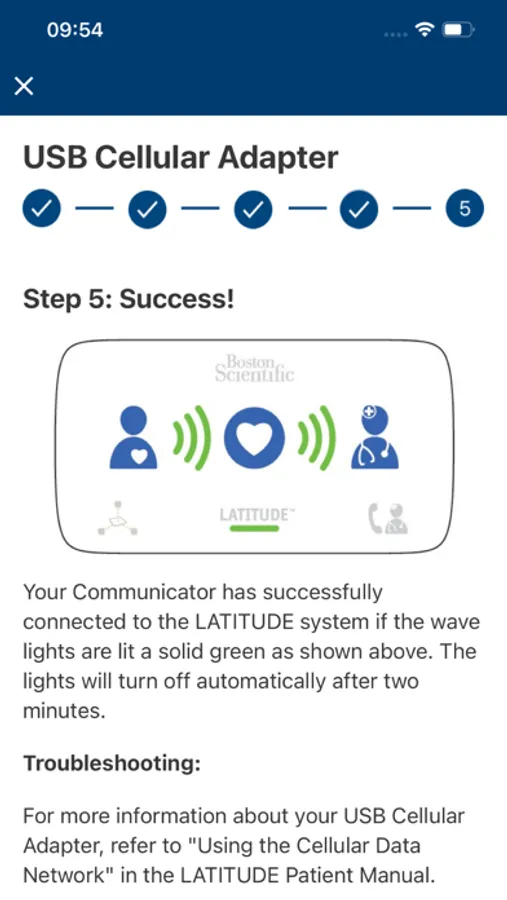
Save time and avoid a call to Customer Support. MyLATITUDE™ can guide you through the setup of your LATITUDE™ NXT Communicator, as well as help you understand the status lights. The app also provides information about the status of your Communicator if you are a Boston Scientific patient.
MyLATITUDE™ is not intended to replace your Patient Manual. Please refer to your LATITUDE Patient Manual or call LATITUDE Customer Support if you have questions.
LATITUDE™ NXT Patient Management System
Important Safety Information
LATITUDE™ NXT Patient Management is a remote monitoring system that gives your health care provider access to your implanted device data. The LATITUDE Patient Management system is not intended to assist with medical emergencies. If you are not feeling well, call your doctor or local emergency number. The Communicator does not provide continuous monitoring.
The Communicator is designed to operate on standard telephone lines like those found in most homes. The Communicator may work on other telephone systems, such as Digital Subscriber Line (DSL) and Voice Over IP (VoIP) Internet systems, if those systems provide an analog interface for connecting the Communicator.
The Communicator is designed to work only with the implanted device of the patient for whom it was prescribed. It will not work with other patients’ implanted devices and should be used only as authorized by the prescribing physician. The Communicator is not for use with any pulse generator other than a Boston Scientific device. Ask your physician if you have questions about any risks with using the Communicator or your implanted device.
It is very important that the Communicator remain plugged into the power outlet. Your communicator should remain connected to a telephone line, ethernet adaptor or cellular adaptor. Some household appliances and other sources of electromagnetic energy could interfere with the communication between your Communicator and your implanted device. You should be at least 36 inches (3 ft.) away from televisions, VCRs, DVD players, personal computers, and other electronic equipment, when you are using the Communicator.
It is recommended that the customer install a surge arrestor in the electrical outlet to which the Communicator is connected. Rx only (Rev.A) 92481216
© 2021 Boston Scientific Corporation and its affiliates. All rights reserved. CRM-629411-AB
Save time and avoid a call to Customer Support. MyLATITUDE™ can guide you through the setup of your LATITUDE™ NXT Communicator, as well as help you understand the status lights. The app also provides information about the status of your Communicator if you are a Boston Scientific patient.
MyLATITUDE™ is not intended to replace your Patient Manual. Please refer to your LATITUDE Patient Manual or call LATITUDE Customer Support if you have questions.
LATITUDE™ NXT Patient Management System
Important Safety Information
LATITUDE™ NXT Patient Management is a remote monitoring system that gives your health care provider access to your implanted device data. The LATITUDE Patient Management system is not intended to assist with medical emergencies. If you are not feeling well, call your doctor or local emergency number. The Communicator does not provide continuous monitoring.
The Communicator is designed to operate on standard telephone lines like those found in most homes. The Communicator may work on other telephone systems, such as Digital Subscriber Line (DSL) and Voice Over IP (VoIP) Internet systems, if those systems provide an analog interface for connecting the Communicator.
The Communicator is designed to work only with the implanted device of the patient for whom it was prescribed. It will not work with other patients’ implanted devices and should be used only as authorized by the prescribing physician. The Communicator is not for use with any pulse generator other than a Boston Scientific device. Ask your physician if you have questions about any risks with using the Communicator or your implanted device.
It is very important that the Communicator remain plugged into the power outlet. Your communicator should remain connected to a telephone line, ethernet adaptor or cellular adaptor. Some household appliances and other sources of electromagnetic energy could interfere with the communication between your Communicator and your implanted device. You should be at least 36 inches (3 ft.) away from televisions, VCRs, DVD players, personal computers, and other electronic equipment, when you are using the Communicator.
It is recommended that the customer install a surge arrestor in the electrical outlet to which the Communicator is connected. Rx only (Rev.A) 92481216
© 2021 Boston Scientific Corporation and its affiliates. All rights reserved. CRM-629411-AB
MyLATITUDE Screenshots
Tap to Rate:
Reviews for MyLATITUDE
a;lkdjfa;ldkgja;ldfkj
Very underwhelming
App doesn’t do anything useful. It should be providing you with important data from the CRT directly but it doesn’t. Medtronic’s app does. Wish I knew that before going with Boston Scientific.
Ed-In-Pittsburgh
Doesn’t sync with Apple Health
Apple Health doesn’t even know that I have a loop recorder. It should.