
In this inspection app, you can collect data and photos efficiently on your mobile device and sync reports wirelessly. Includes features like touch-friendly navigation, direct photo capture, and report preview options.
AppRecs review analysis
AppRecs rating 2.6. Trustworthiness 80 out of 100. Review manipulation risk 27 out of 100. Based on a review sample analyzed.
★★☆☆☆
2.6
AppRecs Rating
Ratings breakdown
5 star
35%
4 star
0%
3 star
12%
2 star
18%
1 star
35%
What to know
✓
Low review manipulation risk
27% review manipulation risk
✓
Credible reviews
80% trustworthiness score from analyzed reviews
⚠
Mixed user feedback
Average 2.8★ rating suggests room for improvement
About 3D Mobile Inspector
3D Mobile Inspector software integrates with the 3D Inspection System desktop software for use on your phone or tablet. 3D Inspection System inspection software provides the most powerful and easy to use inspection software available for home and real estate inspection, marine survey, pest or WDO inspections, environmental or mold reporting, 4-point insurance inspections, and other industries. Both 3D Mobile Inspector and regular 3D Inspection System software work for these kinds of inspections. With 3D Mobile Inspector software, quickly collect home and building or boat survey inspection data and photos in the filed on your phone or tablet, and then wirelessly send it back to the office to produce state-of-the-art inspection reports for online delivery to your clients. Phones and tablets are both supported with no additional licensing to use 3D Mobile Inspector on more than one phone or tablet for additional home or marine survey inspectors.
3D Inspection System 3D Mobile Inspector software features:
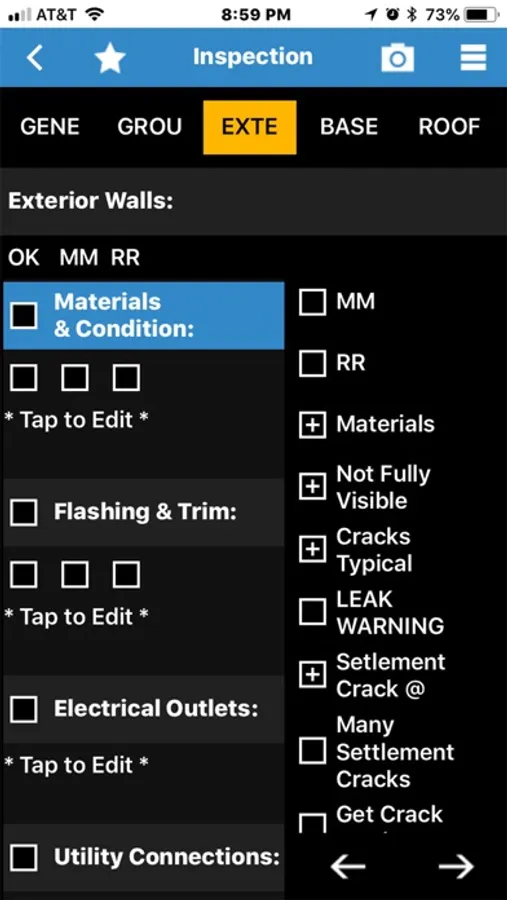
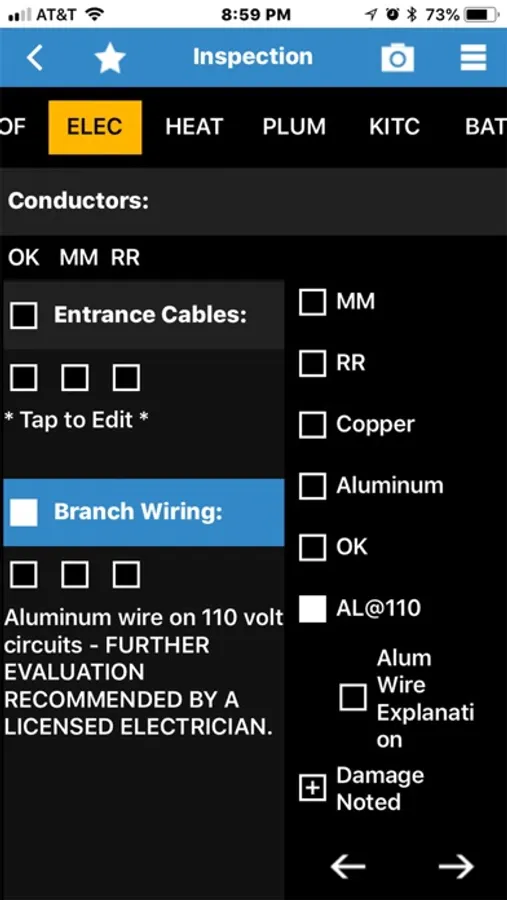
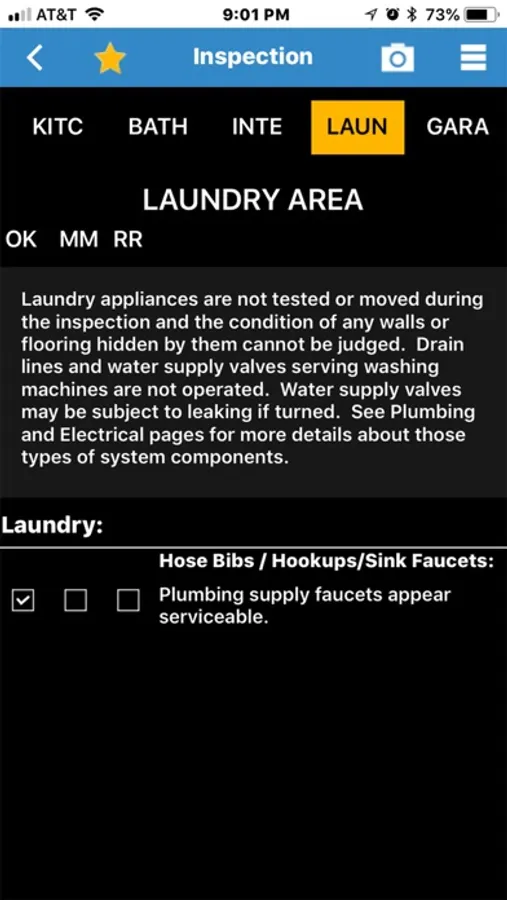
- Efficient data collection, with EASY to use scrolling inspection report sections.
- Tap to report sections with finger-friendly touch interface.
- See report comments immediately build into paragraphs as selected. No annoying pop-ups to view or select comments.
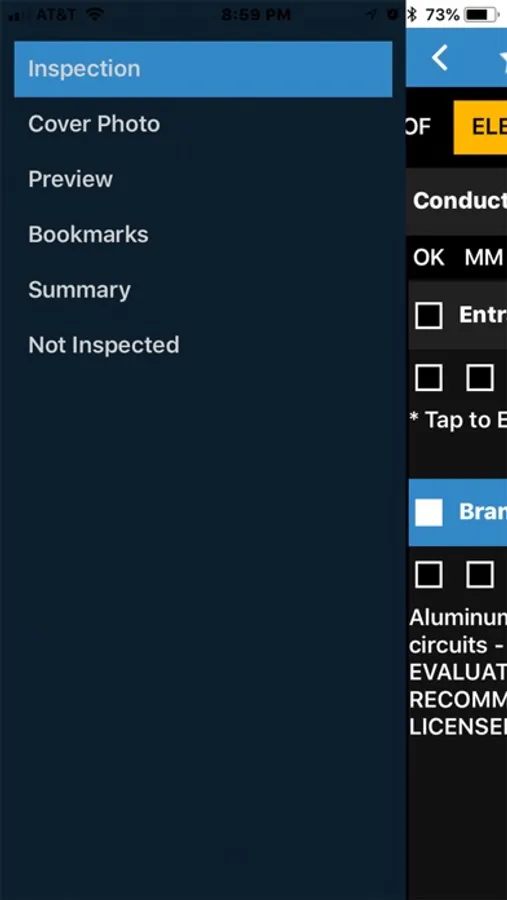
- Open the menu drawer to take a cover photo, preview the report, preview summaries, preview bookmarks, and preview Not-Inspected items.
- Capture photos directly into your 3D Mobile Inspector from the device camera by tapping the camera icon or select an image from the gallery by holding down the camera icon. No set limit to the number of photos you may include for any area or a narrative inspection report. Photos in copied fields may be printed neatly together in a row for the final report.
- Complete customization of your inspection content. Add or copy areas for repeated components by tapping and holding down on a Heading or Subheading.
- Unused items automatically omit without any extra effort.
- Virtual inspection report preview. Preview the entire report, summaries, bookmarks, and not inspected items. Tap images within preview to expand them for larger viewing. Tap a Heading or Subheading within a preview to navigate to that part of the actual report for easy editing.
- Inspection status tracking and display of inspection scheduled information makes it easy to manage inspectors.
- Produce stunning end-user inspection reports from your collected data.
Anyone may install the 3D Mobile Inspector collection app to demo it with example Residential Checkstyle forms. Using 3D Mobile Inspector with your personal Cloud3D account is needed to access reports created using your own custom forms and send them to and from your computer. 3D Mobile Inspector is developed and supported by 3D Inspection Systems, Inc., the industry leader in the home inspection and marine surveying industries for over 30 years. Visit us at www.3dinspection.com
3D Inspection System 3D Mobile Inspector software features:
- Efficient data collection, with EASY to use scrolling inspection report sections.
- Tap to report sections with finger-friendly touch interface.
- See report comments immediately build into paragraphs as selected. No annoying pop-ups to view or select comments.
- Open the menu drawer to take a cover photo, preview the report, preview summaries, preview bookmarks, and preview Not-Inspected items.
- Capture photos directly into your 3D Mobile Inspector from the device camera by tapping the camera icon or select an image from the gallery by holding down the camera icon. No set limit to the number of photos you may include for any area or a narrative inspection report. Photos in copied fields may be printed neatly together in a row for the final report.
- Complete customization of your inspection content. Add or copy areas for repeated components by tapping and holding down on a Heading or Subheading.
- Unused items automatically omit without any extra effort.
- Virtual inspection report preview. Preview the entire report, summaries, bookmarks, and not inspected items. Tap images within preview to expand them for larger viewing. Tap a Heading or Subheading within a preview to navigate to that part of the actual report for easy editing.
- Inspection status tracking and display of inspection scheduled information makes it easy to manage inspectors.
- Produce stunning end-user inspection reports from your collected data.
Anyone may install the 3D Mobile Inspector collection app to demo it with example Residential Checkstyle forms. Using 3D Mobile Inspector with your personal Cloud3D account is needed to access reports created using your own custom forms and send them to and from your computer. 3D Mobile Inspector is developed and supported by 3D Inspection Systems, Inc., the industry leader in the home inspection and marine surveying industries for over 30 years. Visit us at www.3dinspection.com
3D Mobile Inspector Screenshots
Tap to Rate:
Reviews for 3D Mobile Inspector
Bigpepeweiner
Gets the job done
👍
me inspect it
We need updates!
It's been year's since we have gotten a useful update. Can you please use feed back on the forums to give us much needed updates!