
AppRecs review analysis
AppRecs rating 4.1. Trustworthiness 45 out of 100. Review manipulation risk 21 out of 100. Based on a review sample analyzed.
★★★★☆
4.1
AppRecs Rating
Ratings breakdown
5 star
57%
4 star
29%
3 star
0%
2 star
0%
1 star
14%
What to know
⚠
Limited rating diversity
86% high ratings in sampled reviews
About TNMaker Pro - Multiple Choice
Functions:
+ TNMaker will be very helpful for teachers to mark for multiple choice test, rather than using their hands or using a dedicated scanner.
+ Just use the teacher's phone to mark the students' multiple choice test quickly.
+ The app allows reviewing, sorting, and sharing right away with facebook, zalo, gmail...
+The application allows you to customize the number of sentences and give the correct score for each sentence.
Usage Guide:
- Notice : App need using camera permission and storage permission to read data.
- First : You link to tnmaker.wordpress.com or Setting→ AnswerPaper to download the answer sheets (support for sample 50), next you should print in format or scale (small, large).
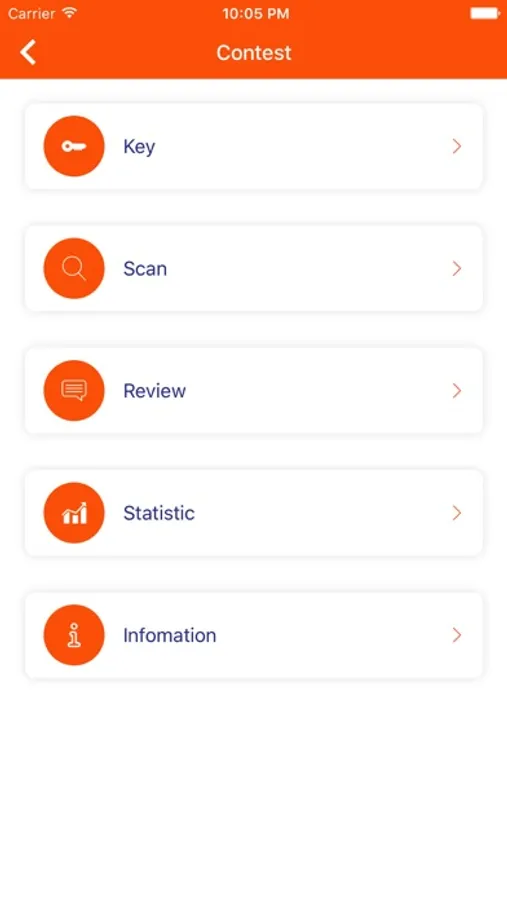
- Key: Used to scan a key. This is the correct answer to compare when scanning. You should fill in the circle and choose only a answer for each sentence.
If you are not satisfied, you should rescan or save to complete the your key.You can review your key in Review→ Menu→ Key.
- Scan: Use to scan your answer, you should move the camera to the 4 corners of the answer sheets, the red square will blink.The application will detect 4 corners and find the correct answer, the correct answer will be green , the incorrect answer will be red.
Notice your will only select a answer, the application will view the correct number of sentences for each sentence and the score you get. Next you should click Back to scan the next answer sheets, if you do not find the square, you should move your camera and adjust them.
- Review: You can review to your key or answer, click on the item and review your answer, you can delete and share it with facebook, zalo, gmail by hold in the item. Besides, you can select the menu and have some options, you can sort the list and share it to facebook...It is helpful, your list is too long, you should delete all of them and start a new multiple choice test.
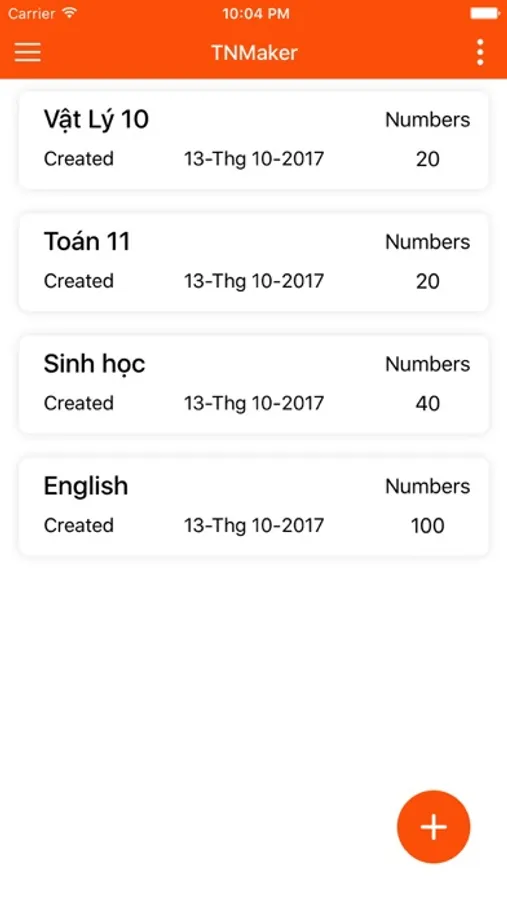
- Setting: Support for you with some options, you can choose the number of sentences to your score caculator, there are 20, 40, 50 .Easy to get answer sheets on your phone and watch the video tutorial.
- Feedback: We are always trying to complete the application. Any feedback, you can send an email to tracnghiemmaker@gmail.com. Your comments will help more and get better.
+ TNMaker will be very helpful for teachers to mark for multiple choice test, rather than using their hands or using a dedicated scanner.
+ Just use the teacher's phone to mark the students' multiple choice test quickly.
+ The app allows reviewing, sorting, and sharing right away with facebook, zalo, gmail...
+The application allows you to customize the number of sentences and give the correct score for each sentence.
Usage Guide:
- Notice : App need using camera permission and storage permission to read data.
- First : You link to tnmaker.wordpress.com or Setting→ AnswerPaper to download the answer sheets (support for sample 50), next you should print in format or scale (small, large).
- Key: Used to scan a key. This is the correct answer to compare when scanning. You should fill in the circle and choose only a answer for each sentence.
If you are not satisfied, you should rescan or save to complete the your key.You can review your key in Review→ Menu→ Key.
- Scan: Use to scan your answer, you should move the camera to the 4 corners of the answer sheets, the red square will blink.The application will detect 4 corners and find the correct answer, the correct answer will be green , the incorrect answer will be red.
Notice your will only select a answer, the application will view the correct number of sentences for each sentence and the score you get. Next you should click Back to scan the next answer sheets, if you do not find the square, you should move your camera and adjust them.
- Review: You can review to your key or answer, click on the item and review your answer, you can delete and share it with facebook, zalo, gmail by hold in the item. Besides, you can select the menu and have some options, you can sort the list and share it to facebook...It is helpful, your list is too long, you should delete all of them and start a new multiple choice test.
- Setting: Support for you with some options, you can choose the number of sentences to your score caculator, there are 20, 40, 50 .Easy to get answer sheets on your phone and watch the video tutorial.
- Feedback: We are always trying to complete the application. Any feedback, you can send an email to tracnghiemmaker@gmail.com. Your comments will help more and get better.
TNMaker Pro - Multiple Choice Screenshots

Tap to Rate:
Reviews for TNMaker Pro - Multiple Choice
nosygramma
Language
The Application Catalog days it comes in 15 languages, but they hide where to change it to English.