
AppRecs review analysis
AppRecs rating 1.0. Trustworthiness 65 out of 100. Review manipulation risk 22 out of 100. Based on a review sample analyzed.
★☆☆☆☆
1.0
AppRecs Rating
Ratings breakdown
5 star
0%
4 star
0%
3 star
0%
2 star
0%
1 star
100%
What to know
✓
Low review manipulation risk
22% review manipulation risk
⚠
Mixed user feedback
Average 1.0★ rating suggests room for improvement
About SMARTASSIST-Dash
SmartAssist App
SmartAssist App is designed to protect customer's machinery and provide optimal service support.
It is connected to SmartAssist Web Site.
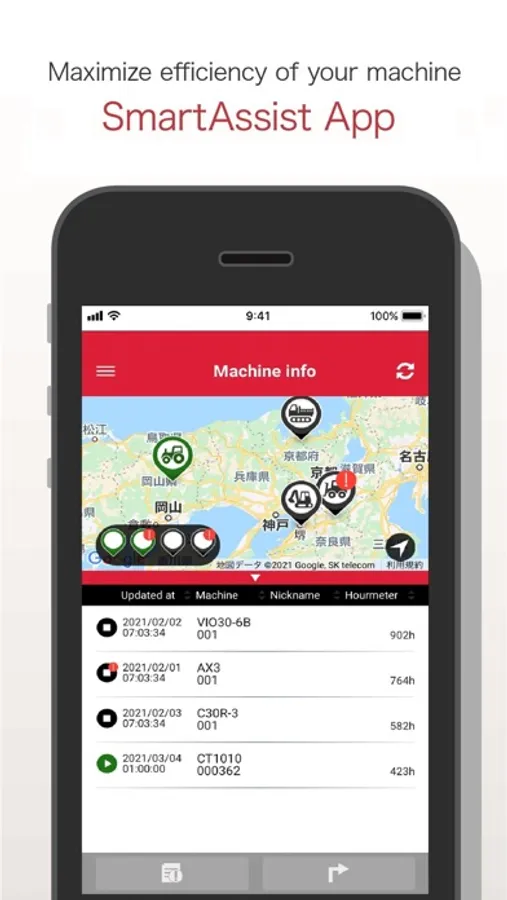
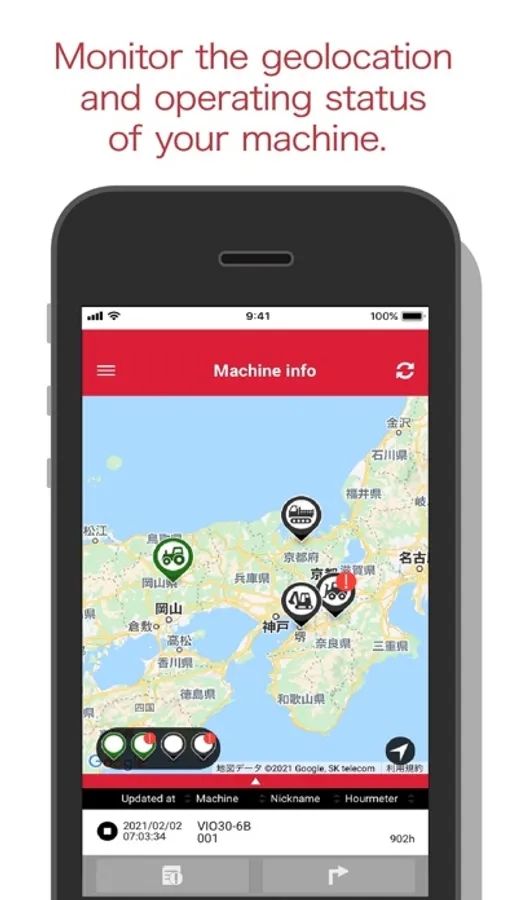
You can monitor the geolocation, operating status and maintenance of your machine.
Main functions
● Geolocation
You can identify the real time location of machine.
By clicking the icon you can get the detailed information of machine position.
● Operating status
You can monitor the operating status of machine.
Green icon means it is working and black icon means it is stopped.
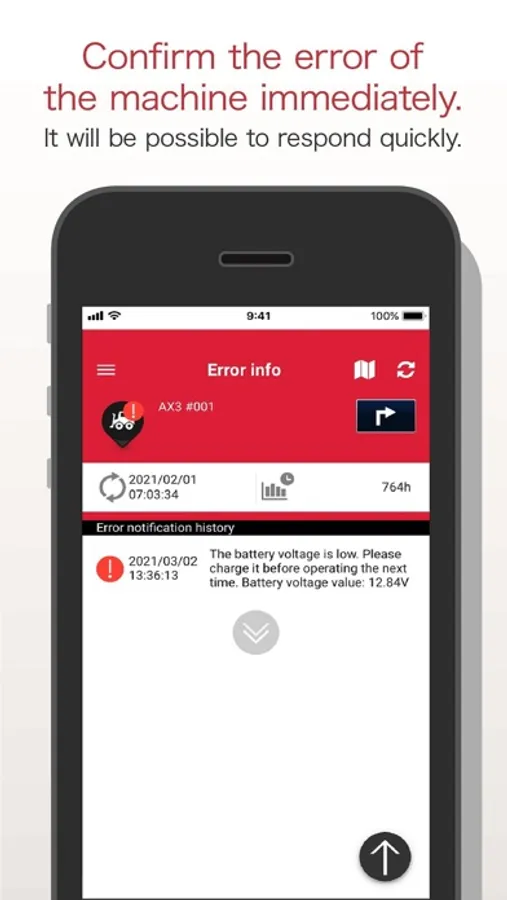
● Maintain your machine
Machine icon turns into red if there is an error occurred in your machine.
You will be able save extra cost by identifying the error and doing necessary servicing.
※You need ID & Password to use this application.
iOS 14 or higher recommended
※The display indicates that "iOS 10.0 or later is required", but we have confirmed that "iOS 14.0 or later" is working.
※May not work on devices other than those listed above, depending on the environment of the device you are using.
※May not work properly due to OS updates.
※Application will not work properly if the operating system is below than required.
※Data communication is required at the initial start of application.
SMARTASSIST-Dash Screenshots
Tap to Rate:
Reviews for SMARTASSIST-Dash
Ravenshorn Landworks, LLC
NEED MORE FUNCTIONALITY!!!
The Yanmar Smartassist app is worse than the on-line app. As stated by a previous review, all that can be done is locating your machine. That is a step in the right direction but there needs to be more. At a minimum the app should have all the same features available through the on-line app.
[D] Strong
Not user friendly and lacks features
This app is very poorly built. It lacks features and user friendliness. The only useful thing about this app is that you can see where the machine is on a map that is updated ever 2 hours or so but that’s it. That’s all the app does is show you a map with a pin point of your machine. Features that would make this app great: 1. Make the app user friendly please!! I feel like I’m using Windows 98. So painful. I’m sure there is a high school kid that can build you a better app as an intern. 2. Being able to set the geo fence through the app would be awesome. 3. Having a kill switch to prevent thieves from being able to operate the equipment at night or over the weekend while the equipment is at the job site. This feature would help me sleep better. And I know Yanmar has this ability to do this, but they have not released it to the masses. Please Yanmar help me sleep better. I did pay a pretty penny for your machine. 4. Logging the activity of the machine through the app like whether it’s on, off, or idling. 5. Exact location with an address would be nice too. 6. Please just make the app user friendly and add these features 🙏 Oh and can you send me a Yanmar T-Shirt please.