In this activity tracker app, you can automatically record your daily steps, distance, and calories. Includes automatic tracking, map routes, and activity history.
AppRecs review analysis
AppRecs rating 4.1. Trustworthiness 75 out of 100. Review manipulation risk 23 out of 100. Based on a review sample analyzed.
★★★★☆
4.1
AppRecs Rating
Ratings breakdown
5 star
71%
4 star
13%
3 star
6%
2 star
4%
1 star
7%
What to know
✓
Low review manipulation risk
23% review manipulation risk
✓
Credible reviews
75% trustworthiness score from analyzed reviews
⚠
Pricing complaints
Many low ratings mention paywalls or pricing
About Moves Lite
Because it is simple, it operates lightly and consumes almost no batteries.
Since you can check the daily health status with notifications, it will help you to create your healthy lifestyle.
[Features]
- Just carry your iPhone or iPad, it automatically tracks activity.
- If the application is suspended, it will automatically continue tracking.
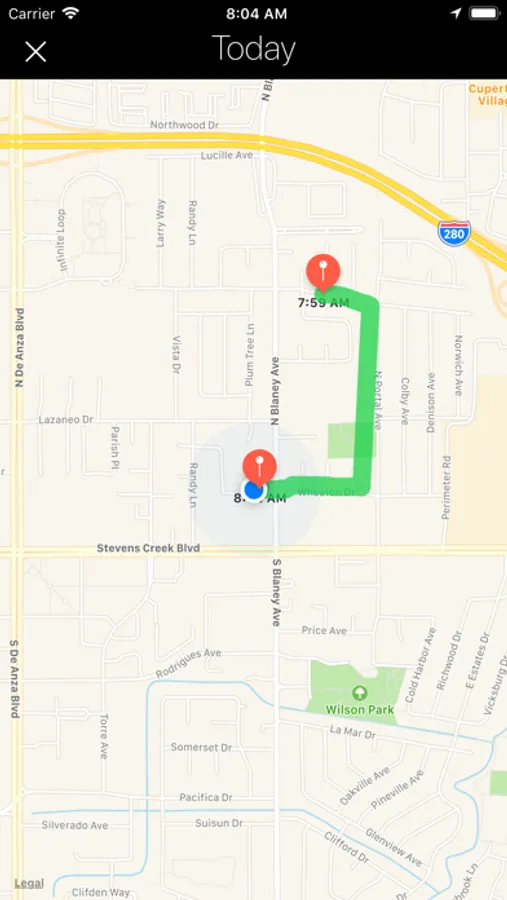
- You can check the route that you moved on the map.
- Because it has no unnecessary function, it consumes almost no battery.
[How to use]
When you first start up, you will be asked for permission to access the activity sensor and location data, so please allow.
Tracking starts automatically after launching.
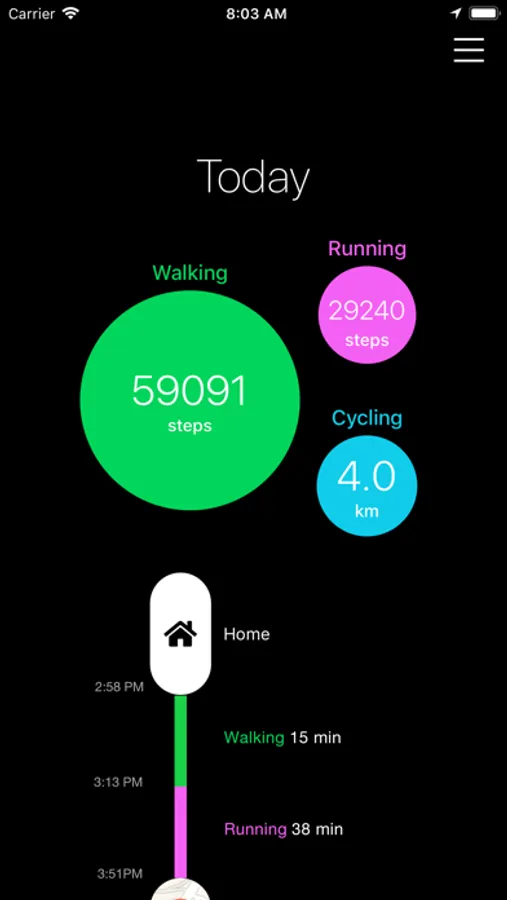
On the main screen you can check the activities of today.
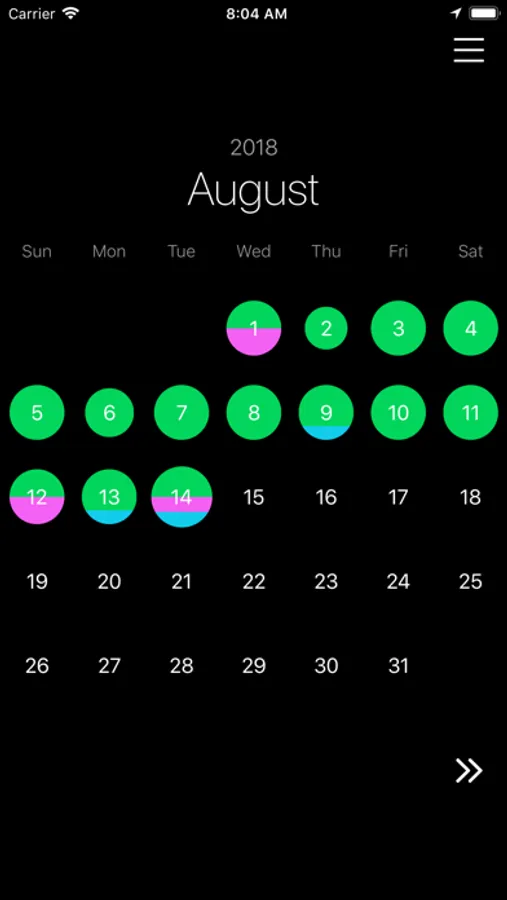
On the calendar screen, you can check past activity.
On the map screen, you can check the route you moved.
[Tracking activities]
- Number of steps
- Activity distance (meters, miles)
- Activity time
- Calories consumed
Moves Lite Screenshots
Tap to Rate:
Reviews for Moves Lite
عبد الرزاق الحمداني
محافظة ديالى قضاء الخالص /العراق
العراق /محافظة ديالى/قضاء الخالص
QuickKill13
Not registering most activities
I walk at least a mile everyday. I have my iPhone 13 on me at all times. This app shows shows I only walk every other day or so and anywhere from 50-1000 steps, which is completely inaccurate. It worked accurately for the first couple of weeks, even registering bike rides. Now it is completely useless. I have purchased the app and have my iOS and all other apps up to date so there is no reason on my end for this app not to work.