
AppRecs review analysis
AppRecs rating 1.6. Trustworthiness 0 out of 100. Review manipulation risk 0 out of 100. Based on a review sample analyzed.
★☆☆☆☆
1.6
AppRecs Rating
Ratings breakdown
5 star
14%
4 star
0%
3 star
0%
2 star
0%
1 star
86%
What to know
⚠
Mixed user feedback
Average 1.6★ rating suggests room for improvement
About EZTransTalk
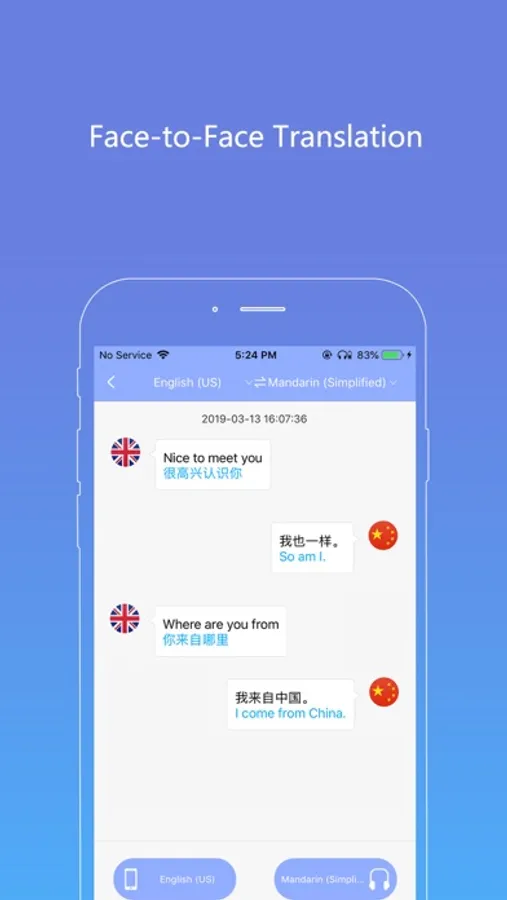
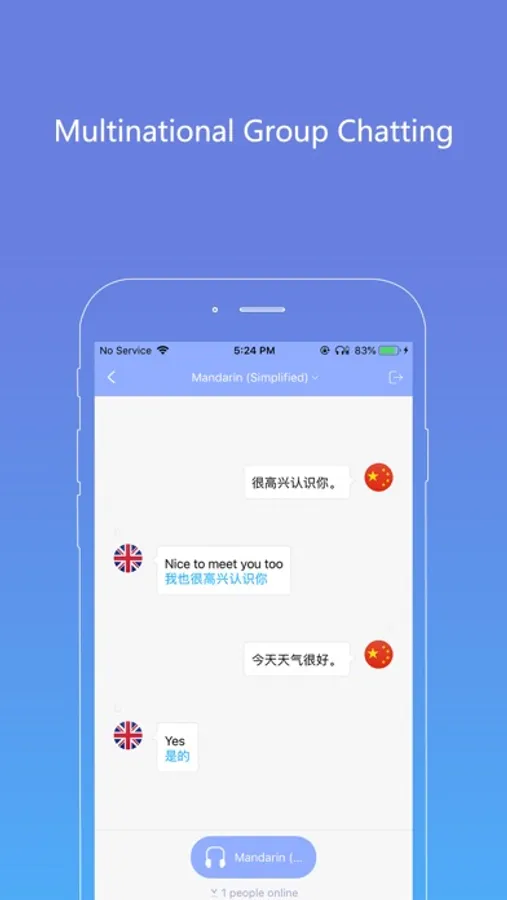
A software that supports hardware such as Trans-Talk translation headphones, so you can easily communicate with friends in different countries.
Steps for usage:
1) Open the Bluetooth search Trans-Talk headset and connect it in the phone settings.
2) Log in after opening the software.
3) Click on the search button in the upper right corner to search for "Trans-Talk-BLE" and connect.
4) Select the mode you want to talk to.
Claim:
*Bluetooth permissions
*Internet connection
* microphone access
* voice recognition permission
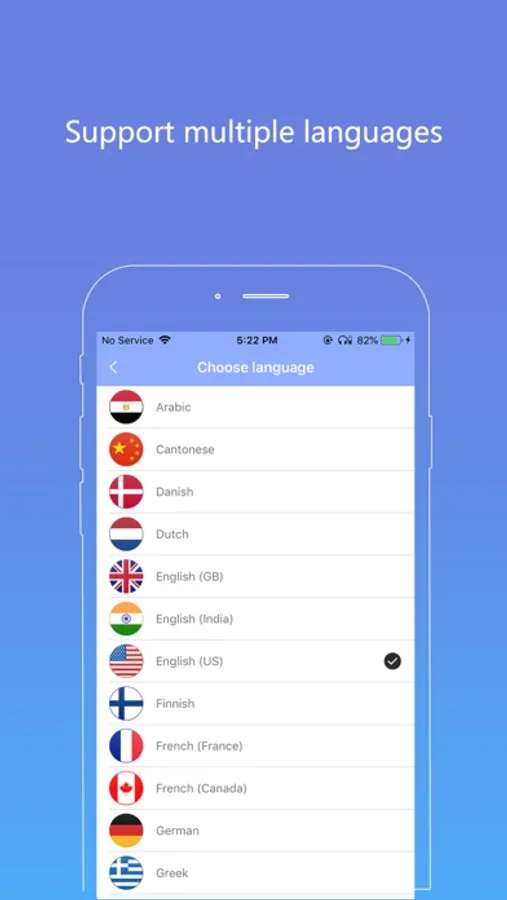
The basic translation supports the following 28 languages:
Arabic, English (UK), English (United States), English (India), French, German, Italian, Japanese, Korean, Mandarin, Portuguese, Russian, Spanish, Finnish, Danish, Dutch, Swedish , Polish, Turkish, Thai, Cantonese, Romanian
, Greek, Indonesian, Malay, Hebrew, French (Canada), Portuguese (Brazil).
In addition to the 30% increase in speed, the translation enhancement service can support the following 33 languages:
Czech, English (Australia), Hungarian, Taiwanese, Spanish (Mexico), Vietnamese (Vietnamese), French (Switzerland), English (South African), Catalan (Spain), Spanish (Chile ), English (Philippines), Spanish (Latin American), English (Canada), English (Singapore), English (New Zealand), Italian (Switzerland), Hindi (India), German (Austrian), Hindi (India, TRANSLIT), French (Belgium), Norwegian Bokmar (Norway), English (Indonesia), English (Saudi Arabia), Croatian (Croatian), English (United Arab Emirates), German (Switzerland), Dutch (Belgium), Slovak (Slovakia), English (Ireland), Spanish (Colombia), Hindi (Latin), Ukrainian (Ukrainian), Spanish (United States).
Steps for usage:
1) Open the Bluetooth search Trans-Talk headset and connect it in the phone settings.
2) Log in after opening the software.
3) Click on the search button in the upper right corner to search for "Trans-Talk-BLE" and connect.
4) Select the mode you want to talk to.
Claim:
*Bluetooth permissions
*Internet connection
* microphone access
* voice recognition permission
The basic translation supports the following 28 languages:
Arabic, English (UK), English (United States), English (India), French, German, Italian, Japanese, Korean, Mandarin, Portuguese, Russian, Spanish, Finnish, Danish, Dutch, Swedish , Polish, Turkish, Thai, Cantonese, Romanian
, Greek, Indonesian, Malay, Hebrew, French (Canada), Portuguese (Brazil).
In addition to the 30% increase in speed, the translation enhancement service can support the following 33 languages:
Czech, English (Australia), Hungarian, Taiwanese, Spanish (Mexico), Vietnamese (Vietnamese), French (Switzerland), English (South African), Catalan (Spain), Spanish (Chile ), English (Philippines), Spanish (Latin American), English (Canada), English (Singapore), English (New Zealand), Italian (Switzerland), Hindi (India), German (Austrian), Hindi (India, TRANSLIT), French (Belgium), Norwegian Bokmar (Norway), English (Indonesia), English (Saudi Arabia), Croatian (Croatian), English (United Arab Emirates), German (Switzerland), Dutch (Belgium), Slovak (Slovakia), English (Ireland), Spanish (Colombia), Hindi (Latin), Ukrainian (Ukrainian), Spanish (United States).
EZTransTalk Screenshots
Tap to Rate:
Reviews for EZTransTalk
JaxBond007
EZTransTalk
A piece of junk. App won’t open program. This app and earpiece is a waste of money
Xebra3
No babelfish yet
Thought this might finally be the sort of translation we were advertised in Hitchhikers, nope it’s worthless. Maybe a few more years away