In this note-taking app, you can write, edit, and format documents with advanced tools and real-time metrics. Includes PDF annotation, form filling, digital signatures, and organizational features.
AppRecs review analysis
AppRecs rating 4.2. Trustworthiness 80 out of 100. Review manipulation risk 19 out of 100. Based on a review sample analyzed.
★★★★☆
4.2
AppRecs Rating
Ratings breakdown
5 star
76%
4 star
11%
3 star
5%
2 star
2%
1 star
6%
What to know
✓
Low review manipulation risk
19% review manipulation risk
✓
Credible reviews
80% trustworthiness score from analyzed reviews
✓
High user satisfaction
87% of sampled ratings are 4+ stars (4.5★ average)
About Notes Writer - Note Taking
Transform the way you write, annotate, and organize on your iPad and iPhone. Perfect for students, educators, writers, professionals, and anyone who needs a powerful, all-in-one note-taking and PDF editing solution—Notes Writer works wherever you are, even offline.
Write, Edit & Format
• Write anywhere: Capture lecture notes, journal entries, articles, and more—even on the go.
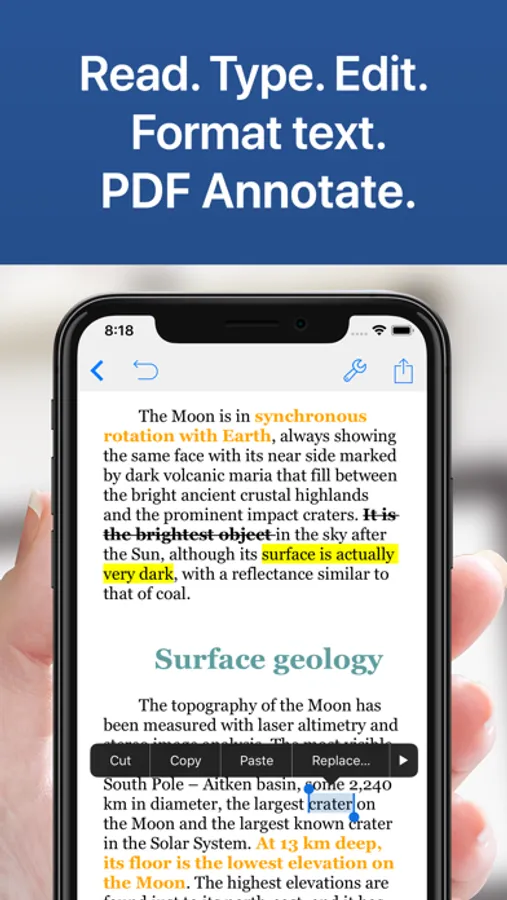
• Advanced editing: Create RTF and Markdown documents with customizable margins, headers, footers, and paper sizes. Format your work effortlessly using MLA/APA styles.
• Real-time metrics: Monitor word counts, character counts, and more as you write.
• Voice and accessibility: Use dictation to speak your text and text-to-speech for seamless proofreading.
• Focus mode: Enjoy distraction-free typewriter mode and extra keys for effortless editing.
• Multilingual support: Type in over 30 languages, including Japanese, Chinese, Arabic, and Hebrew.
Annotate PDFs, Fill Forms & Sign Documents
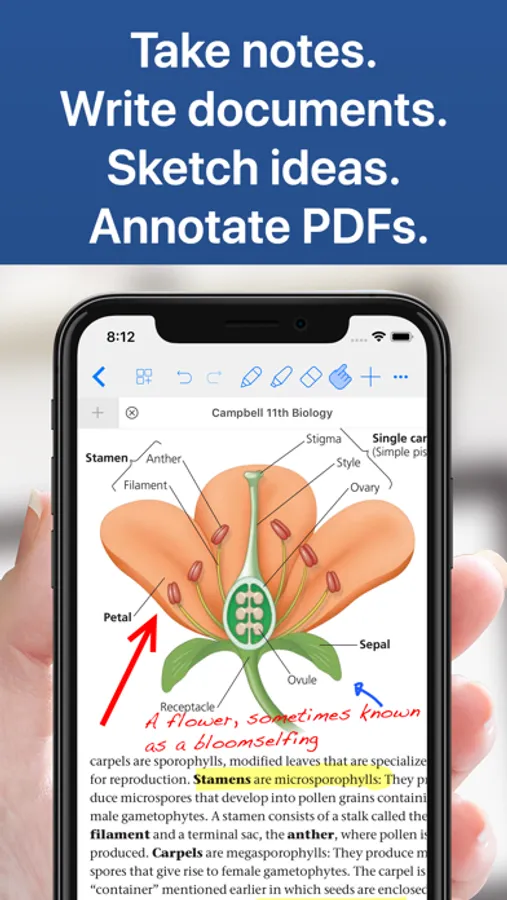
• Dynamic PDF tools: Highlight, underline, strikeout, and add notes—plus voice annotations, pencil marks, stamps, and digital signatures.
• Easy form filling: Complete PDF forms with full AcroForms support and sign documents securely.
• Signature validation: Ensure your signatures are authenticated and legally sound.
Organize, Structure & Find
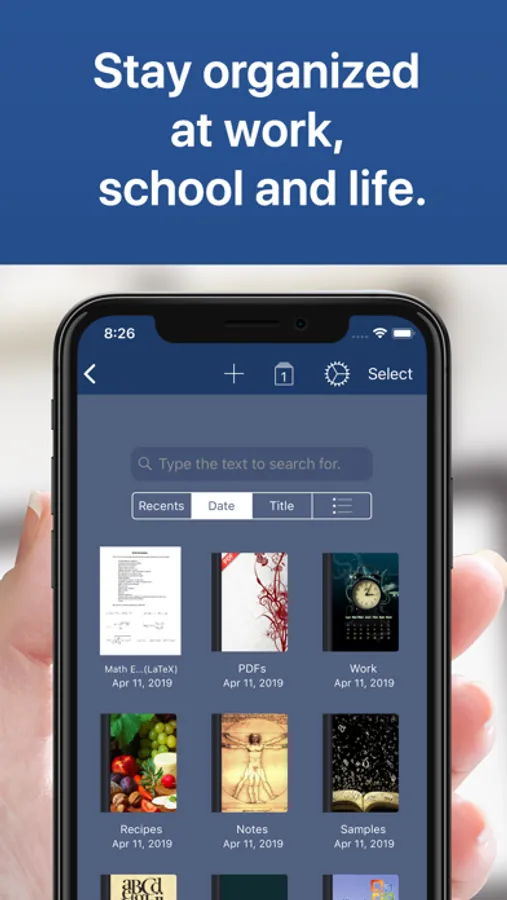
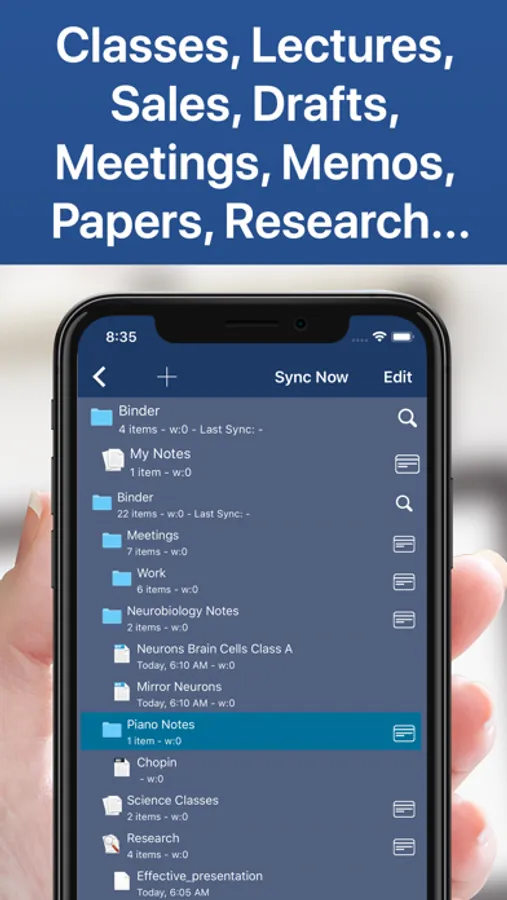
• Unlimited organization: Create and manage unlimited notebooks, folders, and subfolders. Design custom covers and structure your projects intuitively.
• Powerful search: Instantly find any note or document with full-text search across your entire library.
Scan, Research & Manage Your PDF Library
• Dual-view mode: Compare two PDFs or handwritten notes side by side.
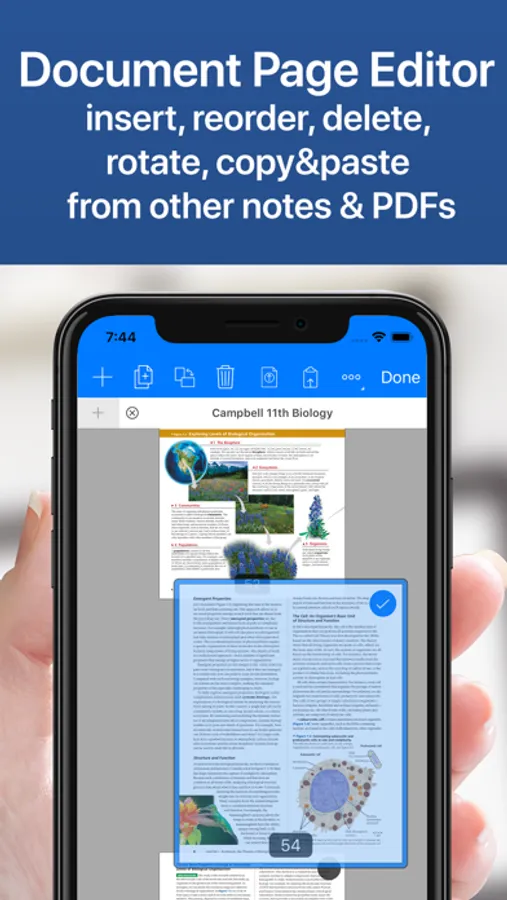
• Comprehensive PDF manager: Read, annotate, and organize textbooks, ebooks, articles, and more.
• Document scanning: Convert physical documents, recipes, and tickets into PDFs using your device’s camera.
• Multi-file compatibility: Open PowerPoint, Word, and Excel files directly within the app.
Share, Export & Protect Your Work
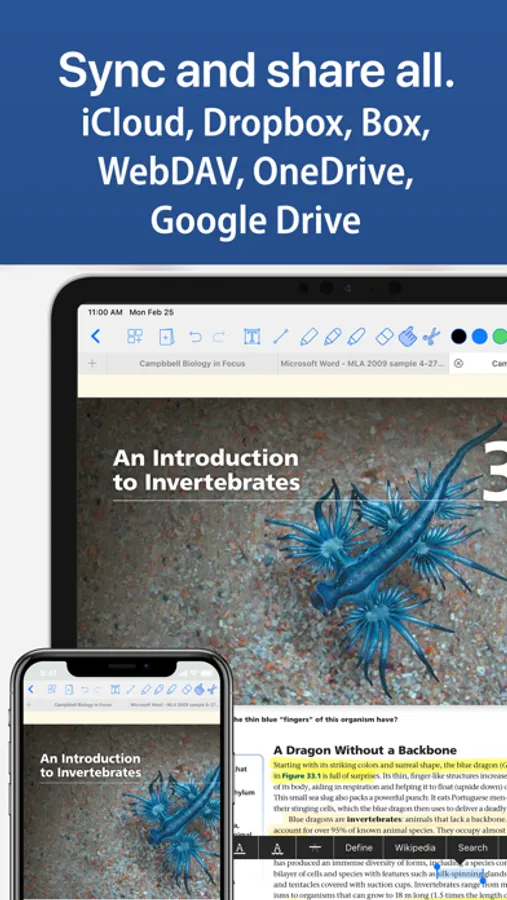
• Seamless sharing: Sync with iCloud, Dropbox, Box, WebDAV, and Google Drive. Open attachments directly from your Mail app.
• Flexible exports: Convert notes to RTF, Markdown, PDF, ePub, HTML, TXT, and more. Easily zip and email entire notebooks.
• Secure backups: Protect your work with a passcode and enjoy automatic backups for peace of mind.
Notes Writer is more than a note-taking app—it’s your smart, versatile writing workspace designed to boost productivity in study and business. Download today and experience a smarter way to capture, organize, and share your ideas.
Privacy Policy
http://www.noteswriter.com/Kairoos_Privacy_Policy.html
EULA
https://www.apple.com/legal/internet-services/itunes/dev/stdeula/
Write, Edit & Format
• Write anywhere: Capture lecture notes, journal entries, articles, and more—even on the go.
• Advanced editing: Create RTF and Markdown documents with customizable margins, headers, footers, and paper sizes. Format your work effortlessly using MLA/APA styles.
• Real-time metrics: Monitor word counts, character counts, and more as you write.
• Voice and accessibility: Use dictation to speak your text and text-to-speech for seamless proofreading.
• Focus mode: Enjoy distraction-free typewriter mode and extra keys for effortless editing.
• Multilingual support: Type in over 30 languages, including Japanese, Chinese, Arabic, and Hebrew.
Annotate PDFs, Fill Forms & Sign Documents
• Dynamic PDF tools: Highlight, underline, strikeout, and add notes—plus voice annotations, pencil marks, stamps, and digital signatures.
• Easy form filling: Complete PDF forms with full AcroForms support and sign documents securely.
• Signature validation: Ensure your signatures are authenticated and legally sound.
Organize, Structure & Find
• Unlimited organization: Create and manage unlimited notebooks, folders, and subfolders. Design custom covers and structure your projects intuitively.
• Powerful search: Instantly find any note or document with full-text search across your entire library.
Scan, Research & Manage Your PDF Library
• Dual-view mode: Compare two PDFs or handwritten notes side by side.
• Comprehensive PDF manager: Read, annotate, and organize textbooks, ebooks, articles, and more.
• Document scanning: Convert physical documents, recipes, and tickets into PDFs using your device’s camera.
• Multi-file compatibility: Open PowerPoint, Word, and Excel files directly within the app.
Share, Export & Protect Your Work
• Seamless sharing: Sync with iCloud, Dropbox, Box, WebDAV, and Google Drive. Open attachments directly from your Mail app.
• Flexible exports: Convert notes to RTF, Markdown, PDF, ePub, HTML, TXT, and more. Easily zip and email entire notebooks.
• Secure backups: Protect your work with a passcode and enjoy automatic backups for peace of mind.
Notes Writer is more than a note-taking app—it’s your smart, versatile writing workspace designed to boost productivity in study and business. Download today and experience a smarter way to capture, organize, and share your ideas.
Privacy Policy
http://www.noteswriter.com/Kairoos_Privacy_Policy.html
EULA
https://www.apple.com/legal/internet-services/itunes/dev/stdeula/
Notes Writer - Note Taking Screenshots
Tap to Rate:
Reviews for Notes Writer - Note Taking
Candicenkiki
Awful
Free version worked, paid didn’t. Paid for it and then my pen won’t write on the full screen. I can figure out what template to use. The whole thing is worthless to me. Wasted $10.
andyHINES
Incredible Tool for taking Notes
The templates that are available are tremendous for classifying my teaching notes.