
In this app, users can automatically capture and manage trip data for mileage reimbursements. Includes trip scheduling, editing options, and mileage summaries.
AppRecs review analysis
AppRecs rating 4.2. Trustworthiness 72 out of 100. Review manipulation risk 24 out of 100. Based on a review sample analyzed.
★★★★☆
4.2
AppRecs Rating
Ratings breakdown
5 star
64%
4 star
18%
3 star
5%
2 star
2%
1 star
10%
What to know
✓
Low review manipulation risk
24% review manipulation risk
✓
Credible reviews
72% trustworthiness score from analyzed reviews
✓
High user satisfaction
82% of sampled ratings are 4+ stars (4.2★ average)
About Cardata Mobile
Save time:
Dealing with mileage reimbursements is the last thing you want to do at the end of your workday. Imagine a world where you don’t have to waste precious time filling out a logbook or worrying if your phone is capturing your trips. Cardata Mobile makes this possible.
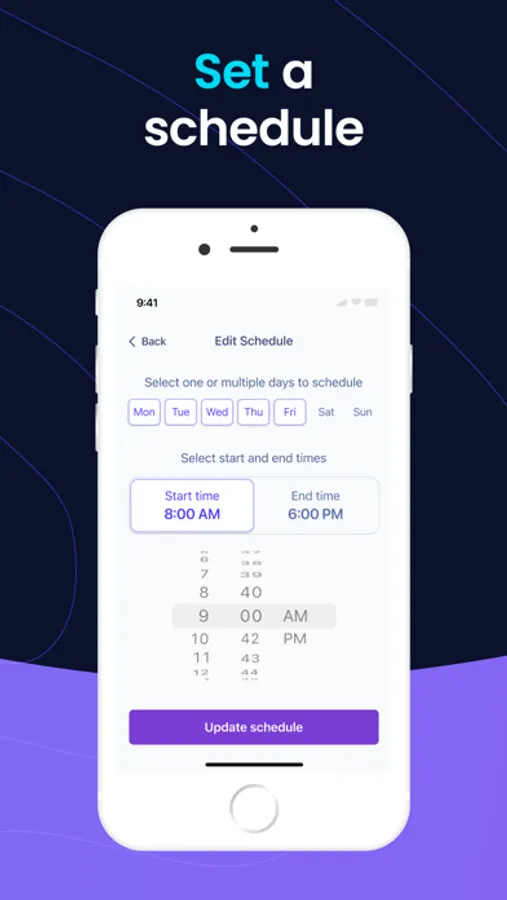
Each year, Cardata Mobile saves drivers weeks worth of time. Once you set a trip capture schedule, the app will reliably and accurately capture your trips automatically. Plus, we know how important your privacy is, so we’ll never capture trips taken outside your schedule. You can also temporarily disable trip capturing right from your Dashboard.
- Set a custom capture schedule.
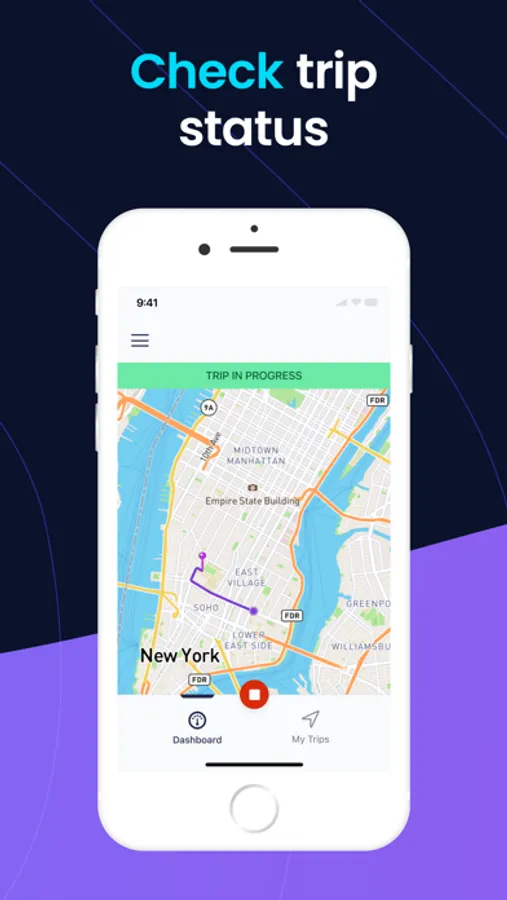
- Turn trip capture on and off with a single tap.
- Quickly start or stop trips.
- Check your trip capture status.
- Change your trip capture schedule anytime.
Manage & edit trips:
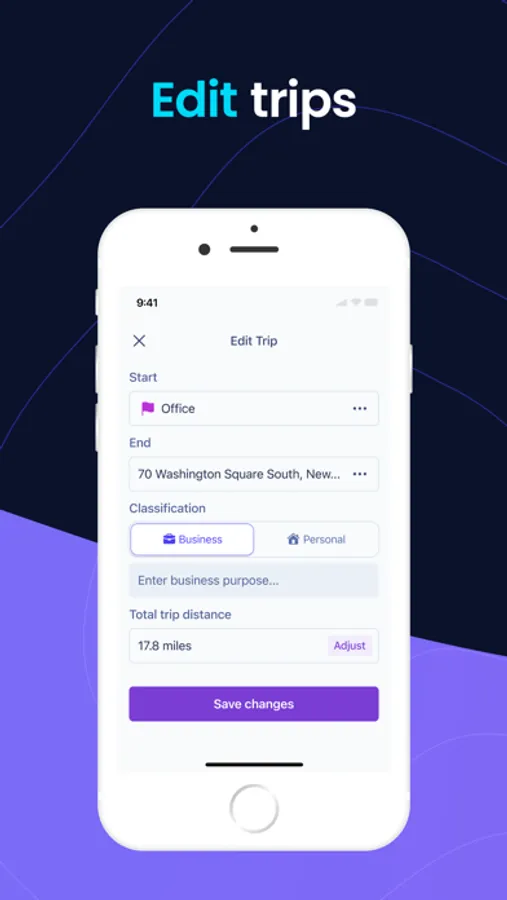
No more sitting down at the computer to manage your trips. With Cardata Mobile, you can make any necessary changes like edit, add, and delete trips, right in the app.
- Delete trips.
- Change a trip’s classification.
- Add a missed trip.
- Update a trip’s mileage.
A comprehensive dashboard:
You can accomplish most important tasks from the Driver Dashboard. In just seconds, you can stop or start trip capturing, manually start a trip, check today’s trip capture schedule, and review a summary of your mileage so far this month.
- View your trip capture status and trip capture schedule.
- Review unclassified trips.
- Check out your daily or monthly mileage summary.
Transparent reimbursements:
At Cardata, we do everything in our power to inform you of upcoming reimbursements and things like whether your payments are non-taxable. Cardata provides ample support to ensure that receiving reimbursements is stress-free and straightforward. You deserve transparency and to know exactly what is happening with your money.
- Visit ‘My Payments’ to view upcoming and past payments, and your compliance status.
- Visit ‘My Program’ to learn about your reimbursement program and vehicle policy.
- You’ll be notified of approaching driver’s license and insurance expiration dates via email and in the app.
Ample support:
Our customer support team is dedicated to you. Whether it’s a phone call, an email, or a chat message, our reimbursement experts are easy to reach and happy to help. We’ve also built an extensive help center, where you can find detailed information on many topics, including helpful videos. No matter what you need, we’ve got your back, always.
- The support team is available via call, message, or email from Mon-Fri, 9-5 EST.
- A help center with dozens of articles.
- A Youtube channel with video walk-throughs to learn how to use the app.
Take control of your privacy:
Any trips you classify as personal, or simply left as unclassified, will not be accessible to employers. Taking a quick coffee break during a work day? Simply stop capturing trips from the dashboard and resume it when you’re ready. Rest assured, not an inch of personal driving will be viewable to employers.
- Deleted, personal, and unclassified trips are hidden from employers and Cardata.
- Any trip taken outside your trip capture schedule will be hidden.
Review past trips:
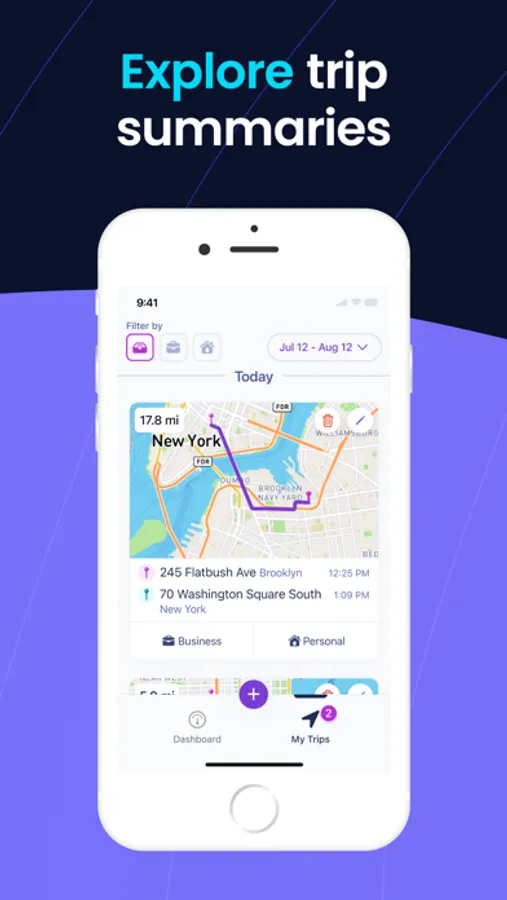
You’ll have access to every trip you’ve taken in the last 12 months. Review monthly or daily trip summaries with details on total mileage, stops, etc. An intuitive trip filter feature allows you to filter trips by date and/or classification.
- View daily and monthly trip summaries.
- Filter trips by classification and/or date.
Region-sensitive reimbursements:
Different regions have different gas prices, maintenance fees, insurance policies, etc. Your reimbursements reflect the cost of driving in your region, to guarantee that you’ll never lose money for simply doing your job.
- Fair, accurate reimbursements curated to where you live.
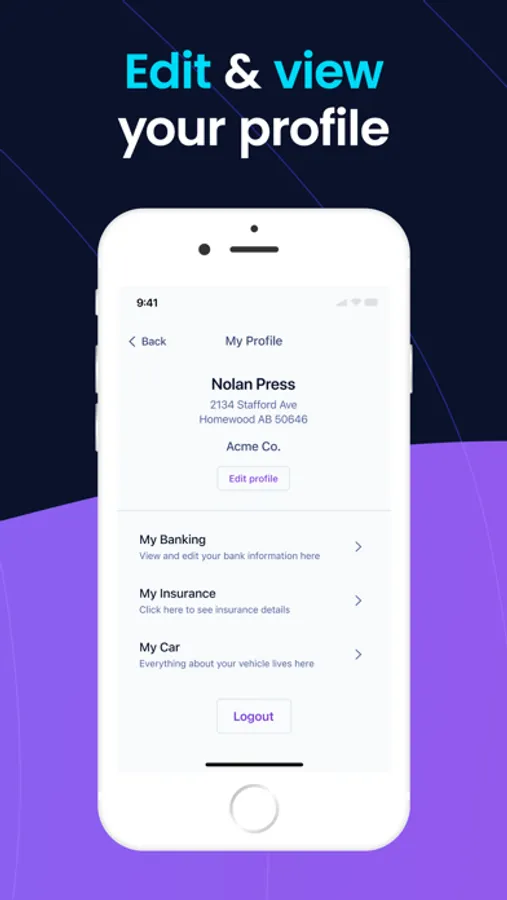
Cardata Mobile Screenshots
Tap to Rate:
Reviews for Cardata Mobile
Crzdr2000
Worse than what our company used before
my employer switched ys from Motus to this app. That was a downgrade for an user. Drops tracking in middle of trips because of heavy traffic. completing trip legs dropped are difficult. Searches look at other countries (why?) No desktop or browser app. Sucks!!
kmsTunes
Goodbye Privacy
Very intrusive and unreliable at the same time.