
Chevron FCU Mobile Banking
Chevron Federal Credit Union
4.8 ★
3K ratings
Free
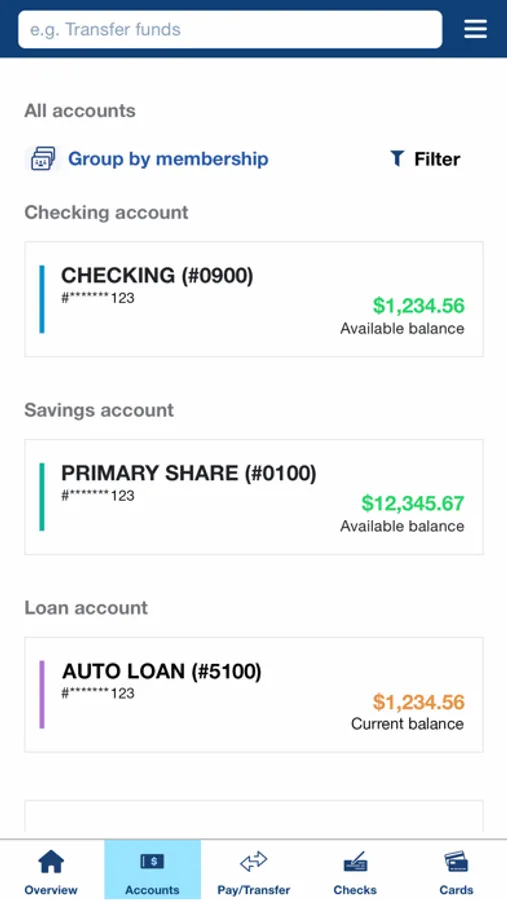
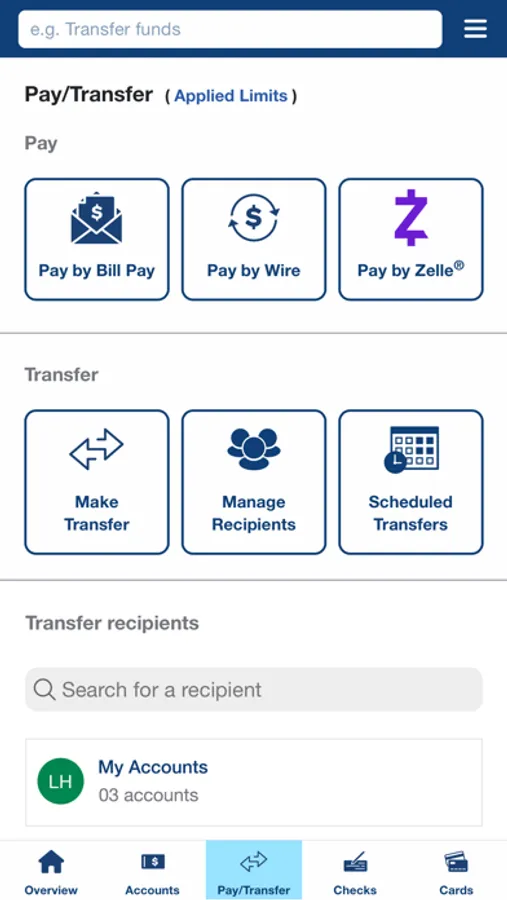
With this mobile banking app, you can view account balances, transfer funds, and deposit checks using your camera. Includes account management, bill payments, and branch locator features.
AppRecs review analysis
AppRecs rating 4.1. Trustworthiness 0 out of 100. Review manipulation risk 0 out of 100. Based on a review sample analyzed.
★★★★☆
4.1
AppRecs Rating
Ratings breakdown
5 star
89%
4 star
7%
3 star
2%
2 star
1%
1 star
2%
What to know
✓
High user satisfaction
89% of sampled ratings are 5 stars
About Chevron FCU Mobile Banking
With Chevron Federal Credit Union Mobile Banking, you can:
• Access your accounts safely and securely 24 hours a day
• If you have multiple memberships, view them all with one set of login credentials
• Check balances and view scheduled transactions
• Quickly and easily send money to friends and family with Zelle®
• Transfer funds between accounts
• Make bill payments on the go
• Use your camera to deposit checks in seconds
• Temporarily disable your ATM/debit cards or change their limits
• Find the nearest branch or ATM with a tap
Once you establish your User ID and password for the Mobile Banking app, you can use those same credentials to log in to Online Banking.
Learn how we protect your privacy at www.chevronfcu.org/privacy
Federally insured by NCUA
Zelle and the Zelle related marks are wholly owned by Early Warning Services, LLC and are used herein under license. Terms and conditions apply.
Message and data rates may apply
Chevron FCU Mobile Banking Screenshots
Tap to Rate:
Reviews for Chevron FCU Mobile Banking
susylia
Balance in light green?
Balances when you first get into the app are shown in light green which is very difficult to see for color blind as well as older users.
MollyHR
Notifications & overwhelming UI
The notifications are bothersome - I shouldn’t get a notification for a transfer I did online myself between accounts. Then to clear it out, that “Mark as read” screen needs work. It’s a multi-step process and frustrating, especially when it’s for a transfer I did in the same app moments prior. The Home Screen is just not well organized or laid out. Although there’s a lot you can do in the app and I appreciate a one-stop-shop for all of mine and my children’s accounts, it’s clunky, cluttered, and not very intuitive. Definitely needs streamlining and tweaking.