
With this video compression app, you can reduce the file size of videos and preview them with 3D Touch. Includes a user-friendly interface and options to delete original videos after compression.
AppRecs review analysis
AppRecs rating 4.3. Trustworthiness 57 out of 100. Review manipulation risk 37 out of 100. Based on a review sample analyzed.
★★★★☆
4.3
AppRecs Rating
Ratings breakdown
5 star
90%
4 star
4%
3 star
3%
2 star
1%
1 star
2%
What to know
✓
High user satisfaction
90% of sampled ratings are 5 stars
✓
Authentic reviews
No red flags detected
About Kompress - Video compression
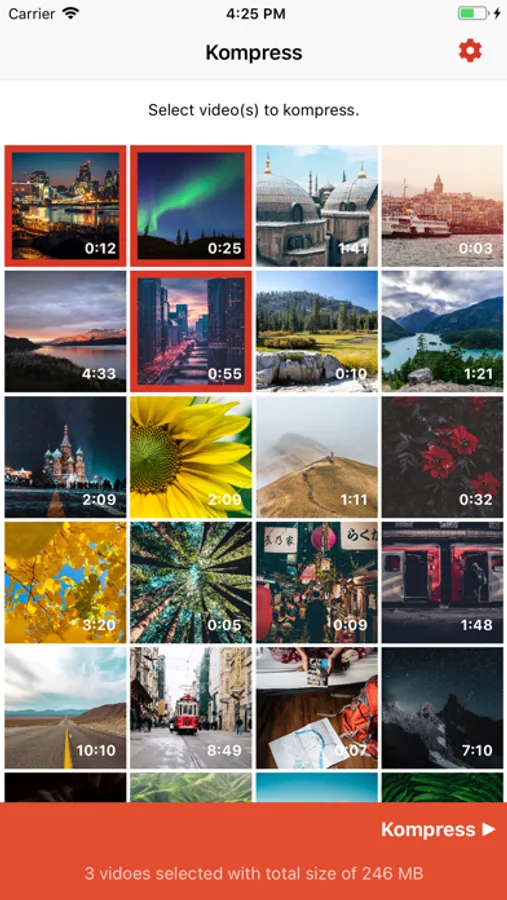
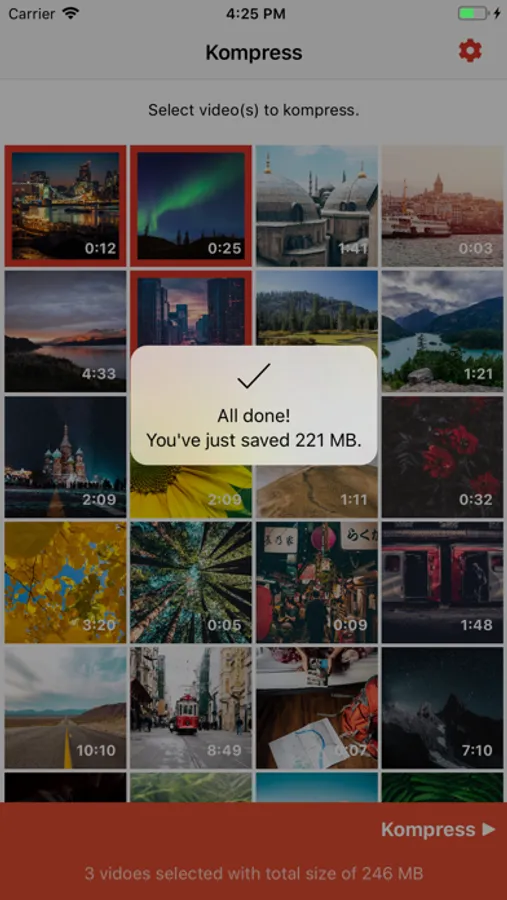
Kompress is a free easy-to-use video compression application which saves you a lot of disk space when you need it.
Features:
- Clean user interface
- Works with slow motion videos
- Ask to delete original videos
- Preview videos with 3D Touch. Just press a little deeper on video thumbnail.
Notes:
- Remember to delete videos from 'Recently Deleted' album on Photos app otherwise you won't save space right away.
- Kompress requires reading and writing permission for Photos in order to function. We don't send your videos or photos to our servers.
Features:
- Clean user interface
- Works with slow motion videos
- Ask to delete original videos
- Preview videos with 3D Touch. Just press a little deeper on video thumbnail.
Notes:
- Remember to delete videos from 'Recently Deleted' album on Photos app otherwise you won't save space right away.
- Kompress requires reading and writing permission for Photos in order to function. We don't send your videos or photos to our servers.
Kompress - Video compression Screenshots
Tap to Rate:
Reviews for Kompress - Video compression
Charles Benninghoff
Kompress is A-OK
Always wanted this feature but never dreamed it would be so good.
joannatee
Great video compression app
Auto compression is awesome. Automatically reduced a video file too large for messenger down to an acceptable size. Also easy to use.