Use this animation app to generate text path tracing videos with customizable parameters. Includes options for font style, color, background, and animation timing.
AppRecs review analysis
AppRecs rating 4.4. Trustworthiness 71 out of 100. Review manipulation risk 21 out of 100. Based on a review sample analyzed.
★★★★☆
4.4
AppRecs Rating
Ratings breakdown
5 star
68%
4 star
17%
3 star
10%
2 star
1%
1 star
4%
What to know
✓
Low review manipulation risk
21% review manipulation risk
✓
Credible reviews
71% trustworthiness score from analyzed reviews
✓
High user satisfaction
85% of sampled ratings are 4+ stars (4.4★ average)
About DrawTextPath
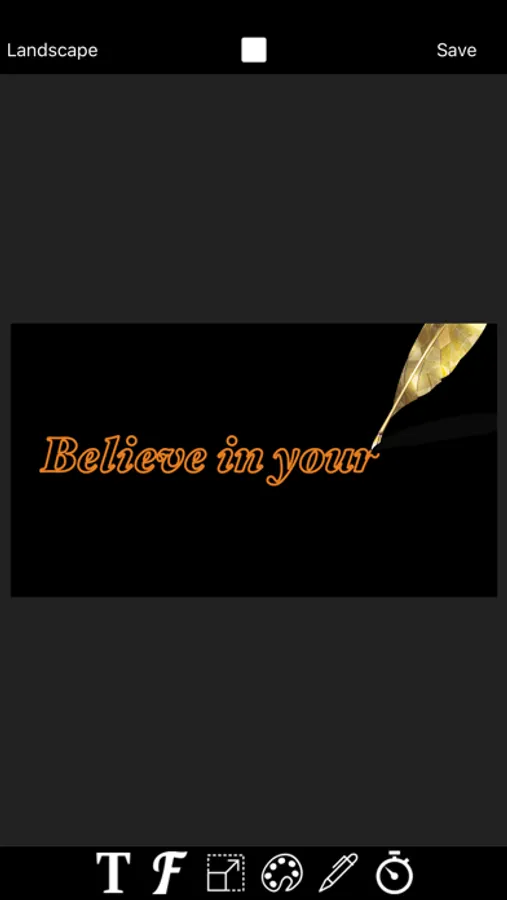
DrawTextPath can help you quickly generate text path tracing animation video with one click. We often see in the video text edge animation, which is the kind of animation effect video as if the text is written by someone with a pen stroke by stroke. This animation effect of handwritten text video DrawTextPath can help you achieve.
Input text, and set the size of the text, font and color, text from scratch to a stroke of the animated video is completed. Is it super simple?
Font, text size, text spacing, text color, background color, edge width, brush size, pen style, edge animation time, horizontal and vertical screen mode can be set according to need.
The generated video can be added as green screen video to video editing apps (such as MovieSpirit) and other video photo music materials for synthesis.
Input text, and set the size of the text, font and color, text from scratch to a stroke of the animated video is completed. Is it super simple?
Font, text size, text spacing, text color, background color, edge width, brush size, pen style, edge animation time, horizontal and vertical screen mode can be set according to need.
The generated video can be added as green screen video to video editing apps (such as MovieSpirit) and other video photo music materials for synthesis.
DrawTextPath Screenshots
Tap to Rate:
Reviews for DrawTextPath
shavuot.
Love it
I love this app I use this app daily, I love everything I can do to transform a photo, thank you developer for creating a great app ⭐️⭐️⭐️⭐️⭐️
عبدالله 2022
.
الكتابة تأتي معكوسة من اليسار لليمين!!!