
AppRecs review analysis
AppRecs rating 2.3. Trustworthiness 79 out of 100. Review manipulation risk 26 out of 100. Based on a review sample analyzed.
★★☆☆☆
2.3
AppRecs Rating
Ratings breakdown
5 star
19%
4 star
13%
3 star
0%
2 star
13%
1 star
56%
What to know
✓
Low review manipulation risk
26% review manipulation risk
✓
Credible reviews
79% trustworthiness score from analyzed reviews
⚠
Mixed user feedback
Average 2.3★ rating suggests room for improvement
About Ojoy watch
Parent needs to register an account with mobile number, and then bind the smart watch by scanning the barcode displayed on the watch after power on, the Ojoy smart watch needs to have a working SIM card inside before binding.
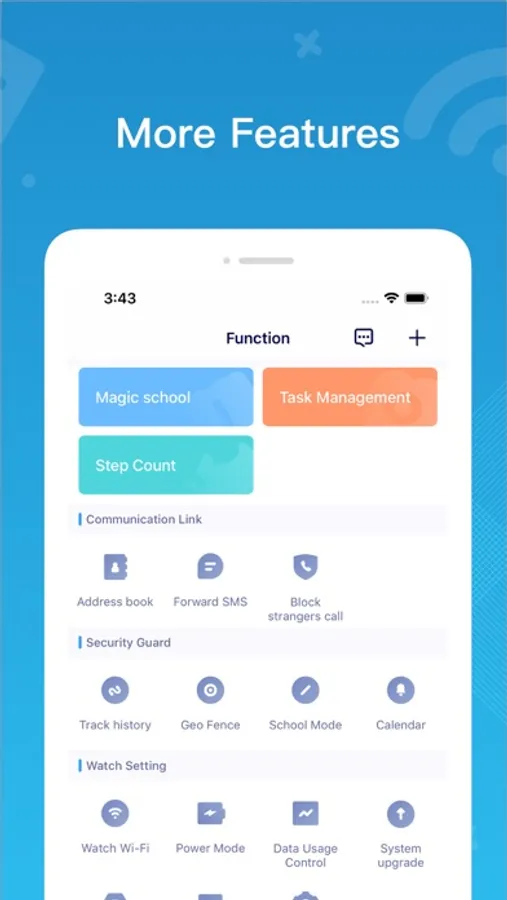
Uses can must register account and bind with kids smartwatch to view child’s watch locations, and also send/receive messages. The first parent to register and bind the kid’s smart watch will be the administrator, with extra features managed by administrator only:
1. Bind, unbind and rebind watch;
2. Add family members and friends;
3. Change child profile and family member profile pictures;
4. Watch settings
5. Function control, including track history, school mode, location setting, power mode, etc.
6. Geofence, setup safe or dangerous zone on the map to receive alert.
7. Task management, create routine tasks and reward completion.
8. Calendar, manage your kid’s school and afterschool activities through calendar
Visit www.theojoy.com or search ojoy watch on Amazon.com to find out more details on our kids smartwatch offers.
Have fun!
Ojoy watch Screenshots



Tap to Rate:
Reviews for Ojoy watch
Davidlove77
Can’t reset password
Can’t reset password - network error. Developers’s website doesn’t work and no contact information.
mimammi
Zip code wrong
I have notified the company that the zip code is wrong several times but nothing changed. It causes problems because I keep getting information that is wrong. I’m following where my children are and it is NOT where they are please check the zip codes!!!