In this video editing app, you can record, trim, and assemble clips to create vlogs and short videos. Includes real-time editing tools, customizable templates, and music options.
AppRecs review analysis
AppRecs rating 4.3. Trustworthiness 77 out of 100. Review manipulation risk 26 out of 100. Based on a review sample analyzed.
★★★★☆
4.3
AppRecs Rating
Ratings breakdown
5 star
84%
4 star
6%
3 star
3%
2 star
3%
1 star
4%
What to know
✓
Low review manipulation risk
26% review manipulation risk
✓
Credible reviews
77% trustworthiness score from analyzed reviews
✓
High user satisfaction
84% of sampled ratings are 5 stars
About Reelshot: Vlog Camera App
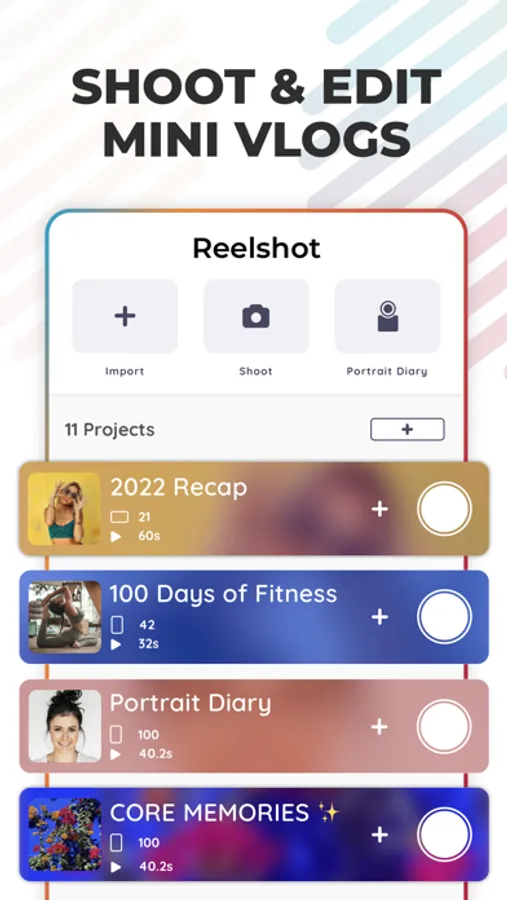
Reelshot is the #1 vlog camera and video editor built for effortless vlogging. Make 4K Youtube videos or TikTok, Reels & Shorts.
Loved by 100,000+ creators worldwide. Featured by Apple.
Start recording and easily add clips to projects with widgets.
Make Quick Recaps, Montages, Vlog Intro's and Previews.
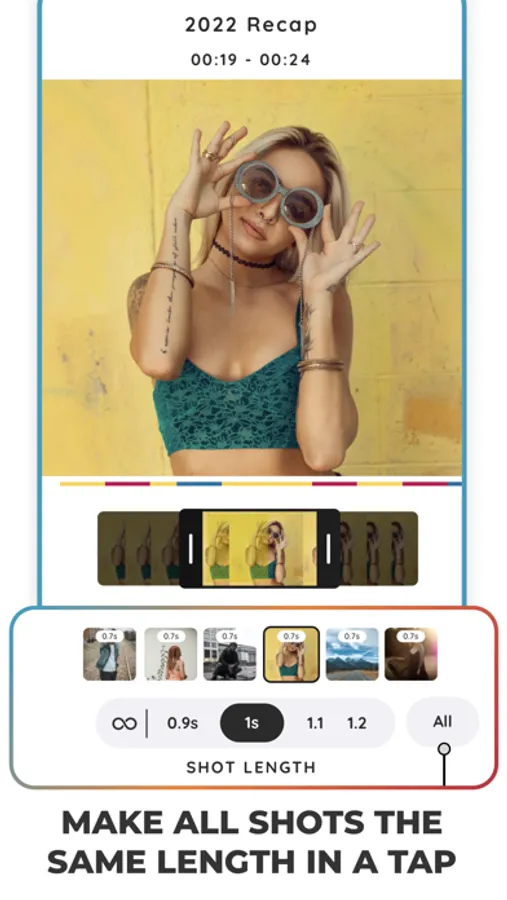
Trim 100's of clips to the same length in a tap. Make Recaps for life in seconds.
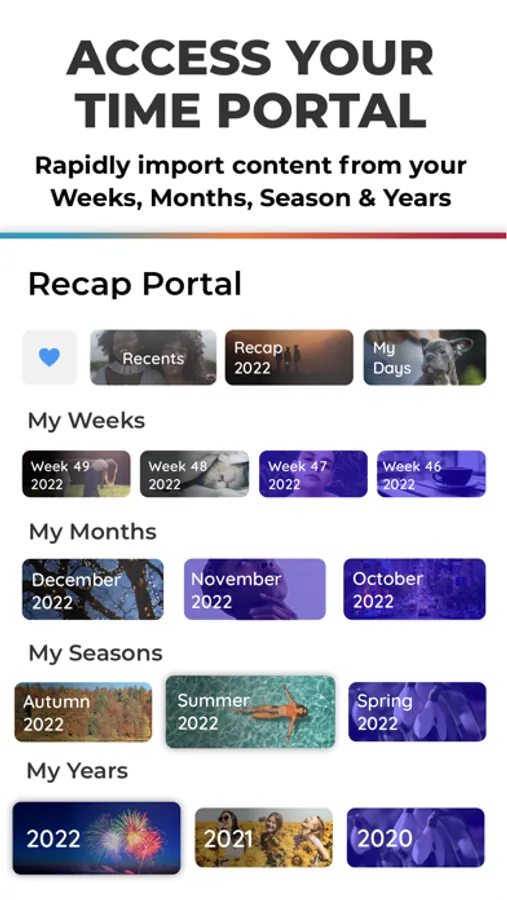
Browse your history of content from specific dates and add photos and videos from your library.
Private, intuitive, and perfect for YouTube, TikTok, Reels & Shorts.
VIDEO CAMERA & VLOGGING HIGHLIGHTS
- 4K Video Camera with unlimited filming
- Cinematic & Hyper Stabilization
- Discreet Mode: Hold portrait, shoot landscape
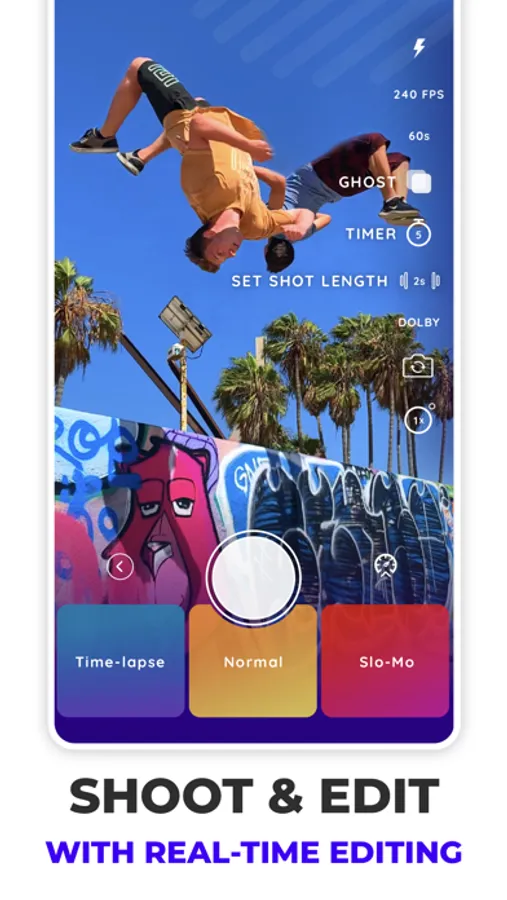
- Set timer and shot lengths: Hold record to override for talking shots. No need to fiddle around with settings.
- Real-Time Editing: Switch between A/B Roll while recording to save time editing.
- Home & Lock Screen widgets: Never miss a shot.
- Set FPS: 24 / 30 / 60 / 120 / 240
- Save camera settings per project
- Export in 4K with full control
- Align shots with Ghost Layer
- No Recording limits: Reelshot is made for short, medium and long form content.
- Flash, countdown timer, lens switch
- Pause/Resume multi-shot recording
- Wireless remote friendly
The perfect digital camera app / camcorder to become an effortless vlogger.
CREATION INSPIRATION & TEMPLATES
Select your perfect project to start vlogging.
- Day in the life
- Mini vlog
- Behind the scenes
- Week in the life
- Private journal
- Video Diary
- Uni vlog
- Couples vlog
- Errands vlog
- My First vlog
- Summer vlog
- 48 Hours in...
- Travel Vlog
- Work Project
- Silent Vlog
- Food Diary
- 30 Day Challenge
- Selfie Diary
- 2026 Journal
& many more
ESSENTIAL EDITING FEATURES
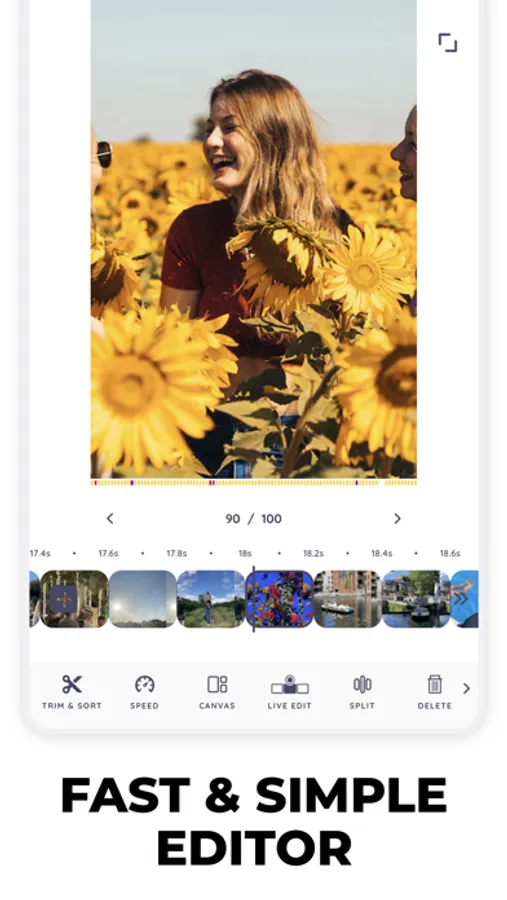
- Trim, split, crop, duplicate, rotate, mirror
- Add Text: Fonts, Colour, align, add timestamp of video
- Timestamps: One tap add timestamps (time / date) to all videos.
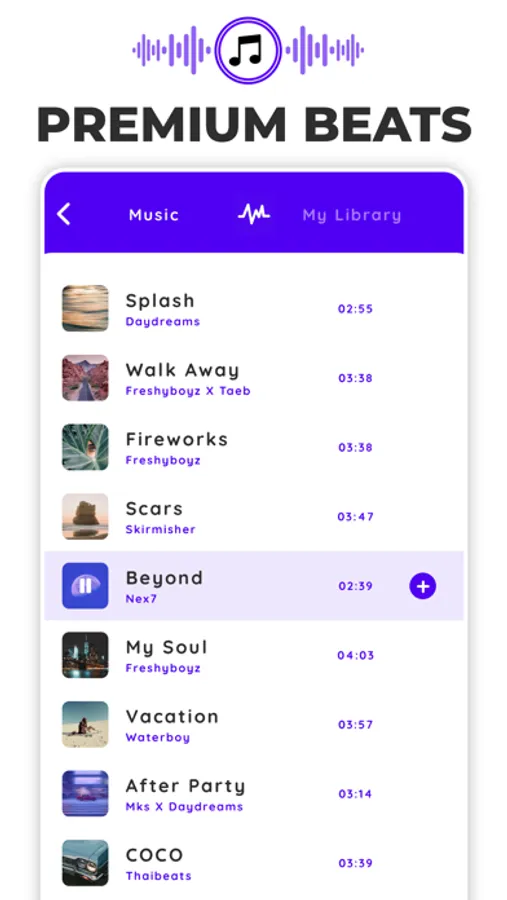
- Add premium beats or your own music
- Use AI to generate music
- Combine & sort videos
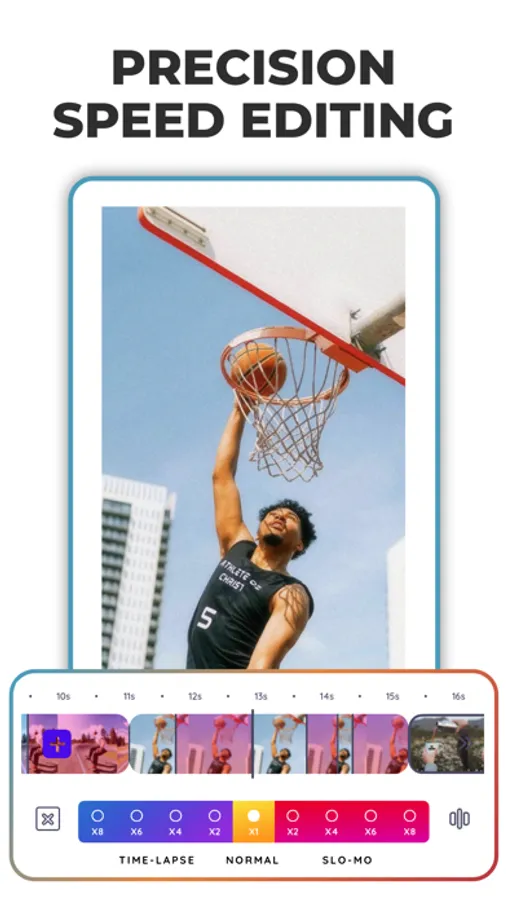
- Speed editor & real-time touch speed controls
- One-tap Recaps: Make all shots the same length
- Canvas selection & social media formats
- Align next shot with previous in canvas
- Reverse video, transitions, volume control
- Delete excess footage & save device storage
- Undo friendly
EASY PROJECT MANAGEMENT
- Keep unlimited projects — journals, recaps & vlogs
- Recap Life Portal: Browse content history by week, month, season, or year
- Each project has its own saved camera settings
REELSHOT SPOTLIGHT FEATURES:
AI Studio:
Make Vlog covers and thumbnails using a simple AI integration.
Select a frame from your project and "EDIT WITH AI" find a style you like to match and it's DONE. Just add your title.
Real-time Editing:
Set A Roll (with audio) and B Roll (with music) while filming. Your vlog is pre-organized in the editor with music automatically added.
ONE TAP RECAPS:
Create fast-cut edits by setting a consistent shot length for all clips — perfect for daily, monthly, or year-end video montages.
Smart Storage Saver:
Trim shots to only the parts you want. Easily remove excess footage and reclaim space — especially useful for 240FPS slo-mo or 4K clips.
Total 4K / FPS Export Control:
Export your full video or individual clips. Reelshot recommends the best format, resolution, and frame rate for your content.
PERFECT FOR:
YouTube vlogs, TikToks, Youtube Shorts, Recap reels
Private video journals
1-shot-a-day montages (OOTD, views, daily selfies)
Fast-cut travel or aesthetic edits
Saving camera settings for quick access
B-Roll collection & storytelling
SUBSCRIPTION DETAILS:
Subscriptions are billed monthly or annually depending on your chosen plan.
Terms of Use: https://www.reelshotapp.com/terms-of-use
Privacy Policy: https://www.reelshotapp.com/privacy-policy
Support: contact@reelshot.co.uk
Reelshot: Vlog Camera App Screenshots
Tap to Rate:
Reviews for Reelshot: Vlog Camera App
Raielleeee
Great app keeps failing
This app is amazing . I was really struggling with keeping videos organized and this allows me to keep all the different clips and videos labeled and easy to find.
Samllr98
Everything I've ever wanted in a camera app
I’ve been looking for an app like this for a long time! It removes so much of the friction that usually comes with recording on my phone. Instead of scattered clips across my camera roll, everything can live in one place. Features like the date/time stamp are something I’ve always wanted for a home-movie style look, and Discrete Mode, which lets me film horizontal while holding my phone vertically, makes recording feel natural and low-pressure. Between those, recording directly in the app, and the widgets for quick access to your current project, vlogging feels effortless and enjoyable! I also can’t say enough good things about the team behind the app. I reached out with a camera issue, and they were incredibly responsive, thoughtful, and kind throughout the process — and fixed it quickly. You can really tell this app was built by people who actually care about the user experience. Thank you so much, Reelshot!