
AppRecs review analysis
AppRecs rating 1.0. Trustworthiness 65 out of 100. Review manipulation risk 30 out of 100. Based on a review sample analyzed.
★☆☆☆☆
1.0
AppRecs Rating
Ratings breakdown
5 star
0%
4 star
0%
3 star
0%
2 star
0%
1 star
100%
What to know
✓
Low review manipulation risk
30% review manipulation risk
⚠
Mixed user feedback
Average 1.0★ rating suggests room for improvement
About JCB Operator App
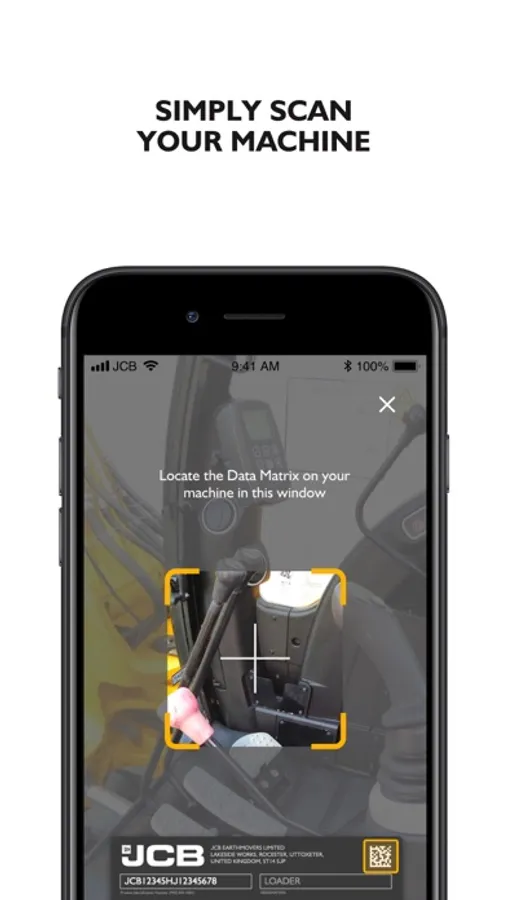
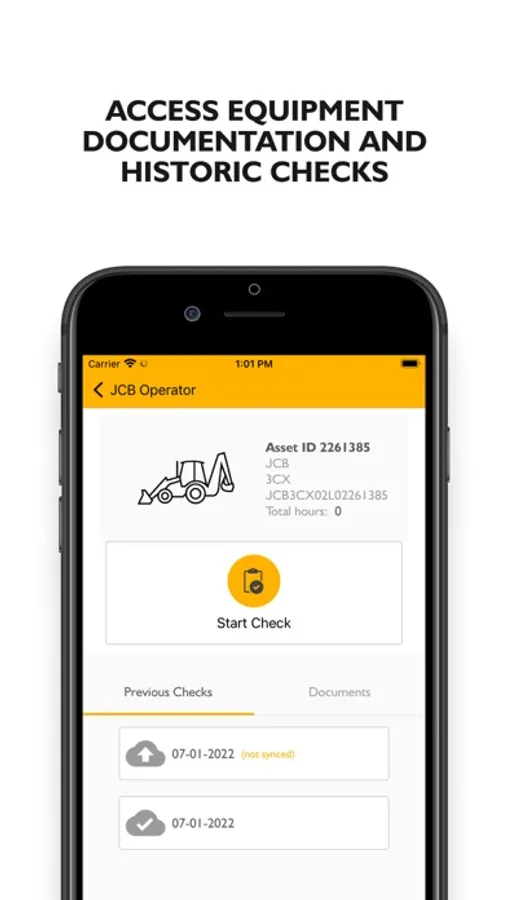
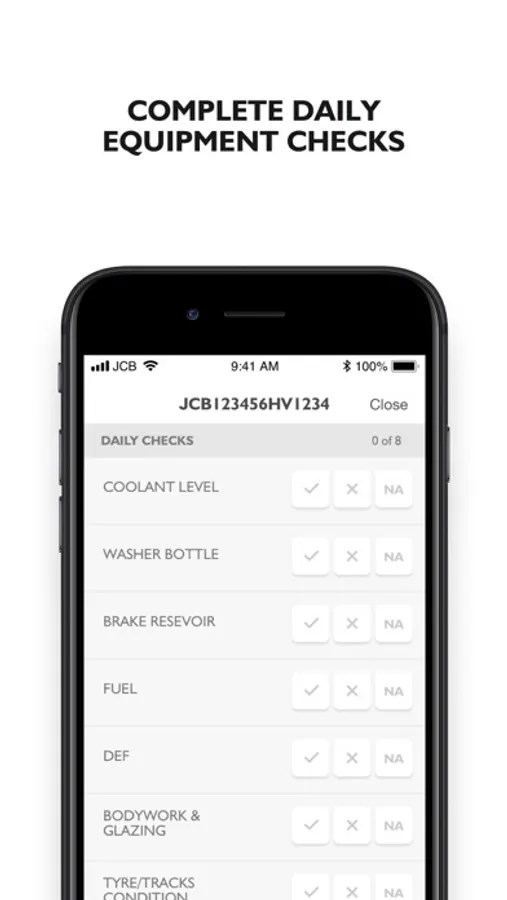
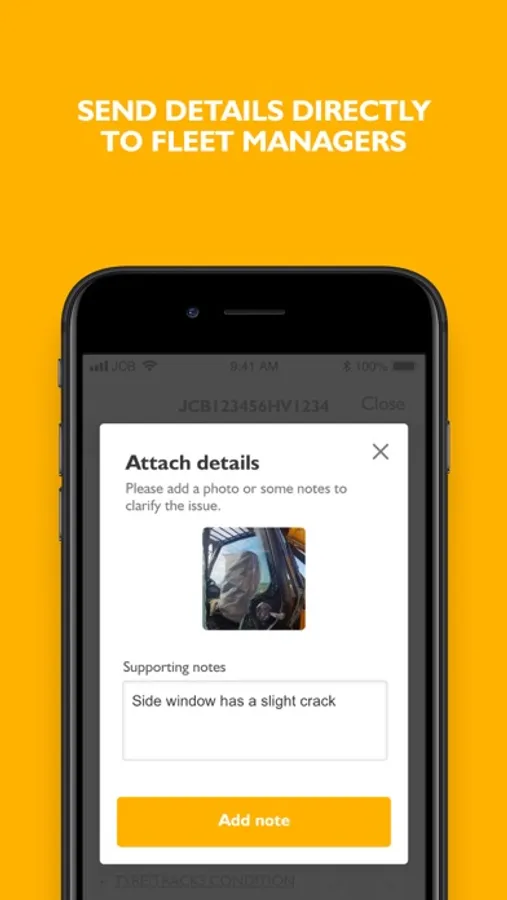
The JCB Operator App allows machinery operators to complete a machine check electronically. This easy to use app replaces the traditional paper based machine check sheets which can be damaged, lost or even unreadable. The app will load the correct check list which is determined by the machine serial number/VIN/QR code ready for the operator to complete. The operator can add comments and upload photos to give further detail on a failed check. All checks are then stored in the JCB Customer Portal online at the point of completion; ensuring quick response times if a machine has failed a check. The JCB Operator App can be also used offline which means the check will then be submitted to the JCB Customer Portal once connected to WIFI or mobile data.
Key features:
• Simple, intuitive navigation
• Paper free machine check process, all electronic
• Machine check type determined by serial number/VIN or QR code
• Ability to scan QR or VIN code for ease of use
• Checks can be tailored to industry and or machine type
• Photos and comments can be added to the check
• Check can be completed on non-JCB machines
• Real-time check submission upon completion*
• Both passed and failed checks are stored on the JCB Customer Portal for future reference
• Failed checks appear as an alert in the JCB Customer Portal
• Each operator can create their own account
• Access to quick start guides for machine operation
*if using offline; this will submit once connected to WIFI or mobile data
How to use:
• Log into the app using your username
• Either scan VIN/QR code or type in the machine serial number
• Select to start check
• Complete check ensuring to add comments and photos where applicable
• Submit completed check
• Access quick start guides if required
Key features:
• Simple, intuitive navigation
• Paper free machine check process, all electronic
• Machine check type determined by serial number/VIN or QR code
• Ability to scan QR or VIN code for ease of use
• Checks can be tailored to industry and or machine type
• Photos and comments can be added to the check
• Check can be completed on non-JCB machines
• Real-time check submission upon completion*
• Both passed and failed checks are stored on the JCB Customer Portal for future reference
• Failed checks appear as an alert in the JCB Customer Portal
• Each operator can create their own account
• Access to quick start guides for machine operation
*if using offline; this will submit once connected to WIFI or mobile data
How to use:
• Log into the app using your username
• Either scan VIN/QR code or type in the machine serial number
• Select to start check
• Complete check ensuring to add comments and photos where applicable
• Submit completed check
• Access quick start guides if required
JCB Operator App Screenshots


Tap to Rate:
Reviews for JCB Operator App
Leigh248
Doesn’t load
After registering and adding equipment the app doesn’t load. There’s just a constant loading spin with “please wait while we sync your assets” …been waiting two days and nothing changes. Close out the app and open it back up and it’s the same. I delete the app and redownload it, sign in, it’s the same. If I ever get to actually use the app, I can give an updated review.