
LaunchPoint SiteRight
LaunchPoint Software Systems Inc.
3.7 ★
11 ratings
Free
AppRecs review analysis
AppRecs rating 3.7. Trustworthiness 65 out of 100. Review manipulation risk 32 out of 100. Based on a review sample analyzed.
★★★☆☆
3.7
AppRecs Rating
Ratings breakdown
5 star
64%
4 star
0%
3 star
9%
2 star
0%
1 star
27%
What to know
✓
Good user ratings
64% positive sampled reviews
About LaunchPoint SiteRight
• Data is safely stored in the cloud for later use in reporting, analysis, or any project management process
• Export your captured data to other enterprise GIS and work management systems
• Generate comprehensive reports with GPS-tagged multimedia
• Custom workflow triggers, and real-time notifications and alerts
• Organize data and users with group and role-based assignments
GPS Survey combines precision mapping capability (GNSS and survey-grade) to visualize, share and export GIS data across your organization
• Create customized forms and define data dictionaries specific to each project
• Define geometry types and map symbology
• Assign exact location-based tasks to users
• Visualize, manage project status, and assign tasks from the data map
• Edit points and line connections live in the app during collection
• Export the data to GIS file formats or publish to the ArcGIS Cloud
GIS Survey creates digital pipeline inspections, including gas leak, atmospheric corrosion, cathodic protection and more. Enrich your data with precision location services. SiteRight is now compatible with the BAD ELF GNSS SURVEYOR providing high accuracy digital trails, enhanced form accuracy, and precise multimedia location data. Easily verify remote inspections with virtual auditing.
• Optimized technician routing and project task tracking
• Assign task areas and follow up inspections with precise locations
• Verify and audit project progress with digital trails
• Create customized workflow logic unique to your business
• Get notified with real time alerts and notifications
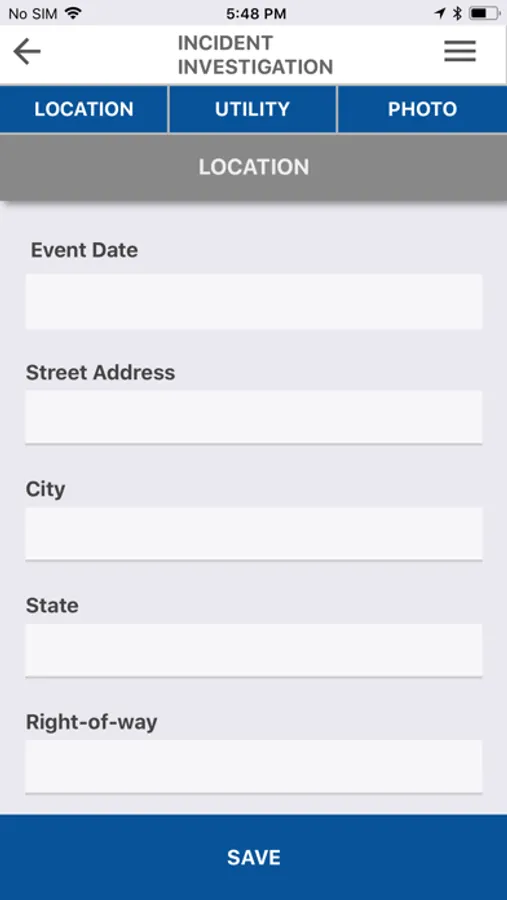
Incident Investigation collects GPS-tagged photos, videos and map sketches with notation
• Walks a user through the collection of incident questions and facilities capture of comparison photos from original site status detail
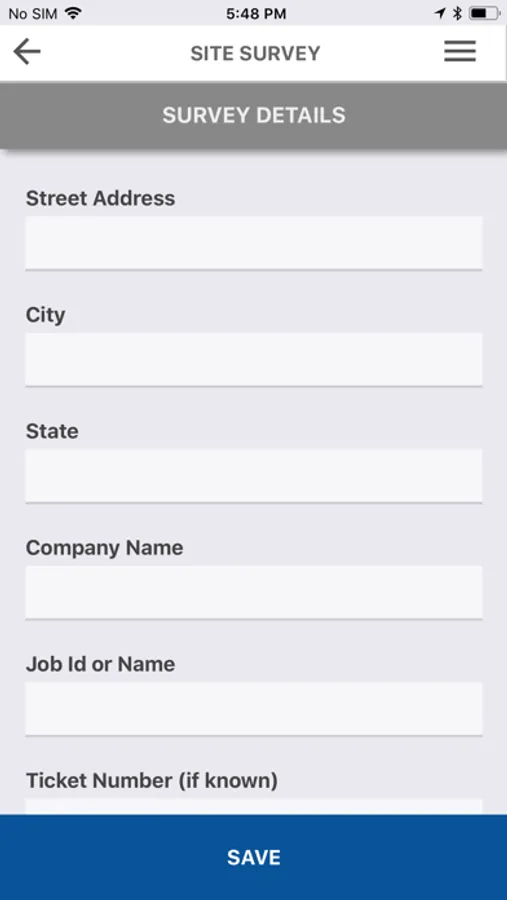
Site Survey documents work site in detail prior to a project start
• Collect GPS-tagged photos, videos and map sketches with notation
Custom Forms to create mobile field forms customized to any collection needs
• Define data dictionaries and field types
• Create customized workflow logic unique to your business
• Organize forms into user-groups and assign user access roles
LaunchPoint SiteRight Screenshots

Tap to Rate:
Reviews for LaunchPoint SiteRight
Jamezzh1993
Not Complete Trash..
Out of all the many different apps and software on mobile devices and desktop I have used for locating utilities, SiteRight is definitely not at the top of my list. Unfortunately, my company doesn’t offer any alternatives. There is room for a ton of improvement for this app’s functionality. #1 when using the “map” option once you’ve zoomed to the blip you are looking at and tap to enter, if you go back to look at the map you are reset to “world view” and must zoom back down to the blip. #2 once you have uploaded your photos to your “ticket” if you need to edit them and tap to enter the image queue, there is no “back” option or any way to return to the ticket page without completely closing the app and reopening it, and yes you will then have to zoom back to the blip and re-enter the blip. #3 within a very small amount of time using the app, if you need to use the map to visually inspect the utility prints again, more than half the time you will need to close the app and reopen and zoom back to the area in order for them to appear on the screen. #4 the “map sketch” option does not have any “tools” for users to choose from except for color selection, there are no eraser, pen type, etc to choose from. #5 for attachments you are limited to only 10 per “ticket” #6 there are no user settings for the app itself except password change. #7 the map does not have visual representation for utility structures such as pedestals, valves, risers etc. it simply shows gaps or space between lines, #8 once you are closing a ticket, if you are needing to close multiple tickets either back to back or within a short period of time, only 1 will actively “upload” and the subsequent will be placed in queue and causes the app to run extremely slow. There are a few other things I can add but won’t. Hopefully this will be seen by someone who has the capability of fixing these issues or is able to relay it to someone who can.