In this app, you can write, run, and manage Python scripts and Jupyter notebooks on your device. Includes code execution, file management, syntax highlighting, and package installation features.
AppRecs review analysis
AppRecs rating 4.4. Trustworthiness 0 out of 100. Review manipulation risk 0 out of 100. Based on a review sample analyzed.
★★★★☆
4.4
AppRecs Rating
Ratings breakdown
5 star
82%
4 star
8%
3 star
2%
2 star
1%
1 star
7%
What to know
✓
High user satisfaction
82% of sampled ratings are 5 stars
⚠
Pricing complaints
Many low ratings mention paywalls or pricing
About Juno – Python and Jupyter
Zero-setup Python environment and developer toolbox in a first-class citizen app for iPad and iPhone.
Juno is designed to cover all your Python coding needs, and will work seamlessly with all source code formats. Juno supports both Python scripts (.py) and Jupyter notebooks (.ipynb) — a document format focused on applying Python to data analysis and computational science.
FREE FEATURES
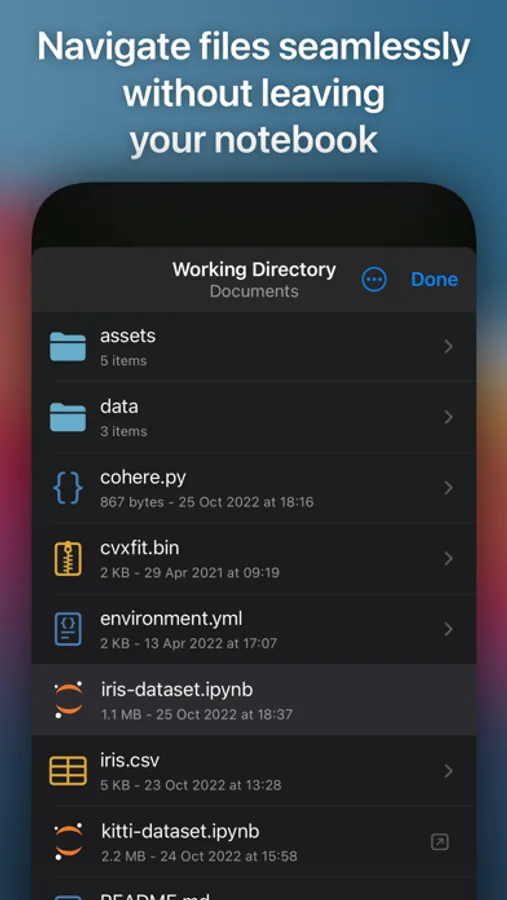
- Navigate and manage files and folders, quickly preview documents and media
- Browse and view Jupyter notebooks with quick and beautifully rendered previews
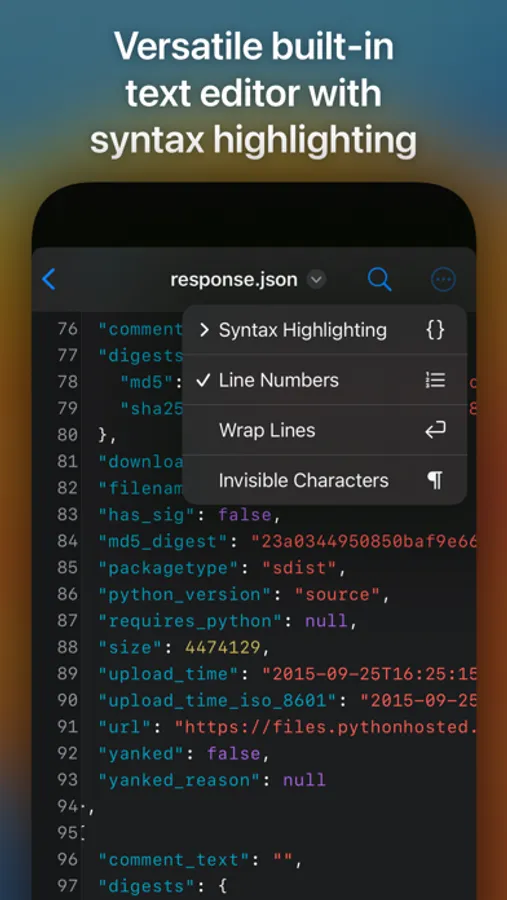
- View and edit code sources, scripts, JSON, XML, and other text-based formats in a built-in versatile plain text editor with syntax highlighting
- Add quick access bookmarks for file system locations outside the app's sandbox, or simply open documents in place
PRO FEATURES
- Run code in Jupyter notebooks and Python sources locally on your device with a built-in Python 3.10 interpreter, entirely offline
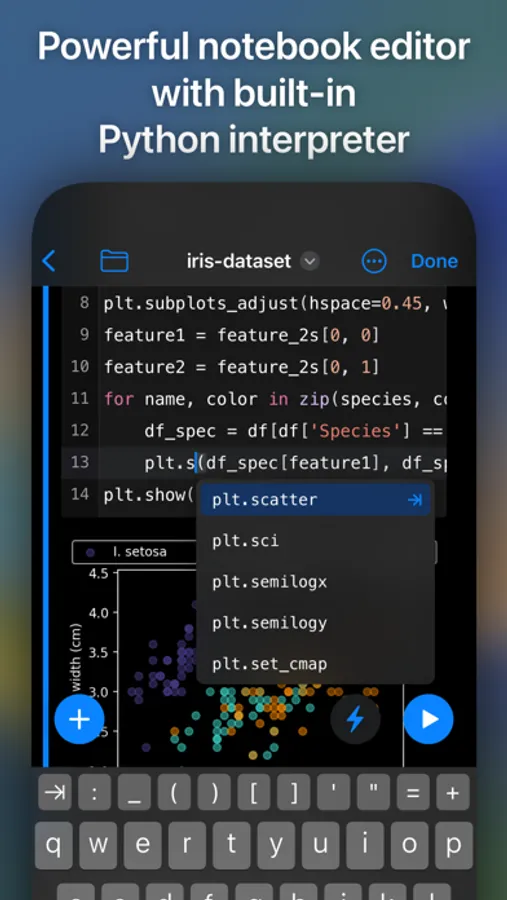
- Write and execute Python code in a full-fledged development environment, featuring snappy, intelligent code completion and a console with full terminal emulator support
- Access all Jupyter features in a modern, powerful and customizable notebook editor
- Works with Siri: create Shortcuts that run Python code or .py scripts in Juno—pass arguments and files, capture output and chain actions
- Leverage powerful data analysis, machine learning and developer tools: NumPy, Matplotlib, SciPy, Scikit-learn, Pandas, LXML, and more
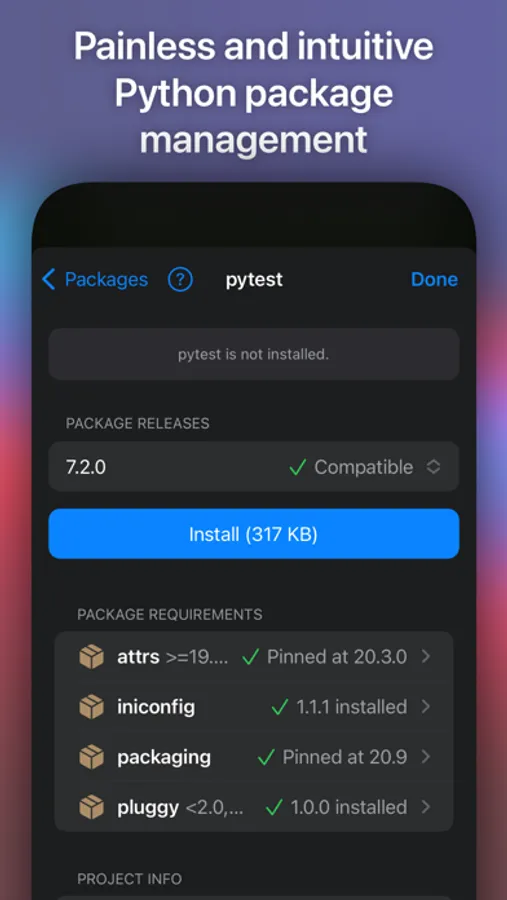
- Enjoy painless package management: easily install any pure Python package with an intuitive package manager
PYTHON SCRIPTS
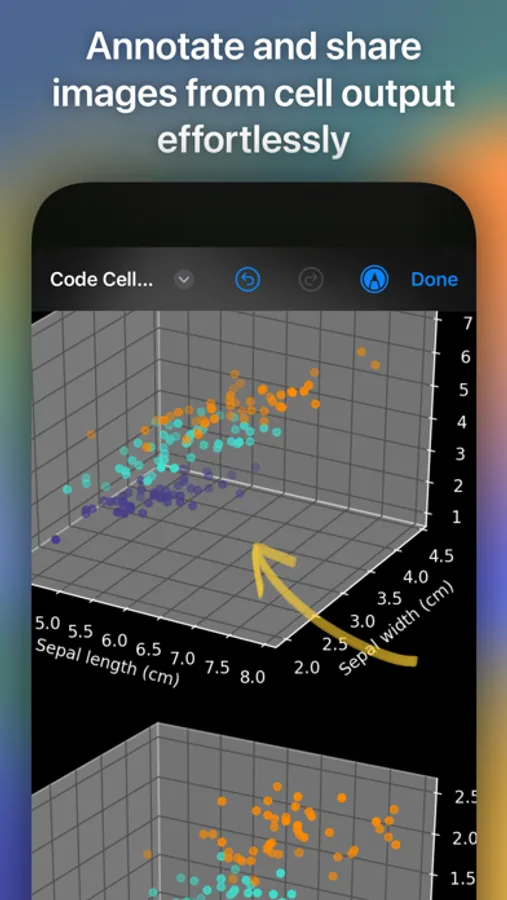
Python scripts are plain-text Python source code files with a .py extension. Juno lets you work on these with snappy code completion, a console with full terminal emulator support, a built-in media viewer for code-generated images, plots, web apps, and more. Juno will execute the code using an embedded Python interpreter, locally on your iPhone or iPad and completely offline.
JUPYTER NOTEBOOKS
A Jupyter notebook is a versatile document format that enables you to store live code, markdown text, plots, images, and LaTeX equations — all within a single notebook file with a .ipynb extension. Notebooks serve as excellent Python coding playgrounds for data manipulation and experimentation, and Juno makes working with them a breeze!
Notebook documents keep a record of all inputs and outputs from an interactive programming session, and the rich output generated by running Python scripts (including HTML, images, video, and plots) is embedded within the Jupyter notebook document. They are particularly convenient for coding in Python for data analysis, machine learning, or computational science in general.
Juno is designed to cover all your Python coding needs, and will work seamlessly with all source code formats. Juno supports both Python scripts (.py) and Jupyter notebooks (.ipynb) — a document format focused on applying Python to data analysis and computational science.
FREE FEATURES
- Navigate and manage files and folders, quickly preview documents and media
- Browse and view Jupyter notebooks with quick and beautifully rendered previews
- View and edit code sources, scripts, JSON, XML, and other text-based formats in a built-in versatile plain text editor with syntax highlighting
- Add quick access bookmarks for file system locations outside the app's sandbox, or simply open documents in place
PRO FEATURES
- Run code in Jupyter notebooks and Python sources locally on your device with a built-in Python 3.10 interpreter, entirely offline
- Write and execute Python code in a full-fledged development environment, featuring snappy, intelligent code completion and a console with full terminal emulator support
- Access all Jupyter features in a modern, powerful and customizable notebook editor
- Works with Siri: create Shortcuts that run Python code or .py scripts in Juno—pass arguments and files, capture output and chain actions
- Leverage powerful data analysis, machine learning and developer tools: NumPy, Matplotlib, SciPy, Scikit-learn, Pandas, LXML, and more
- Enjoy painless package management: easily install any pure Python package with an intuitive package manager
PYTHON SCRIPTS
Python scripts are plain-text Python source code files with a .py extension. Juno lets you work on these with snappy code completion, a console with full terminal emulator support, a built-in media viewer for code-generated images, plots, web apps, and more. Juno will execute the code using an embedded Python interpreter, locally on your iPhone or iPad and completely offline.
JUPYTER NOTEBOOKS
A Jupyter notebook is a versatile document format that enables you to store live code, markdown text, plots, images, and LaTeX equations — all within a single notebook file with a .ipynb extension. Notebooks serve as excellent Python coding playgrounds for data manipulation and experimentation, and Juno makes working with them a breeze!
Notebook documents keep a record of all inputs and outputs from an interactive programming session, and the rich output generated by running Python scripts (including HTML, images, video, and plots) is embedded within the Jupyter notebook document. They are particularly convenient for coding in Python for data analysis, machine learning, or computational science in general.
Juno – Python and Jupyter Screenshots
Tap to Rate:
Reviews for Juno – Python and Jupyter
Grodger@55
Please add Langchain
This is perfect for most data science use cases but it lacks the full capability of my main use case which is langchain. Adding this will make this app 5/5 but I am still stuck with using google colab for the IPad
Jr20029
I Can’t run python scripts and can’t run it for free
DONT DOWNLOAD THiS APP ITS PAY TO USE