In this drawing app, you can create and transfer images to a grid, apply perspective distortion, and customize grid settings. Includes tools for background removal, black and white conversion, and perspective distortion via AR or manual input.
AppRecs review analysis
AppRecs rating 4.4. Trustworthiness 80 out of 100. Review manipulation risk 29 out of 100. Based on a review sample analyzed.
★★★★☆
4.4
AppRecs Rating
Ratings breakdown
5 star
79%
4 star
9%
3 star
4%
2 star
2%
1 star
6%
What to know
✓
Low review manipulation risk
29% review manipulation risk
✓
Credible reviews
80% trustworthiness score from analyzed reviews
⚠
Ad complaints
Many low ratings mention excessive ads
About Tracing Buddy: Drawing Grid
Tracing Buddy is a drawing grid and anamorphic images creation tool.
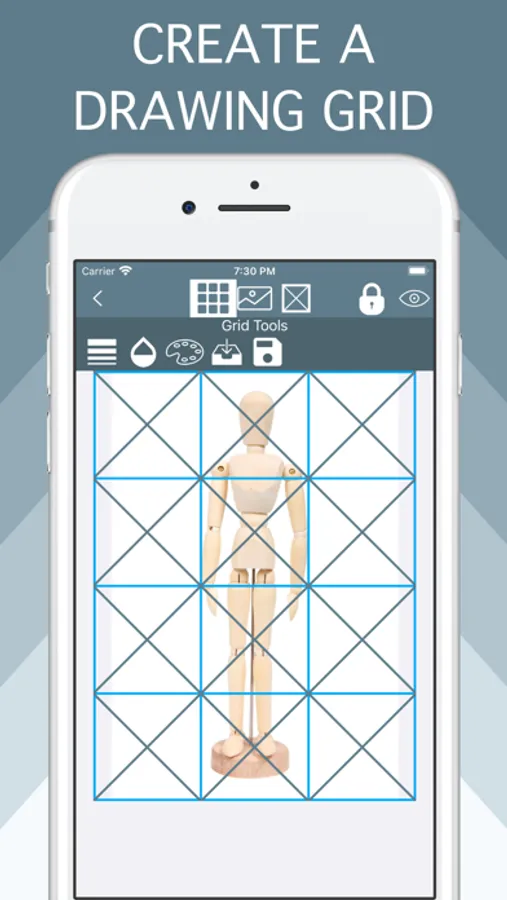
Built for simplicity, Tracing Buddy allows you to easily transfer pictures to a drawing surface
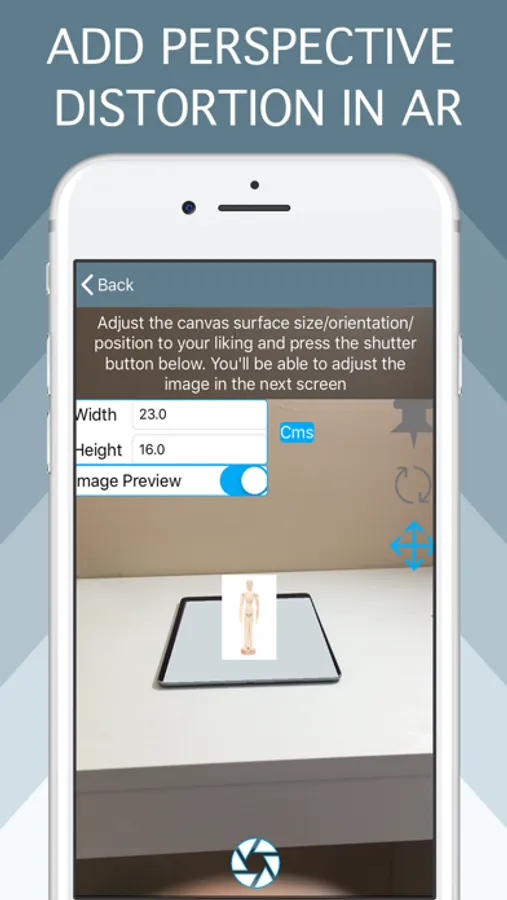
Using the perspective distortion functionality, now you can enter the world of drawing illusions. First, apply the distortion to your images and then transfer them to a drawing surface with a grid
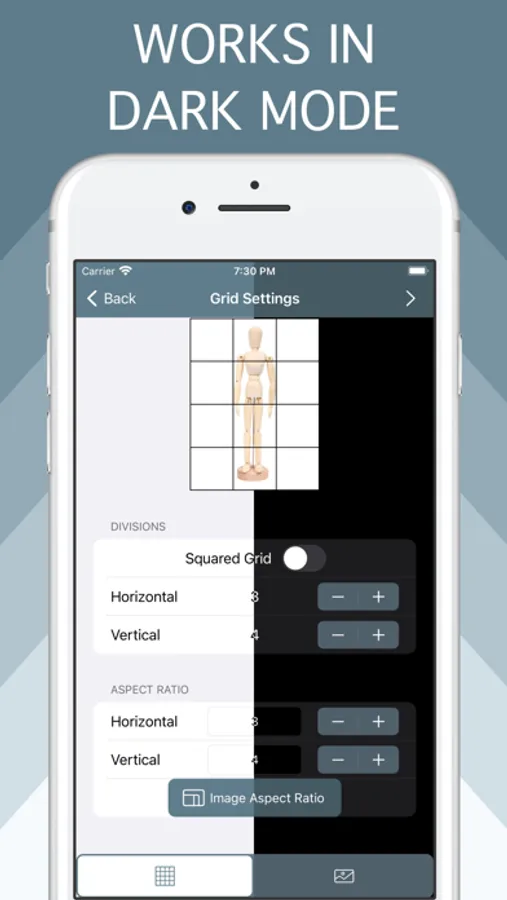
The app is optimized for both iPhone and iPad use, including Dark Mode support
Grid Features:
- Square divisions or choose the preferred aspect ratio
- Change color and transparency of grid lines
- Choose from four subdivision styles and change color and transparency as you wish
- Change the grid background color and the transparency of your image
- Change the scale and position of your image relative to the whole grid
- Save grid settings in projects
Image Features:
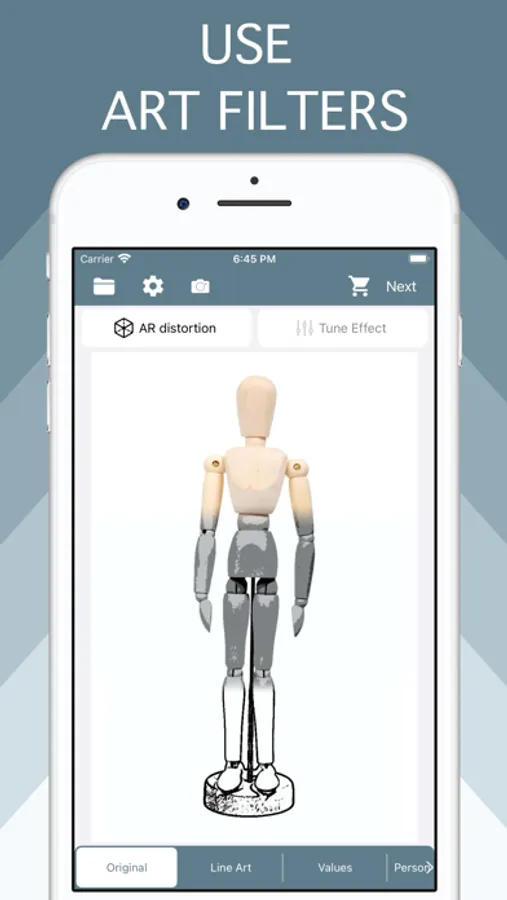
- Choose from a regular image, line art style, black & white values, or remove backgrounds with the person detection filter
-With the B&W and values filter you change your image to black & white, adjust shadows and highlights to you liking with the included tone curve and reduce the number of values in the picture to a more manageable amount. With the value selection tool you can inspect where values are placed in your image
- Use the person detection filter to remove the backgrounds of pictures with people in them, change to a transparent or solid color background instead
Anamorphic images:
- Add perspective distortion to your images choosing from two method: AR or using a picture
- In AR method let Tracing Buddy guide you through the whole process, you only need an iOS device equipped with AR capabilities
- If you need more control about the distortion, you can take a picture from your phone or with external camera and apply the distortion manually, for this method to be effective, you need to know the dimensions of the surface you want to transfer your picture to
Premium Features Add-on (either by subscription or lifetime purchase) required for:
- Ad removal
- Premium Image filters
- Multiple Project management
- PNG type export
Privacy Policy:
https://lafappbrica.com/tracing-buddy-privacy-policy
Terms of use
https://lafappbrica.com/tracing-buddy-terms/
Built for simplicity, Tracing Buddy allows you to easily transfer pictures to a drawing surface
Using the perspective distortion functionality, now you can enter the world of drawing illusions. First, apply the distortion to your images and then transfer them to a drawing surface with a grid
The app is optimized for both iPhone and iPad use, including Dark Mode support
Grid Features:
- Square divisions or choose the preferred aspect ratio
- Change color and transparency of grid lines
- Choose from four subdivision styles and change color and transparency as you wish
- Change the grid background color and the transparency of your image
- Change the scale and position of your image relative to the whole grid
- Save grid settings in projects
Image Features:
- Choose from a regular image, line art style, black & white values, or remove backgrounds with the person detection filter
-With the B&W and values filter you change your image to black & white, adjust shadows and highlights to you liking with the included tone curve and reduce the number of values in the picture to a more manageable amount. With the value selection tool you can inspect where values are placed in your image
- Use the person detection filter to remove the backgrounds of pictures with people in them, change to a transparent or solid color background instead
Anamorphic images:
- Add perspective distortion to your images choosing from two method: AR or using a picture
- In AR method let Tracing Buddy guide you through the whole process, you only need an iOS device equipped with AR capabilities
- If you need more control about the distortion, you can take a picture from your phone or with external camera and apply the distortion manually, for this method to be effective, you need to know the dimensions of the surface you want to transfer your picture to
Premium Features Add-on (either by subscription or lifetime purchase) required for:
- Ad removal
- Premium Image filters
- Multiple Project management
- PNG type export
Privacy Policy:
https://lafappbrica.com/tracing-buddy-privacy-policy
Terms of use
https://lafappbrica.com/tracing-buddy-terms/
Tracing Buddy: Drawing Grid Screenshots
Tap to Rate:
Reviews for Tracing Buddy: Drawing Grid
rEAL172
Love it
This is a great app
WoodCrazy
Zoom
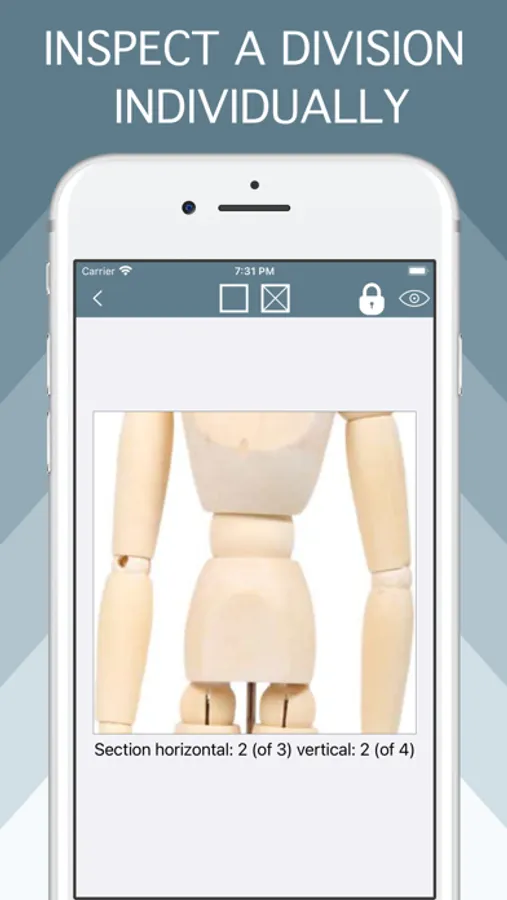
What happen to being able to click on a square that it becomes enlarged? Can you fix that please.