AppRecs review analysis
AppRecs rating 4.5. Trustworthiness 69 out of 100. Review manipulation risk 22 out of 100. Based on a review sample analyzed.
★★★★☆
4.5
AppRecs Rating
Ratings breakdown
5 star
82%
4 star
5%
3 star
5%
2 star
5%
1 star
5%
What to know
✓
Low review manipulation risk
22% review manipulation risk
✓
High user satisfaction
82% of sampled ratings are 5 stars
About Smart Calculator - SmartCalc
"What numbers did I input?” "Was the number I input correct?” Everyone must have caught on such anxiety while using a calculator.
SmartCalc is a calculator that wipes out such anxiety.
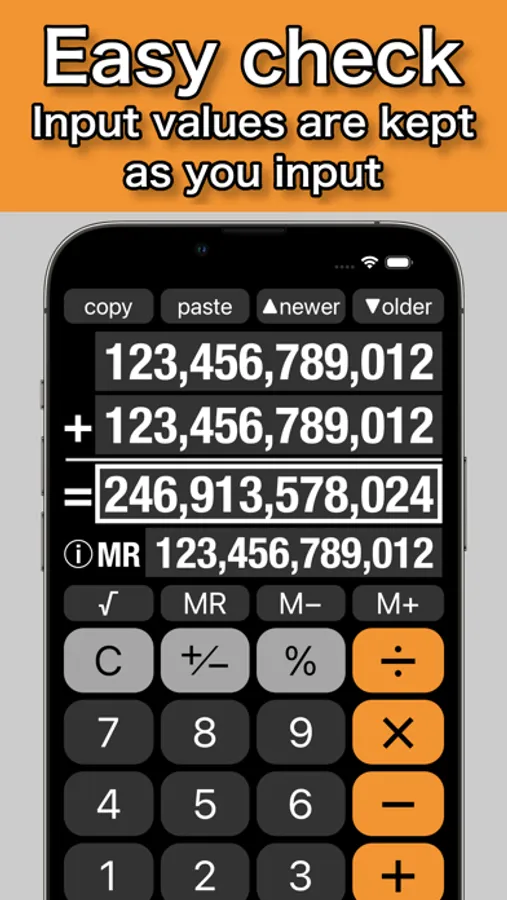
Because, after a calculation, inputs are displayed as you input, and also one input number can be changed for the next calculation.
[Instructions]
• To recall calculation history, tap ▼older key until you find the history you want. After you tapped ▼older key, if you want to recall a newer history, tap ▲newer key until you find it.
• To clear the calculator completely including calculation history, close SmartCalc.
• To clear the calculator except for the set memory and the independent memory on MR-line, tap C key and then tap AC key appeared, that is, double tap C key.
• To clear the independent memory on MR-line, tap MR key and then tap MC key appeared, or swipe on MR-line.
• To completely clear the number you have just input on 1st-line or 2nd-line, tap C key.
• To erase a right end number at 1st-line or 2nd-line framed in the input mode, swipe on the line.
• To change one of input numbers after a calculation, please tap the input line display to input a new number.
• Tapping Result-line display is a convenient substitute for tapping = key.
[Features]
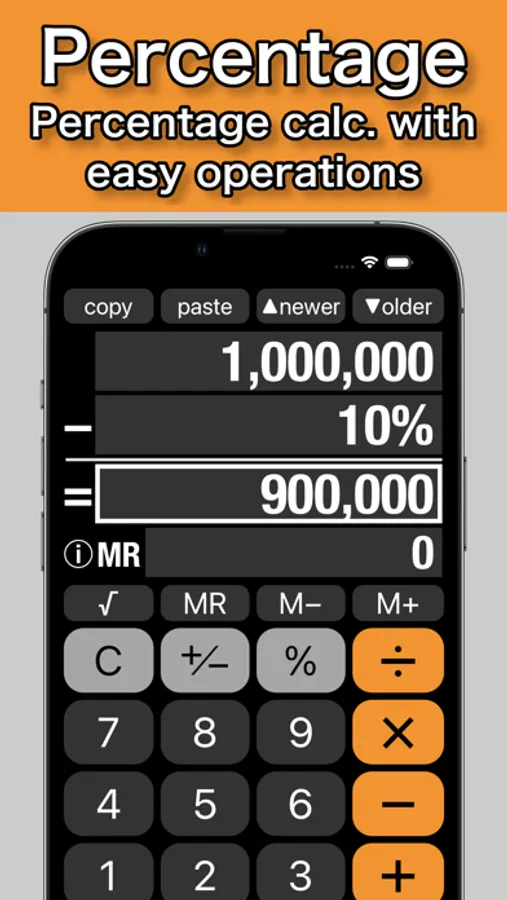
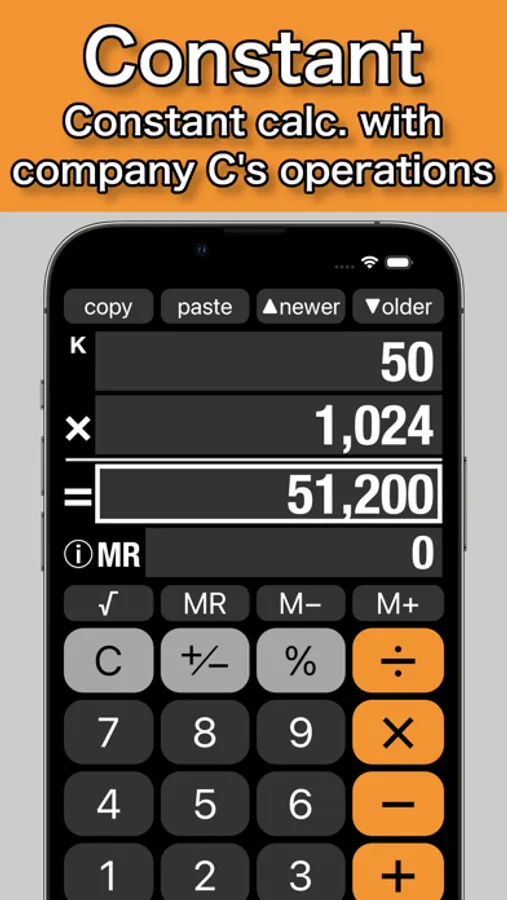
• SmartCalc is a calculator with a large 4-line display, which consists of 1st-line, 2nd-line, Result-line and MR-line. As all numbers related to a calculation are displayed on the lines all together, a user can check the calculation at a glance.
• SmartCalc doesn't require any special operations. Anyone can use SmartCalc easily.
• SmartCalc equips the set memory in addition to the general independent memory. The set memory automatically memorizes calculation history of all sets of calculated input numbers, an arithmetic operator and a result number.
• Can be used in environments where either a period or a comma is used as the decimal separator.
The developer assumes no responsibility for any loss or claims by third parties which may arise from the use of this app.
SmartCalc is a calculator that wipes out such anxiety.
Because, after a calculation, inputs are displayed as you input, and also one input number can be changed for the next calculation.
[Instructions]
• To recall calculation history, tap ▼older key until you find the history you want. After you tapped ▼older key, if you want to recall a newer history, tap ▲newer key until you find it.
• To clear the calculator completely including calculation history, close SmartCalc.
• To clear the calculator except for the set memory and the independent memory on MR-line, tap C key and then tap AC key appeared, that is, double tap C key.
• To clear the independent memory on MR-line, tap MR key and then tap MC key appeared, or swipe on MR-line.
• To completely clear the number you have just input on 1st-line or 2nd-line, tap C key.
• To erase a right end number at 1st-line or 2nd-line framed in the input mode, swipe on the line.
• To change one of input numbers after a calculation, please tap the input line display to input a new number.
• Tapping Result-line display is a convenient substitute for tapping = key.
[Features]
• SmartCalc is a calculator with a large 4-line display, which consists of 1st-line, 2nd-line, Result-line and MR-line. As all numbers related to a calculation are displayed on the lines all together, a user can check the calculation at a glance.
• SmartCalc doesn't require any special operations. Anyone can use SmartCalc easily.
• SmartCalc equips the set memory in addition to the general independent memory. The set memory automatically memorizes calculation history of all sets of calculated input numbers, an arithmetic operator and a result number.
• Can be used in environments where either a period or a comma is used as the decimal separator.
The developer assumes no responsibility for any loss or claims by third parties which may arise from the use of this app.
Smart Calculator - SmartCalc Screenshots
Tap to Rate:
Reviews for Smart Calculator - SmartCalc
RNH39
Easy to use
Comes quick & ad’s don’t last long.just click continue to calculater! Great gadget
Jim#~
Surprisingly easy to use!
It is wonderful to be able to change one input number! Easy to use anyway!