In this music player app, you can browse and play audio files from your music or files apps. Includes a 10-band equalizer with 24 presets and options to edit metadata.
AppRecs review analysis
AppRecs rating 4.2. Trustworthiness 79 out of 100. Review manipulation risk 23 out of 100. Based on a review sample analyzed.
★★★★☆
4.2
AppRecs Rating
Ratings breakdown
5 star
70%
4 star
13%
3 star
2%
2 star
6%
1 star
9%
What to know
✓
Low review manipulation risk
23% review manipulation risk
✓
Credible reviews
79% trustworthiness score from analyzed reviews
✓
High user satisfaction
83% of sampled ratings are 4+ stars (4.3★ average)
About Music Player+
Music Player+ is a simple offline audio player with a 10-band equalizer.
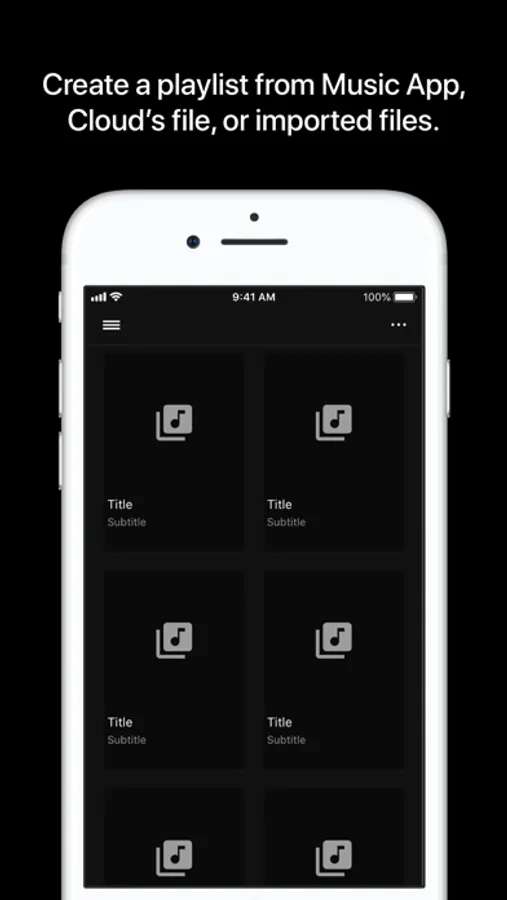
Create a playlist from Music App's songs or Files App's audio files.
Specifications & features
- Add music files from Music App or Files App
- Songs from Music App must be downloaded to play in this app
- Songs from Music App are grouped & listed by album
- Songs need to be none-DRM
- Available audio format:
- aifc
- aiff
- caf
- flac
- m4a
- mp3
- wav
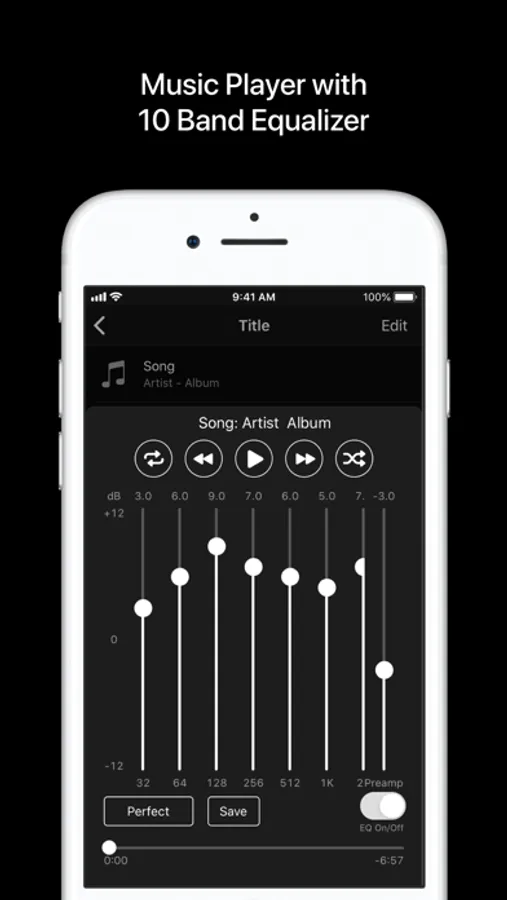
- 10-band equalizer
- 24 presets
- Acoustic
- Bass Booster
- Bass Reducer
- Deep
- Flat
- Hip-Hop
- Latin
- Loudness
- Lounge
- Piano
- R&B
- Small Speakers
- Spoken Word
- Treble Booster
- Treble Reducer
- Vocal Booster
- Electronic
- Classic
- Jazz
- Dance
- Pop
- Rock
- Perfect **recommended**
- Eargasm Explosion
- You can create custom settings
- Edit metadata for audio files in Files App
- If Music Player is not showing in Files App, try restart the device; restarting might fix
About creating a playlist:
- Copy audio files to this app's folder by adding "Files(copy files)" or
using Files App
- If files are under this app's folder, add audio files by "Files(reference files)"
- If files are referenced outside of this app's folder, the app may not be able to
access the files after updating OS
- Files(reference files) does not copy the original file;
Files(copy files) does copy the file under this app's folder
If you're using wired headphones, my recommended EQ is Perfect;
for wireless headphones, sounds may be better if preamp is reduced.
If you find a great EQ setting, please share the setting in review or
contact from the app's web page. Don't forget to write the name of the setting,
I might add to preset.
If you like the app, leave comments in review or rate; thanks
Hope you enjoy!
Create a playlist from Music App's songs or Files App's audio files.
Specifications & features
- Add music files from Music App or Files App
- Songs from Music App must be downloaded to play in this app
- Songs from Music App are grouped & listed by album
- Songs need to be none-DRM
- Available audio format:
- aifc
- aiff
- caf
- flac
- m4a
- mp3
- wav
- 10-band equalizer
- 24 presets
- Acoustic
- Bass Booster
- Bass Reducer
- Deep
- Flat
- Hip-Hop
- Latin
- Loudness
- Lounge
- Piano
- R&B
- Small Speakers
- Spoken Word
- Treble Booster
- Treble Reducer
- Vocal Booster
- Electronic
- Classic
- Jazz
- Dance
- Pop
- Rock
- Perfect **recommended**
- Eargasm Explosion
- You can create custom settings
- Edit metadata for audio files in Files App
- If Music Player is not showing in Files App, try restart the device; restarting might fix
About creating a playlist:
- Copy audio files to this app's folder by adding "Files(copy files)" or
using Files App
- If files are under this app's folder, add audio files by "Files(reference files)"
- If files are referenced outside of this app's folder, the app may not be able to
access the files after updating OS
- Files(reference files) does not copy the original file;
Files(copy files) does copy the file under this app's folder
If you're using wired headphones, my recommended EQ is Perfect;
for wireless headphones, sounds may be better if preamp is reduced.
If you find a great EQ setting, please share the setting in review or
contact from the app's web page. Don't forget to write the name of the setting,
I might add to preset.
If you like the app, leave comments in review or rate; thanks
Hope you enjoy!
Music Player+ Screenshots
Tap to Rate:
Reviews for Music Player+
vikingberry
This app is perfect
Kills spotify, apple music and all other streaming services. No more subscriptions. Yes to owning your music! Thank you for making this app.
009RL
Great music player app.
Enjoying the app. Easy to use and sounds great. But I’m unable to view and make adjustments to the EQ. Thanks.