
Duplicate Photos Sweeper
Wise Tech Labs Private Limited
2.5 ★
24 ratings
$9.99
In this photo management app, you can scan for duplicate and similar images and remove unwanted copies. Includes photo grouping, preview, and deletion tools for efficient organization.
AppRecs review analysis
AppRecs rating 2.6. Trustworthiness 74 out of 100. Review manipulation risk 23 out of 100. Based on a review sample analyzed.
★★☆☆☆
2.6
AppRecs Rating
Ratings breakdown
5 star
33%
4 star
4%
3 star
0%
2 star
8%
1 star
54%
What to know
✓
Low review manipulation risk
23% review manipulation risk
✓
Credible reviews
74% trustworthiness score from analyzed reviews
⚠
Mixed user feedback
Average 2.5★ rating suggests room for improvement
About Duplicate Photos Sweeper
The Problem:
Do you click a lot of Photos of your loved ones with multiple clicks of a similar pose? Do you friends or Family members regularly share Photos with you? This may create multiple unwanted copies of your Photos and clutter your Photos collection with Duplicate and similar Photos.
The Solution:
Duplicates Photos Sweeper is a very simple and easy to use application that helps you quickly find and remove duplicate and similar photos from your Mac. Anyone without being tech savvy can use it to search duplicate photos or similar photos on a Mac system and can remove them with ease of a click. Unlike other Duplicate Cleaners, it never stores the 'fingerprints' of your images. You will also be presented with groups of Screenshots, Panoramas, Bursts, Animated Images, Live Photos and other images which you can view, select and deleted the unwanted ones.
Duplicate and Similar photos may occupy bulk storage space on your iPhone and you may not even know about the unnecessary space occupied by them. Memories in form of Photos are priceless but duplicate photos clutters your Photos Collection. Manually locating and removing such duplicate photos from your iPhone may be a tedious job. Duplicate Photos Sweeper is an ultimate Duplicate Photos Finder that helps you to find all duplicate and even similar photos and easily remove them for an organized Photos collection and to regain valuable space.
How does Duplicate Photos Sweeper works?
Follow the below steps to find and remove duplicate and similar photos from your Mac
Step 1: As soon as you start the application, it will start the scan for Duplicate and Similar Photos. It may take some time depending on the number of Photos you have on your Phone.
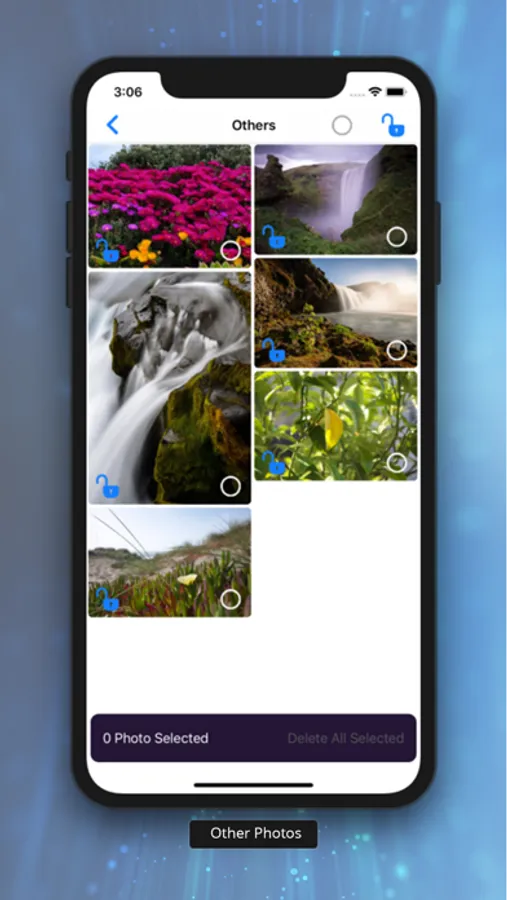
Step 2: As the application looks for Duplicate and similar Photos, you may scroll down to screenshots and other groups to remove the unwanted pictures.
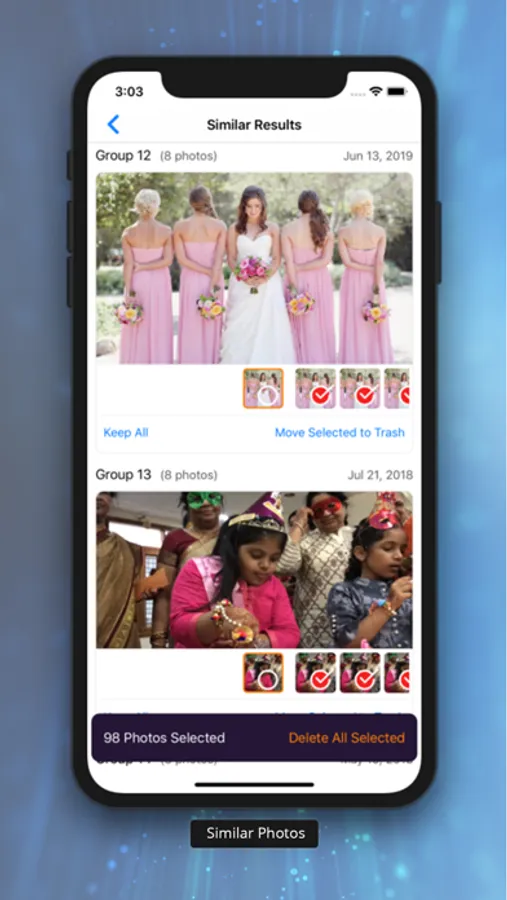
Step 3: Review the found duplicate and similar photos and trash them from your Phone.
Duplicate Photos Sweeper is different from other duplicate photos cleaners as it compares photos using enhanced visual comparison algorithm just like how a human eye would compare images.
Features of Duplicate Photos Sweeper:
• Find Duplicate Photos and Similar images regardless of their format.
• Supports Exact Match and Similar Match options
• An enhanced visual comparison algorithm is used to compare similarity in images.
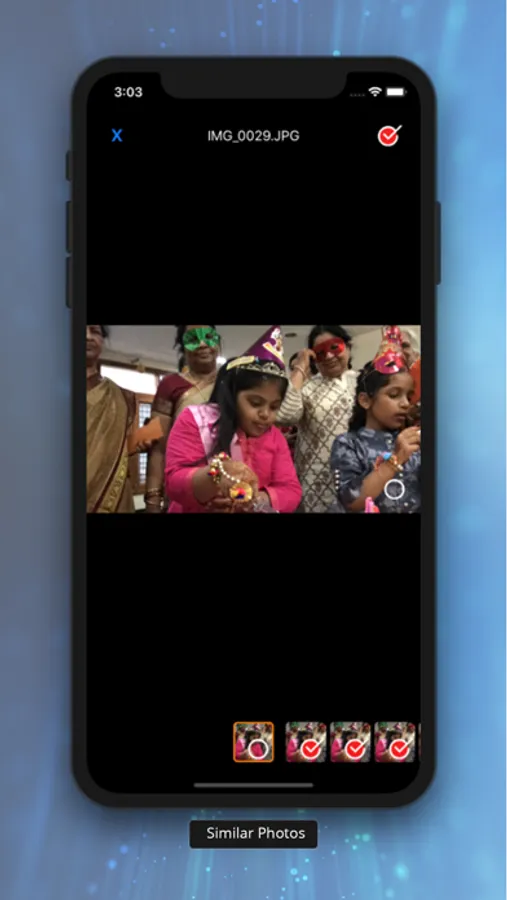
• Preview the difference between photos by sliding multiple photos in a group of photos in scan results.
• Easily delete selected Photos with a click of a button.
• Unlike other Duplicate Cleaners, it never store the 'fingerprints' of your images
• Set various parameters like "Similarity Level" to search for images falling within different similarity range.
Give it a try and we promise that you will be amazed with the search results. Regularly use Duplicate Photos Sweeper every time you click a lot of photos on your Phone.
Do you click a lot of Photos of your loved ones with multiple clicks of a similar pose? Do you friends or Family members regularly share Photos with you? This may create multiple unwanted copies of your Photos and clutter your Photos collection with Duplicate and similar Photos.
The Solution:
Duplicates Photos Sweeper is a very simple and easy to use application that helps you quickly find and remove duplicate and similar photos from your Mac. Anyone without being tech savvy can use it to search duplicate photos or similar photos on a Mac system and can remove them with ease of a click. Unlike other Duplicate Cleaners, it never stores the 'fingerprints' of your images. You will also be presented with groups of Screenshots, Panoramas, Bursts, Animated Images, Live Photos and other images which you can view, select and deleted the unwanted ones.
Duplicate and Similar photos may occupy bulk storage space on your iPhone and you may not even know about the unnecessary space occupied by them. Memories in form of Photos are priceless but duplicate photos clutters your Photos Collection. Manually locating and removing such duplicate photos from your iPhone may be a tedious job. Duplicate Photos Sweeper is an ultimate Duplicate Photos Finder that helps you to find all duplicate and even similar photos and easily remove them for an organized Photos collection and to regain valuable space.
How does Duplicate Photos Sweeper works?
Follow the below steps to find and remove duplicate and similar photos from your Mac
Step 1: As soon as you start the application, it will start the scan for Duplicate and Similar Photos. It may take some time depending on the number of Photos you have on your Phone.
Step 2: As the application looks for Duplicate and similar Photos, you may scroll down to screenshots and other groups to remove the unwanted pictures.
Step 3: Review the found duplicate and similar photos and trash them from your Phone.
Duplicate Photos Sweeper is different from other duplicate photos cleaners as it compares photos using enhanced visual comparison algorithm just like how a human eye would compare images.
Features of Duplicate Photos Sweeper:
• Find Duplicate Photos and Similar images regardless of their format.
• Supports Exact Match and Similar Match options
• An enhanced visual comparison algorithm is used to compare similarity in images.
• Preview the difference between photos by sliding multiple photos in a group of photos in scan results.
• Easily delete selected Photos with a click of a button.
• Unlike other Duplicate Cleaners, it never store the 'fingerprints' of your images
• Set various parameters like "Similarity Level" to search for images falling within different similarity range.
Give it a try and we promise that you will be amazed with the search results. Regularly use Duplicate Photos Sweeper every time you click a lot of photos on your Phone.
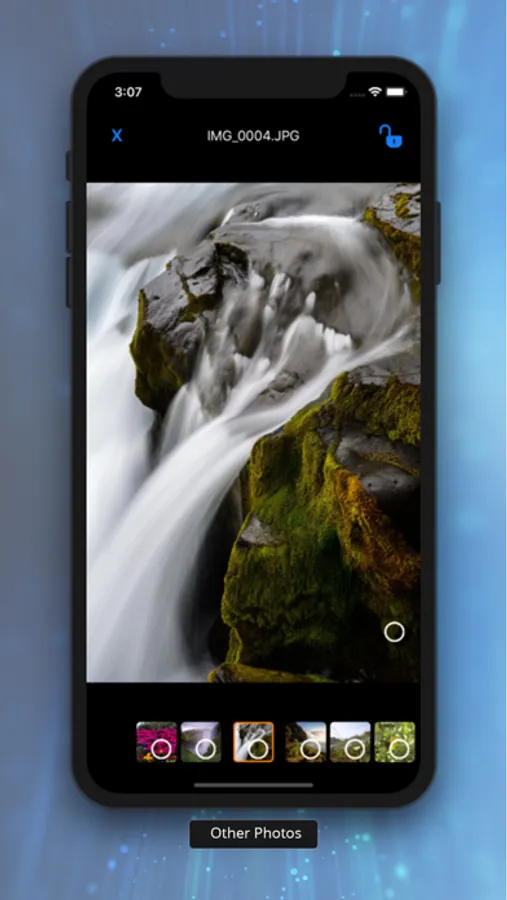
Duplicate Photos Sweeper Screenshots


Tap to Rate:
Reviews for Duplicate Photos Sweeper
( )
👎🏻👎🏻👎🏻👎🏻
Not working 👎🏻👎🏻👎🏻
denclo
It does not work!!!!
This app is a rip off. They take tour money, and it doesn't not even pickup exact duplicates!!! Do NOT purchase this app