In this plaintext editor, you can quickly jot down thoughts with Markdown support and external keyboard shortcuts. Includes note organization features like starring and cloud storage integration.
About Femto Editor
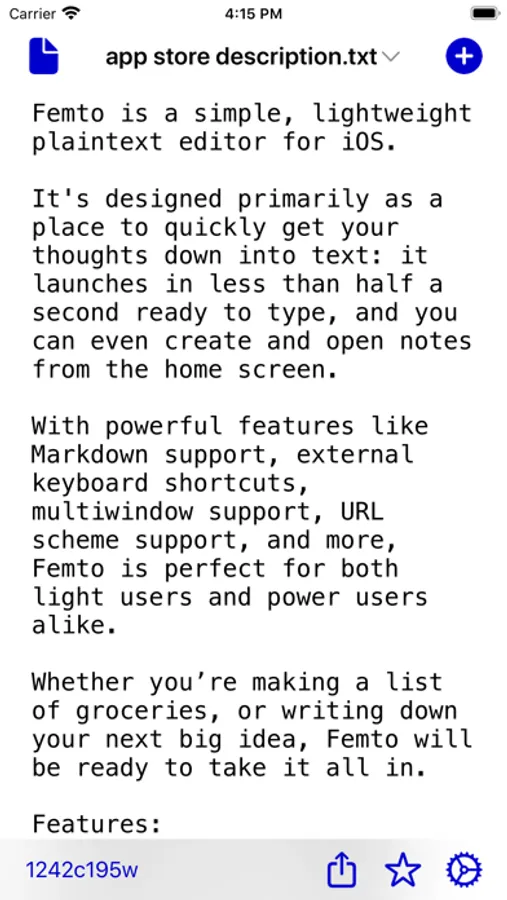
Femto is a simple, lightweight plaintext editor for iOS.
It's designed primarily as a place to quickly get your thoughts down into text: it launches in less than half a second ready to type, and you can even create and open notes from the home screen.
With powerful features like Markdown support, external keyboard shortcuts, multiwindow support, URL scheme support, and more, Femto is perfect for both light users and power users alike.
Whether you’re making a list of groceries, or writing down your next big idea, Femto will be ready to take it all in.
Features:
- Simple and clean design, only using icons from SF Symbols
- Quick list creation
- Markdown formatting and syntax highlighting
- Open text files from any provider (Dropbox, Google Drive, etc.) from within the app or via the Share Sheet
- Star notes for easy access
- Create new notes using iCloud or Dropbox
- Appearance customization (font family/size, light/dark appearance, accent color, etc.)
- Home screen shortcuts to create/open notes and view starred notes
- Split View and Multiwindow support (iPadOS Only)
- External keyboard support
- Comprehensive VoiceOver support
- Language support for English, Chinese (Traditional), German, Japanese, and Hindi
- No ads!
It's designed primarily as a place to quickly get your thoughts down into text: it launches in less than half a second ready to type, and you can even create and open notes from the home screen.
With powerful features like Markdown support, external keyboard shortcuts, multiwindow support, URL scheme support, and more, Femto is perfect for both light users and power users alike.
Whether you’re making a list of groceries, or writing down your next big idea, Femto will be ready to take it all in.
Features:
- Simple and clean design, only using icons from SF Symbols
- Quick list creation
- Markdown formatting and syntax highlighting
- Open text files from any provider (Dropbox, Google Drive, etc.) from within the app or via the Share Sheet
- Star notes for easy access
- Create new notes using iCloud or Dropbox
- Appearance customization (font family/size, light/dark appearance, accent color, etc.)
- Home screen shortcuts to create/open notes and view starred notes
- Split View and Multiwindow support (iPadOS Only)
- External keyboard support
- Comprehensive VoiceOver support
- Language support for English, Chinese (Traditional), German, Japanese, and Hindi
- No ads!
Femto Editor Screenshots



Tap to Rate: