
About Saving Money Box-Savings Goals
Saving Money Box - Track your deposits and withdrawals to help you save more money.
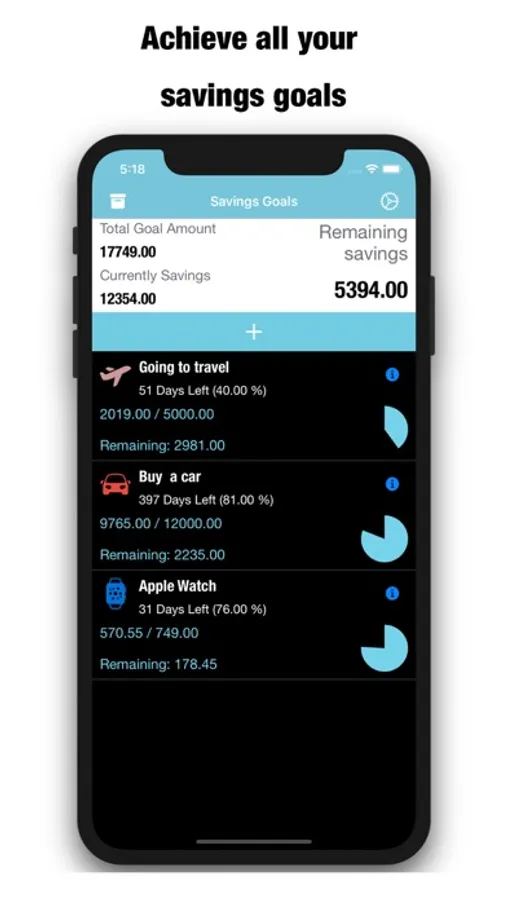
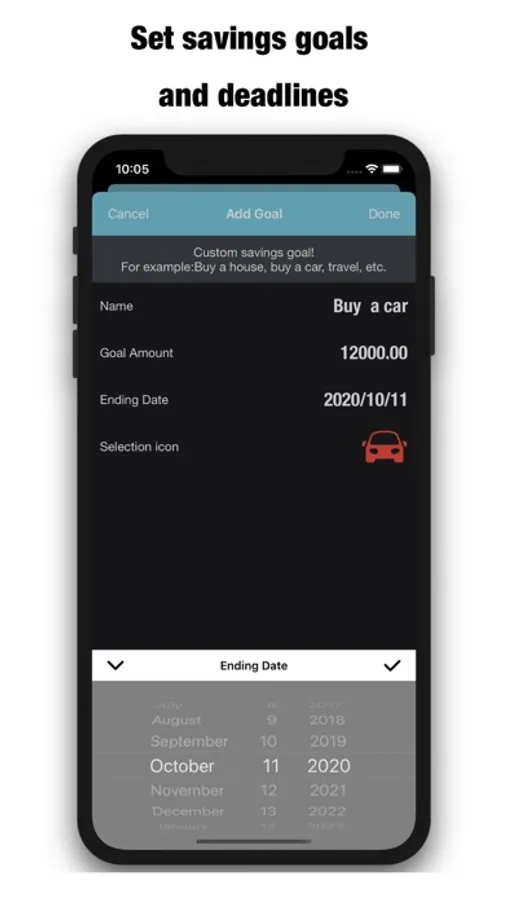
You enter a target amount and an optional target date by which you want to save this amount and the app suggests a savings schedule and tracks your progress. You can have as many separate Savings Goals as you need.
[Easy to use]
For example: I want to buy a scooter for a total price of about 100,000.
1, First use SavingMoneyBox to create a buy car plan / savings target
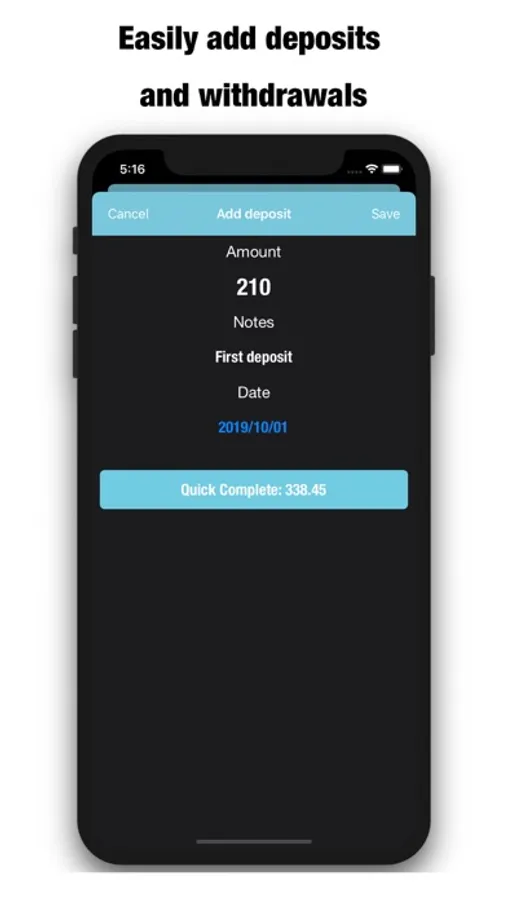
2, When there is a disposable asset, add a one-off deposit
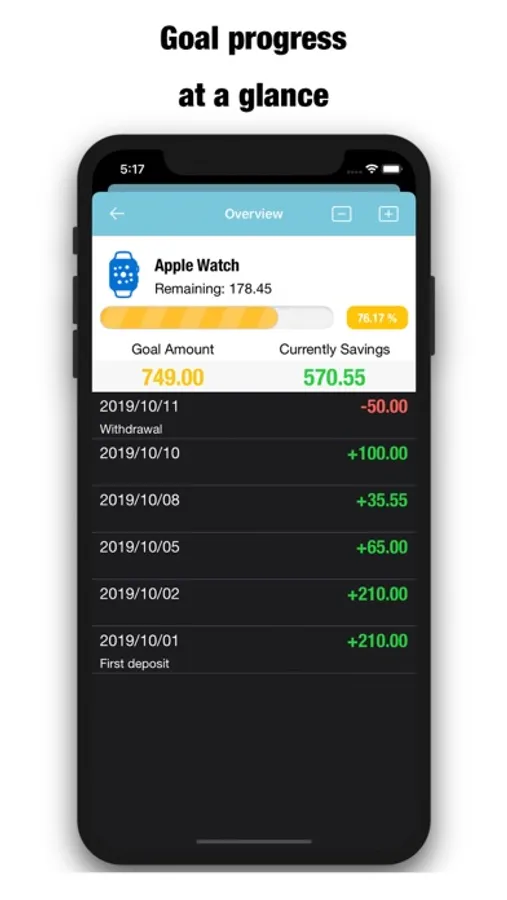
3. The progress bar will fill up slowly, and I can know the progress that has been completed and how much has not been completed.
4, After the deposit is completed, it will automatically move to the completed page
It's very simple! You only need to care about the progress of the savings target & how much is the unfinished amount.
========FEATURES========
- Goal remaining days and overdue.
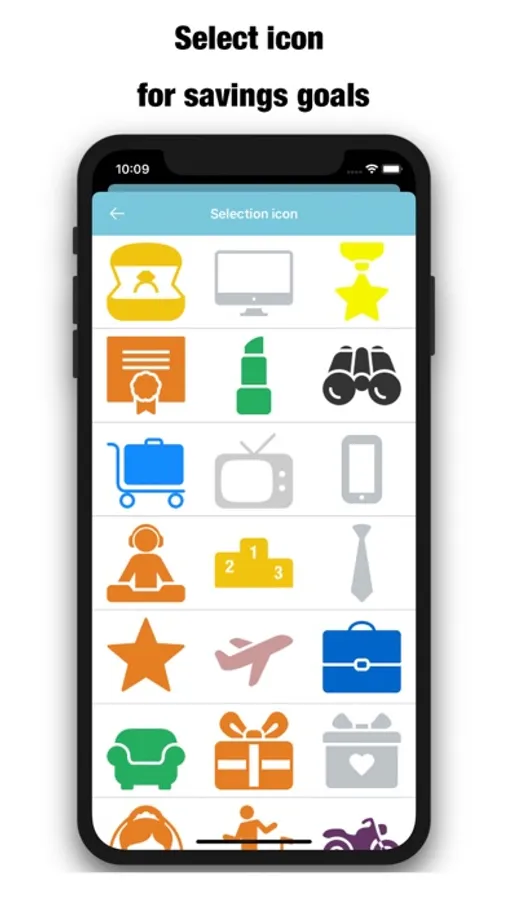
- Colorful icons (will continue to add in the future).
- Set the Goals expiration date.
- You can quickly complete the remaining amount.
- Completed / Uncomplete goal management.
- Intuitive, sleek interface.
- Feature-rich & Easy to use.
- Progress & Goal notifications.
- Set a savings goal and visually see your progress.
- See your savings history - date, amount, and how you saved.
- Share your success.
- Show your latest (Completed & Uncomplete) savings goals.
- Free Updates to ensure flawless use and new bonus features.
- Unlimited savings goals management, and more features.
- Use iCloud sync and backup.
- Select date to export data.
- The universal version of iPad and iPhone, so you only need to buy it once and you can use it on multiple devices.
- The iPad version supports landscape and portrait.
You enter a target amount and an optional target date by which you want to save this amount and the app suggests a savings schedule and tracks your progress. You can have as many separate Savings Goals as you need.
[Easy to use]
For example: I want to buy a scooter for a total price of about 100,000.
1, First use SavingMoneyBox to create a buy car plan / savings target
2, When there is a disposable asset, add a one-off deposit
3. The progress bar will fill up slowly, and I can know the progress that has been completed and how much has not been completed.
4, After the deposit is completed, it will automatically move to the completed page
It's very simple! You only need to care about the progress of the savings target & how much is the unfinished amount.
========FEATURES========
- Goal remaining days and overdue.
- Colorful icons (will continue to add in the future).
- Set the Goals expiration date.
- You can quickly complete the remaining amount.
- Completed / Uncomplete goal management.
- Intuitive, sleek interface.
- Feature-rich & Easy to use.
- Progress & Goal notifications.
- Set a savings goal and visually see your progress.
- See your savings history - date, amount, and how you saved.
- Share your success.
- Show your latest (Completed & Uncomplete) savings goals.
- Free Updates to ensure flawless use and new bonus features.
- Unlimited savings goals management, and more features.
- Use iCloud sync and backup.
- Select date to export data.
- The universal version of iPad and iPhone, so you only need to buy it once and you can use it on multiple devices.
- The iPad version supports landscape and portrait.
Saving Money Box-Savings Goals Screenshots
Tap to Rate:
More from 永文 胡
Similar to Saving Money Box-Savings Goals








More from 永文 胡

Spending Tracker-Expense, Income & Account Balance
4.0

My Weekly Budget Planner - Money & Expense Tracker
4.0

My Wallet+Sync - Spending Tracker & Monthly Budget
2.0

Daily Grid Journal -Diary memo
2.0

Order Tracker-Sales Manager & Inventory Taking Now
1.7

Daily Car Expense-Electric Car
1.0

Web To PDF Maker - Pdf Convert, Web & Files To PDF
1.0

Daily Sales Tracker Online App
1.0