AppRecs review analysis
AppRecs rating 4.6. Trustworthiness 65 out of 100. Review manipulation risk 21 out of 100. Based on a review sample analyzed.
★★★★☆
4.6
AppRecs Rating
Ratings breakdown
5 star
88%
4 star
13%
3 star
0%
2 star
0%
1 star
0%
What to know
✓
Low review manipulation risk
21% review manipulation risk
✓
High user satisfaction
88% of sampled ratings are 5 stars
About Horzono Time Zones
Master your timezones with ease:
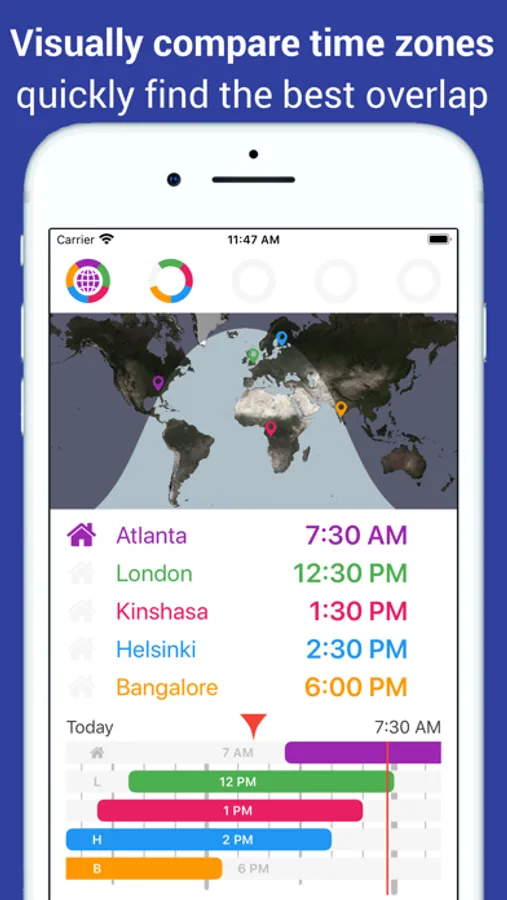
• Instantly see which hours overlap between your location and up to four places elsewhere on the world.
• Know in seconds what time it is in your place when it is e.g. 9 am in another country or state.
• Understand if it is earlier or later in the day at another place, compared to where you are: locations are plotted on the world map and daylight or darkness is shown.
• Drag the map or the coloured bars (indicating availability) to find optimal time slots for virtual meetings.
• All 31 different time zones and 16 different daylight saving time regimes are automatically taken care of behind the scenes. Even if you select a future date to see what this means for overlapping business hours.
• Works always, even in airplane mode. No WiFi or mobile internet needed at all, to still always know the correct time of any location globally that you need.
Ideal when working with people in other timezones or traveling to other countries. Download Horzono today on your iPhone!
Features:
• Drag the colored bars or the world map to easily find the optimal time to call.
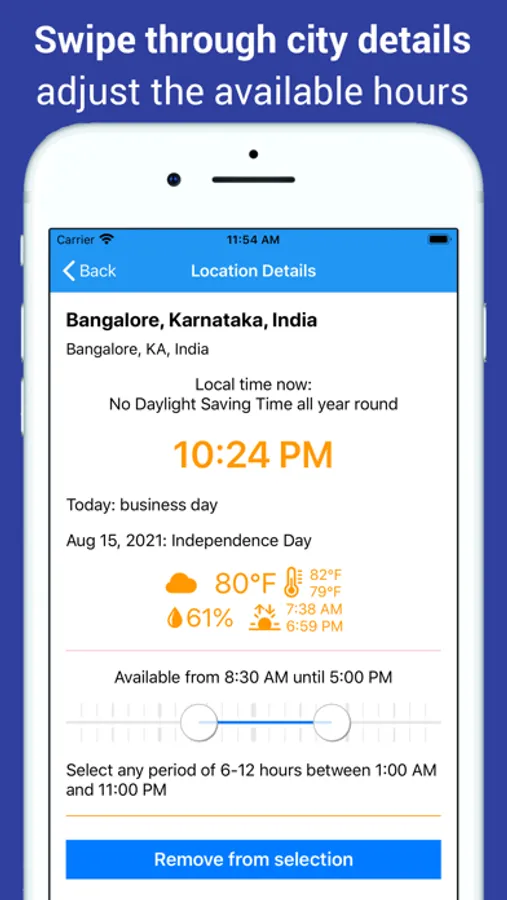
• Set the actual availability period (working day) per selected location. To get more realistic overlap of the coloured bars per location.
• Swipe through location details to check for weekend or a national public holiday.
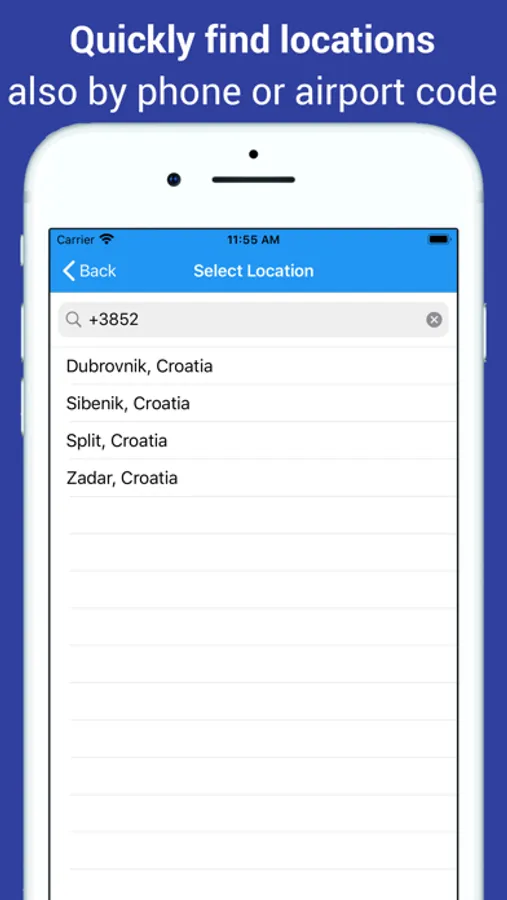
• Quickly select from over 10,000 locations: via city, province or country name, airport code (LAX, BCN, DXB etc.) or the first digits of the international phone number.
• Accurate Daylight Saving Time corrections. You can pick a future date to check time differences of your selected locations after changing to summer/winter time.
• Multiple sets of five locations each, to keep project teams or travels apart.
• Always available: this app needs no mobile data or Wifi and works perfectly fine in airplane mode.
• Respects your privay: no access to your iPhone's location needed. Just tell the app which selected 'home' city matches your local time.
• In-app purchase to unlock four more sets of five locations to compare.
• Instantly see which hours overlap between your location and up to four places elsewhere on the world.
• Know in seconds what time it is in your place when it is e.g. 9 am in another country or state.
• Understand if it is earlier or later in the day at another place, compared to where you are: locations are plotted on the world map and daylight or darkness is shown.
• Drag the map or the coloured bars (indicating availability) to find optimal time slots for virtual meetings.
• All 31 different time zones and 16 different daylight saving time regimes are automatically taken care of behind the scenes. Even if you select a future date to see what this means for overlapping business hours.
• Works always, even in airplane mode. No WiFi or mobile internet needed at all, to still always know the correct time of any location globally that you need.
Ideal when working with people in other timezones or traveling to other countries. Download Horzono today on your iPhone!
Features:
• Drag the colored bars or the world map to easily find the optimal time to call.
• Set the actual availability period (working day) per selected location. To get more realistic overlap of the coloured bars per location.
• Swipe through location details to check for weekend or a national public holiday.
• Quickly select from over 10,000 locations: via city, province or country name, airport code (LAX, BCN, DXB etc.) or the first digits of the international phone number.
• Accurate Daylight Saving Time corrections. You can pick a future date to check time differences of your selected locations after changing to summer/winter time.
• Multiple sets of five locations each, to keep project teams or travels apart.
• Always available: this app needs no mobile data or Wifi and works perfectly fine in airplane mode.
• Respects your privay: no access to your iPhone's location needed. Just tell the app which selected 'home' city matches your local time.
• In-app purchase to unlock four more sets of five locations to compare.
Horzono Time Zones Screenshots
Tap to Rate:
Reviews for Horzono Time Zones
D Patrick
One change and it’ll be perfect…
Solid, easy to use app. BUT no ability to have a GMT/UTC time (without fiddling w/ DST). That’s a really useful capacity for some of us WHO routinely use it for work.