
AppRecs review analysis
AppRecs rating 4.7. Trustworthiness 71 out of 100. Review manipulation risk 27 out of 100. Based on a review sample analyzed.
★★★★☆
4.7
AppRecs Rating
Ratings breakdown
5 star
33%
4 star
67%
3 star
0%
2 star
0%
1 star
0%
What to know
✓
Low review manipulation risk
27% review manipulation risk
✓
Credible reviews
71% trustworthiness score from analyzed reviews
✓
High user satisfaction
100% of sampled ratings are 4+ stars (4.7★ average)
About Deadlines: Priority To-do List
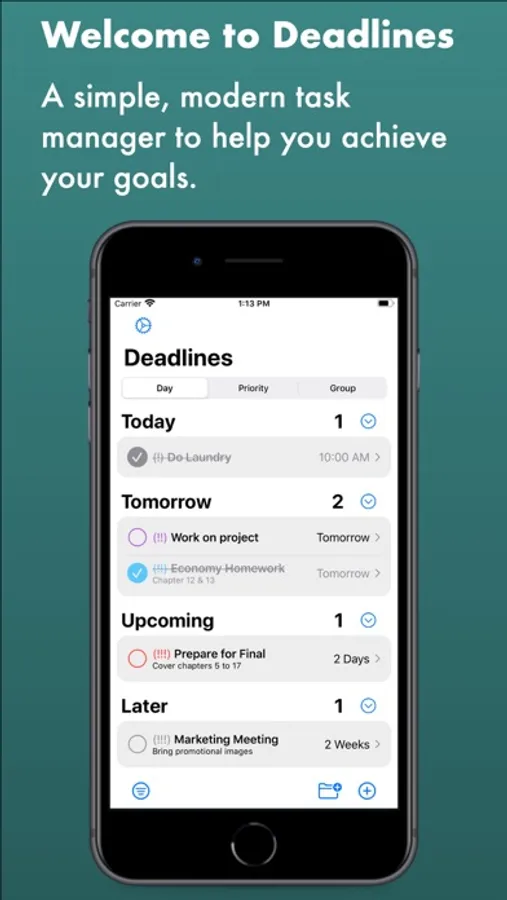
Deadlines is a modern, productive task manager tool to help organize your daily list of jobs. You can create custom groups to separate your tasks however you like, such as by classes and projects. Boost your productivity with the following features:
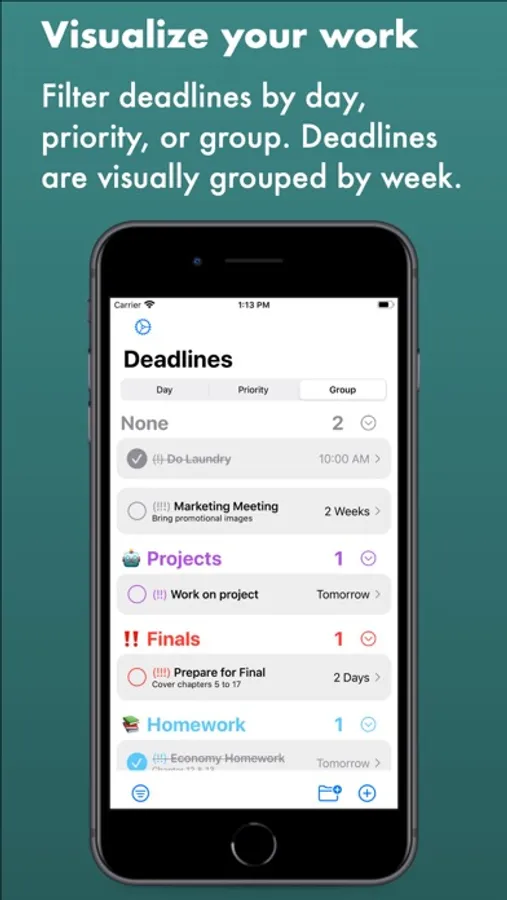
• Create custom groups for different types of tasks
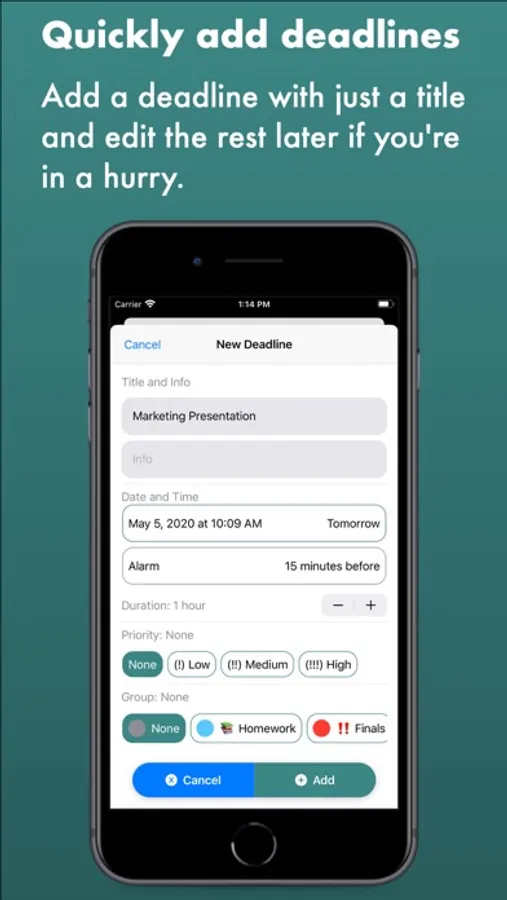
• Assign higher priorities to more important tasks
• Visualize deadlines by day, priority, or group
• See incomplete deadlines using widgets
• Search for specific deadlines
• Keyboard shortcuts for faster additions
• Store deadlines in iCloud
• No external login required
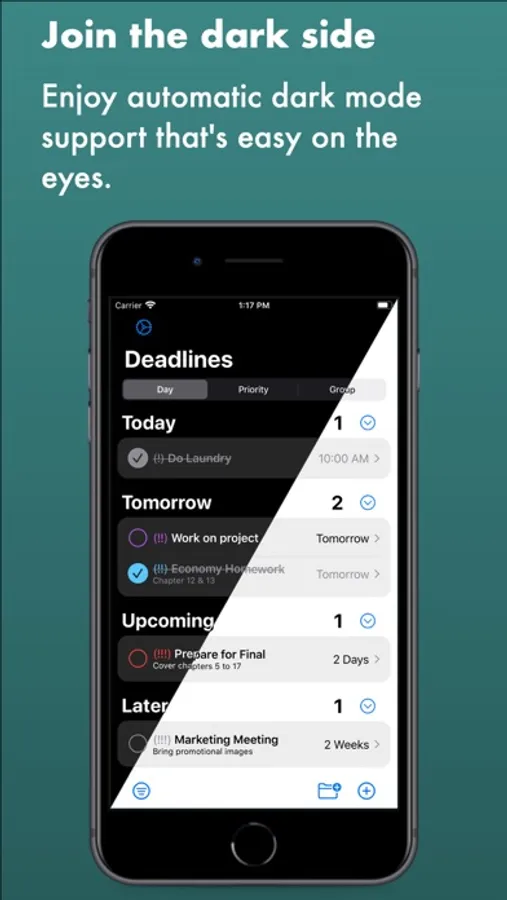
Deadline has a modern and minimalistic interface with emphasis put on smooth animations that makes it enjoyable to use:
• Light and dark mode support
• Minimize deadline groups you don't need to see
• Filter out completed tasks to see remaining tasks
• See tasks grouped by week
• Color code your groups for visual distinction
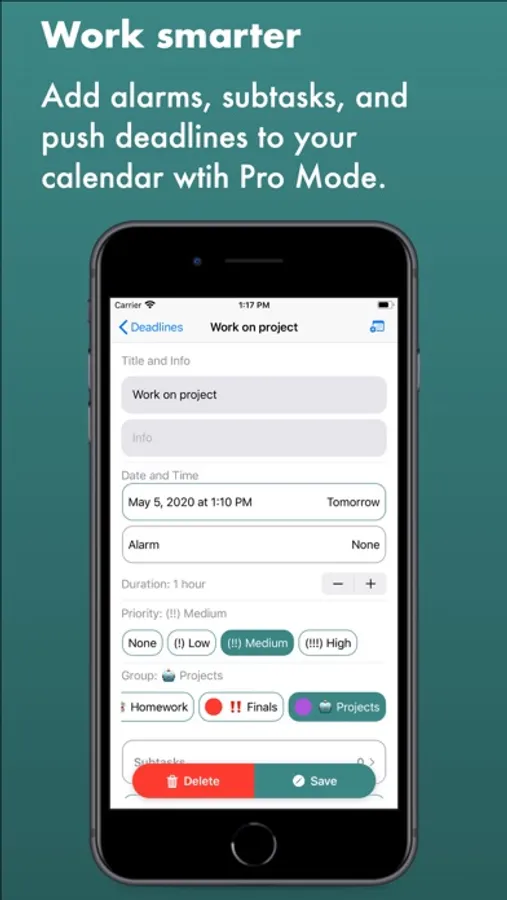
Everyone can initially create three custom groups and ten different deadlines. Upgrading to Pro Mode unlocks several benefits:
• Unlimited deadlines and groups
• Set alerts for each deadline
• Access to subtasks for each deadline
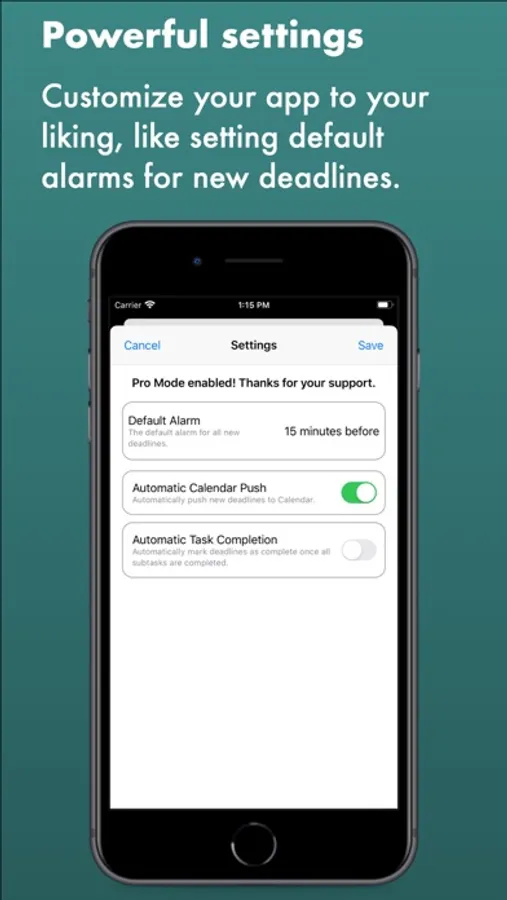
• Push deadlines to calendar
• Create repeatable deadlines
Deadlines that are pushed to the calendar are automatically updated when you change the deadline. New deadlines can be automatically pushed to Calendar from Settings, as well as setting default alerts for all deadlines.
• Create custom groups for different types of tasks
• Assign higher priorities to more important tasks
• Visualize deadlines by day, priority, or group
• See incomplete deadlines using widgets
• Search for specific deadlines
• Keyboard shortcuts for faster additions
• Store deadlines in iCloud
• No external login required
Deadline has a modern and minimalistic interface with emphasis put on smooth animations that makes it enjoyable to use:
• Light and dark mode support
• Minimize deadline groups you don't need to see
• Filter out completed tasks to see remaining tasks
• See tasks grouped by week
• Color code your groups for visual distinction
Everyone can initially create three custom groups and ten different deadlines. Upgrading to Pro Mode unlocks several benefits:
• Unlimited deadlines and groups
• Set alerts for each deadline
• Access to subtasks for each deadline
• Push deadlines to calendar
• Create repeatable deadlines
Deadlines that are pushed to the calendar are automatically updated when you change the deadline. New deadlines can be automatically pushed to Calendar from Settings, as well as setting default alerts for all deadlines.
Deadlines: Priority To-do List Screenshots
Tap to Rate:
Reviews for Deadlines: Priority To-do List
Max Lalli
good
i paid $1.99 for unlimited groups and tasks, but I would prefer more color options for groups as I have many classes to differentiate
The game is very good
Unable to customize
Unable to customize repeat reminders. Instead of an automatic yearly I needed every 2 years or every 5 years.