
About Text Pics!
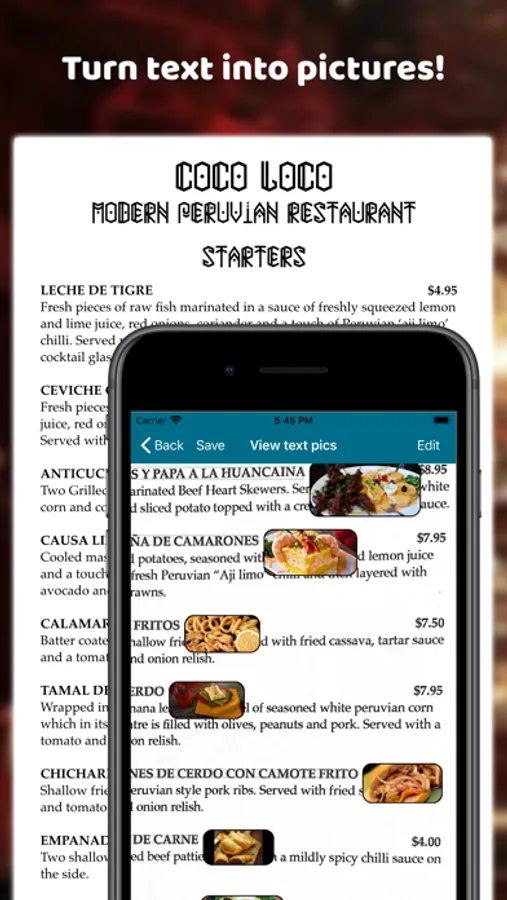
Text Pics will detect text in any photo, and turn it into pictures!
Text Pics is perfect for:
• Understanding restaurant menus in a foreign country!
• Making a shopping list easier to follow!
• Helping you to visualise a dry technical text.
• Lots more! Tell us what you're using Text Pics for!
How to use:
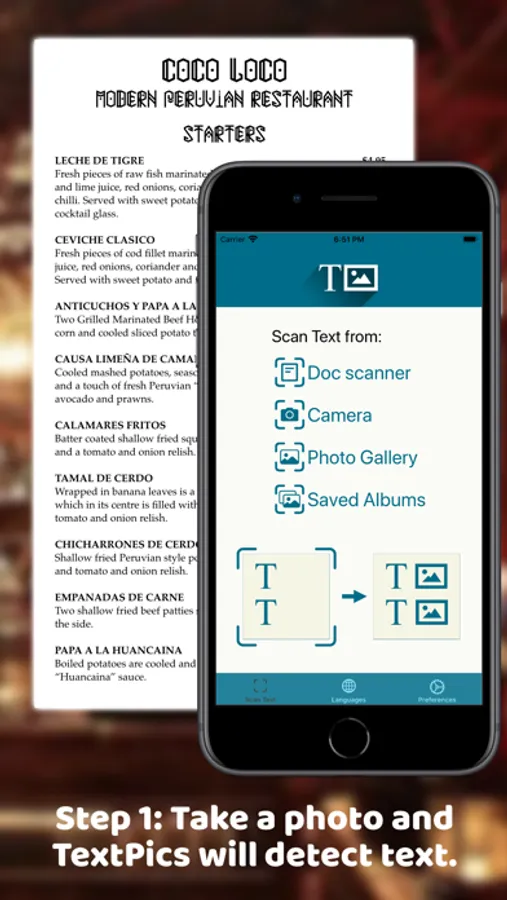
Step 1: Get your photo - you can use the document scanner, take a regular photo, or grab the photo from your photo library.
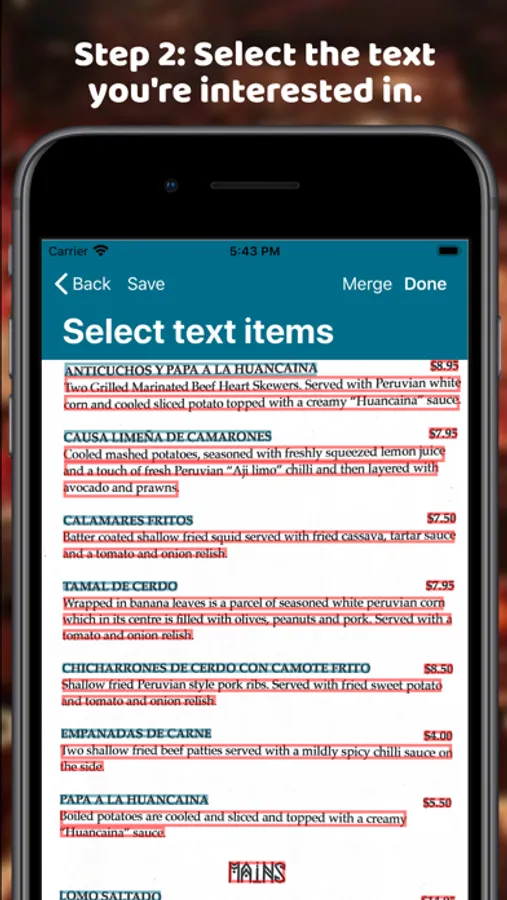
Step 2: After Text Pics automatically detects text, you can select which text you're interested in.
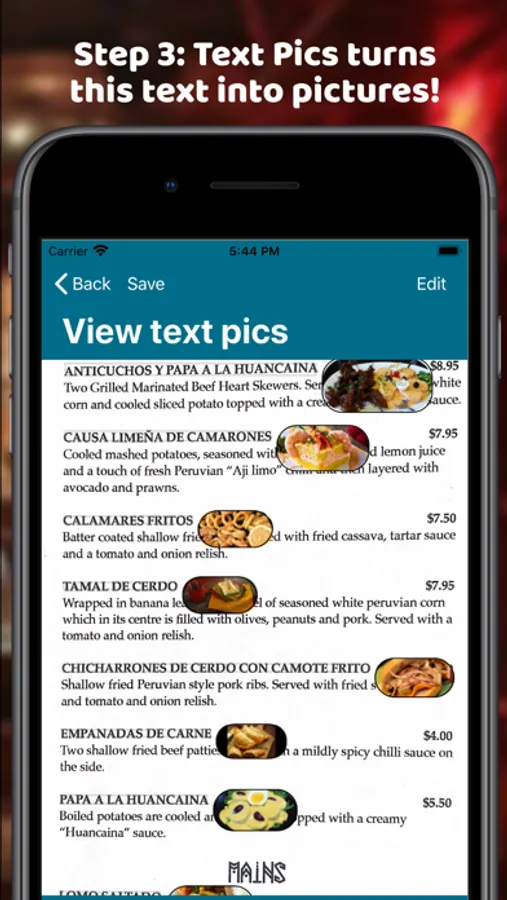
Step 3: After you tap 'Done', Text Pics will automatically display pictures for the text you've selected!
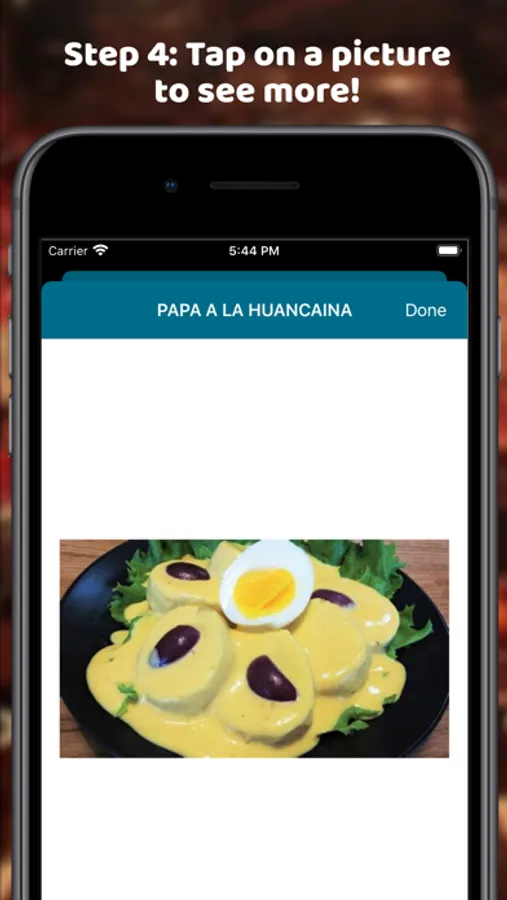
Step 4: Tap on a pic if you're interested to see more pics.
Where did the inspiration for Text Pics come from?
Have you ever sat down in a restaurant in a foreign country, and then realised the menu doesn't have any pictures and you have no idea what to order? Well, it happened to me once in China! Famished, I had no choice but to order at random. 10 minutes later I was presented with a massive bowl of bok choy. Not exactly what I was hoping for. (sigh!) If I had Text Pics, it would have been a piece of cake to understand the menu with pictures!
Text Pics is perfect for:
• Understanding restaurant menus in a foreign country!
• Making a shopping list easier to follow!
• Helping you to visualise a dry technical text.
• Lots more! Tell us what you're using Text Pics for!
How to use:
Step 1: Get your photo - you can use the document scanner, take a regular photo, or grab the photo from your photo library.
Step 2: After Text Pics automatically detects text, you can select which text you're interested in.
Step 3: After you tap 'Done', Text Pics will automatically display pictures for the text you've selected!
Step 4: Tap on a pic if you're interested to see more pics.
Where did the inspiration for Text Pics come from?
Have you ever sat down in a restaurant in a foreign country, and then realised the menu doesn't have any pictures and you have no idea what to order? Well, it happened to me once in China! Famished, I had no choice but to order at random. 10 minutes later I was presented with a massive bowl of bok choy. Not exactly what I was hoping for. (sigh!) If I had Text Pics, it would have been a piece of cake to understand the menu with pictures!
Text Pics! Screenshots
Tap to Rate: