In this music notation app, you can create and edit scores using touch controls and Apple Pencil tools. Includes features like a high-quality sound library and cross-device synchronization.
AppRecs review analysis
AppRecs rating 3.8. Trustworthiness 78 out of 100. Review manipulation risk 21 out of 100. Based on a review sample analyzed.
★★★☆☆
3.8
AppRecs Rating
Ratings breakdown
5 star
69%
4 star
10%
3 star
5%
2 star
4%
1 star
12%
What to know
✓
Low review manipulation risk
21% review manipulation risk
✓
Credible reviews
78% trustworthiness score from analyzed reviews
⚠
Pricing complaints
Many low ratings mention paywalls or pricing
About Sibelius
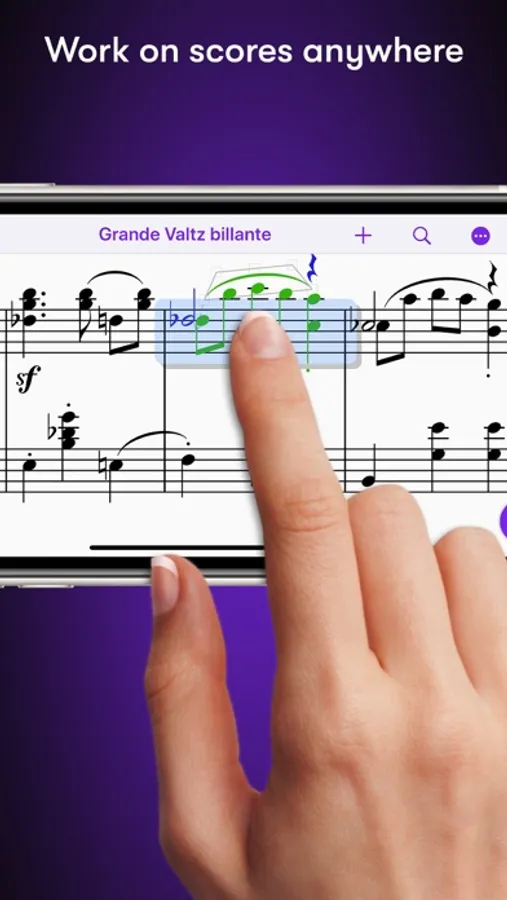
# Work on scores anywhere
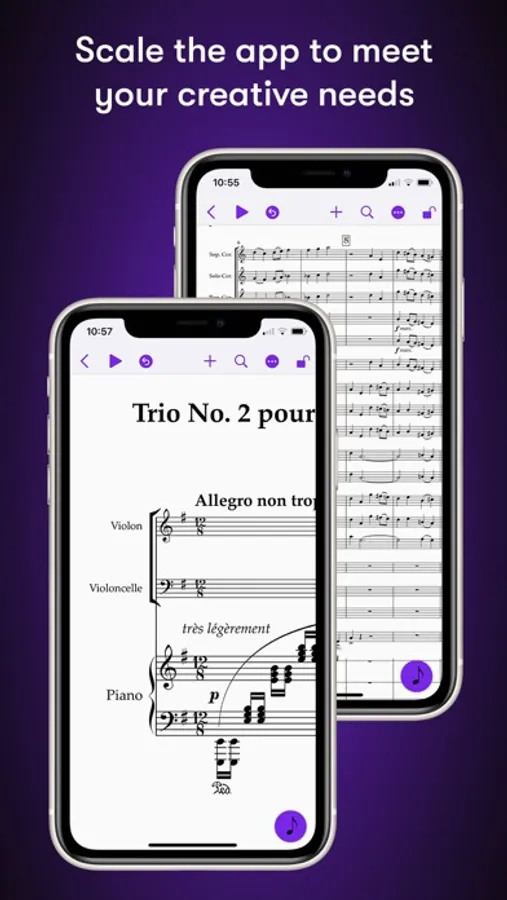
Sibelius for mobile puts the #1 selling music notation program at your fingertips—literally. Work with the same tools and features used by countless composers and production houses every day on your iPad and iPhone. Whether writing down ideas, creating full-blown compositions, or reviewing scores, you have the freedom to create wherever you’re comfortable.
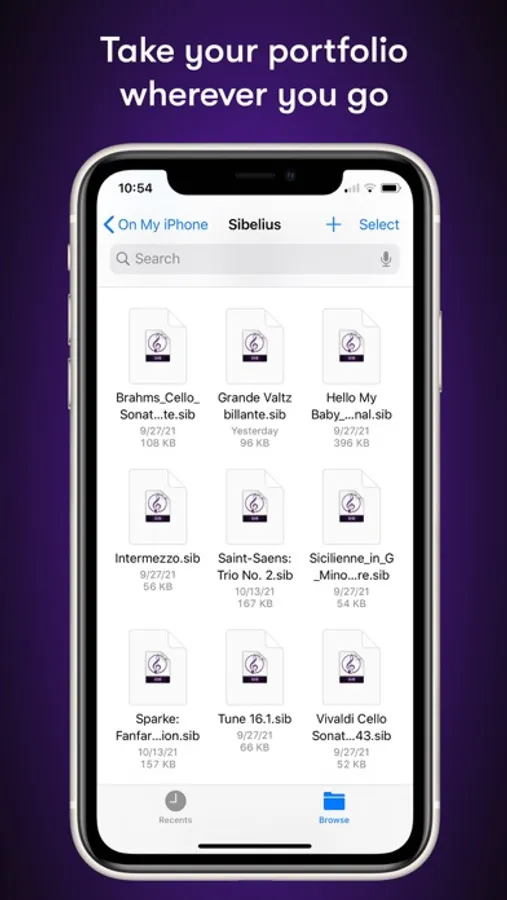
#Take your portfolio to go
Forget having to bring and break out your laptop when meeting with clients and collaborators. Instead, you can conveniently take the world’s most powerful notation toolset and your entire music portfolio with you wherever you go—ideal for those unexpected opportunities. And for tandemly working through last-minute revisions.
# Hear your music in stunning detail
Sibelius includes a high-quality sample library filled with a variety of musical instrumentation, so you can hear what your music will sound like when performed by real musicians. The Espressivo advanced notation interpretation even lets you adjust rhythm and swing to create a more humanistic feel.
# Speed your workflow
Sibelius for mobile is designed to take full advantage of Apple Pencil and iPad touch capabilities. Its elegant, streamlined interface provides the most intuitive and efficient workflows possible while supporting the same keyboard shortcuts you know and love from working on the desktop version, so you’ll feel right at home.
# Get innovative note entry
Experience the pen and paper workflow reimagined. Enter notes with the onscreen Keypad or a keyboard, and Sibelius takes care of all note layout. Touch a note and drag up or down to change its value, or drag left or right to add a flat or sharp. With an Apple Pencil, tap a note and tilt up or down to add a flat or sharp, or tilt left or right to choose the note value.
# Have everything you need
In addition to the Keypad, Sibelius for mobile features a Create menu that’s optimized for iOS, making it easy to add clefs, key signatures, time signatures, barlines, symbols, text styles, and more to your score from searchable galleries. You can also quickly search through all Sibelius commands using the Command Search, putting the entire app at your fingertips.
# Move tiers to meet needs
Sibelius is designed to grow with you to support your creative aspirations and project needs. From the introductory (and free) Sibelius First to the industry-standard Sibelius Ultimate, you can add more notation capabilities and instrument parts to take on more creative opportunities by simply upgrading your subscription tier.
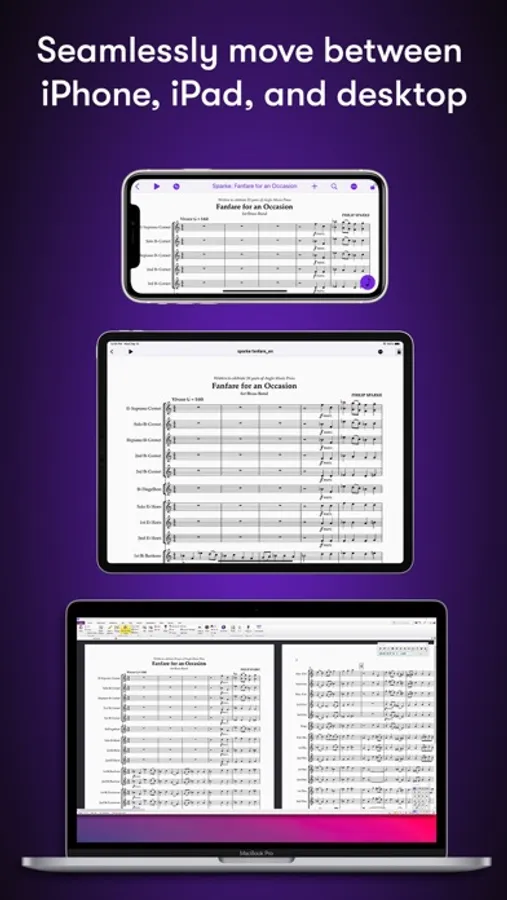
# Have everything on one creative platform
Seamlessly move from desktop to tablet and back without ever having to import or export files. That’s because whether on mobile or desktop, you’re always in Sibelius. With files saved to iCloud, Dropbox, Google Drive, or other iOS-supported cloud service, you have easy anywhere access to all your ideas and scores.
# Enable a hybrid workflow
While Sibelius for mobile is fully featured, providing many of the same tools as its desktop counterpart, there are some notation and layout features only available in the desktop version, making it an integral part of a complete workflow (compare versions). Plus, the mobile version comes free with the desktop version, enabling you to work where and how you want.
Sibelius Screenshots
Tap to Rate:
Reviews for Sibelius
ianburrito
Small suggestion:
As I have said before, this app is of good quality although they ask for a—perhaps more than adequate—amount of your money, it has many features for composers, editors and arrangers. But I have a little suggestion, and I think it would not be hard to add: Recently we got the option to add the system objects below the bottom staff. Well, could you add first and second time bars for the bottom staff, except they are flipped, to be shaped like this: |______ and ______| Sometimes these are seen in older editions (for example the orchestral scores from Breitkopf and Härtel’s Beethoven’s Werke) I think this would be cool and more aesthetically pleasing. Thanks! Another point, the ability to export to audio on mobile would be greatly appreciated, since the only way we have to get our composition’s audio is to send it to the computer and put it into a MIDI reader and that is a very laborious process. Additionally, in recent updates, they have improved the value of the Artist subscription by adding more staves. However, it would be nice to see more types of ornaments added to Artist.
bj00d
App frequently crashes, losing your work
It would be nice if I didn’t have to keep redoing things because it loses all my progress. Infuriatingly, there isn’t an option to report this bug in the app and would apparently need to pay $30 for a “single issue support code” to bring it to their attention. Life is precious, don’t waste your time on this app. If you do use it, save your work all the time like you’re paranoid.