AppRecs review analysis
AppRecs rating 2.5. Trustworthiness 83 out of 100. Review manipulation risk 27 out of 100. Based on a review sample analyzed.
★★☆☆☆
2.5
AppRecs Rating
Ratings breakdown
5 star
0%
4 star
40%
3 star
0%
2 star
20%
1 star
40%
What to know
✓
Low review manipulation risk
27% review manipulation risk
✓
Credible reviews
83% trustworthiness score from analyzed reviews
⚠
Mixed user feedback
Average 2.4★ rating suggests room for improvement
About Chord chart editor
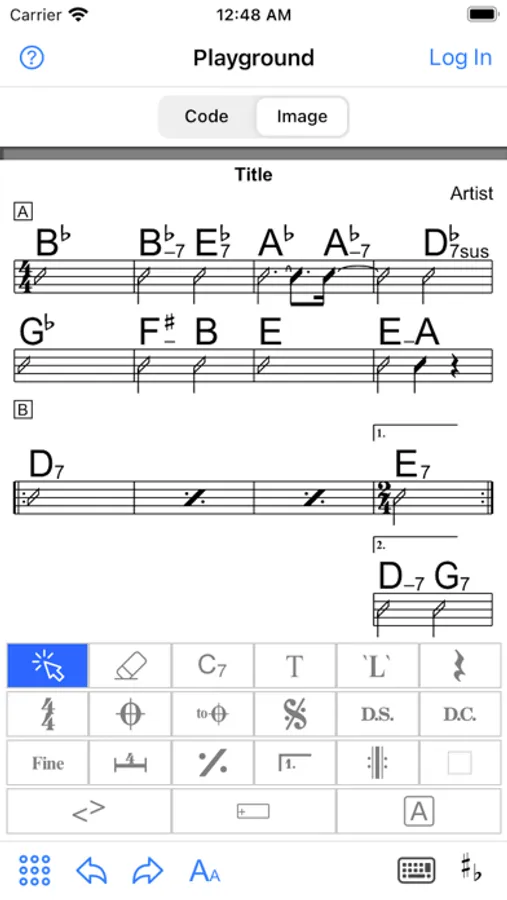
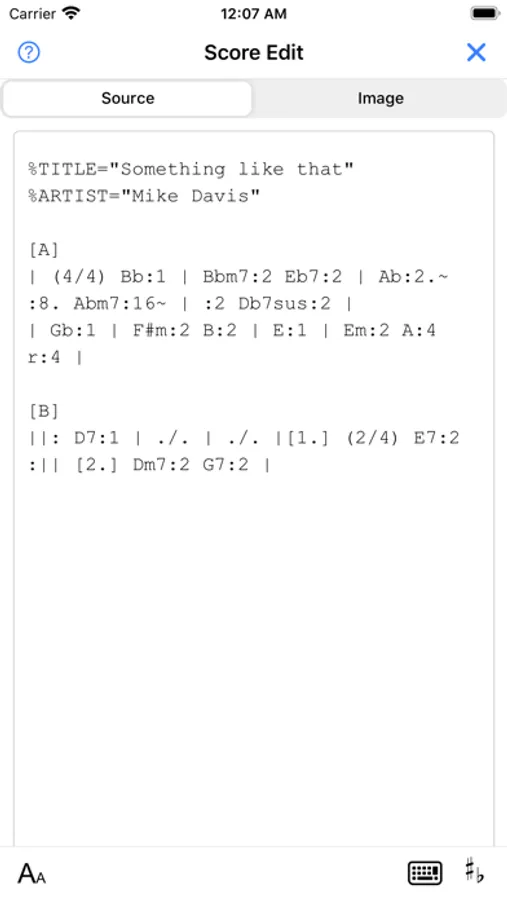
- You can create chord chart using the "fumen" markup language (https://hbjpn.github.io/fumen/) for chord chart or using GUI. The markup language of "fumen" is very intuitive and easy to write. You can write chord chart much faster than to write with GUI once you get used to the grammar.a
- Scores are saved in the cloud. You can edit and view from either mobile app or web browser clients. Login is needed to save your scores.
- Mobile application can be used even when the internet is offline or unstable. This is useful when you are in the place where internet connection is not available or poor such as live bar at the basement.
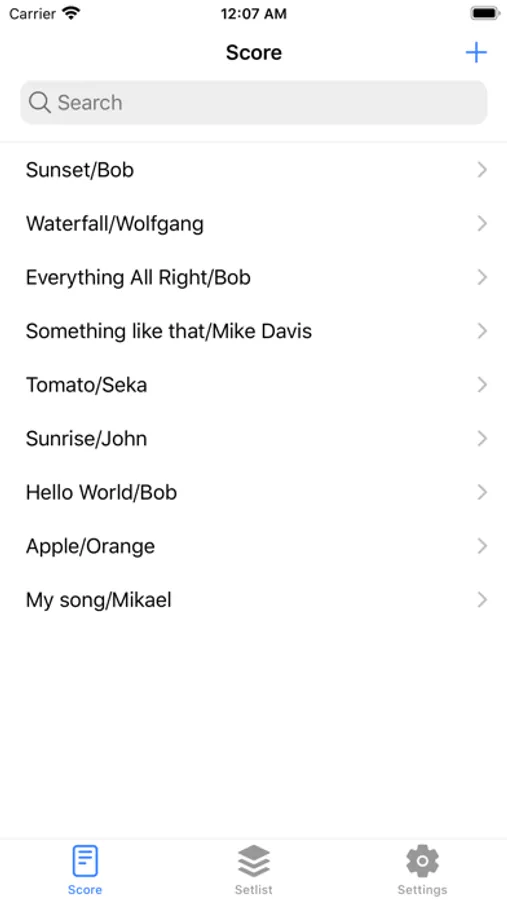
- Basic features like score, setlist searching, character size change, key transposing.
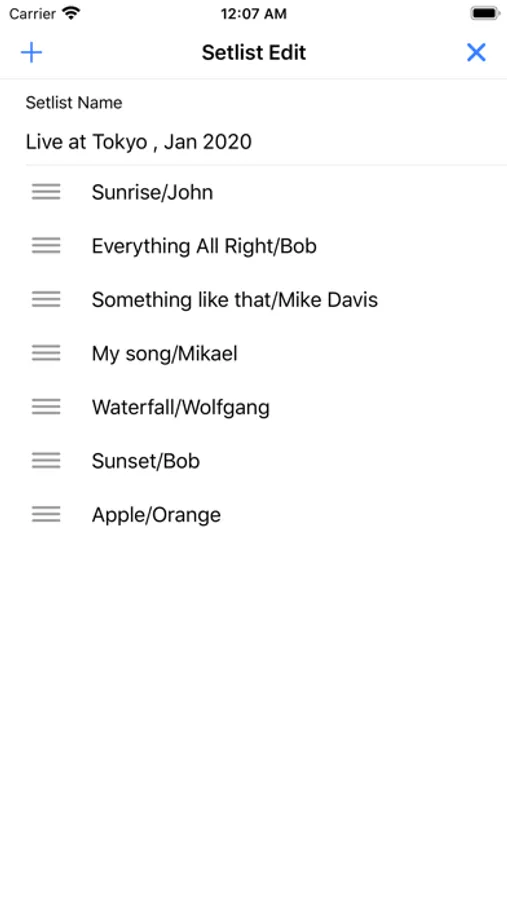
- Set of your scores can be grouped as setlist, which is useful for live performances.
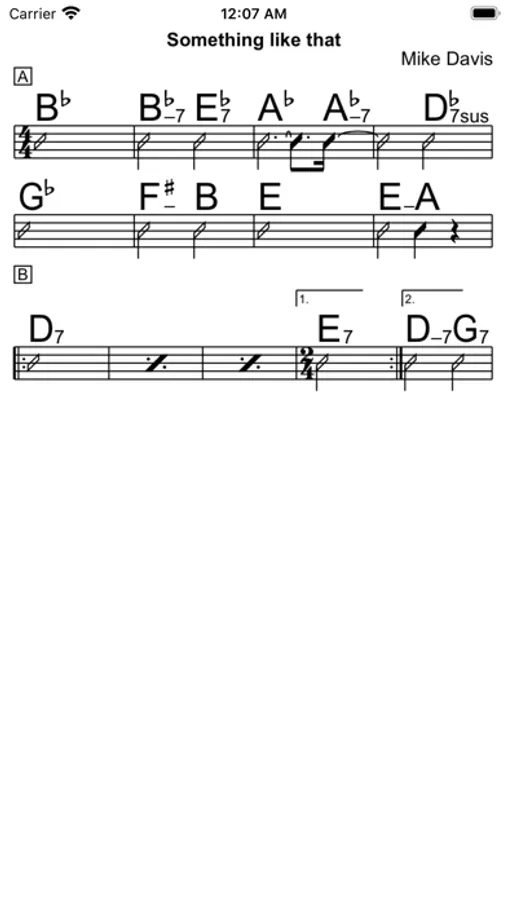
- Rendering is as per "fumen" rendering engine.
Chord chart editor Screenshots
Tap to Rate:
Reviews for Chord chart editor
benthebassist
Exactly what I've been looking for.
I love this app and use it constantly. You have to create an account to save your charts but it gives you the option to edit on multiple devices. I've tried to reach to the developers for a couple of questions but no response at all.
Joe 53202
Can’t export, print or save work, a complete waste of time
So, the interface is pretty well designed, but since there is no way to save your work (no save button, no cloud or other storage interface, no nothing) and no way to export of print your work, this app is a completely frustrating waste of time. Even any single chart you create will eventually disappear. The developer is no where to be found, so absolutely don’t waste your time with this complete loser of an app.