
AppRecs review analysis
AppRecs rating 3.1. Trustworthiness 86 out of 100. Review manipulation risk 24 out of 100. Based on a review sample analyzed.
★★★☆☆
3.1
AppRecs Rating
Ratings breakdown
5 star
38%
4 star
0%
3 star
25%
2 star
13%
1 star
25%
What to know
✓
Low review manipulation risk
24% review manipulation risk
✓
Credible reviews
86% trustworthiness score from analyzed reviews
About Rocket Recovery
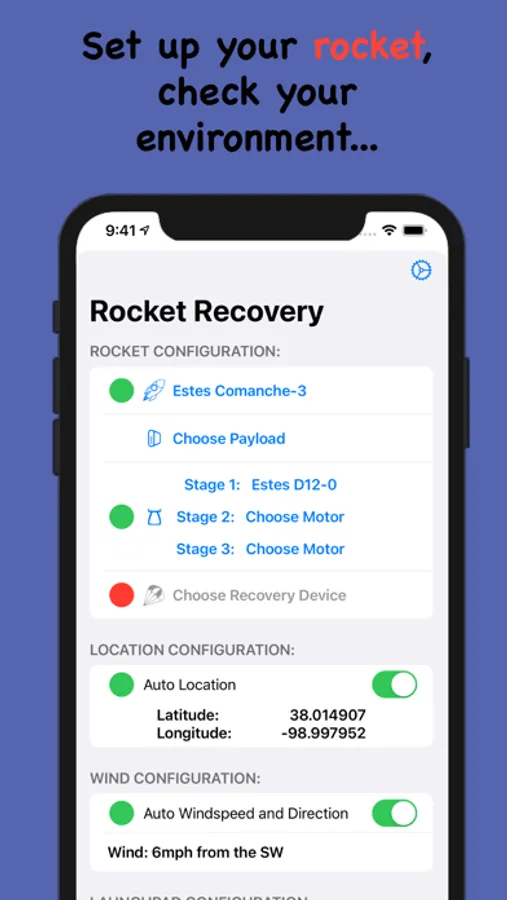
How high will my rocket go? Where did my rocket go? Do I have a big enough area to launch? Should I launch in these weather conditions? Which motor should I use? Which parachute? Should I use a streamer? These are all questions that Rocket Recovery helps answer.
Rocket Recovery is a rocket launch simulator that lets you choose your rocket, your motor, your recovery device, and see how high, how fast and how far your rocket will go. Learn whether your parachute will deploy while your rocket is still climbing. See how fast it will be moving when it leaves the launchpad.
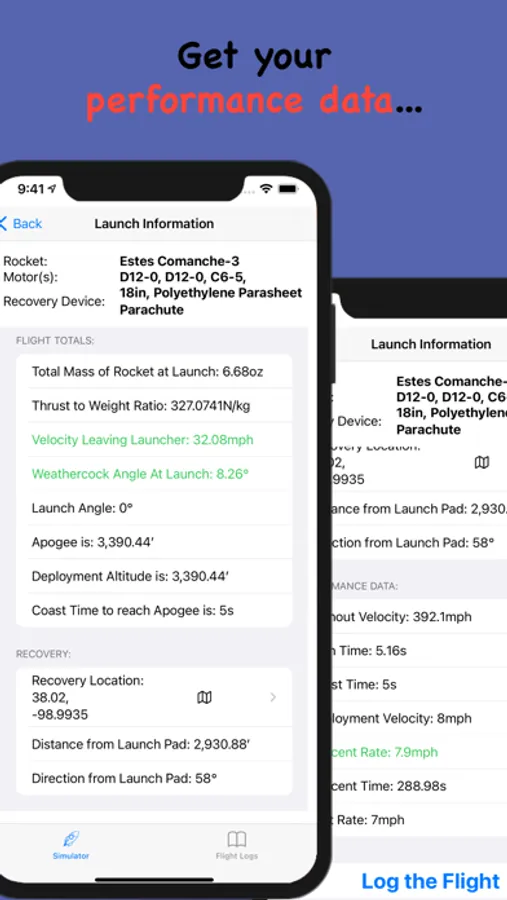
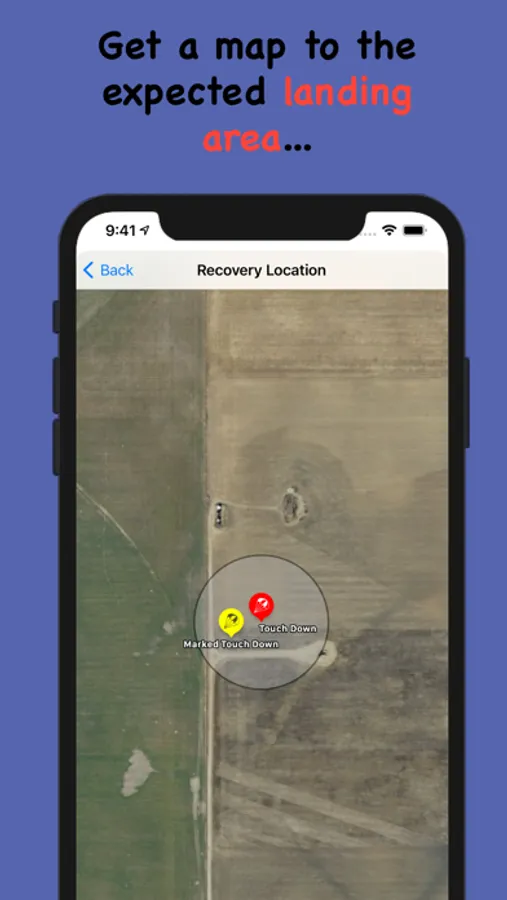
Performance. Rocket Recovery gives you data on the rocket's velocity at various times, the expected altitude, the altitude when the parachute, or other device, deploys, time of the flight, how far it goes, where it is expected to land on a map. Rocket Recovery also warns you if you are too slow off the guide rail or have too much weathercocking. Both of these are dangerous situations.
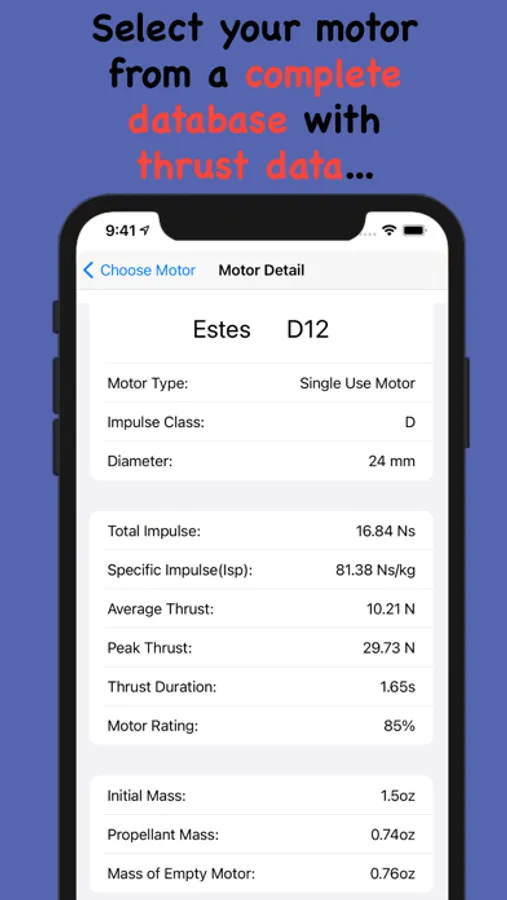
Rocket Recovery will sample the data 100 times per second to give you the best, most accurate flight simulation on an iPhone or iPad. This is important when you are using motors that burn for less than a second. Rocket Recovery has a full inventory of rocket motors with the tested thrust data built in to the app. This data allows Rocket Recovery to know how much thrust a motor is outputting in that brief moment. It can also determine how much the motor weighs, since the lighter the rocket, the more the thrust accelerates it. As new motors become available, they are added to the inventory. If you find a motor missing, just let us know. Rocket Recovery allows you to use motors up to a "C" impulse class. To use larger motors, you will need to subscribe to Rocket Recovery Pro.
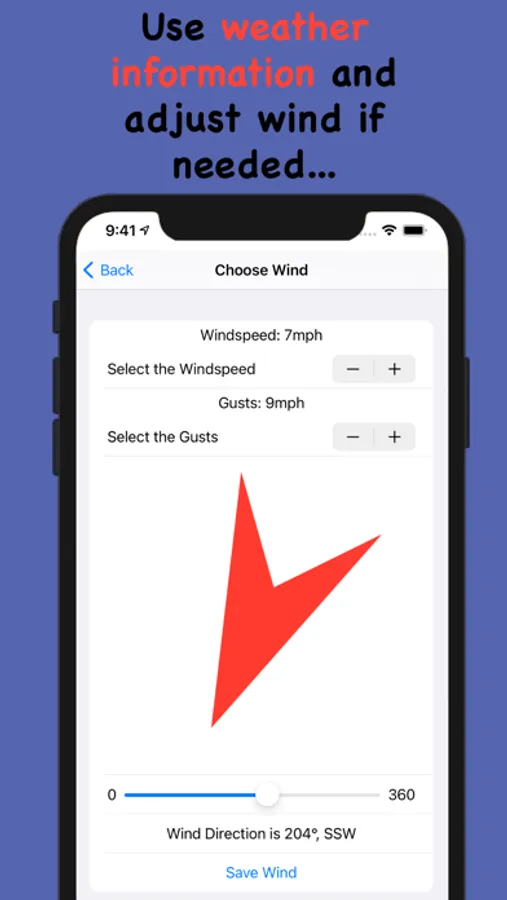
Using the current weather conditions, you will get the most accurate simulations possible. Wind speed and direction are simply not enough. To get it right, you need to know the temperature, humidity, air pressure, and dew point. All of this will affect your rocket's flight characteristics. Rocket Recovery fetches the weather data for you. You can also change the wind conditions simply and easily. If you are at a launch site with on location wind data, you can use that instead for even more accuracy.
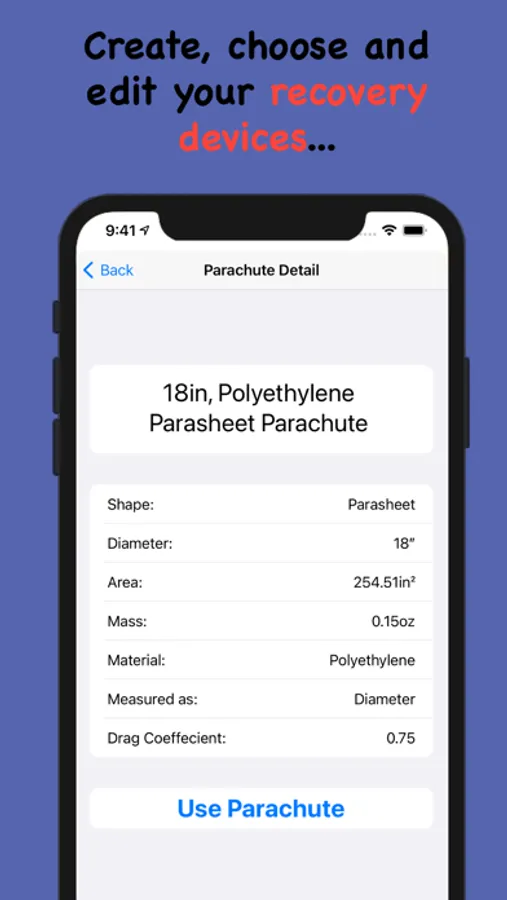
You can also have an inventory of different recovery devices from parachutes to streamers. You can also create your own in different shapes, sizes and materials. All of this affects the performance of the rocket and its recovery.
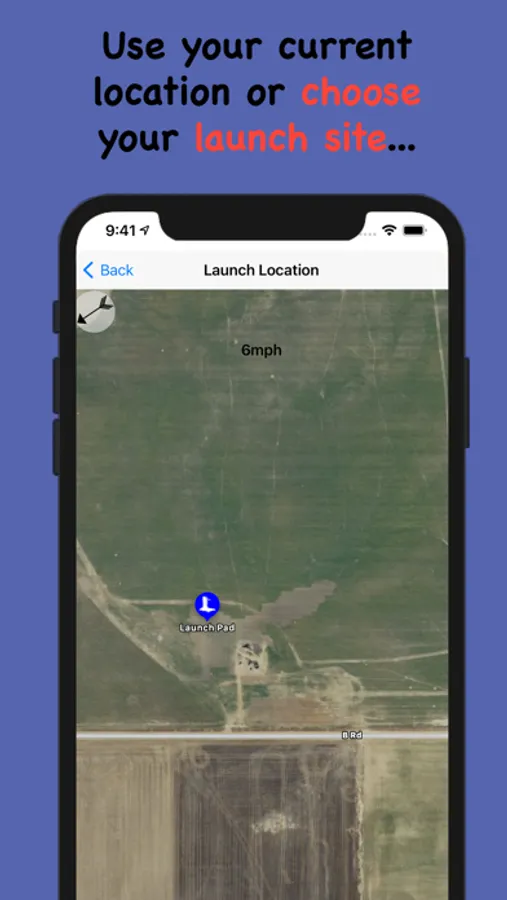
When it is time to launch, you can adjust the height of the guide rail as well as the angle of the launch pad, either into the wind or away from it. This helps determine the best launch metrics for the conditions.
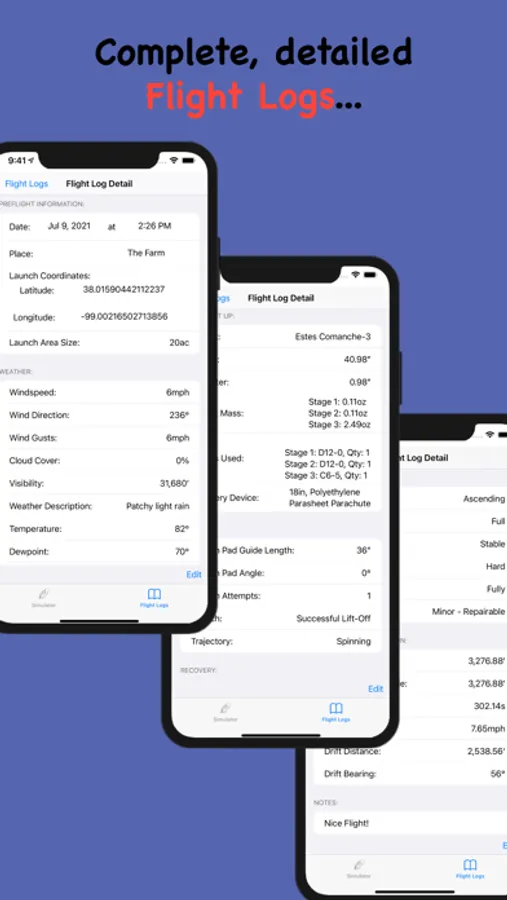
There is full logging built in that starts with the performance data, any of which can be edited, and creates a log that tracks the weather, the exact rocket setup, the launch pad setup, the flight, the recovery, the performance, and any notes you wish to keep. It is truly comprehensive.
Rocket Recovery Pro:
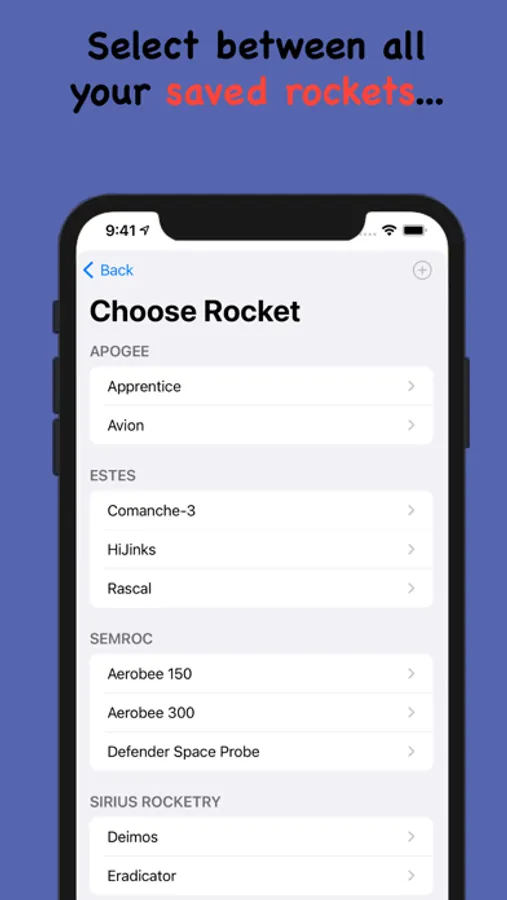
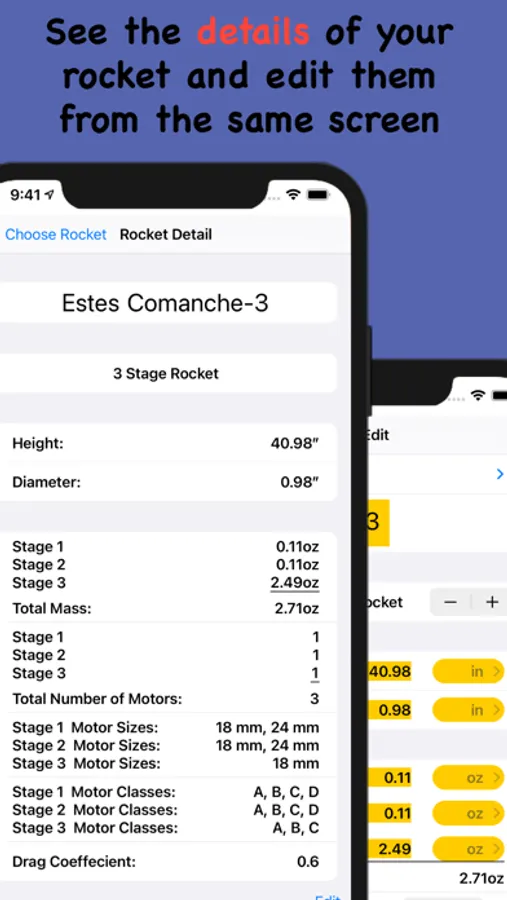
Rocket Recovery Pro, is an additional subscription that allows you to create an inventory of more than one rocket. Once you create a rocket, it is yours to keep in the app until you decide to delete it. Even if your subscription ends, your rockets remain. You won't be able to create more, but you won't lose any.
Rocket Recovery Pro is also required if you wish to create multistage rockets. Again, you will not lose the rocket if the subscription ends, but you cannot create more.
Lastly, Rocket Recovery Pro is required for you to use motors up to a “G” rating for your mid power launches.
Rocket Recovery is a rocket launch simulator that lets you choose your rocket, your motor, your recovery device, and see how high, how fast and how far your rocket will go. Learn whether your parachute will deploy while your rocket is still climbing. See how fast it will be moving when it leaves the launchpad.
Performance. Rocket Recovery gives you data on the rocket's velocity at various times, the expected altitude, the altitude when the parachute, or other device, deploys, time of the flight, how far it goes, where it is expected to land on a map. Rocket Recovery also warns you if you are too slow off the guide rail or have too much weathercocking. Both of these are dangerous situations.
Rocket Recovery will sample the data 100 times per second to give you the best, most accurate flight simulation on an iPhone or iPad. This is important when you are using motors that burn for less than a second. Rocket Recovery has a full inventory of rocket motors with the tested thrust data built in to the app. This data allows Rocket Recovery to know how much thrust a motor is outputting in that brief moment. It can also determine how much the motor weighs, since the lighter the rocket, the more the thrust accelerates it. As new motors become available, they are added to the inventory. If you find a motor missing, just let us know. Rocket Recovery allows you to use motors up to a "C" impulse class. To use larger motors, you will need to subscribe to Rocket Recovery Pro.
Using the current weather conditions, you will get the most accurate simulations possible. Wind speed and direction are simply not enough. To get it right, you need to know the temperature, humidity, air pressure, and dew point. All of this will affect your rocket's flight characteristics. Rocket Recovery fetches the weather data for you. You can also change the wind conditions simply and easily. If you are at a launch site with on location wind data, you can use that instead for even more accuracy.
You can also have an inventory of different recovery devices from parachutes to streamers. You can also create your own in different shapes, sizes and materials. All of this affects the performance of the rocket and its recovery.
When it is time to launch, you can adjust the height of the guide rail as well as the angle of the launch pad, either into the wind or away from it. This helps determine the best launch metrics for the conditions.
There is full logging built in that starts with the performance data, any of which can be edited, and creates a log that tracks the weather, the exact rocket setup, the launch pad setup, the flight, the recovery, the performance, and any notes you wish to keep. It is truly comprehensive.
Rocket Recovery Pro:
Rocket Recovery Pro, is an additional subscription that allows you to create an inventory of more than one rocket. Once you create a rocket, it is yours to keep in the app until you decide to delete it. Even if your subscription ends, your rockets remain. You won't be able to create more, but you won't lose any.
Rocket Recovery Pro is also required if you wish to create multistage rockets. Again, you will not lose the rocket if the subscription ends, but you cannot create more.
Lastly, Rocket Recovery Pro is required for you to use motors up to a “G” rating for your mid power launches.
Rocket Recovery Screenshots
Tap to Rate:
Reviews for Rocket Recovery
ScoobyDoo32547
Best Rocketry App
This is a great app for model rocketry. The free app works great it only allows to one rocket. After my first launch I had to buy the yearly subscription. Best money I’ve spent in a long time.
wolf2028
Up to date
It only shows the rascal and not anything else like the Epic 2. Also when I click launch the app just closes