AppRecs review analysis
AppRecs rating 4.3. Trustworthiness 65 out of 100. Review manipulation risk 30 out of 100. Based on a review sample analyzed.
★★★★☆
4.3
AppRecs Rating
Ratings breakdown
5 star
0%
4 star
100%
3 star
0%
2 star
0%
1 star
0%
What to know
✓
Low review manipulation risk
30% review manipulation risk
✓
High user satisfaction
100% of sampled ratings are 4+ stars (4.3★ average)
About Espresso Scale with Timer
3,508
Espresso Scale with Timer Screenshots
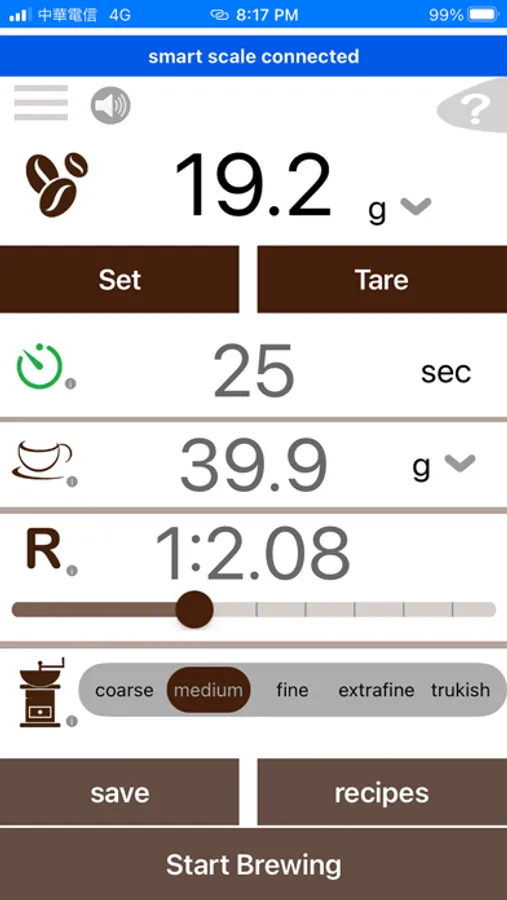
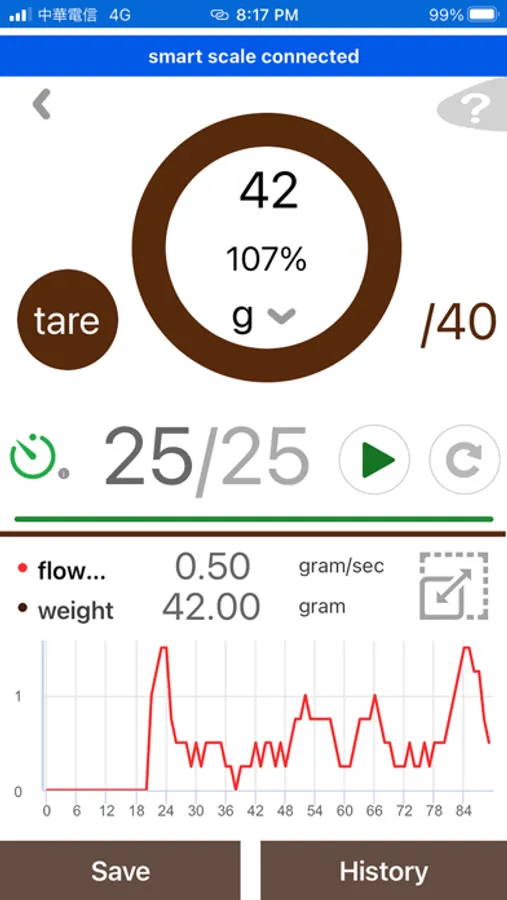
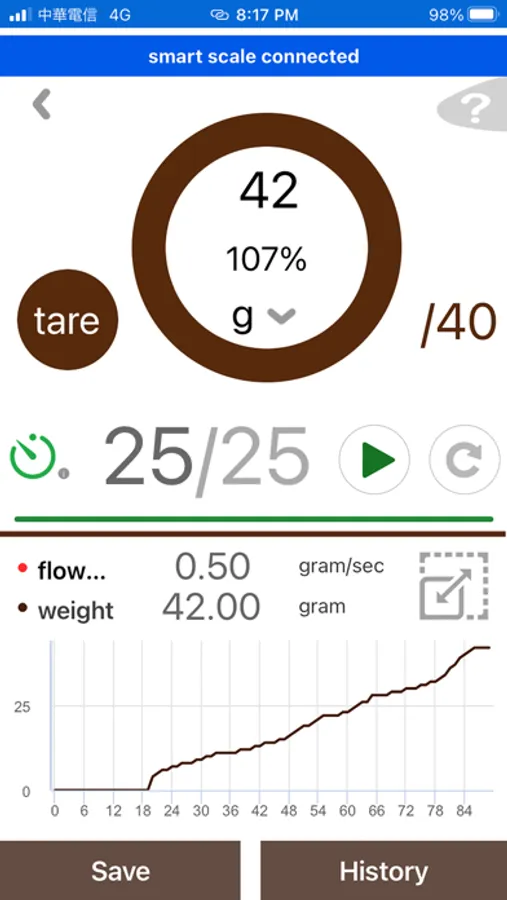
Tap to Rate:
Reviews for Espresso Scale with Timer
Aimz84wtf
App has potential
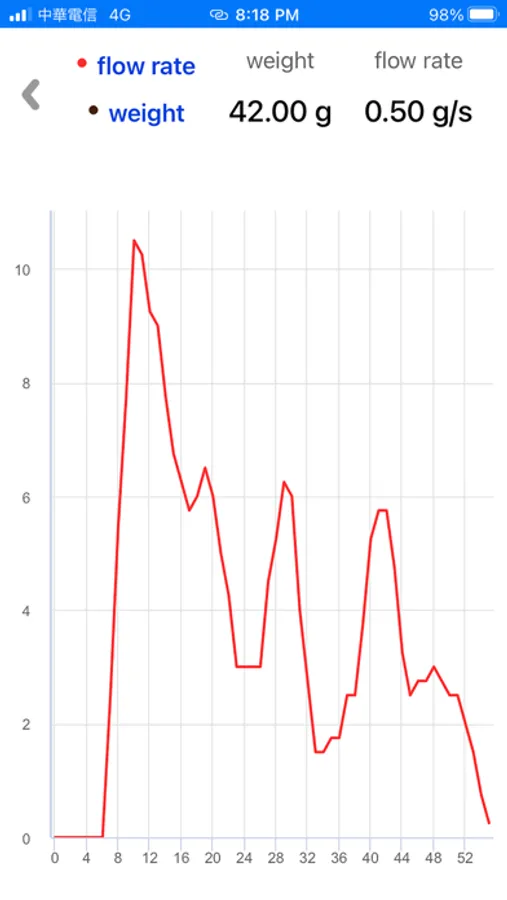
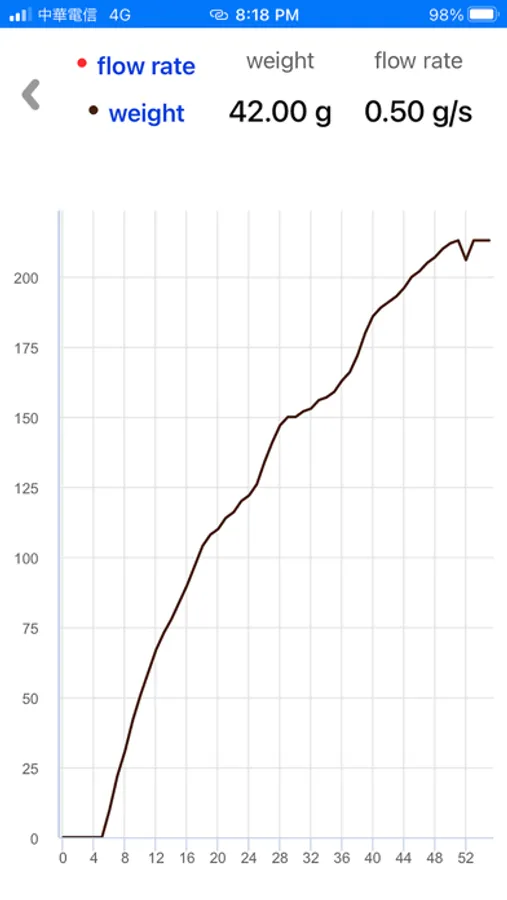
The app is useful to track my flow rate for my espresso shot. The ability to see the plot and compare against other shots can help in the pursuit of making that “god shot”. That being said the app has issues. I’ll list below from most annoying to least. 1. Why do we need to log in every time (which is a painfully slow and unreliable process)?? This is frustrating. Also, half the time I have to repeatedly try to log in before it works. Please remove the requirement to log in or have the app stay logged in. 2. The UI is frustrating as well since it doesn’t allow you to start the timer to log in the flow rate immediately after opening app. You have to go thru multiple steps before you can start to track. This really slows down my workflow and takes away the fun and ease of use for the app. 3. I don’t know where the saved data for the plots go. I hit save but have no idea where to retrieve the data so would be nice if this can be clarified. 4. The auto start is a little slow before it starts to track flow rate. It should start immediately after detecting any weight change on scale. 5. It would be nice if the timer doesn’t cut off at the set limit and continues to capture data. Or by default the end time can be kept high and the plot at the end can adjust based on where it’s stopped. Overall the app has a lot of potential! The app was the reason I bought this scale. IF YOU CAN MAKE THE APP BETTER, it will be a game changer for people who want to track this data without having to buy a really expensive Bluetooth coffee scale such as the acaia scale. Looking forward to the next update which can hopefully address some of the issues highlighted above.
john1010101010100
Could be great with a few fixes
This is a great value for the scale and app. The dev and support are really responsive. I imagine this app will continue to improve over time. That being said, there are still some problems (as of v1.11) 1. Output by weight seems to be integers only. 2. Range of x axis does on flow and weight charts do not line up with total brew time. It looks like there’s a 3 second running average used to calculate flow rate that results in the graph being 6 second shorter at the start and end of a brew. 3. There are typos in the app. Trukish should be Turkish in the grind fineness scale. 4. Saving a profile is undefeatured. You can’t recover the full trace and looking at the history is not available from the main screen Will update this review as the app updates. I gave it 3 stars with v1.0 and upgraded to 4 stars at v1.11