With this purchase order generator, you can create professional purchase orders by entering minimal information and customizing details. Includes features for tax calculation, currency support, and instant sharing or downloading of PDFs.
AppRecs review analysis
AppRecs rating 4.7. Trustworthiness 45 out of 100. Review manipulation risk 28 out of 100. Based on a review sample analyzed.
★★★★☆
4.7
AppRecs Rating
Ratings breakdown
5 star
83%
4 star
10%
3 star
3%
2 star
0%
1 star
3%
What to know
✓
Authentic reviews
No red flags detected
⚠
Rating authenticity concerns
High rating concentration (83% 5-star) in sampled ratings
About Purchase Order Generator Zoho
A purchase order is a B2B document issued by a buyer to a supplier to procure goods and services from them.
Zoho Inventory's simple purchase order generator app helps you create quick and professional purchase orders at any time from anywhere. Simply fill out the template and share the PDF with your supplier online, or save a copy of it on your device.
Why should you download this purchase order generator?
- Does not require a learning curve.
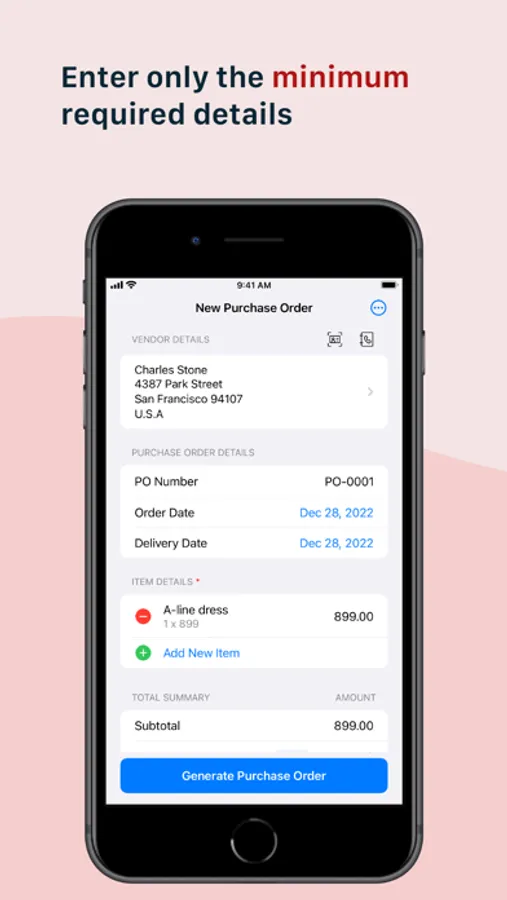
- Enter only the minimum information.
- Supports taxes, currency customization and multiple date formats.
- Accommodates product details such as product name, description, quantity and unit cost. The sub total and total amount gets calculated automatically.
- Provision to add notes and to specify terms and conditions.
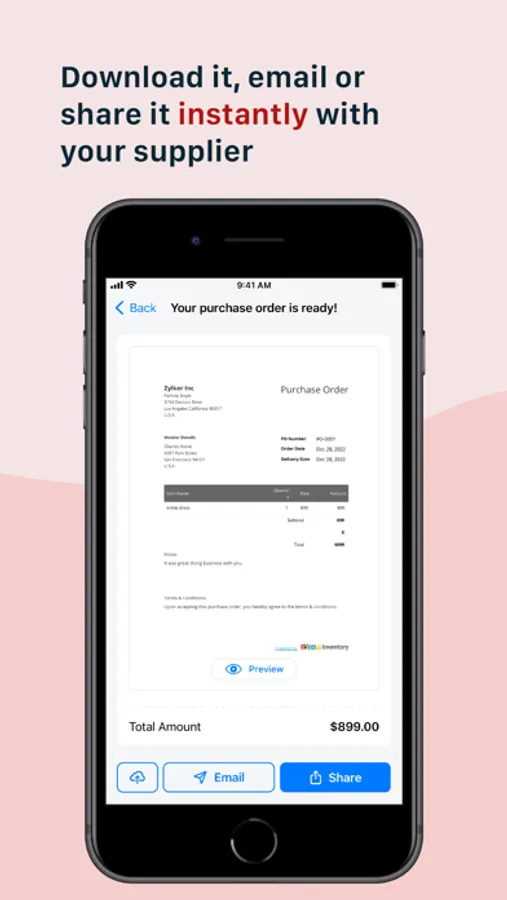
- Download or share the purchase order with your supplier instantly.
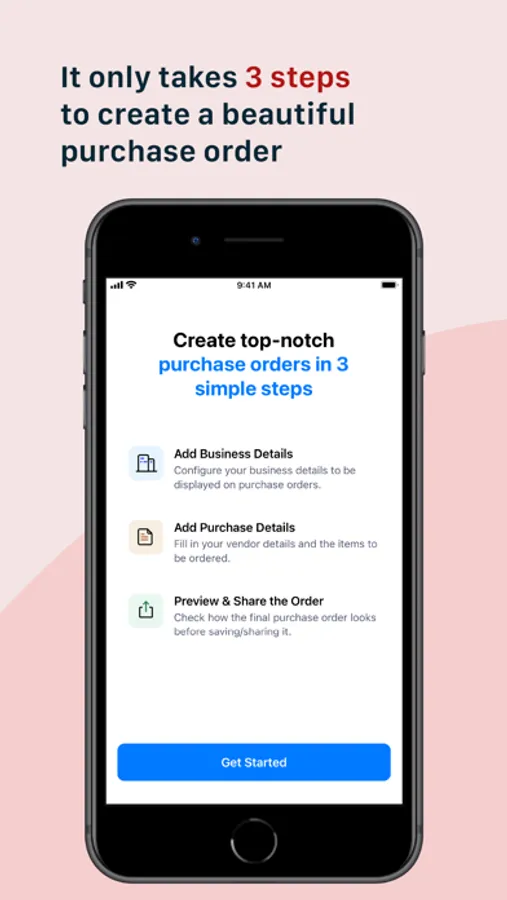
It only takes three steps to create a top-notch purchase order:
1. Enter your billing address
2. Add your vendor's address
3. Enter your purchase details
Download the app for free and try it now!
Zoho Inventory's simple purchase order generator app helps you create quick and professional purchase orders at any time from anywhere. Simply fill out the template and share the PDF with your supplier online, or save a copy of it on your device.
Why should you download this purchase order generator?
- Does not require a learning curve.
- Enter only the minimum information.
- Supports taxes, currency customization and multiple date formats.
- Accommodates product details such as product name, description, quantity and unit cost. The sub total and total amount gets calculated automatically.
- Provision to add notes and to specify terms and conditions.
- Download or share the purchase order with your supplier instantly.
It only takes three steps to create a top-notch purchase order:
1. Enter your billing address
2. Add your vendor's address
3. Enter your purchase details
Download the app for free and try it now!
Purchase Order Generator Zoho Screenshots
Tap to Rate:
Reviews for Purchase Order Generator Zoho
Terrytech39
Doesn’t work
Remove didn’t download it three times and it will not even open.