
With this reading app, you can browse, search, and continue reading novels easily. Includes features like a bookshelf, customizable reading settings, and personal account management.
AppRecs review analysis
AppRecs rating 4.8. Trustworthiness 59 out of 100. Review manipulation risk 31 out of 100. Based on a review sample analyzed.
★★★★☆
4.8
AppRecs Rating
Ratings breakdown
5 star
84%
4 star
10%
3 star
6%
2 star
1%
1 star
0%
What to know
✓
High user satisfaction
84% of sampled ratings are 5 stars
✓
Authentic reviews
Natural distribution, no red flags
About Her Story -- Dreame Story
Her Story is a reading software that provides high-quality novel content.
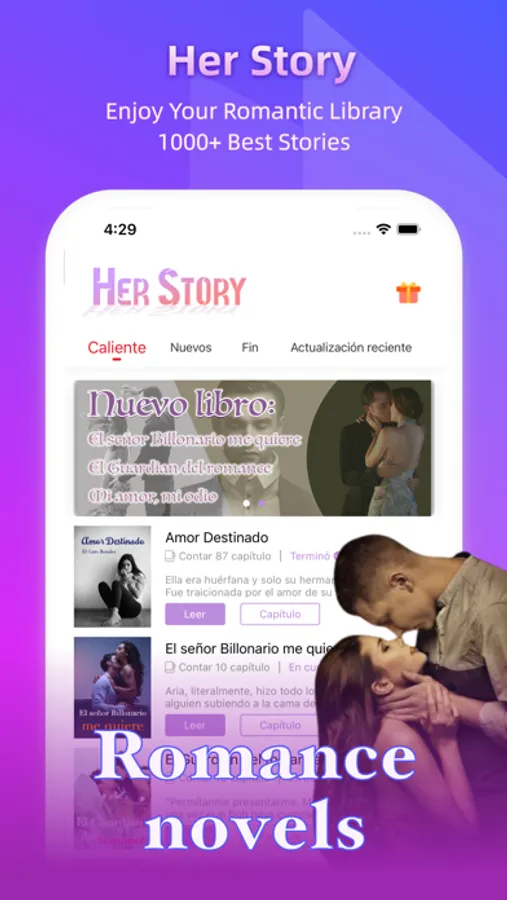
The APP provides interfaces such as square, bookshelf, search, and personal center. From these interfaces we can use different functions.
- Featured
The most exciting books will be displayed in the square. You can browse the contents of the square, choose your favorite books to read or learn more about the book details.
- Bookshelf
The bookshelf page will display your collection of books. Here, you can click on the book to quickly enter the reading interface of the current book. Moreover, the reader will automatically open the position where you exited from reading before, so that you can continue reading.
- Search
If you know the title or author of the book you want to read, searching on the search page is the fastest way for you to find a book. Here you can find the book you want to read by searching for the book name or author name.
- Mine
Your reading records, APP settings and other information are displayed in the personal center interface, where you can clearly understand your account status, messages, records, etc.
- Reader
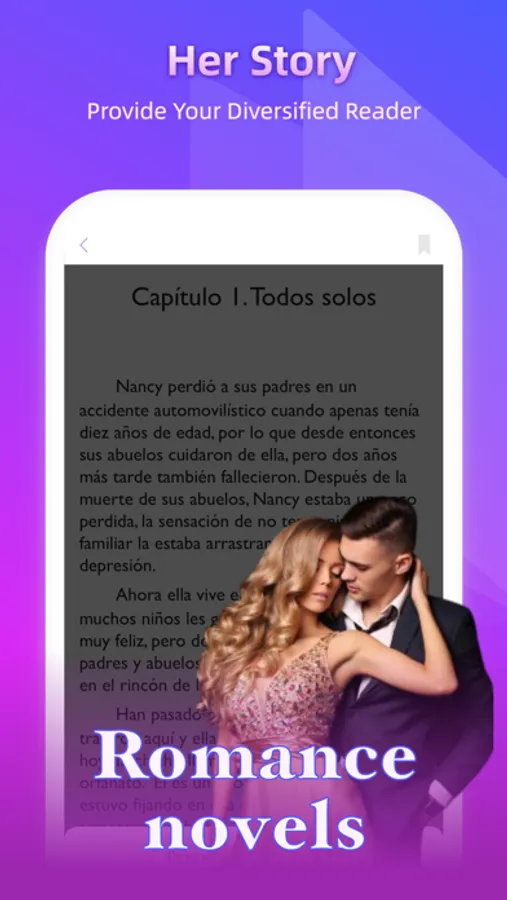
When you enter the reading interface, you can click the center of the interface to call out the menu bar. Through the menu bar, you can freely switch chapters, adjust the font size, background, content switching method, book unlocking, etc. settings.
Finally, if you have any other questions, you can give us feedback on the personal center page, or let us know by email.
The APP provides interfaces such as square, bookshelf, search, and personal center. From these interfaces we can use different functions.
- Featured
The most exciting books will be displayed in the square. You can browse the contents of the square, choose your favorite books to read or learn more about the book details.
- Bookshelf
The bookshelf page will display your collection of books. Here, you can click on the book to quickly enter the reading interface of the current book. Moreover, the reader will automatically open the position where you exited from reading before, so that you can continue reading.
- Search
If you know the title or author of the book you want to read, searching on the search page is the fastest way for you to find a book. Here you can find the book you want to read by searching for the book name or author name.
- Mine
Your reading records, APP settings and other information are displayed in the personal center interface, where you can clearly understand your account status, messages, records, etc.
- Reader
When you enter the reading interface, you can click the center of the interface to call out the menu bar. Through the menu bar, you can freely switch chapters, adjust the font size, background, content switching method, book unlocking, etc. settings.
Finally, if you have any other questions, you can give us feedback on the personal center page, or let us know by email.
Her Story -- Dreame Story Screenshots

Tap to Rate:
Reviews for Her Story -- Dreame Story
Molly7812
Ughhh
Love the stories but wasn’t up her for a while due to circumstances I lost all my coins and books had to start all over again buying books that I already had that I didn’t finish reading but other then that I was satisfied
Taz8705
Taz
Luv reading books online and this is a new one that I’m trying. Would rather read on an app than buy