
AppRecs review analysis
AppRecs rating 4.8. Trustworthiness 71 out of 100. Review manipulation risk 32 out of 100. Based on a review sample analyzed.
★★★★☆
4.8
AppRecs Rating
Ratings breakdown
5 star
83%
4 star
17%
3 star
0%
2 star
0%
1 star
0%
What to know
✓
Credible reviews
71% trustworthiness score from analyzed reviews
✓
High user satisfaction
83% of sampled ratings are 5 stars
About Quick Unit Price Comparison
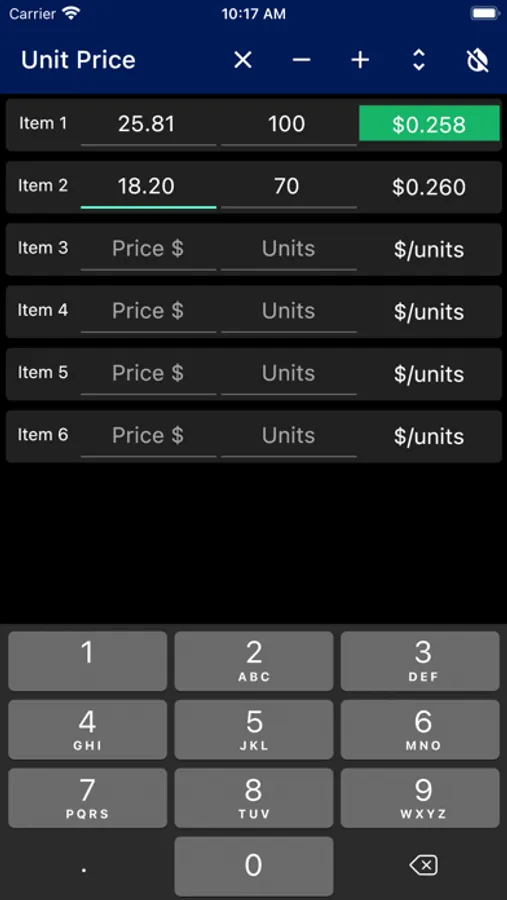
This app is fast because it's dead simple: just type two numbers and you're done. To use the app, just enter the price of the item and the number of units (oz, lbs, number in package, etc). It will calculate the unit price and highlight the best price as soon as the numbers are entered. There are fields for the quantity, name of each item and the name of each item's units, but they're optional.
You can use the Quantity to compare buying multiple packages - if you are buying 2 24 oz packages, you can either enter '48' in the Units field or '24 'in the Units field and '2' in the Quantity field.
There isn't currently a way to export the data, but if you want to save the comparison for later you can just take a screenshot.
This app has no ads, requires no permissions, and collects no data.
Quick Unit Price Comparison Screenshots
Tap to Rate:
Reviews for Quick Unit Price Comparison
Pryn625
Better than many others
I like that the app provides more decimal places than several others and I like that you can compare more than 2 items st a time. Also your data is stored so you can leave the app and come back to the comparison later. Another feature I like is the expand option for more item attributes. 1 more star for no ads and no data collection👍. Enhancements to make it 5-star: (1) Provide a way to hide/close the keyboard. The keyboard is not displayed when the app opens but when you click into a field it is displayed and I could not hide it. (2) Provide a way to copy and share the comparison.
Beta Test 1
Simple and Quick
Unit Price Conversion is a quick and easy to use app that will help you save money. Just enter the cost for each item you are considering along with the quantity and the app will let you see the comparison.