
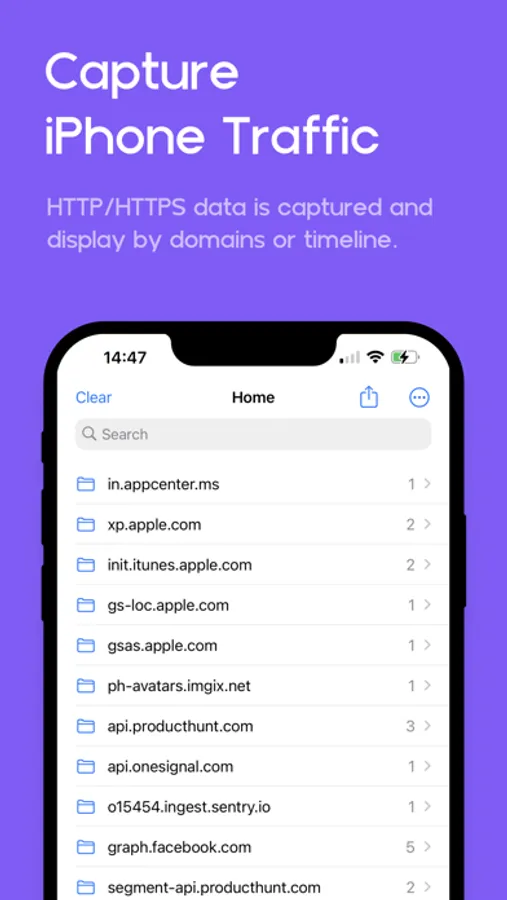
In this web debugging proxy app, you can capture and inspect HTTPS traffic directly from your iOS or iPad devices using a local VPN and decrypt request and response data. Includes features like JSON highlighting, traffic filtering, and secure data protection with FaceID or TouchID.
AppRecs review analysis
AppRecs rating 4.5. Trustworthiness 69 out of 100. Review manipulation risk 28 out of 100. Based on a review sample analyzed.
★★★★☆
4.5
AppRecs Rating
Ratings breakdown
5 star
91%
4 star
4%
3 star
2%
2 star
0%
1 star
3%
What to know
✓
Low review manipulation risk
28% review manipulation risk
✓
High user satisfaction
91% of sampled ratings are 5 stars
About Proxyman - Capture HTTPS
Meet a superb Web Debugging Proxy that can act like a middle-man, aka Proxyman.
### Features
- Directly Capture & Inspect HTTP/HTTPS from your iOS/iPad Devices without using MacBooks.
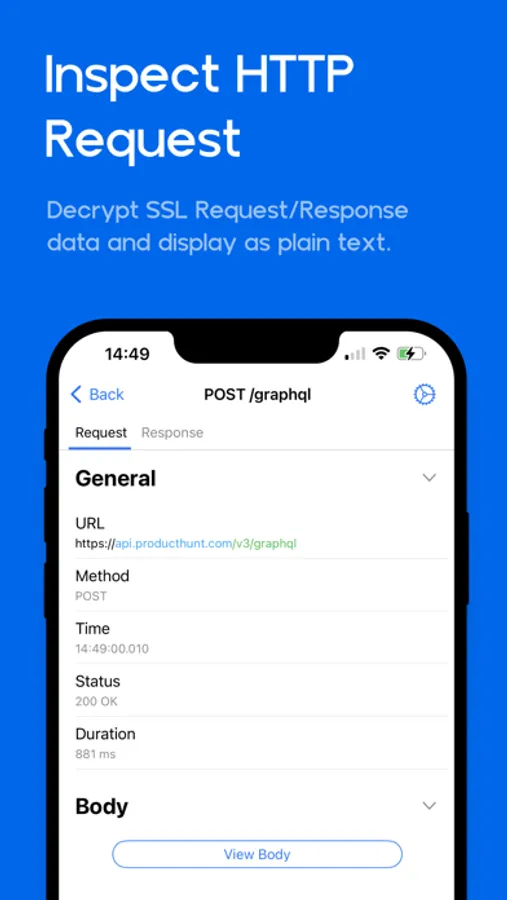
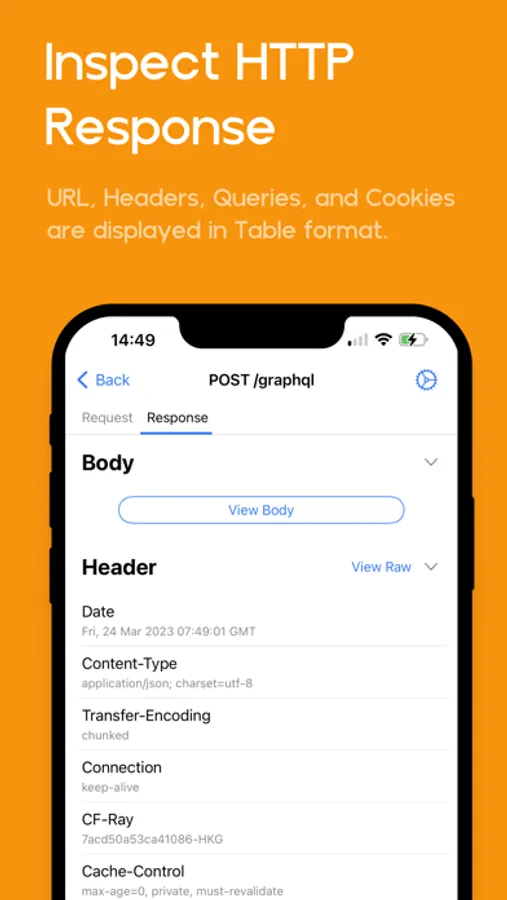
- Decrypt and View HTTP/HTTPS Request/Response in plain text
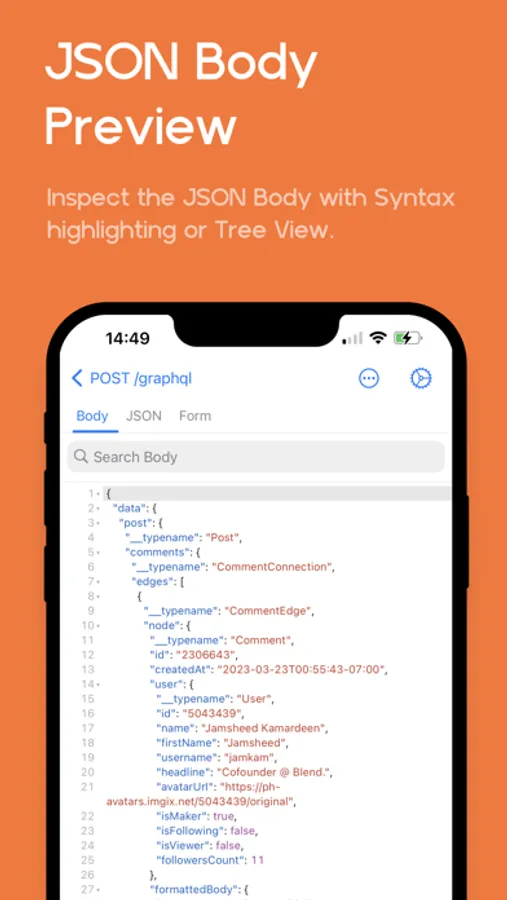
- JSON Syntax Highlighting
- Exclusively designed for iPhone and iPad (Landscape and Two Columns)
- Share traffic to Proxyman macOS - a native macOS app for better inspection
- Pin working domains
- Quick filter with URL, Header Body, and Type of Request/Response (e.g., JSON, Form, HTML, CSS, Document, etc)
- Better Request/Response Previewer: Multiple columns, JSON Preview, JSON TreeView, etc
- Safe Lock: Protect your sensitive data with FaceID / TouchID / Passcode
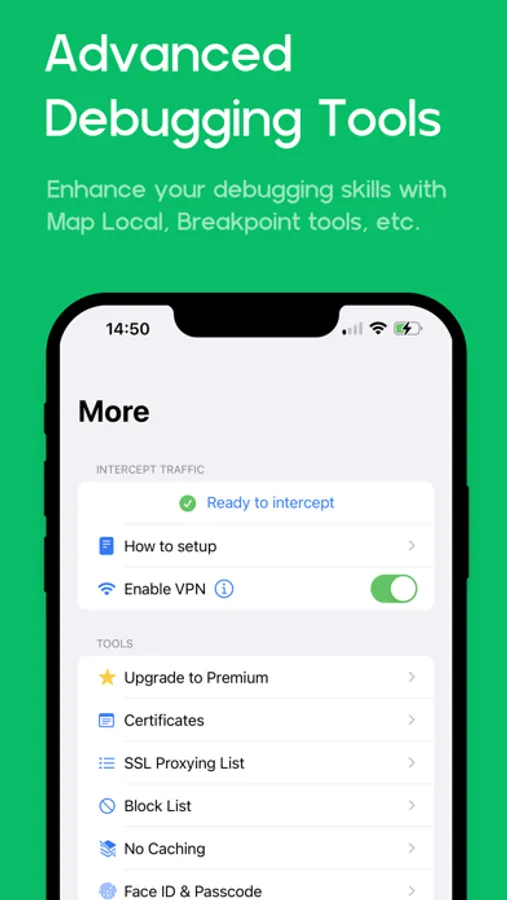
- Advanced Debugging Tools: SSL Proxying, Block List, Map Local, Breakpoint, etc
### Proxyman macOS
Proxyman for iOS works perfectly with Proxyman for macOS (native macOS app, supports macOS 26 and M4 Chip)
### How it works
Proxyman iOS creates a local VPN on your device and then forwards all traffic to a Local Man-in-The-Middle Server. As long as the VPN is active, Proxyman iOS can capture all traffic over Wi-Fi and cellular Data.
### How about my sensitive data?
- Proxyman Root Certificate is a self-signed certificate that is generated on your local machine. Thus, all requests and responses are captured and stored on your devices and Proxyman does not have access to your data.
- There are no remote servers involved. What’s in your devices, it’s in your devices.
*************
- Support: https://proxyman.com/support
- Privacy Policy: https://proxyman.com/privacy
- Terms of Services: https://proxyman.com/terms-of-use
### Features
- Directly Capture & Inspect HTTP/HTTPS from your iOS/iPad Devices without using MacBooks.
- Decrypt and View HTTP/HTTPS Request/Response in plain text
- JSON Syntax Highlighting
- Exclusively designed for iPhone and iPad (Landscape and Two Columns)
- Share traffic to Proxyman macOS - a native macOS app for better inspection
- Pin working domains
- Quick filter with URL, Header Body, and Type of Request/Response (e.g., JSON, Form, HTML, CSS, Document, etc)
- Better Request/Response Previewer: Multiple columns, JSON Preview, JSON TreeView, etc
- Safe Lock: Protect your sensitive data with FaceID / TouchID / Passcode
- Advanced Debugging Tools: SSL Proxying, Block List, Map Local, Breakpoint, etc
### Proxyman macOS
Proxyman for iOS works perfectly with Proxyman for macOS (native macOS app, supports macOS 26 and M4 Chip)
### How it works
Proxyman iOS creates a local VPN on your device and then forwards all traffic to a Local Man-in-The-Middle Server. As long as the VPN is active, Proxyman iOS can capture all traffic over Wi-Fi and cellular Data.
### How about my sensitive data?
- Proxyman Root Certificate is a self-signed certificate that is generated on your local machine. Thus, all requests and responses are captured and stored on your devices and Proxyman does not have access to your data.
- There are no remote servers involved. What’s in your devices, it’s in your devices.
*************
- Support: https://proxyman.com/support
- Privacy Policy: https://proxyman.com/privacy
- Terms of Services: https://proxyman.com/terms-of-use
Proxyman - Capture HTTPS Screenshots
Tap to Rate:
Reviews for Proxyman - Capture HTTPS
Spankyamum
Lovett
I use this all the time
JTJTW0
Very nice
4stars only because of the cost.. It would be nice to see some sort of Live Activities functionality or even an implementation of BG task Complete API.