About WiOO
WiOO is a free app for managing your Apple HomeKit-compatible WiOO devices.
Requirements:
• 1 (one) WiOO Master Switch is required for every 11 WiOO Switches
• Internet access
• iPhone/iPad with the latest version of iOS
• (OPTIONAL) AppleTV (4th generation or later), iPad, HomePod, or HomePod mini, set up as a home hub for away-from-home and automation control
After installing the WiOO devices in your home, the app will recognize the first WiOO Master Switch and prompt you to pair it with the Apple Home app via the HomeKit code. Once the first WiOO Master Switch is paired, you can add up to 11 WiOO Switches. You can then install and pair additional WiOO Master Switches, each capable of controlling 11 more WiOO Switches, allowing for an extensive and scalable network.
For the initial configuration (preferably done with the professional who installed the WiOO devices), the app's Wizard function guides you step-by-step through setting up the entire electrical system.
The app's three menus allow you to:
Device: Control all devices in the house, organized by room, and view settings for each device, including the three keys and associated Mood.
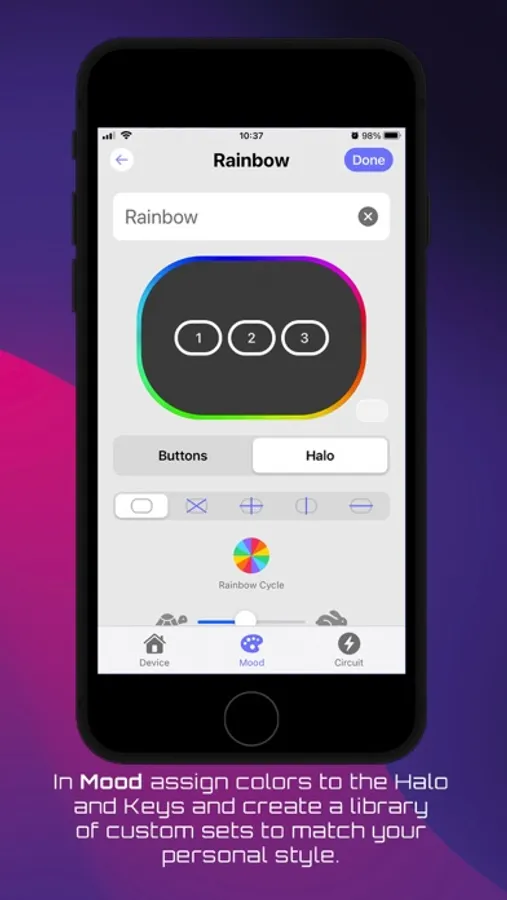
Mood: Create your own Mood library—a set of colors for the buttons and the Halo that can be customized to match your home's style or used with HomeKit Scenes for different occasions (Movie night, Dinner with friends, etc.) or times of day (Good morning, Good night, All out, etc.).
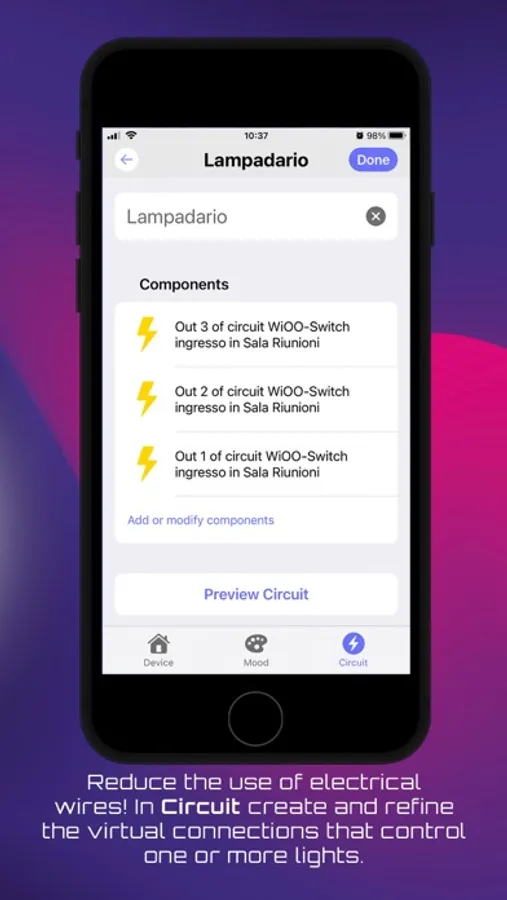
Circuit: List all the lights in the house, organized by room, and modify the previously created virtual system at any time.
Requirements:
• 1 (one) WiOO Master Switch is required for every 11 WiOO Switches
• Internet access
• iPhone/iPad with the latest version of iOS
• (OPTIONAL) AppleTV (4th generation or later), iPad, HomePod, or HomePod mini, set up as a home hub for away-from-home and automation control
After installing the WiOO devices in your home, the app will recognize the first WiOO Master Switch and prompt you to pair it with the Apple Home app via the HomeKit code. Once the first WiOO Master Switch is paired, you can add up to 11 WiOO Switches. You can then install and pair additional WiOO Master Switches, each capable of controlling 11 more WiOO Switches, allowing for an extensive and scalable network.
For the initial configuration (preferably done with the professional who installed the WiOO devices), the app's Wizard function guides you step-by-step through setting up the entire electrical system.
The app's three menus allow you to:
Device: Control all devices in the house, organized by room, and view settings for each device, including the three keys and associated Mood.
Mood: Create your own Mood library—a set of colors for the buttons and the Halo that can be customized to match your home's style or used with HomeKit Scenes for different occasions (Movie night, Dinner with friends, etc.) or times of day (Good morning, Good night, All out, etc.).
Circuit: List all the lights in the house, organized by room, and modify the previously created virtual system at any time.
WiOO Screenshots
Tap to Rate: