
In this privacy vault app, you can hide and view photos, videos, and files securely. Includes password setup, cloud backup, and intruder detection features.
AppRecs review analysis
AppRecs rating 4.6. Trustworthiness 75 out of 100. Review manipulation risk 33 out of 100. Based on a review sample analyzed.
★★★★☆
4.6
AppRecs Rating
Ratings breakdown
5 star
82%
4 star
7%
3 star
3%
2 star
2%
1 star
6%
What to know
✓
Credible reviews
75% trustworthiness score from analyzed reviews
✓
High user satisfaction
82% of sampled ratings are 5 stars
✓
Authentic reviews
No red flags detected
About C Vault : Privacy Vault
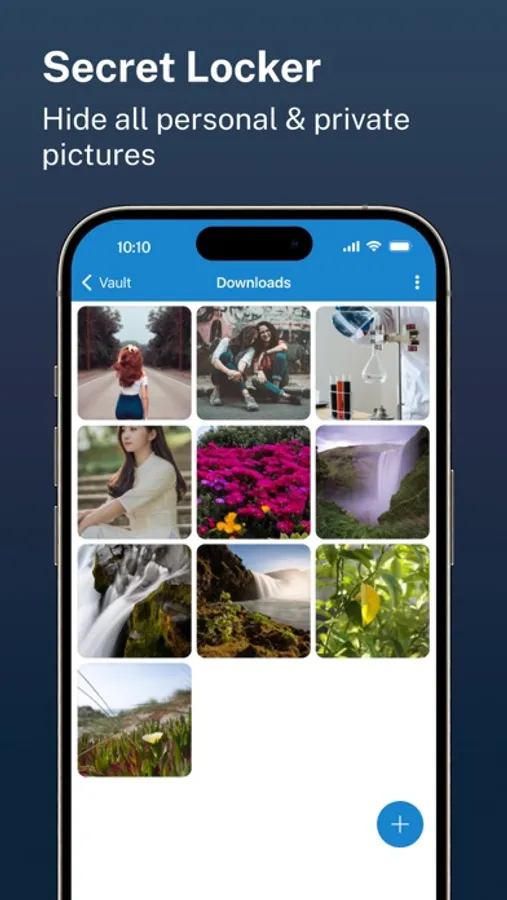
C Vault is photo locker & video locker app with great privacy protection to easily hide photos, hide videos & files.
Top Features:
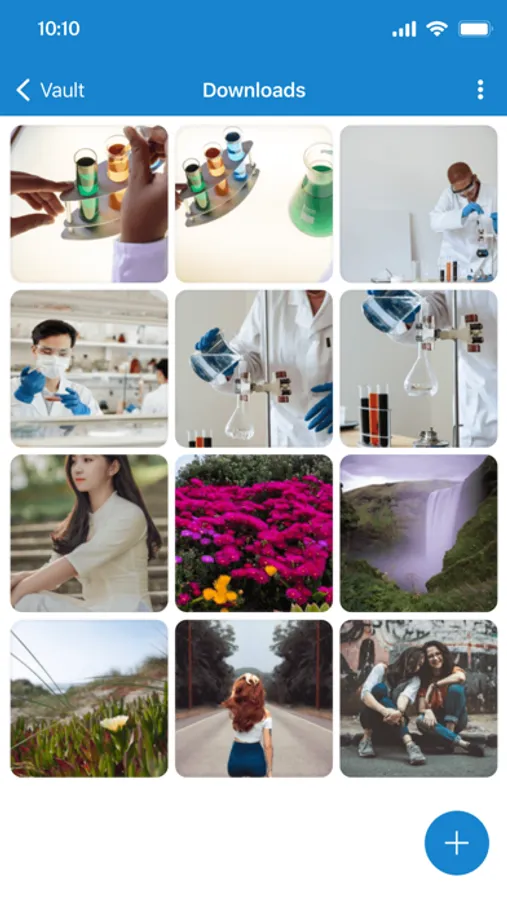
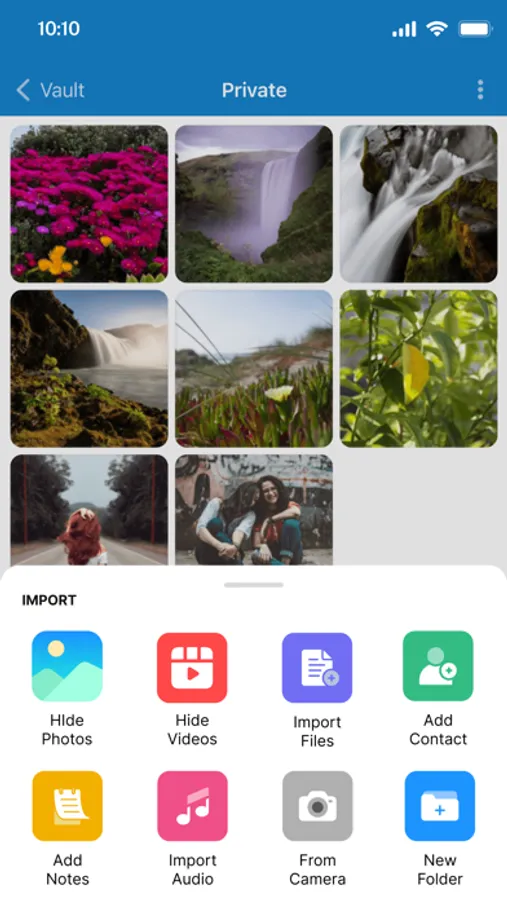
• Import Pictures & Videos: Keep photos & videos safe into the Cloak⁺. View hidden photos inside the C Vault app. You can hide video in many formats. You can also play videos inside vault without unlock the file.
• Private Audio: Hide music and voice notes.
• Notes & Contacts: Whether you want to create a list of things you keep in your documents or write down your private feelings. you can do so securely with the ‘Create Notes’ feature. You can also create contacts inside this C Vault app.
• Album Cover: You can set your desired album cover..
• Private Browser: Private web browser to download and Lock photos, hide videos and music audios from the Internet.
• Save Intruder Photos: Capture a picture of anyone who tries to open C Vault using wrong time password.
• Themes: Choose different type of locker theme colours to beautify your app experience.
• Cloud Backup: Easily backup your private photos, videos and files into your own Drive. Helps to prevent loss of important data and restore your data in case of loss or theft of device.
• Device migration: Transfer all files seamlessly to the new device app works like the old one.
How to set up the password?
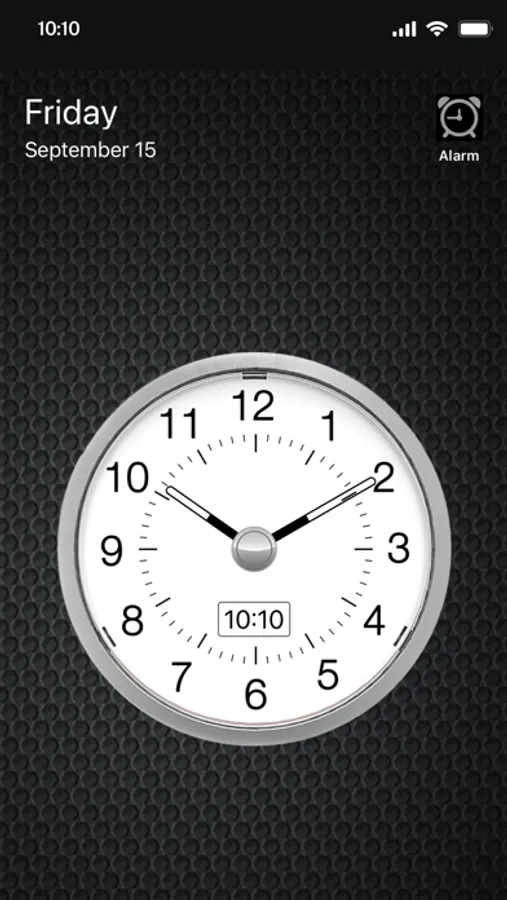
Step 1: Launch the ClockV app and the clock hands will be moved at 00:00 position for password setup.
Step 2: Move the hour and/or minute clock hand to set a desired time password and press the Center button of the clock to confirm.
Step 3: Now repeat the same password again and press the Center button of the clock to confirm. The vault will be open!
How to unlock the app?
Step 1: Launch ClockV, Press the Center button of the clock. The Clock Hands will be moved to the 00:00 positions.
Step 2: Now you can move the clock hour and/or minute hands manually to your password position and press the Center button again to validate. Now you can hide photos, videos & other files.
Forgot password?
Question: What can I do if I forgot my password?
Answer: Launch ClockV and press the Center button of the clock. Set 10:10 time by moving hour and minute clock hands and press the Center button again. It will open password recovery option. You must have set the password recovery option in order to use it.
Disclaimer:
To ensure your utmost security, C Vault does not keep your photos or data on any kind of our server. It uses the internal storage of your device for local storage and your own Drive account to backup and restore from online. If you delete the app, your photos & data saved in the app locally will also be deleted. So make sure to export your photos, videos and files from the app to your device's public storage if you need to delete the app for any reason!
Premium Subscription:
C Vault includes an optional auto-renewable subscription to access current and future premium categories:
Note: Check within the app for exact pricing for your region
- 1 month subscription USD 2.99
- 1 year subscription with 7 days free trial USD 9.99
- Lifetime premium subscription USD 19.99
• Payment will be charged to your iTunes account at confirmation of purchase and will automatically renew (at the duration/price selected) unless auto-renew is turned off at least 24 hours before the end of the current period.
• Account will be charged for renewal within 24-hours prior to the end of the current period, and identify the cost of the renewal.
• Any unused portion of a free trial period, if offered, will be forfeited when the user purchases a subscription to that publication, where applicable.
• You can manage your subscription and/or turn off auto-renewal by going to your iTunes Account Settings, but refunds will not be given for any unused portion of the term.
Terms of Service: https://clock-the-vault.web.app/terms-of-use-ios.html
Privacy Policy: https://clock-the-vault.web.app/privacy-policy-ios.html
Top Features:
• Import Pictures & Videos: Keep photos & videos safe into the Cloak⁺. View hidden photos inside the C Vault app. You can hide video in many formats. You can also play videos inside vault without unlock the file.
• Private Audio: Hide music and voice notes.
• Notes & Contacts: Whether you want to create a list of things you keep in your documents or write down your private feelings. you can do so securely with the ‘Create Notes’ feature. You can also create contacts inside this C Vault app.
• Album Cover: You can set your desired album cover..
• Private Browser: Private web browser to download and Lock photos, hide videos and music audios from the Internet.
• Save Intruder Photos: Capture a picture of anyone who tries to open C Vault using wrong time password.
• Themes: Choose different type of locker theme colours to beautify your app experience.
• Cloud Backup: Easily backup your private photos, videos and files into your own Drive. Helps to prevent loss of important data and restore your data in case of loss or theft of device.
• Device migration: Transfer all files seamlessly to the new device app works like the old one.
How to set up the password?
Step 1: Launch the ClockV app and the clock hands will be moved at 00:00 position for password setup.
Step 2: Move the hour and/or minute clock hand to set a desired time password and press the Center button of the clock to confirm.
Step 3: Now repeat the same password again and press the Center button of the clock to confirm. The vault will be open!
How to unlock the app?
Step 1: Launch ClockV, Press the Center button of the clock. The Clock Hands will be moved to the 00:00 positions.
Step 2: Now you can move the clock hour and/or minute hands manually to your password position and press the Center button again to validate. Now you can hide photos, videos & other files.
Forgot password?
Question: What can I do if I forgot my password?
Answer: Launch ClockV and press the Center button of the clock. Set 10:10 time by moving hour and minute clock hands and press the Center button again. It will open password recovery option. You must have set the password recovery option in order to use it.
Disclaimer:
To ensure your utmost security, C Vault does not keep your photos or data on any kind of our server. It uses the internal storage of your device for local storage and your own Drive account to backup and restore from online. If you delete the app, your photos & data saved in the app locally will also be deleted. So make sure to export your photos, videos and files from the app to your device's public storage if you need to delete the app for any reason!
Premium Subscription:
C Vault includes an optional auto-renewable subscription to access current and future premium categories:
Note: Check within the app for exact pricing for your region
- 1 month subscription USD 2.99
- 1 year subscription with 7 days free trial USD 9.99
- Lifetime premium subscription USD 19.99
• Payment will be charged to your iTunes account at confirmation of purchase and will automatically renew (at the duration/price selected) unless auto-renew is turned off at least 24 hours before the end of the current period.
• Account will be charged for renewal within 24-hours prior to the end of the current period, and identify the cost of the renewal.
• Any unused portion of a free trial period, if offered, will be forfeited when the user purchases a subscription to that publication, where applicable.
• You can manage your subscription and/or turn off auto-renewal by going to your iTunes Account Settings, but refunds will not be given for any unused portion of the term.
Terms of Service: https://clock-the-vault.web.app/terms-of-use-ios.html
Privacy Policy: https://clock-the-vault.web.app/privacy-policy-ios.html
C Vault : Privacy Vault Screenshots

Tap to Rate:
Reviews for C Vault : Privacy Vault
C unhappy customer
Do not pay
I paid for the subscription and I still can’t recover my photos and videos.. this app requires an update. I do not recommend paying. This is a warning to all.
JACEUD
After this. Last update
Umm I lost all my pictures so what y’all going to do about that