In this 3D modeling app, you can scan objects using your device's camera or LiDAR sensor, then edit models with various tools and share them. Includes 3D scanning, editing, rendering, and exporting features along with community sharing options.
AppRecs review analysis
AppRecs rating 4.2. Trustworthiness 82 out of 100. Review manipulation risk 19 out of 100. Based on a review sample analyzed.
★★★★☆
4.2
AppRecs Rating
Ratings breakdown
5 star
72%
4 star
6%
3 star
7%
2 star
2%
1 star
13%
What to know
✓
Low review manipulation risk
19% review manipulation risk
✓
Credible reviews
82% trustworthiness score from analyzed reviews
✓
High user satisfaction
78% of sampled ratings are 4+ stars (4.2★ average)
About WIDAR - 3D Scan & Edit
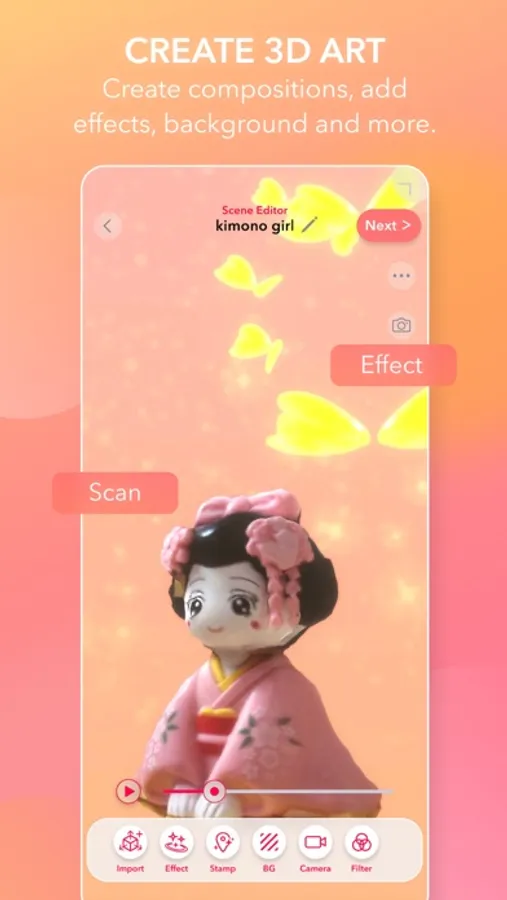
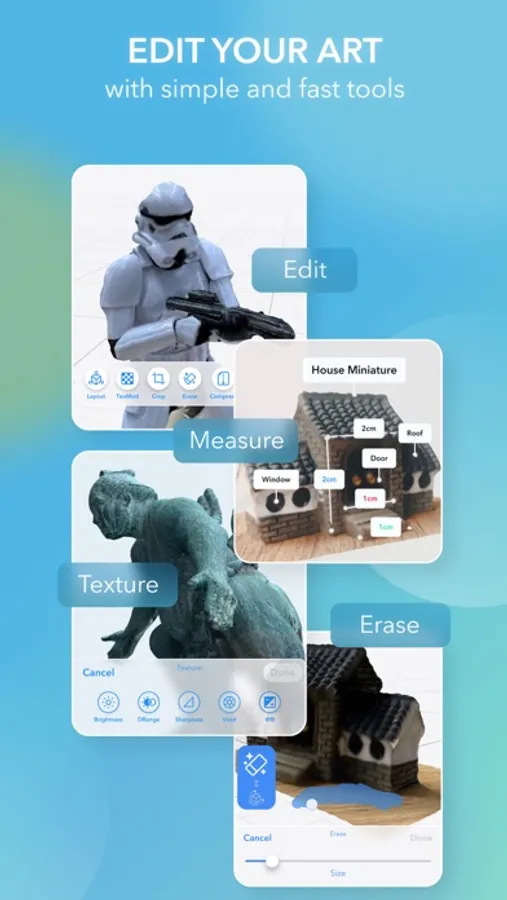
■ WIDAR is the world’s first 3D production app that allows you to scan and edit 3D models on your iPhone or iPad. You can enjoy everything from 3D scanning, which can be used anytime and anywhere, to editing with various tools, rendering, and sharing of images, free of charge. Create 3D creative art like never before!
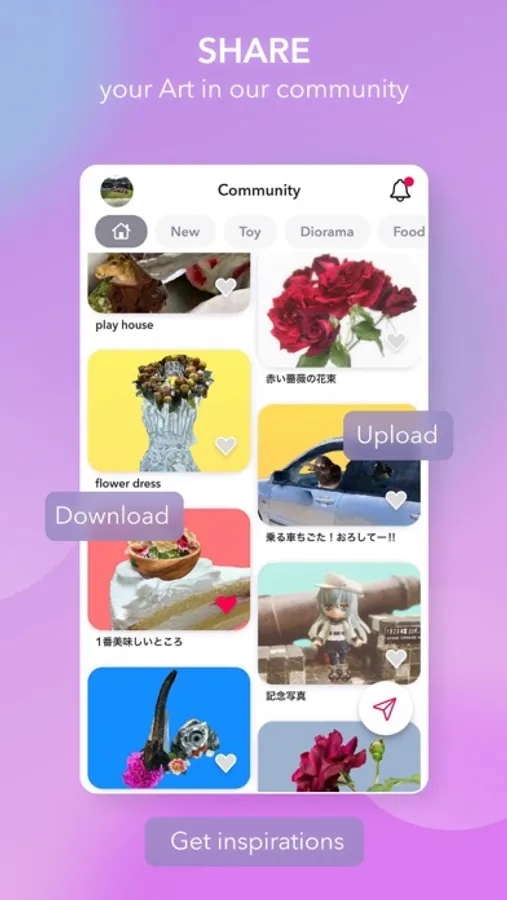
■ The WIDAR community allows you to share your 3D creativity. Share your scene productions with users all over the world! You may even get unprecedented inspiration from other users' posts. Send "Likes" to each other and share your feedback.
■ The Photo Scan mode now allows you to perform 3D scanning on all devices, through photographs from various angles of the selected object, this it is possible to generate a highly accurate and vivid 3D model.
■ The LiDAR Scan mode is available on devices equipped with a LiDAR sensor, this mode allows you to improve the accuracy of Photoscan. This mode is suitable for scanning a wide variety of areas such as rooms, buildings, and city corners. WIDAR's unique algorithm produces high-quality textured 3D models at high speed.
【Attention】This function is limited to iPhone13 Pro, iPad Pro (2nd generation or later), and other models equipped with LiDAR sensors.
■ Scanned and edited models can be shared and exported in various formats for use outside WIDAR. You can export videos and share them on SNS, or export them in object data formats such as OBJ and FBX, and use them with 3DCG software such as Blender and Maya, and game engines such as Unity and Unreal Engine. It is also possible to output in a real form with a 3D printer.
■ Requires iOS 14.5 or later
Compatible with iPhone 8 Plus, iPhone X, iPhone XS, iPhone XS Max, iPhone XR, iPhone 11, iPhone 11 Pro, iPhone 11 Pro Max, iPhone SE (2nd Generation), iPhone 12, iPhone 12 mini, iPhone 12 Pro, iPhone 12 Pro Max, iPhone 13, iPhone 13 mini, iPhone 13 Pro, iPhone 13 Pro Max, iPad Air (3rd Generation), iPad mini (5th Generation), iPad Pro (2nd Generation) 12.9-inch, iPad Pro (2nd Generation) 10.5-inch, iPad Pro (3rd Generation) 11-inch, iPad Pro (3rd Generation) 12.9-inch, iPad Pro (4th Generation) 11-inch, iPad Pro (4th Generation) 12.9-inch, iPad Air (4th Generation), iPad (8th Generation), iPad mini (6th Generation), iPad (9th Generation)
■ Available Text Languages: English, Japanese
WIDAR is an application under development by a small team. We are constantly improving and adding new features to bring more engaging and user-friendly 3D creations for everyone.
Your feedback will help us develop in the future.
We would be happy to hear from you via Twitter DM.
Twitter: @WIDAR_3D
Terms of Use: https://widar.io/en/terms-of-services-2/
Privacy Policy: https://widar.io/en/privacy-policy-3/
■ The WIDAR community allows you to share your 3D creativity. Share your scene productions with users all over the world! You may even get unprecedented inspiration from other users' posts. Send "Likes" to each other and share your feedback.
■ The Photo Scan mode now allows you to perform 3D scanning on all devices, through photographs from various angles of the selected object, this it is possible to generate a highly accurate and vivid 3D model.
■ The LiDAR Scan mode is available on devices equipped with a LiDAR sensor, this mode allows you to improve the accuracy of Photoscan. This mode is suitable for scanning a wide variety of areas such as rooms, buildings, and city corners. WIDAR's unique algorithm produces high-quality textured 3D models at high speed.
【Attention】This function is limited to iPhone13 Pro, iPad Pro (2nd generation or later), and other models equipped with LiDAR sensors.
■ Scanned and edited models can be shared and exported in various formats for use outside WIDAR. You can export videos and share them on SNS, or export them in object data formats such as OBJ and FBX, and use them with 3DCG software such as Blender and Maya, and game engines such as Unity and Unreal Engine. It is also possible to output in a real form with a 3D printer.
■ Requires iOS 14.5 or later
Compatible with iPhone 8 Plus, iPhone X, iPhone XS, iPhone XS Max, iPhone XR, iPhone 11, iPhone 11 Pro, iPhone 11 Pro Max, iPhone SE (2nd Generation), iPhone 12, iPhone 12 mini, iPhone 12 Pro, iPhone 12 Pro Max, iPhone 13, iPhone 13 mini, iPhone 13 Pro, iPhone 13 Pro Max, iPad Air (3rd Generation), iPad mini (5th Generation), iPad Pro (2nd Generation) 12.9-inch, iPad Pro (2nd Generation) 10.5-inch, iPad Pro (3rd Generation) 11-inch, iPad Pro (3rd Generation) 12.9-inch, iPad Pro (4th Generation) 11-inch, iPad Pro (4th Generation) 12.9-inch, iPad Air (4th Generation), iPad (8th Generation), iPad mini (6th Generation), iPad (9th Generation)
■ Available Text Languages: English, Japanese
WIDAR is an application under development by a small team. We are constantly improving and adding new features to bring more engaging and user-friendly 3D creations for everyone.
Your feedback will help us develop in the future.
We would be happy to hear from you via Twitter DM.
Twitter: @WIDAR_3D
Terms of Use: https://widar.io/en/terms-of-services-2/
Privacy Policy: https://widar.io/en/privacy-policy-3/
WIDAR - 3D Scan & Edit Screenshots
Tap to Rate:
Reviews for WIDAR - 3D Scan & Edit
Tag1!
Crashing on lidar scan
I’m reinstalling the app to see if that fixes it. Apple 14 promax iOS 18.5. Opening a new scan and switching to lidar scan crashes the app. Persistent through restart. Using most current version.
lunmoon8
Doesn’t work
Doesn’t work Using iPhone 12 Pro iOS 13.2.1