AppRecs review analysis
AppRecs rating 4.5. Trustworthiness 65 out of 100. Review manipulation risk 21 out of 100. Based on a review sample analyzed.
★★★★☆
4.5
AppRecs Rating
Ratings breakdown
5 star
100%
4 star
0%
3 star
0%
2 star
0%
1 star
0%
What to know
✓
Low review manipulation risk
21% review manipulation risk
✓
High user satisfaction
100% of sampled ratings are 5 stars
About Simple Remote (MONITOUCH)
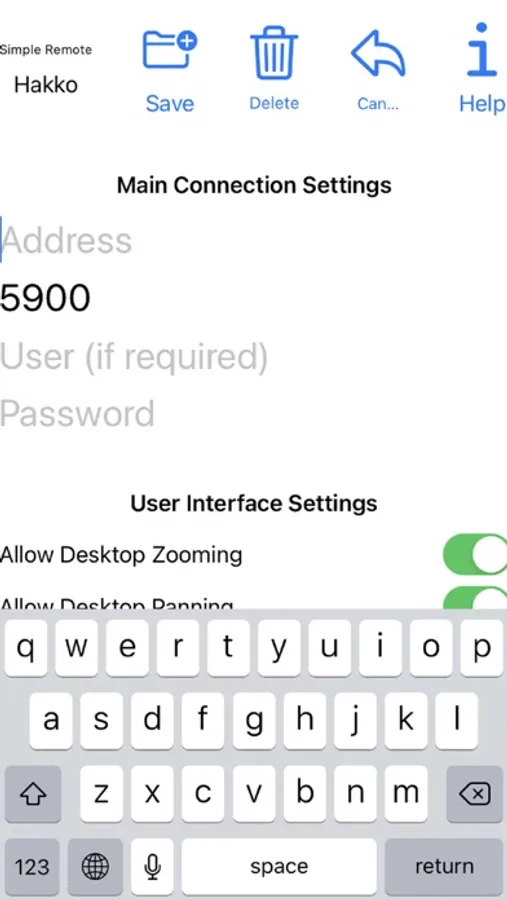
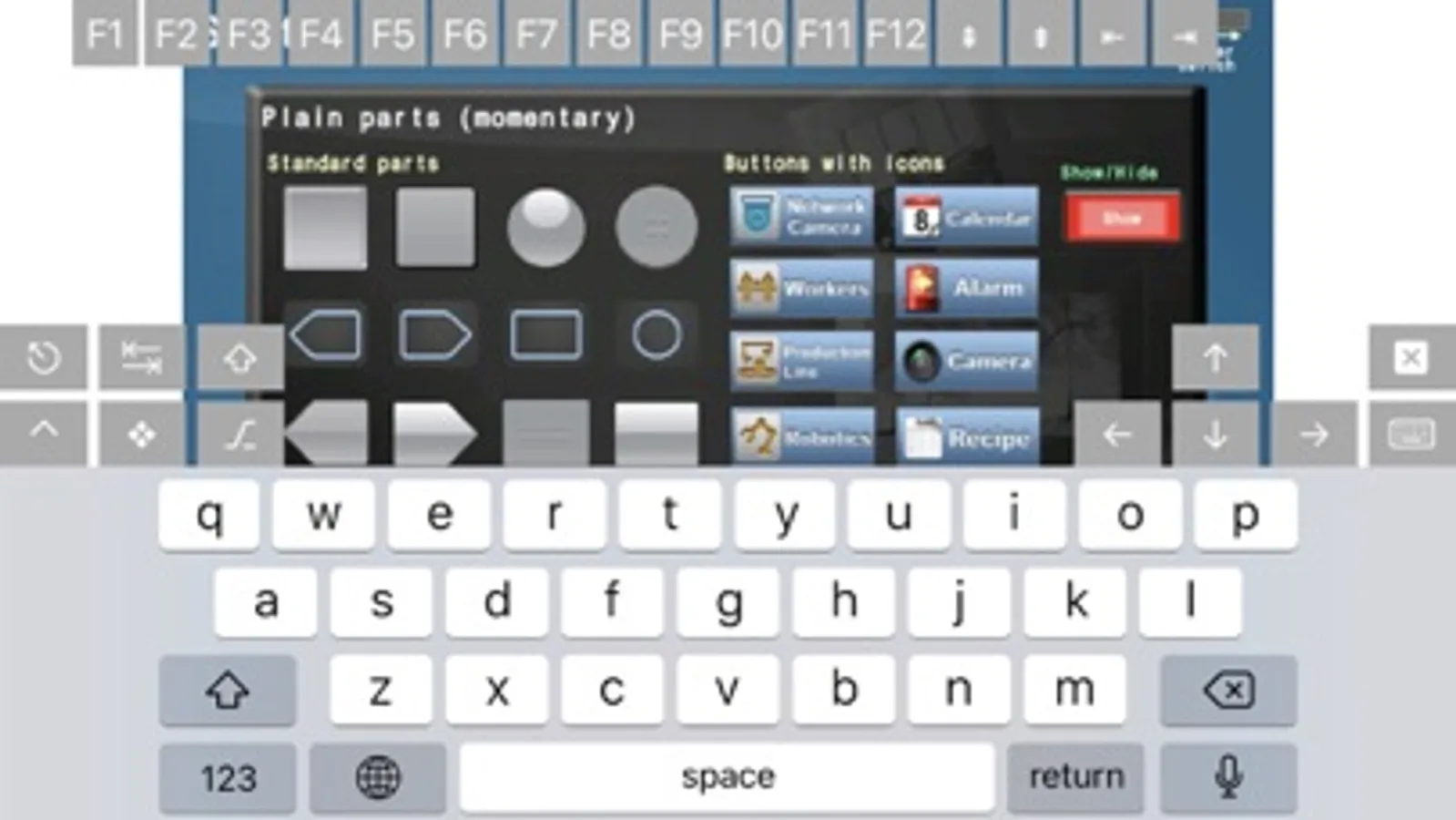
"Simple Remote" lets you control screens of Programmable Operator Interface - MONITOUCH from your iPhone or iPad.
User registration is not required at all. Simply install the application on your iPhone or iPad and it's ready for use.
=== Application Examples ===
- Adjustment of machines or production lines
You can easily monitor screens of MONITOUCH on your iPhone or iPad. There is no need to stand in front of the MONITOUCH unit to check the status of machines or production lines.
- Operation in clean room
There is no need to gear up and enter the clean room to check screens. Just start up "Simple Remote" on your iPhone or iPad for remote monitoring and control of the MONITOUCH that is located in the clean room. It's useful for a quick checkup.
- Troubleshooting
In combination with a Wi-Fi router, you can operate the MONITOUCH from a distant location such as a control room as long as both MONITOUCH and your iPhone or iPad are connected to the same network. You can troubleshoot or verify what's happening without going to the site.
(e.g. MONITOUCH: wired LAN, iPhone or iPad: wireless LAN)
=== Key Features ===
- Pinch to Zoom feature is supported. High visibility is ensured even on the iPhone.
- By registering multiple units (IP address), you can easily switch the target MONITOUCH to operate remotely.
- Menu can be displayed in 5 languages (English, Japanese, Korean, Simplified Chinese, Traditional Chinese)
=== Compatible MONITOUCH Models ===
with wireless LAN *1:
V9 series [Advanced] *2 V9101iWRLD, V9100iWRLD, V9071iWRLD, V9070iWRLD
V9 series [Standard] *3 V9150iXRD, V9120iSRD, V9120iSRBD, V9100iSRD, V9100iSRBD, V9080iSRD, V9080iSRBD
without wireless LAN *4:
V9 series other than listed above
TS2000 series TS2060i
TS1000 Smart series TS1070Si, TS1100Si
TS1000 series TS1070i, TS1071i, TS1100i, TS1101i
=== Remarks ===
*1 Only iPhone or iPad is required for use, but please note that the communication distance with the V9's wireless LAN is limited.
Connection check is suggested before use. If the connection is not strong enough, please install a Wi-Fi router.
*2 Complied with Radio Act in Japan, USA, Canada, Europe, Korea. Please use a Wi-Fi router in other countries.
*3 Complied with Radio Act in Japan only. Please use a Wi-Fi router in other countries.
*4 Installation of Wi-Fi router is required.
a link to the source code https://gitlab.com/iiordanov/remote-desktop-clients-ios
User registration is not required at all. Simply install the application on your iPhone or iPad and it's ready for use.
=== Application Examples ===
- Adjustment of machines or production lines
You can easily monitor screens of MONITOUCH on your iPhone or iPad. There is no need to stand in front of the MONITOUCH unit to check the status of machines or production lines.
- Operation in clean room
There is no need to gear up and enter the clean room to check screens. Just start up "Simple Remote" on your iPhone or iPad for remote monitoring and control of the MONITOUCH that is located in the clean room. It's useful for a quick checkup.
- Troubleshooting
In combination with a Wi-Fi router, you can operate the MONITOUCH from a distant location such as a control room as long as both MONITOUCH and your iPhone or iPad are connected to the same network. You can troubleshoot or verify what's happening without going to the site.
(e.g. MONITOUCH: wired LAN, iPhone or iPad: wireless LAN)
=== Key Features ===
- Pinch to Zoom feature is supported. High visibility is ensured even on the iPhone.
- By registering multiple units (IP address), you can easily switch the target MONITOUCH to operate remotely.
- Menu can be displayed in 5 languages (English, Japanese, Korean, Simplified Chinese, Traditional Chinese)
=== Compatible MONITOUCH Models ===
with wireless LAN *1:
V9 series [Advanced] *2 V9101iWRLD, V9100iWRLD, V9071iWRLD, V9070iWRLD
V9 series [Standard] *3 V9150iXRD, V9120iSRD, V9120iSRBD, V9100iSRD, V9100iSRBD, V9080iSRD, V9080iSRBD
without wireless LAN *4:
V9 series other than listed above
TS2000 series TS2060i
TS1000 Smart series TS1070Si, TS1100Si
TS1000 series TS1070i, TS1071i, TS1100i, TS1101i
=== Remarks ===
*1 Only iPhone or iPad is required for use, but please note that the communication distance with the V9's wireless LAN is limited.
Connection check is suggested before use. If the connection is not strong enough, please install a Wi-Fi router.
*2 Complied with Radio Act in Japan, USA, Canada, Europe, Korea. Please use a Wi-Fi router in other countries.
*3 Complied with Radio Act in Japan only. Please use a Wi-Fi router in other countries.
*4 Installation of Wi-Fi router is required.
a link to the source code https://gitlab.com/iiordanov/remote-desktop-clients-ios
Simple Remote (MONITOUCH) Screenshots
Tap to Rate:
Reviews for Simple Remote (MONITOUCH)
noimnotgivingyouanickname
Pi Perfect!
This app is perfect for what it does. A simple clear and easy way to connect to your Pi via VNC. I tried half a dozen free and freemium apps. This was the first that did the job. Great work developers!